
.svg)




Key Takeaways
- UX audits provide data-driven insights, covering user behavior and usability issues.
- Heuristic evaluations rely on expert rules to quickly spot UX design problems.
- Audits cost more and take longer, while heuristics remain faster and cheaper.
- Choose audits for mature products, heuristics for early-stage or urgent checks.
- Both methods reveal problems, but their scope, depth, and outputs differ.
Product managers, SaaS founders, and UX leads often face one hard question. A product feels weak, users drop, and pressure builds to fix the UX fast. The real decision starts with UX Audit vs Heuristic Evaluation.
Both methods review user experience, but they lead to very different outcomes. One gives deep proof with data. The other gives fast expert feedback. The choice affects budget, timelines, and the type of UX issues your team will act on.
This guide helps decision-makers choose with clarity. You will see what each method covers, what it leaves out, and which one fits your product stage. Read this blog to decide with confidence and avoid the wrong UX investment.
What Is a UX Audit?
A UX audit is a full check of a digital product to spot weak experience areas. This UX audit definition covers layout, content, and user paths with facts, not guesswork, and clear proof.
For example, a SaaS product may see users leave during onboarding. A UX audit checks each onboarding step, reviews user actions, and shows where confusion or trust breaks cause users to quit early.
This work reviews screens, tasks, and flow to reveal usability issues. A comprehensive UX review uses user research, real behavior, and goals so teams see problems through actual user needs, not gut feel.
When a team successfully follows a complete UX audit checklist, tracking UX metrics like task success, drop rate, and errors becomes easier. The result comes as UX deliverables such as reports, clear fixes, and a step plan for product improvement.
Purpose of a UX Audit
- Expose key usability issues that block user tasks.
- Show where users drop and why it happens.
- Tie design work to clear UX metrics.
- Set a fixed order with proof, not opinion.
- Guide teams after user research results.
- Support better product and business goals.
What Is a Heuristic Evaluation?
A heuristic evaluation is a fast expert check of a product screen. This expert-based usability inspection follows a fixed set of rules to spot clear UX errors without tests or live users.
Jakob Nielsen, co-founder of Nielsen Norman Group, introduced this method to evaluate usability without user testing. A trained reviewer runs a heuristic review on pages and notes where the design breaks common UX rules.
These rules are also called Nielsen’s heuristics or UX heuristics. They act as a quality filter. The goal stays simple. Spot risks early and cut design mistakes before real users face them.
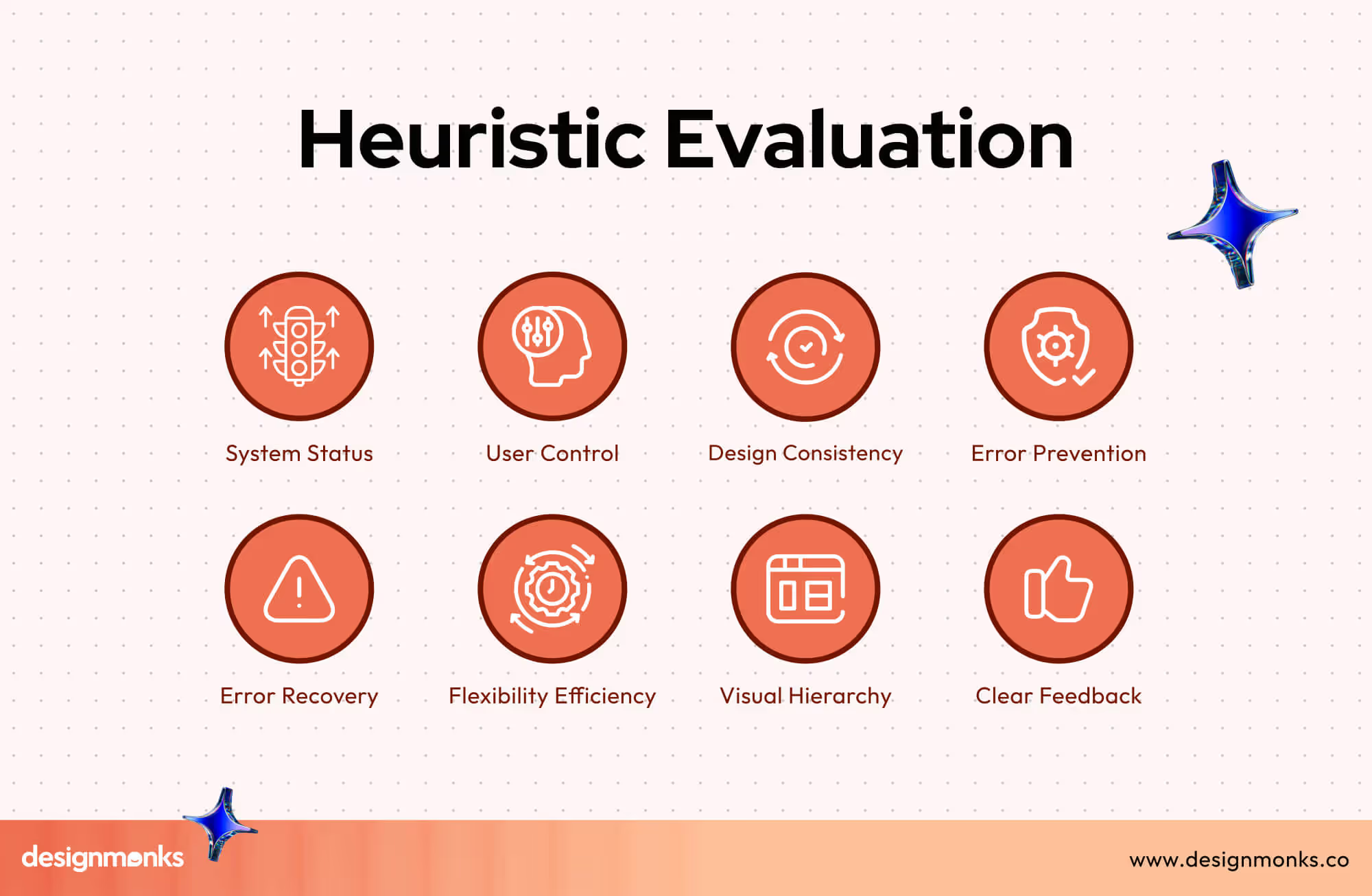
Core Principles of Heuristic Evaluation by Nielsen’s Heuristics:
- The system should always show what is happening in clear words.
- The design should use terms that feel real and familiar to users.
- Users should have full control to undo or leave any action.
- The interface should stop errors before they happen.
- The screen should stay clean and free from extra clutter.
- Error messages should explain the problem in simple language.
- The product should offer help and clear guidance when needed.
- The system should lower memory load by keeping steps easy to recall.
UX Audit vs Heuristic Evaluation: The Core Differences
Two reviews can look at the same product and still lead to opposite actions. This section breaks down the difference between UX audit and heuristic evaluation with a simple comparison so teams can match the right UX evaluation methods to the right goal.
Comparison Table: UX Audit vs Heuristic Evaluation
Scope & Depth Differences
A UX audit has a wide scope and strong coverage. It includes layout, flow, content, usability testing, and UX metrics. It checks how real users act across many paths.
A heuristic evaluation stays narrow. It follows fixed rules only. It does not test with users. The depth stays low, but the speed stays high.
Methodology Differences
The UX audit follows a methodology based on real data. Teams use analytics, session tools, and user testing. Each issue links to proof. The full review follows a clear process from data to fixes.
The heuristic method follows set rules only. The expert checks screens against known UX rules. No data tool guides the review. It depends on expert skill.
Output & Deliverables Differences
A UX audit ends with a full UX report. The UX audit report shows issues, impact, priority, and fix ideas. Teams also see flow maps and score sheets.
A heuristic review gives short findings. Each issue has severity ratings and rule tags. The output helps with quick cleanup but lacks deep business links.
When to Use a UX Audit
Here are the best use cases for UX audits in simple and real-world terms. These cases show when a full review brings the highest value.
- A UX audit fits best before a product redesign to spot weak pages and risky flows before a new layout goes live.
- It works well when sales drop, and conversion optimization feels stuck without a clear reason.
- Teams should use it after a big feature launch to check if users follow the planned task paths.
- It helps when user support tickets rise and the cause stays unclear across screens.
- It also suits products that grow fast and need proof-based UX fixes instead of guesswork.
When to Use a Heuristic Evaluation
These usability heuristic use cases show when this method brings fast value with low cost and quick expert input.
- A heuristic evaluation works best in early-stage UX when a product has only wireframes or beta screens.
- It suits projects that need a fast expert review before user tests or market launch.
- Teams can use it when time is tight and a full UX audit does not fit the plan.
- It helps during quick design updates to catch rule breaks before release.
- It also fits small products that need a basic UX quality check without heavy tools.
UX Audit Process: Step-by-Step Guide
This UX audit process breaks the full review into clear actions. Each step uses proof from UX research, heatmaps, and analytics review to guide exact design fixes for real impact.
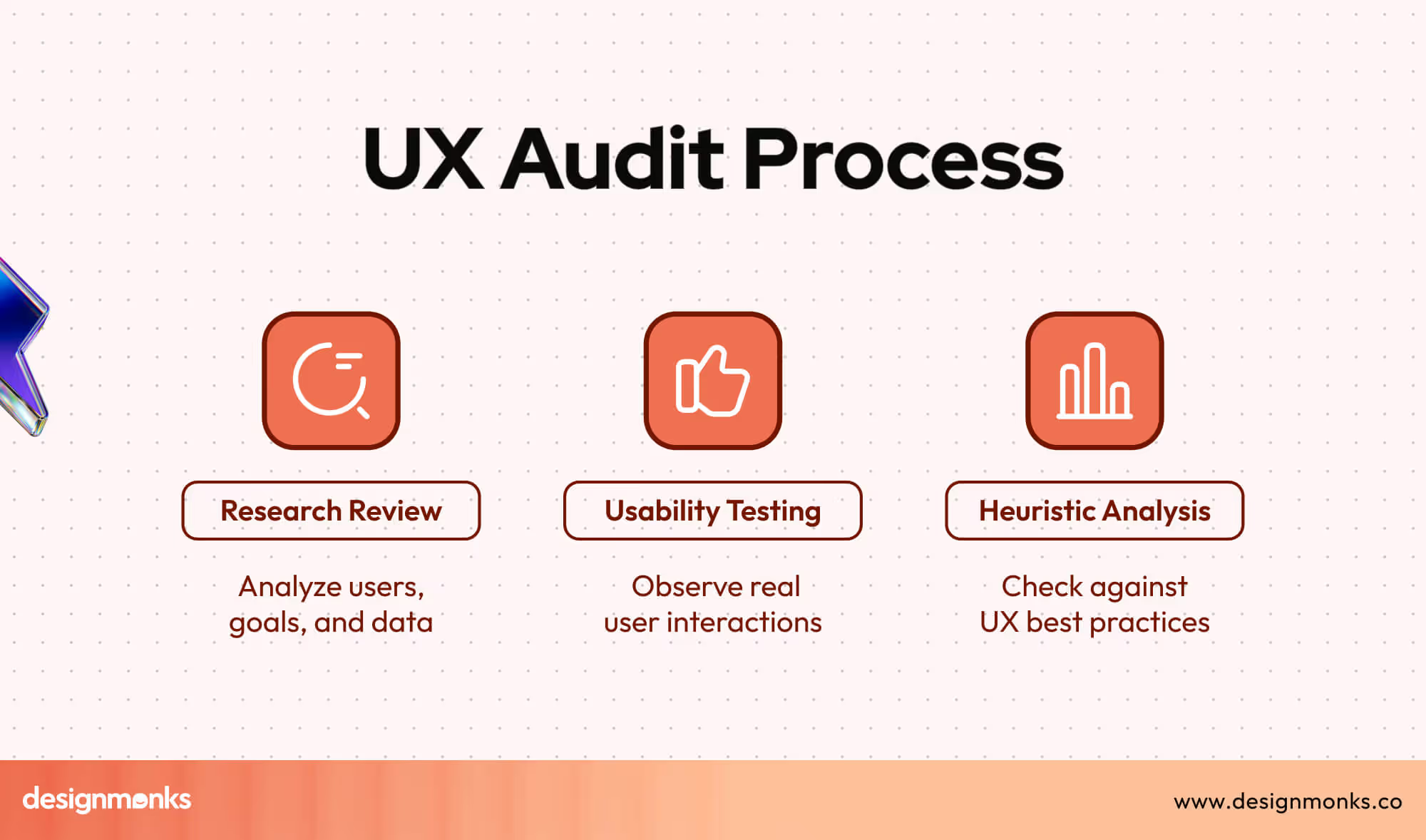
- Step 1: Goal Setup - Set business goals, user goals, and key pages to review so the UX audit process stays focused and result-driven.
- Step 2: Data Review - Study traffic flow through analytics review and heatmaps to spot where users pause, tap less, or leave key paths early.
- Step 3: User Insight Check - Use UX research with short interviews and surveys to learn user needs, pain points, and trust gaps across main screens.
- Step 4: Task Flow Test - Run task-based usability checks to see how users move across core flows and where steps break or slow progress.
- Step 5: Issue Listing - Note each issue with screen name, clear impact, and risk level so the team can set fix order with shared proof.
- Step 6: Report Delivery - Prepare the UX audit report with summary, page links, and fix steps so design and product teams act with speed and clarity.
Heuristic Evaluation Process: Step-by-Step Guide
This guide explains how heuristic evaluation works in clear steps. These heuristic evaluation steps rely on expert skill, Nielsen’s 10 heuristics, and a clear severity rating system to flag UX risks fast.
- Step 1: Evaluator Selection - Pick two to five UX experts with product review skills so different views help raise the review quality.
- Step 2: Heuristic Setup - Prepare the full list of Nielsen’s 10 heuristics so all reviewers follow the same UX rules during checks.
- Step 3: Screen Review - Each expert checks screens one by one and matches each design part with the heuristic list to spot rule breaks.
- Step 4: Issue Notes - Reviewers write clear issue notes with page name, rule break type, and short proof from the screen itself.
- Step 5: Severity Rating - Each issue gets a severity rating based on user harm, task block level, and fix effort for better risk control.
- Step 6: Final Report - Combine all expert notes into one list so teams see top risks, fix order, and fast action steps.
UX Audit Tools vs Heuristic Evaluation Tools (Unique)
UX tools and heuristic tools support product checks in different ways. UX audit tools reveal real user actions through data. Heuristic tools guide experts with clear rules as they inspect each screen. Here are the key tools teams use for both methods.
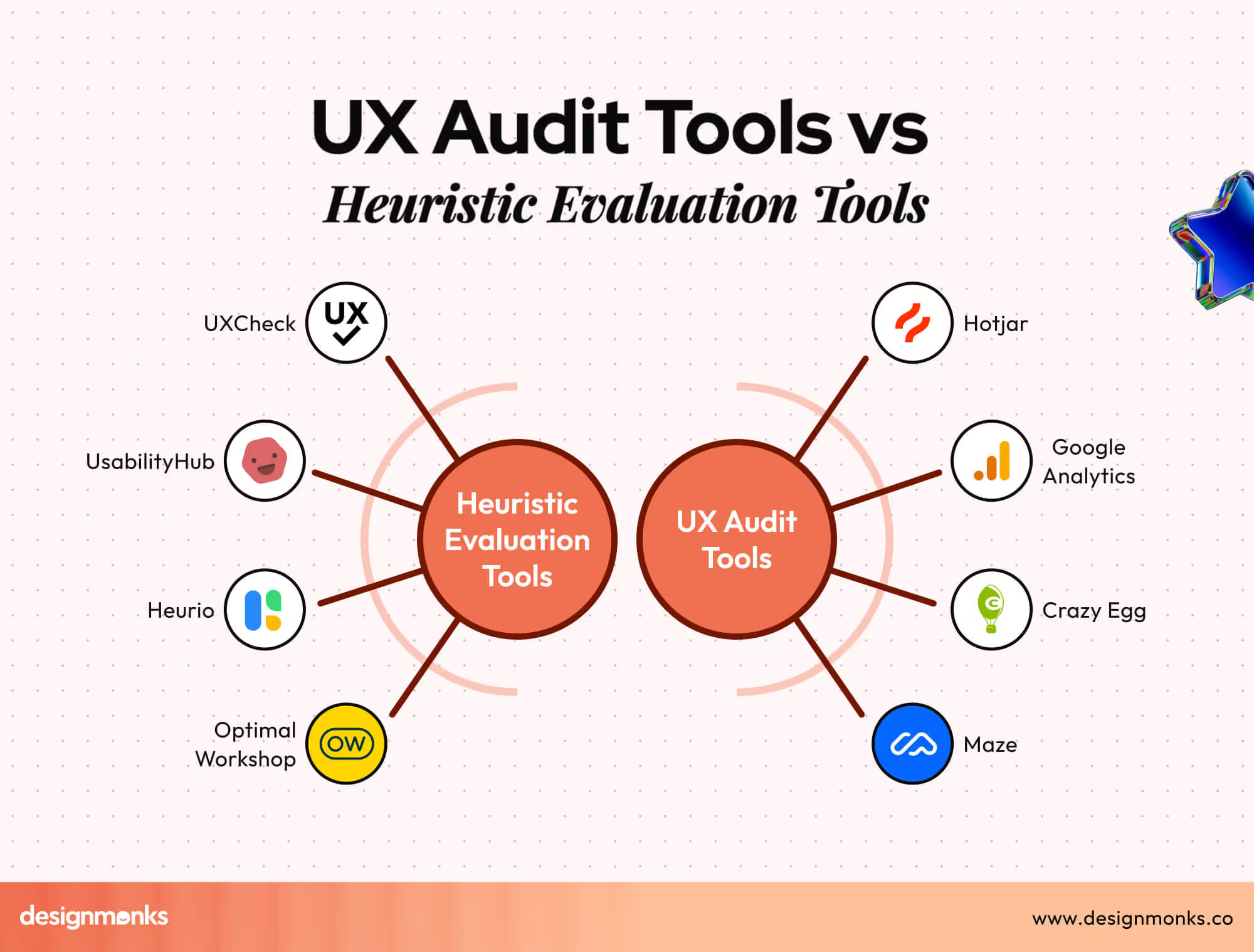
UX Audit Tools
These tools help teams see behavior, gaps, and hidden blocks inside real user paths.
- Hotjar shows heatmaps, scroll maps, and short user notes that highlight high-stress areas on key screens.
- GA4 tracks traffic, drop points, task paths, and device use so teams see real numbers behind user movement.
- UXCam records sessions, taps, and gestures, revealing where users fail or pause for too long.
- Crazy Egg offers heatmaps and click maps that show where user attention rises or drops on each page.
- Maze offers fast tests that reveal user flow issues through simple task paths and clean reports.
- Surveys and short polls reveal direct user goals and trust gaps inside the product.
Heuristic Evaluation Tools
These tools support expert-led reviews based on UX rules.
- Nielsen Norman heuristic lists help experts follow Nielsen’s 10 heuristics with clear rule names and checks.
- UXCheck gives an easy browser tool for quick rule checks on live screens.
- UsabilityHub supports simple UX tasks and expert checks that align well with rule-based reviews.
- Heurio provides a rule-focused review tool where experts can mark issues directly on the interface.
- Optimal Workshop offers tasks and structure tools that support deeper expert checks on layout and user paths.
Real-World Example: UX Audit vs Heuristic Evaluation on the Same Product
A busy apparel store noticed many buyers dropped off at the final step of its ecommerce checkout flow. The team wanted to know the real cause, so they checked the same screen with two different methods.
The findings showed how each method uncovers a different side of the same problem.
UX Audit View
A UX audit looks at real behavior. The data shows that many users leave the checkout page after the shipping step. Heatmaps reveal low attention on the “Continue” button. Polls show users feel unsure about delivery fees.
The ecommerce UX audit connects these issues with task success numbers and shows that unclear cost details push users away. The final report gives clear fixes tied to real data.
Heuristic Evaluation View
A heuristic review studies the same checkout page but through expert eyes. The expert notes that the fee details break the “clarity” rule, and the long form breaks the “simple design” rule.
The expert also spots a small error in button order that breaks the “user control” rule. These points do not come from user data. They come from rule checks and expert skill.
Outcome Difference
The UX audit focuses on real actions and reasons behind user drop. The heuristic review focuses on rules and design quality. Both methods point to problems, but the audit gives proof from users, while the heuristic method gives fast expert insight.
Cost Comparison: UX Audit vs Heuristic Evaluation
Teams often think both methods cost the same, but the gap stays wide once you look at the work each method needs. A UX audit uses more research and tools. A heuristic evaluation depends mainly on expert time. Here’s more about the cost:
UX Audit Cost
A UX audit needs data checks, user paths, heatmaps, short surveys, and a full report. This wider scope raises the price.
Typical range: $1,500 to $15,000 based on product size, page count, and depth of research.
Heuristic Evaluation Cost
A heuristic review stays lighter because experts review screens with rule sets. No user tests or analytics checks are needed, so the cost stays lower.
Typical range: $300 to $4,000, depending on screen count and number of experts.
It means that a UX audit fits teams that need deep proof and clear reasons behind user pain. A heuristic review fits teams that want fast expert insight with a smaller budget.
Common Misconceptions About UX Audit & Heuristic Evaluation
Many teams mix these two methods because both point out UX problems. This creates confusion, wrong expectations, and poor planning. Clearing these UX myths helps teams pick the right method with confidence.
Heuristic Evaluation Is a Full UX Audit
Many think rule checks equal a full audit. A heuristic review gives expert notes but no data, no user paths, and no clear proof from real behavior. It cannot replace a complete UX audit.
UX Audit Works Without Expert Skills
Some teams think anyone can run a UX audit. A proper audit needs skill in data checks, user tasks, risk control, and clear reporting. Without these skills, many issues remain hidden.
Heuristics Work Only for Old Products
Some believe heuristic checks fit only mature products. In reality, early screens, wireframes, and new flows gain value too because experts spot clarity gaps before the design grows large.
UX Audit Always Takes Months
Teams fear long timelines. A focused UX audit can finish fast when the scope stays clear. Only very large products need long cycles due to many flows and screens.
Heuristic Evaluation Never Finds Deep Problems
People think heuristic checks only find surface issues. Skilled experts can catch structural gaps, control problems, and rule breaks that hurt tasks. The method works fast but still brings depth through expert eyes.
Which One Should You Choose?
The right choice depends on your time, budget, and UX maturity. Fast projects or early screens fit a heuristic review because experts can point out clear rule breaks without long research.
A wider product with traffic, user pain, or big goals fits a UX audit. The audit brings data, user paths, and proof that supports strong decisions across the product lifecycle. Read this blog to pick the right path with confidence.


.avif)
.avif)
.avif)
.avif)


.avif)
.avif)
.avif)
.avif)







.avif)




