
.svg)


Key Takeaways
- A UX Audit Checklist identifies usability, UI, and accessibility issues effectively.
- Structured audits improve user flow, reduce friction, and boost conversions.
- Heuristic evaluations and real user data reveal practical design improvement areas.
- Mobile responsiveness, performance, and content clarity are critical for user satisfaction.
- Using the right UX tools makes audits faster, accurate, and actionable.
A weak page can break trust in seconds during real use. A UX audit checklist shows where UX Audit gaps harm User Experience and Website Usability. It gives clear signs of what blocks users today.
Teams also name this work UX evaluation, usability review, or interface audit in reports. Each name points to the same task. It checks how screens work, how text reads, and how easy each step feels now.
This guide uses a UX audit checklist and usability checklist as clear maps. They help spot UI faults, access gaps, and sales drops with simple steps. Read this blog to see how to apply each check.
What Is a UX Audit?
A UX Audit means a full review of a site or app based on how real users act. It checks User Experience, page flow, and layout with UX UI Heuristics and clear UX Metrics from actual use.
The core goal of UX audit meaning is to trace the full User Journey and spot weak points. Teams follow a ux evaluation process with a usability assessment and heuristic analysis to judge ease, clarity, and task success.
UX audits shape both UX performance and sales results. When pages feel clear, and actions feel smooth, users act with less doubt. This lifts clicks, form use, and sales results with proof from UX Metrics.
Purpose of a UX Audit:
- Find weak steps in the User Journey where users feel lost or stop their task.
- Fix layout and UI faults that cause doubt, delay, or wrong taps on key pages.
- Build user trust by improving clarity, message flow, and page order.
- Raise form submit and checkout success by removing fear and effort points.
- Track UX quality with UX Metrics to support each design change with proof.
UX Audit Checklist
This UX Audit Checklist is detailed and covers many aspects of usability, design, and performance. To make it easy, we divided it into 9 clear steps. Follow them in order to review your site or app systematically, spot issues, and improve user experience efficiently without missing anything important.
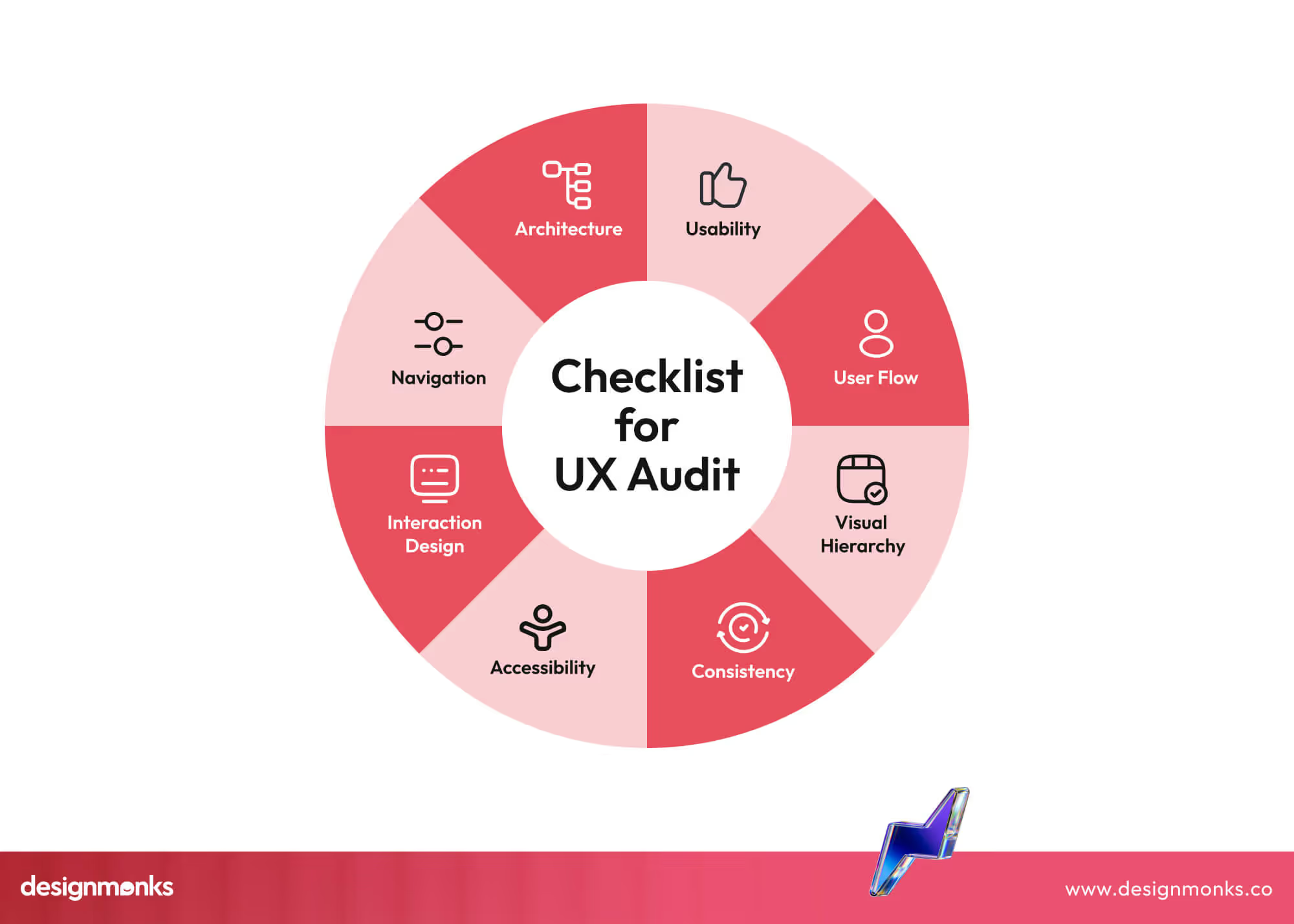
Step 1: Evaluate the Information Architecture (IA Audit)
A clear Information Architecture (IA) helps users move through a website easily. An IA audit reviews how pages are organized, how menus guide users, and how content is grouped.
Use this checklist to evaluate your IA:
- Check menu and navigation labels for clarity. Users should immediately understand what each link leads to.
- Ensure consistent terms across all pages so the same idea is described in the same way.
- Map tasks to menus so users can reach important actions in just a few clicks.
- Keep menus simple and shallow, avoiding too many layers that can confuse visitors.
- Group related content together to make scanning easy and logical.
- Use headings and subheadings to show the importance of sections and guide the eye.
- Arrange content based on what users need most, placing key info first.
Step 2: Usability Heuristic Evaluation
A usability heuristic evaluation checks how well a site or app follows rules for a smooth user experience. Using Nielsen’s 10 heuristics from the Nielsen Norman Group helps spot problems before users face them.
Use this heuristic evaluation checklist to guide your review:
- Ensure users always know the system status with clear feedback for actions, loading, or errors.
- Prevent errors by designing forms, buttons, and flows that guide users and reduce mistakes.
- Provide clear error messages and instructions to help users recover without frustration.
- Match system language to what users understand; avoid technical or confusing terms.
- Make important actions visible and easy to find without overloading the interface.
- Allow undo or exit options to give users control over their actions.
- Keep consistency in layout, labels, and interaction patterns across the site.
Step 3: UI Design Quality Audit
A UI Design Quality Audit checks how visually clean, consistent, and easy-to-read your interface is. It reviews colors, typography, layout, spacing, and alignment to ensure the interface looks professional and guides users naturally.

Use this visual design audit checklist for your review:
- Check the color palette for readability, contrast, and accessibility to ensure all users can see content clearly.
- Review typography for consistent font styles, sizes, and line spacing that support easy reading.
- Ensure consistency across UI components using a style guide or design system for buttons, forms, and icons.
- Align elements with a grid system to create balance and visual order on all pages.
- Maintain consistent spacing between sections, text, and components to avoid clutter.
- Verify that interactive elements like buttons and links look and behave consistently across screens.
- Use visual hierarchy to highlight key content and guide user attention naturally.
Step 4: Accessibility Audit
An Accessibility Audit ensures all users, including those with disabilities, can use your website or app. Following WCAG 2.1 guidelines helps check color contrast, keyboard navigation, screen reader support, and proper use of ARIA labels.
Use this accessibility checklist for your review:
- Check color contrast to ensure text and important elements are visible to all users, including those with low vision.
- Verify text can be resized without breaking the layout or hiding content.
- Test keyboard navigation so users can access all pages and interactive elements without a mouse.
- Ensure screen readers can read content in the correct order with meaningful labels for headings, links, and buttons.
- Apply ARIA labels for dynamic elements to provide extra context for assistive technologies.
- Test all media, including images and videos, with alternative text or captions.
Step 5: Mobile Responsiveness & Device Testing
Mobile responsiveness ensures your website or app works smoothly on all screen sizes. Testing across real devices and screen breakpoints helps ensure users get the same experience on phones, tablets, and desktops.
Tools like Chrome DevTools, BrowserStack, and Lighthouse help test layout, speed, and interaction issues across devices.
Use this mobile UX checklist for your review:
- Test layout and content on multiple devices using BrowserStack or real phones to ensure nothing breaks or shifts.
- Check text size and button tap area with Chrome DevTools responsive mode for easy use on small screens.
- Verify image and video scaling using CSS and device preview tools to avoid stretching or blurring.
- Review mobile load speed with Lighthouse and PageSpeed Insights for smooth interaction.
- Test forms and inputs on mobile keyboards for easy typing and error-free submission.
- Check pop-ups and overlays on small screens to ensure they do not block key content.
Step 6: Performance & Technical UX Audit
A Performance and Technical UX Audit checks how fast and smoothly your website or app works. Slow pages or technical issues frustrate users, increase bounce rates, and hurt conversions. Core Web Vitals and loading patterns give measurable insight into technical UX quality.
Use this performance audit checklist for your review:
- Measure page load speed using tools like PageSpeed Insights to spot slow elements.
- Check Core Web Vitals: LCP (Largest Contentful Paint), FID (First Input Delay), and CLS (Cumulative Layout Shift) for real user experience.
- Review how images, videos, and scripts impact load time and optimize them.
- Ensure server response and hosting setup support fast page delivery.
- Test mobile and desktop performance separately for different network conditions.
- Monitor error logs, broken links, and console issues affecting UX.
Step 7: Content & UX Writing Audit
A Content and UX Writing Audit ensures text is clear, helpful, and easy to scan. Good microcopy guides users, reduces mistakes, and improves trust.
Use this UX writing checklist for your review:
- Check headings and subheadings for clarity and relevance.
- Ensure body text uses simple language and matches the brand tone.
- Review buttons, labels, and instructions to guide actions clearly.
- Break content into short paragraphs and lists for easy scanning.
- Verify error messages and notifications are polite, clear, and actionable.
- Align content with user goals and context on each page.
Step 8: Conversion Rate Optimization (CRO) Audit
A CRO Audit checks how well your website or app turns visitors into customers. It focuses on CTAs, funnel flow, and trust signals to reduce friction and boost conversions.
Use this CRO audit checklist for your review:
- Ensure CTAs are visible, clear, and action-focused.
- Check the conversion funnel for drop-off points.
- Analyze heatmaps and click tracking for attention patterns.
- Simplify forms with clear labels and fewer fields.
- Display trust signals like testimonials and security badges.
- Keep landing pages consistent with follow-up steps.
Step 9: User Research & Behavioral Insights Review
A User Research and Behavioral Insights Audit combines heuristics with quantitative analytics to see how real users behave. It reveals pain points, preferences, and opportunities to improve UX.
Use this user research audit checklist for your review:
- Analyze session recordings to see how users navigate pages.
- Use heatmaps to check which areas attract attention and which are ignored.
- Track key metrics in Google Analytics, like bounce rate and time on page.
- Compare behavior with expected flows to find gaps.
- Collect user feedback or surveys to validate observations.
- Identify patterns to guide UX improvements and reduce friction.
UX Audit Tools Checklist
The right UX audit tools help teams check usability, user behavior, speed, and access issues with clear data. These tools support better decisions and guide focused UX improvements.
Hotjar
Hotjar shows how users act on your website through visual data. It uses heatmaps to show where users click, scroll, or stop. Session replays help teams see real user paths and struggle points.
Feedback tools allow users to share what feels hard or unclear. Hotjar helps detect confusion, dead areas, and exit points. It supports early UX fixes before major damage occurs.
Google Analytics 4 (GA4)
GA4 shows how users move through a site with clear data. It tracks visits, clicks, page views, form use, and drop-offs. Event-based reports help teams understand which actions matter most.
GA4 also shows device types, traffic sources, and key funnels. It helps teams judge UX strength with proof, not guesses. This tool plays a core role in every user research audit.
FAQs
Why is a UX audit important for websites and apps?
A UX audit helps find issues that confuse users and block actions. It improves ease of use, builds trust, reduces drop-offs, and supports better results from design, content, and performance improvements.
How often should a UX audit be done?
A UX audit should be done at least once a year or after major design changes. Regular audits help keep the user experience aligned with user needs, device trends, and business goals.
What is the difference between a UX audit and usability testing?
A UX audit reviews design, layout, flow, and performance using rules and data. Usability testing checks how real users complete tasks. Audits find problems first, while testing confirms how users face them.
Can a UX audit improve conversion rates?
Yes, a UX audit removes friction from key actions like forms, sign-ups, and checkouts. When users face fewer blocks and feel more trust, they complete actions more often, which raises conversions.
End Note
A UX audit checklist helps spot issues that block users and affect conversions. It guides improvements in structure, design, content, and performance. Using a structured audit ensures decisions are based on data and real behavior. This strengthens usability, accessibility, and overall user satisfaction.


.avif)
.avif)
.avif)
.avif)


.avif)
.avif)
.avif)
.avif)







.avif)




