.svg)



Key Takeaways
- Good sports car UI helps drivers access information quickly and safely.
- Physical controls and digital interfaces work together for better usability.
- Clear displays reduce distraction and help drivers make faster decisions.
- Real-time performance data helps drivers understand vehicle behavior while driving.
- Responsive, driver-focused UI makes advanced automotive technology easier to use.
What happens when a powerful sports car meets a poorly designed dashboard? The result can be frustrating, distracting, and even unsafe. That is why the importance of user interface in sports cars goes beyond making the cockpit look modern.
Modern sports cars rely on digital clusters, touchscreens, head-up displays, steering controls, and performance data. A good user interface can help the driver access information, control features, and stay focused while enjoying the car’s performance.
But these benefits depend on how well each part of the interface is designed. So, how can you create a sports car UI that truly works for the driver? Let’s find out!
What Is the User Interface (UI) in a Sports Car?
The user interface (UI) in a sports car is the way a driver communicates with and controls the vehicle. It includes everything the driver uses to see information, give commands, and understand the car’s response.
From checking speed and RPM on the dashboard to changing drive modes or shifting gears with paddle shifters, the UI makes these interactions possible.
In simple terms, the UI acts as the connection between the driver and the car. It combines physical elements such as buttons, dials, and steering controls with digital features such as touchscreens, displays, voice controls, and head-up displays.
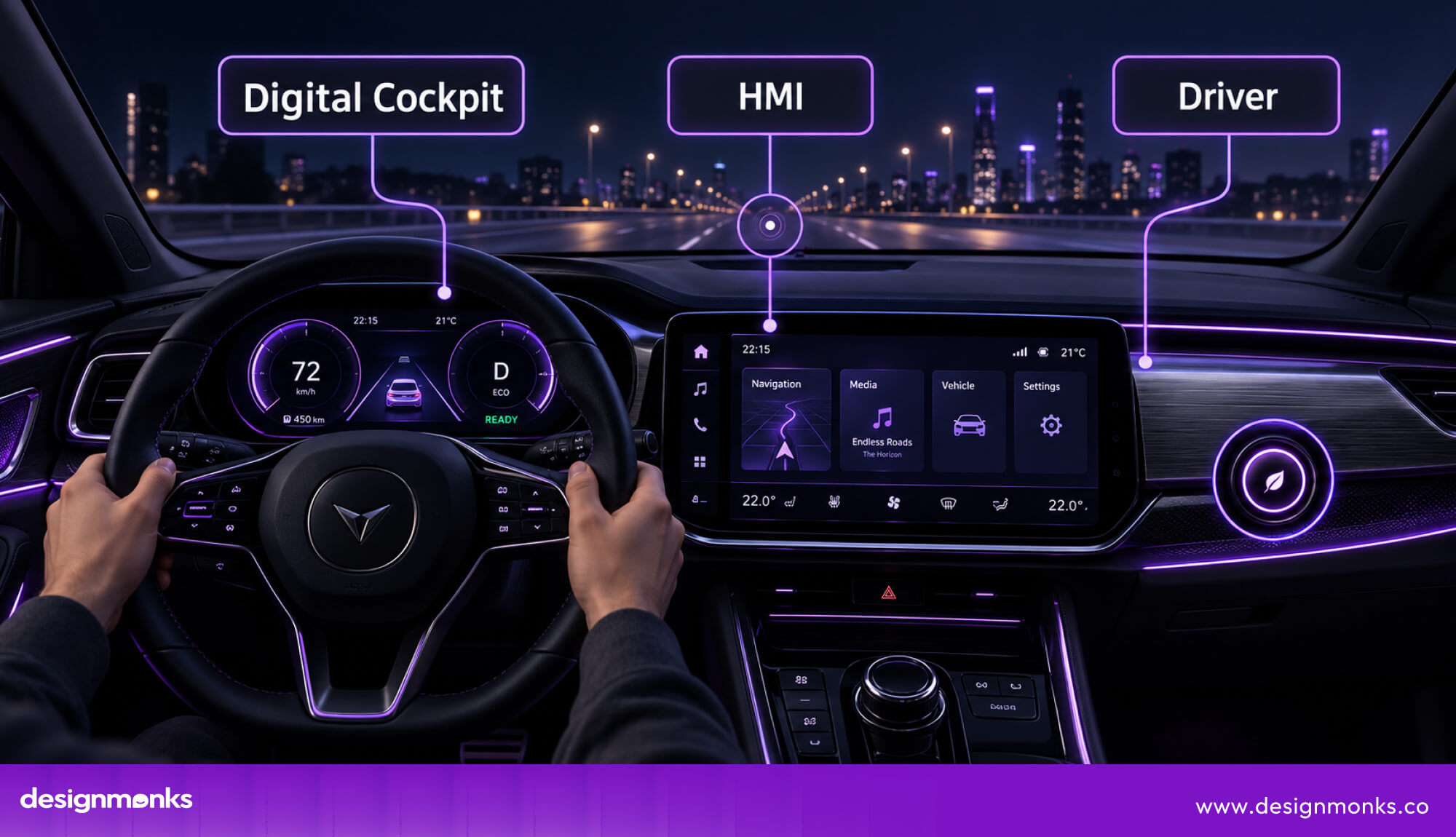
UI is also part of the broader Human-Machine Interface (HMI). While UI focuses on the controls and displays the driver interacts with, HMI covers the complete exchange between the driver and vehicle, including visual, audio, and physical feedback.
Physical Controls vs. Digital Interfaces
Sports cars now combine traditional physical controls with digital interfaces. Touchscreens offer flexibility for navigation, media, and vehicle settings, but they can require drivers to look away from the road.
Physical buttons, rotary knobs, steering controls, and paddle shifters provide tactile feedback and can be used by feel.
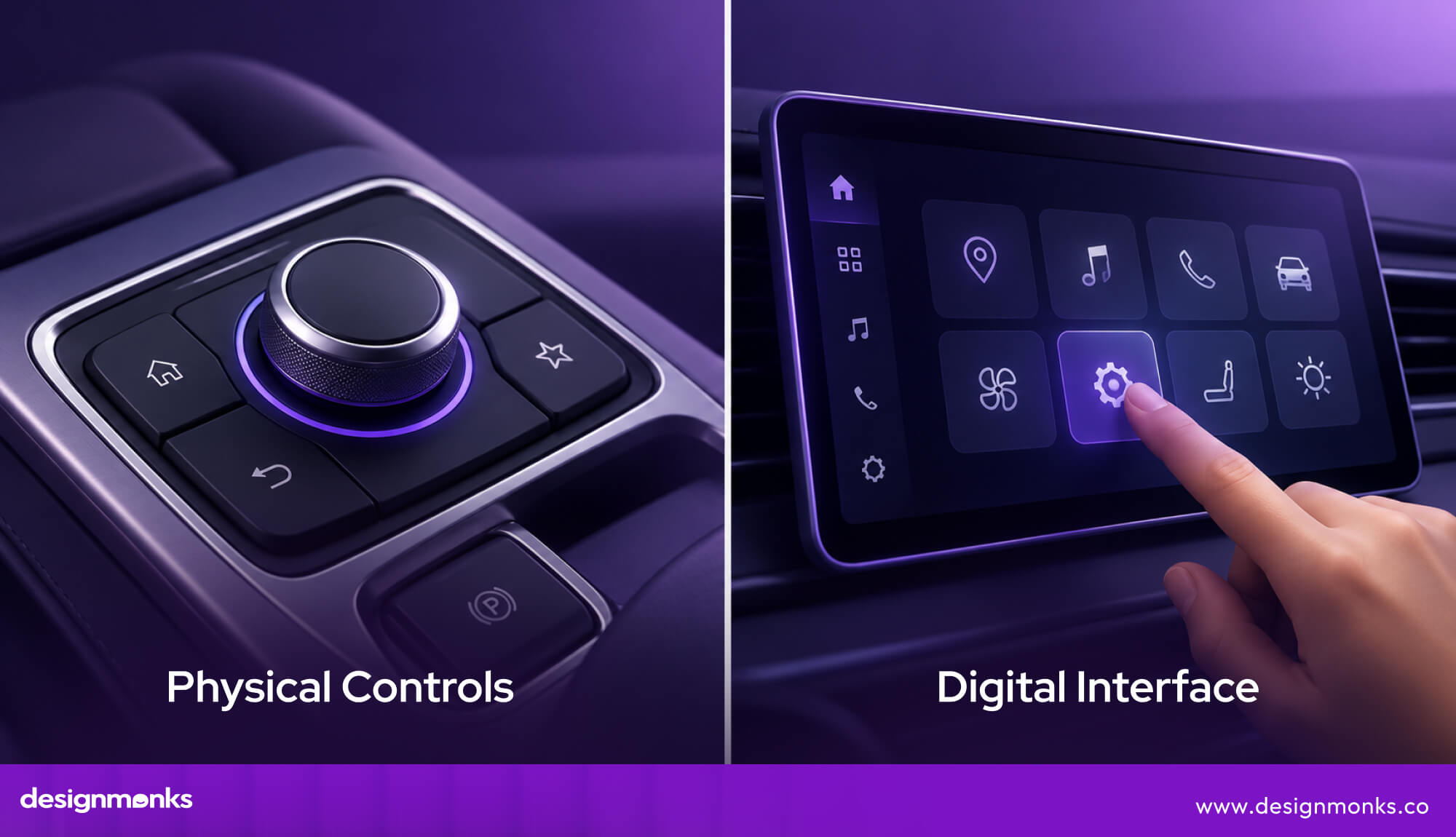
That is why many sports cars use a hybrid approach. Digital controls handle secondary tasks, while physical controls remain available for functions that require quick access during performance driving.
Main Components of a Sports Car UI
A sports car UI combines several components that help drivers interact with the vehicle. Each one has a specific role, from showing essential driving information to controlling performance features. The main components include:
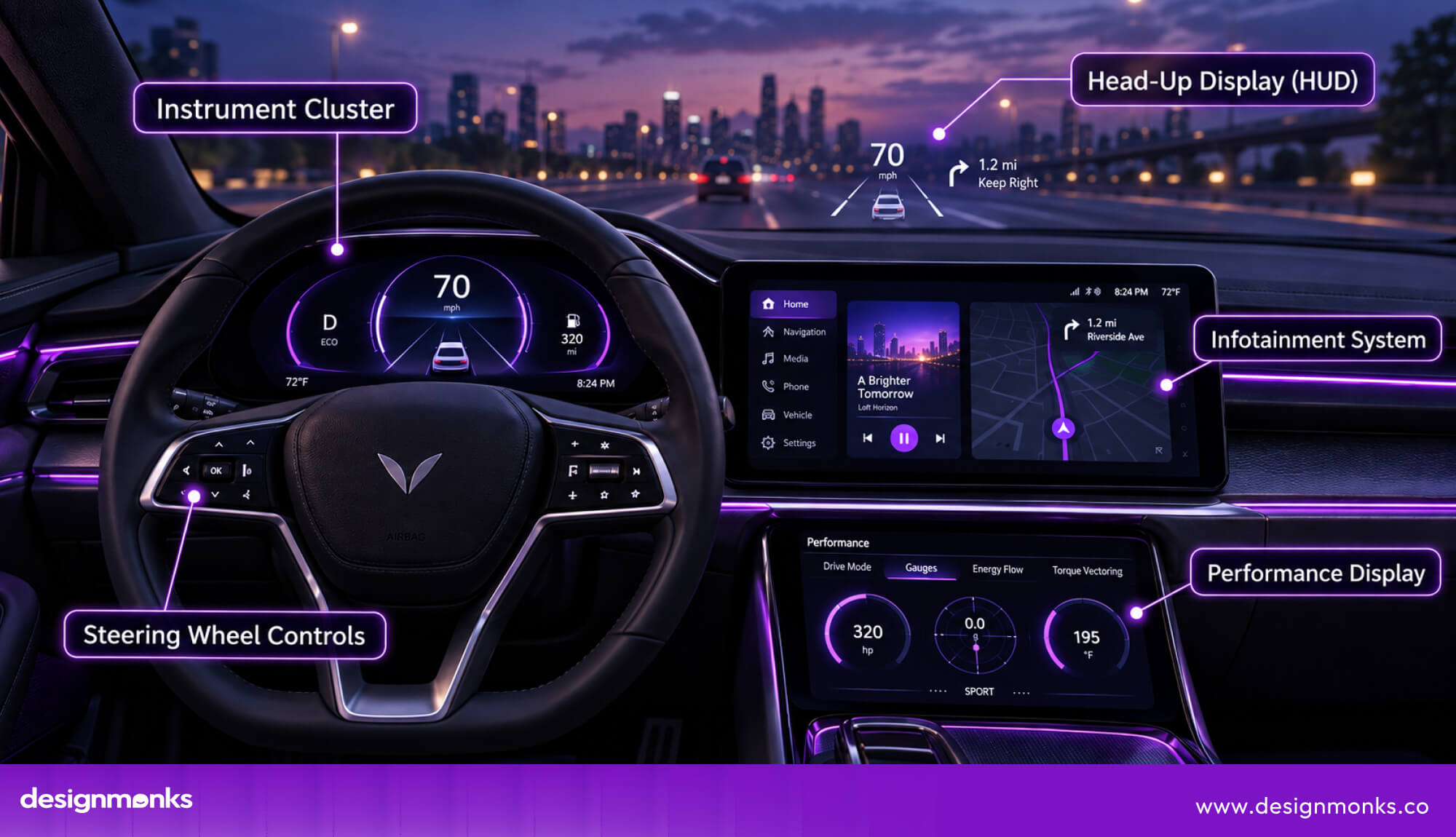
- Instrument Cluster: Shows speed, RPM, gear position, warnings, and other real-time performance data.
- Infotainment System: Handles navigation, media, connectivity, and various vehicle settings.
- Head-Up Display (HUD): Projects information such as speed, navigation, and warnings onto the windshield and keeps it within the driver’s line of sight.
- Steering Wheel Controls: Give drivers quick access to functions without taking their hands away from the wheel.
- Performance Displays: Show data such as lap times, G-force, acceleration, and other track-focused metrics.
When these components work together, they create a dashboard that feels clear, responsive, and easy to control.
Why User Interface Is Important in Sports Cars
In a sports car, every second matters. The driver needs to understand what the car is doing, access important controls, and respond without breaking focus. That is why a performance-focused UI is more than a design feature. It directly supports how safely, quickly, and confidently a driver can use the car. Here's how Ui helps the driver:
Helps Drivers Make Faster Decisions
When driving at high speed, there is little time to search for information or figure out what a control does.
A clear layout and easy-to-read displays help drivers understand important details such as speed, RPM, and gear position at a glance. This allows them to react faster and stay focused on what is happening ahead.
Reduces Driver Distraction
That quick access also helps reduce the amount of attention drivers need to take away from the road.
Simple menus, consistent controls, and glanceable information make every interaction easier without adding unnecessary cognitive load. Instead of searching through screens, drivers can find what they need and return their attention to driving and winning the race.
Improves Vehicle Performance Control
The same principle becomes even more important when controlling performance features. Sports cars can offer drive modes, launch control, traction settings, suspension adjustments, and active exhaust systems.
A well-designed UI keeps these features accessible and allows drivers to adjust the car quickly and confidently without interrupting the driving experience.
Creates a More Connected Driving Experience
When information is clear and controls respond naturally, everything starts to feel like part of the same system. The driver spends less time thinking about how to use the car and more time focused on driving it.
That is what makes good UI an important part of the sports car experience, not just another dashboard feature.
Essential UI Features in Modern Sports Cars
What makes a modern sports car dashboard feel so advanced? It is not just the number of screens or features inside it, but how each one helps the driver see, understand, and control the car. Here are the key UI features making that possible:
Digital Instrument Cluster
The digital instrument cluster replaces traditional analog gauges with a screen that can change based on the driver’s needs. It can show speed, RPM, gear position, navigation, tire pressure, and live performance data in one place.
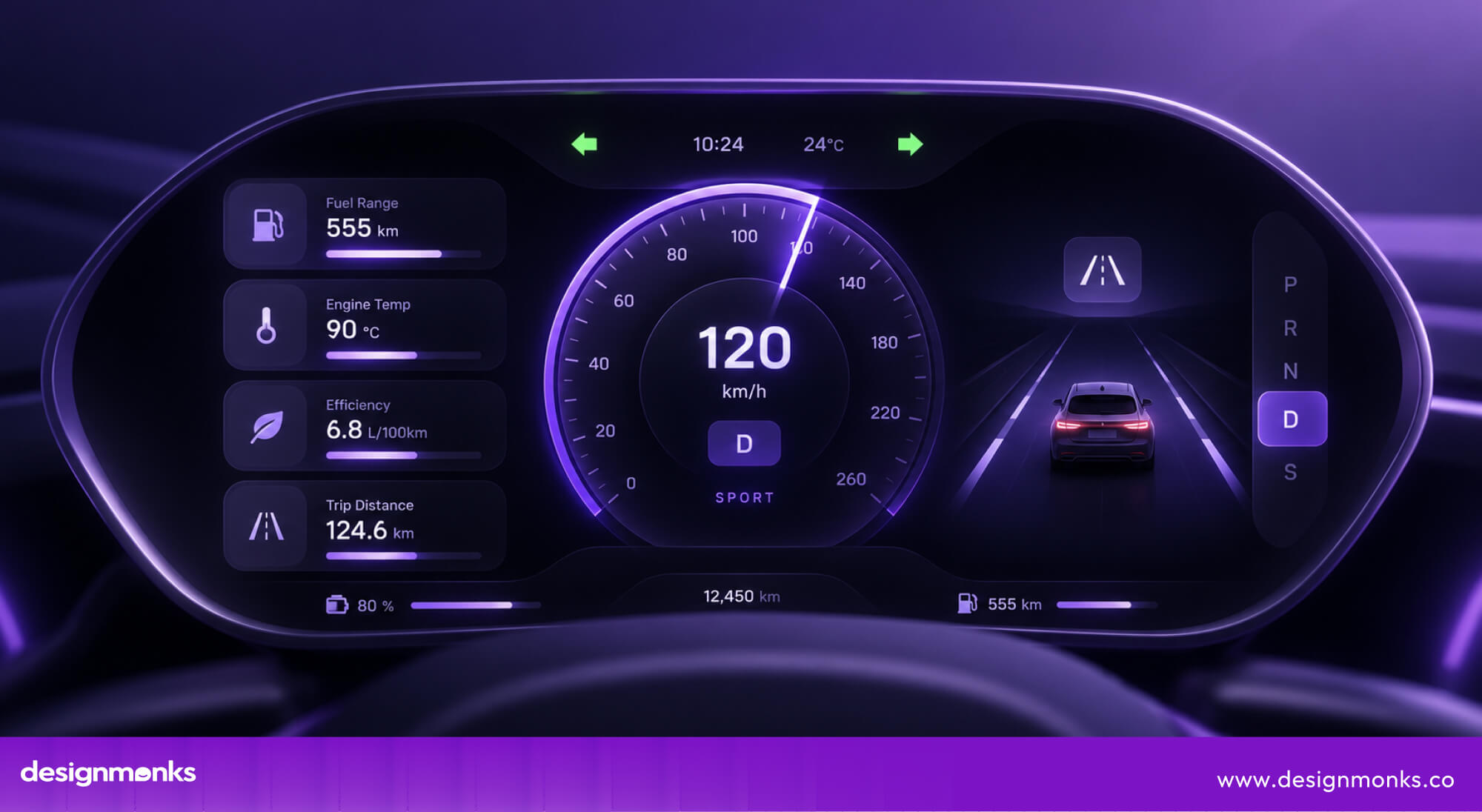
In sport or track modes, the layout can become more performance-focused, with a larger tachometer, shift indicators, and other driving data.
This flexibility helps drivers see the information that matters most without adding more physical gauges to the dashboard. Instead of scanning several displays, they can get key information from one customizable screen.
Head-Up Display (HUD)
A head-up display (HUD) projects important information directly onto the windshield, such as speed, navigation directions, and warnings. The driver does not need to look down at the instrument cluster to check these details.
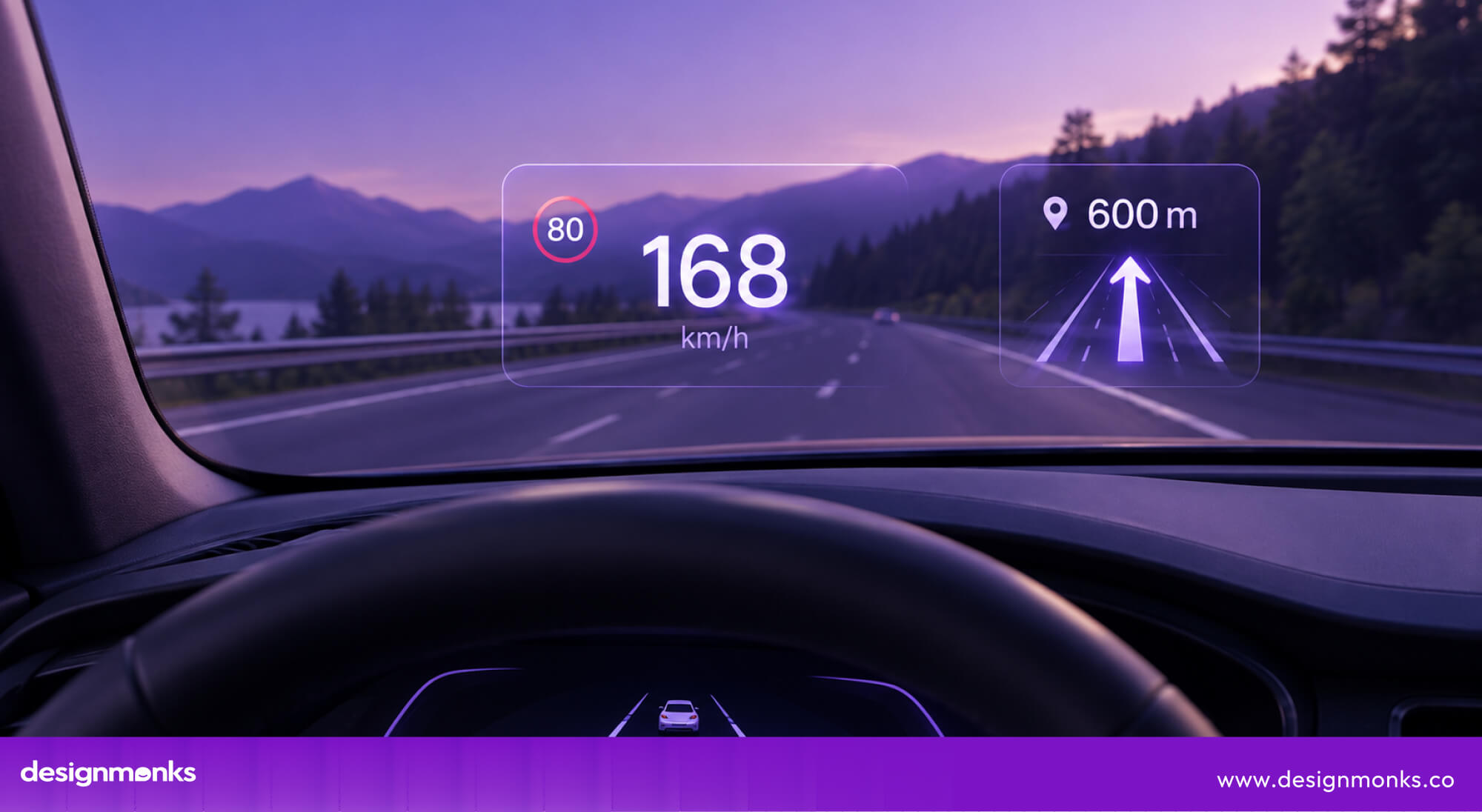
This is especially useful in a sports car, where drivers may already need to monitor RPM and other performance information. By keeping essential details in the driver’s line of sight, a HUD reduces unnecessary eye movement and helps maintain focus on the road.
Performance Telemetry Displays
Performance telemetry displays turn the sports car’s interface into a tool for understanding how the vehicle is performing. They can show lap times, G-force, acceleration, braking data, and other measurements while the car is being driven.
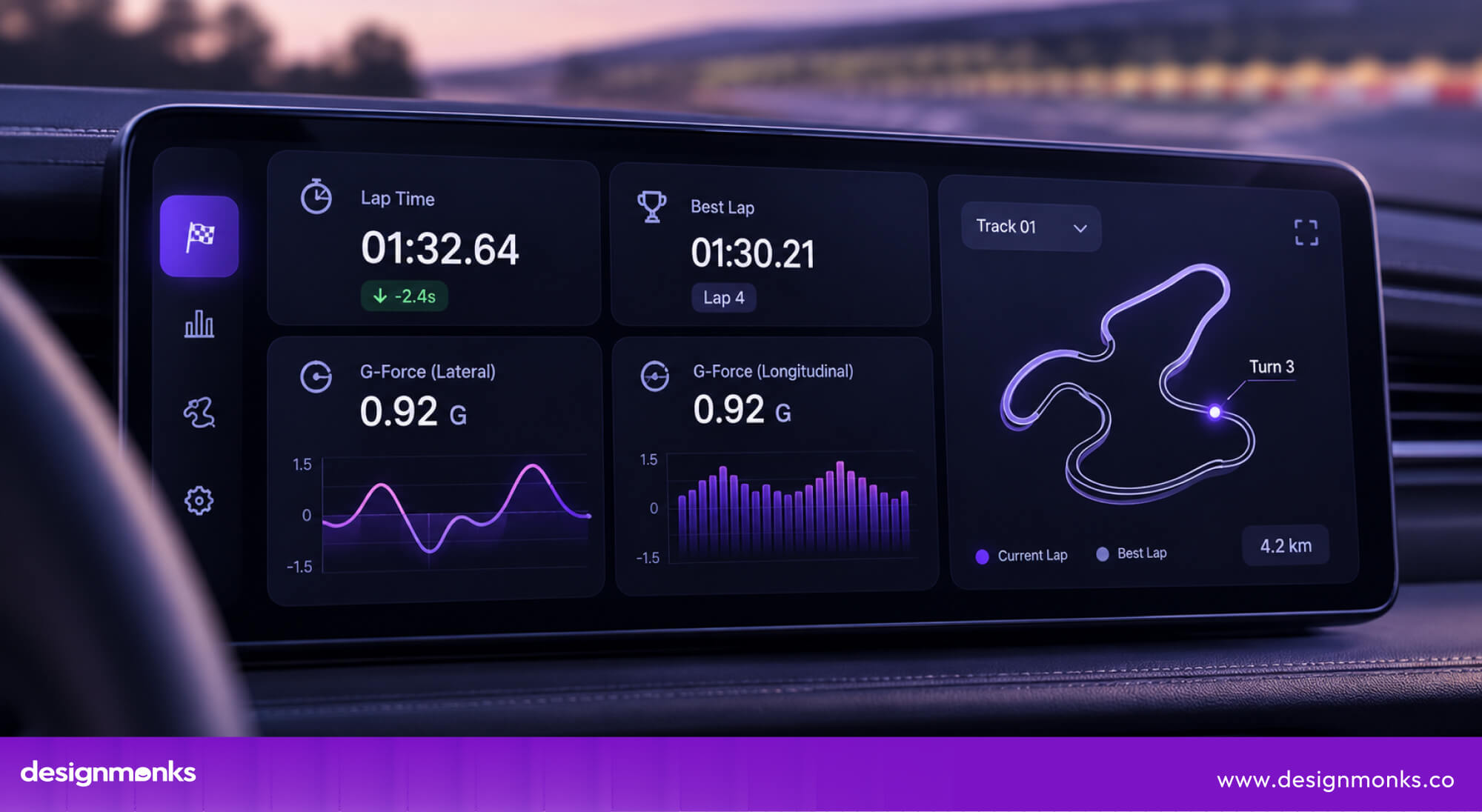
This information helps performance-focused drivers see how their car behaves during a track session. Some systems also allow the data to be reviewed afterward. This makes it easier to compare laps, spot weaknesses, and understand where time was gained or lost.
Voice Assistant & AI Controls
Voice assistants and AI controls give drivers another way to interact with the car without reaching for a touchscreen. Voice commands can be used for functions such as setting navigation, making calls, or adjusting climate settings.
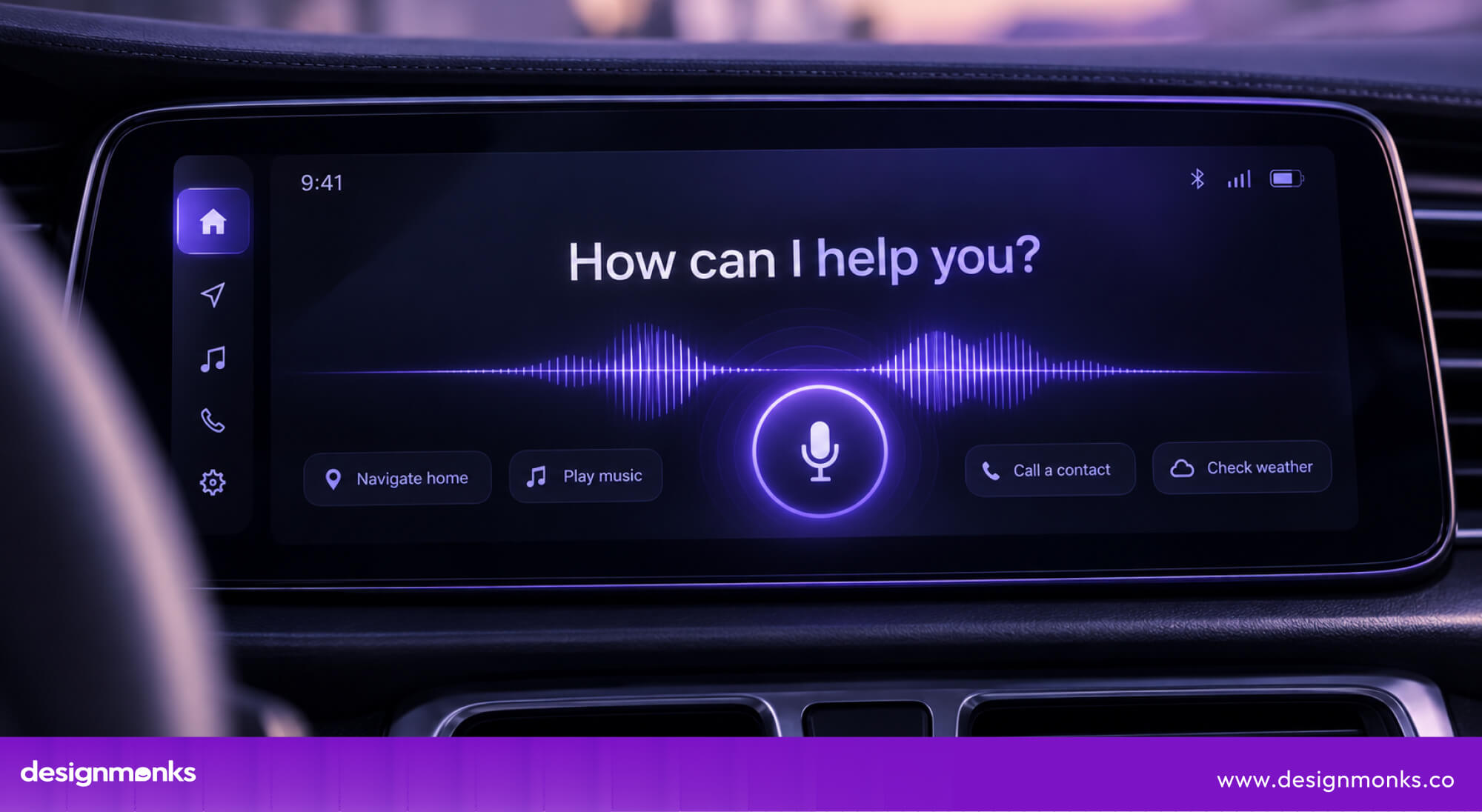
The main benefit is hands-free interaction. Drivers can keep their hands on the steering wheel and their attention on the road while handling secondary tasks.
As these systems become smarter, they can also make the dashboard feel more responsive and easier to operate.
How User Interface Improves the Driving Experience
A good sports car UI does more than help drivers operate the vehicle. It can make the dashboard feel more personal, responsive, and connected to the way someone drives.
When information is easy to understand and controls respond naturally, drivers can spend less time figuring out the interface and more time enjoying the road.
Personalized Driving Modes
Modern sports cars can use driver profiles to store preferred display layouts, drive modes, seat positions, climate settings, and other vehicle preferences. Once a profile is selected, the system can automatically restore those settings instead of requiring the driver to configure the car manually.
The interface can also change depending on the selected driving mode. A Sport or Track mode can give greater visual priority to RPM, gear position, lap timing, G-force, and other performance metrics.
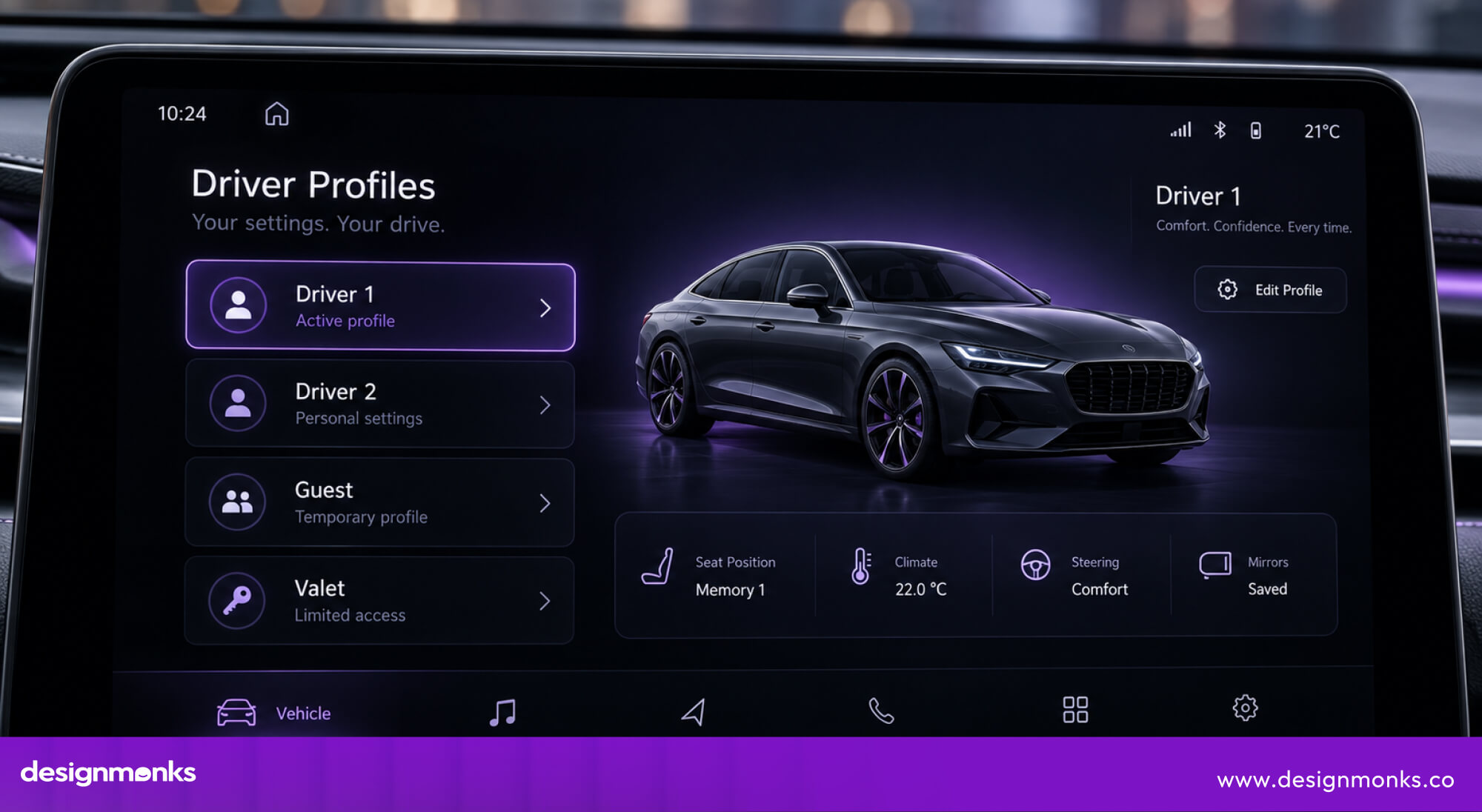
This adaptive approach makes the cockpit more relevant to the current driving situation. It also reduces the number of manual adjustments drivers need to make and creates a more personalized and responsive experience.
Real-Time Performance Feedback
Modern sports cars can collect data from multiple vehicle systems and present it through the UI in real time. RPM, engine temperature, tire pressure, throttle position, acceleration, braking force, and G-force can help drivers understand what the car is doing.
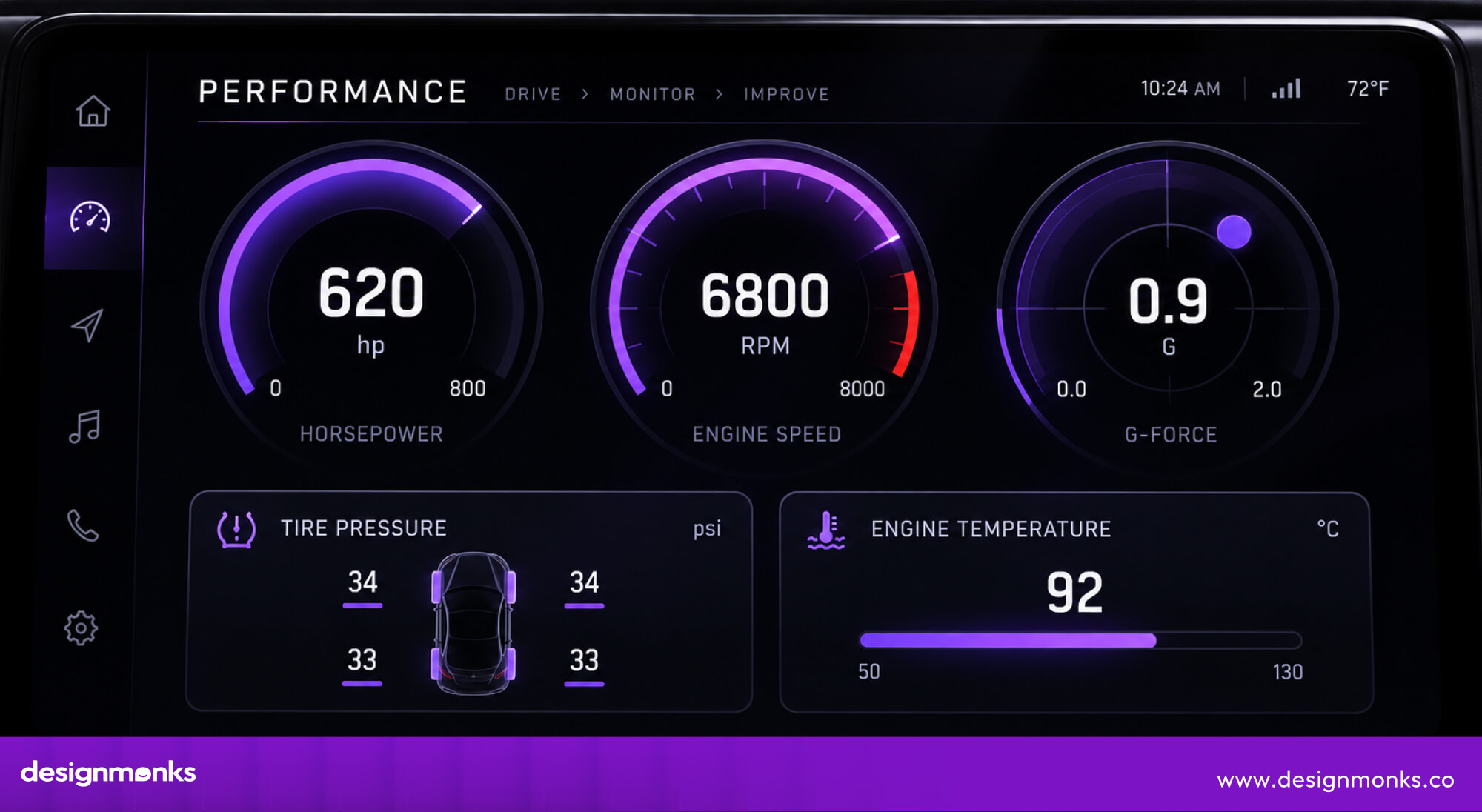
For example, a G-force display can show how strongly the vehicle is accelerating, braking, or cornering. Tire-pressure information can alert drivers to changes that may affect handling, while engine-temperature readings can provide insight into the vehicle’s operating condition.
When presented through clear graphs, gauges, or numerical indicators, this live performance data gives drivers a better understanding of the relationship between their inputs and the car’s response.
Safety Benefits of a Well-Designed Sports Car UI
A well-designed UI does more than make a sports car easier to operate. It can also help drivers stay aware, process information faster, and interact with safety features without unnecessary distraction.
So, what are the key safety benefits of a well-designed sports car UI? Let’s take a look:
Better Visibility While Driving
Clear visibility is one of the simplest ways UI can support safer driving. Clear typography, strong contrast, sensible font sizes, and logical information grouping help drivers understand important details with a quick glance.
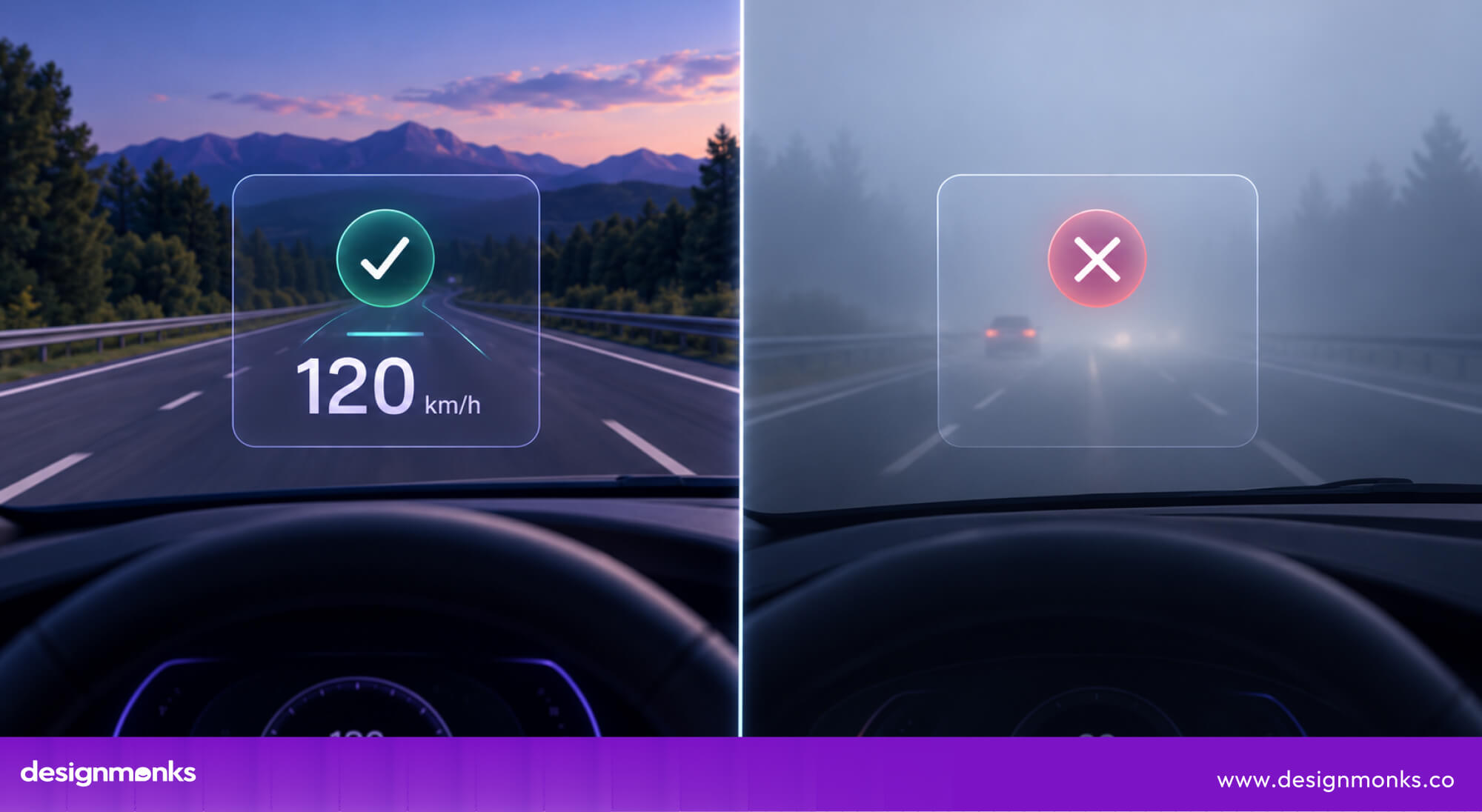
A HUD takes this further by projecting speed, navigation directions, warnings, and other key information onto the windshield. This reduces the need to look down at the instrument cluster and helps drivers keep their attention on the road.
Integration with Driver Assistance Systems
Modern sports cars can use ADAS (Advanced Driver Assistance Systems) to monitor the vehicle’s surroundings through cameras, radar, and other sensors. However, detecting a potential hazard is only part of the process.
The UI must clearly communicate what the system has detected and how it is assisting the driver.
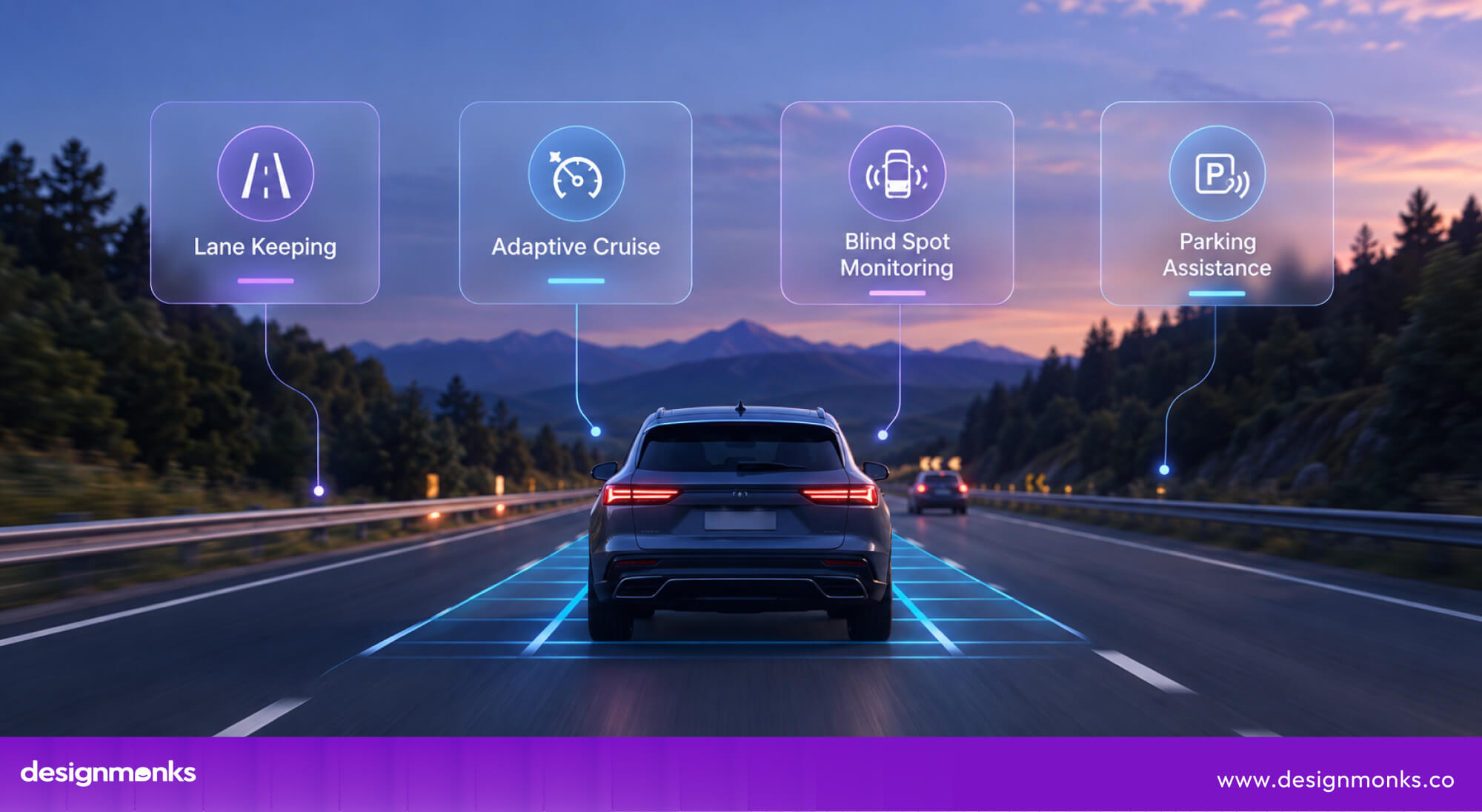
For example, blind-spot monitoring may show a warning in the side mirror. Lane-keeping assistance can combine a visual alert with steering-wheel feedback when the vehicle begins to drift.
Adaptive cruise control can also display its status and following distance through the instrument cluster. This clear feedback helps drivers understand when an assistance system is active, what it detects, and when they may need to take control.
In this way, good UI connects vehicle technology with human decision-making and makes advanced safety features easier to understand and use.
Sports Cars with the Best User Interface
Sports car manufacturers take different approaches to designing the multifunctional display, but the best interfaces have one thing in common. They are built around the driver.
Some prioritize physical controls, while others focus on digital displays and customization. Here are a few examples worth looking at:
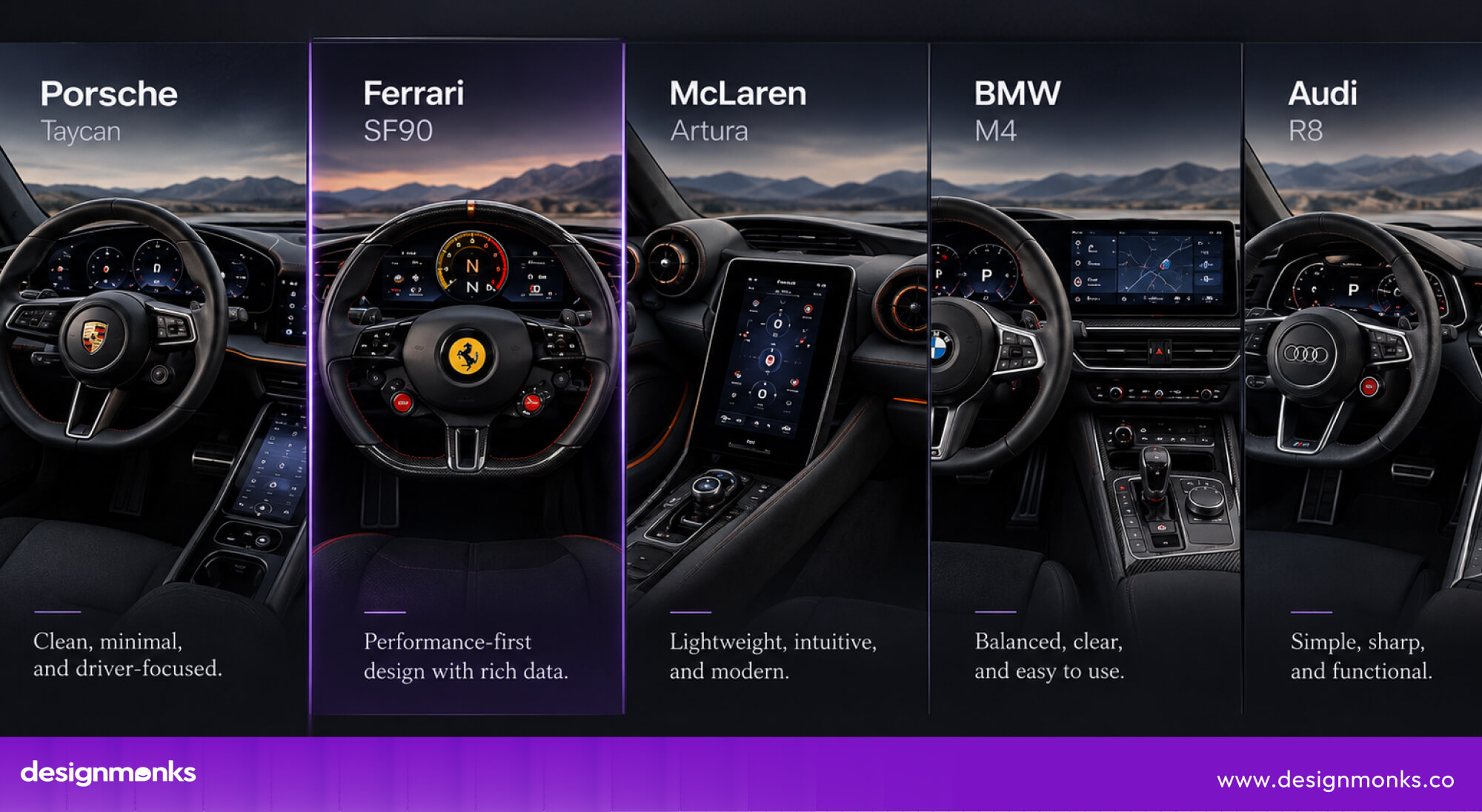
Porsche Taycan
Porsche uses a multi-display dashboard architecture in the Taycan. They combine configurable digital instrumentation with touchscreen interfaces and physical controls.
The digital instrument cluster can organize information such as speed, RPM, navigation, and vehicle status based on the selected driving mode.
The interface also separates primary driving information from secondary functions. This reduces the need to navigate through the central touchscreen for frequently used controls.
The result is a hybrid UI architecture where digital displays provide flexibility while tactile controls preserve quick, predictable interaction.
Ferrari SF90
The Ferrari SF90 takes a highly driver-centric approach by moving a large number of controls onto and around the steering wheel. Its interface integrates functions such as drive-mode selection and other vehicle controls into the driver’s immediate reach.
This creates a low-reach interaction model, it means the driver can access important functions without moving a hand toward the center console. For performance driving, this reduces physical movement and helps maintain focus on steering inputs.
The steering wheel therefore functions as both a control surface and a central UI hub.
McLaren Artura
The McLaren Artura uses a minimalist dashboard architecture with a strong focus on driver-facing information. Its display arrangement prioritizes essential driving data while keeping secondary functions from dominating the driver’s visual field.
Critical information such as speed, RPM, gear position, and warnings is easier to access than secondary functions. By reducing visual density, the interface can lower cognitive load and make performance-related information easier to process at speed.
BMW M4
The BMW M4 combines a configurable digital instrument display with an integrated infotainment system. It allows the UI to support both everyday driving and performance use.
Drivers can configure the digital display to emphasize different information depending on the selected driving setup. Performance-oriented layouts can prioritize RPM, gear position, speed, and driving data, while standard layouts provide a broader mix of navigation and vehicle information.
This configurability makes the dashboard an adaptive interface rather than a fixed dashboard.
Audi R8
The Audi R8 uses a driver-focused digital cockpit architecture that places core vehicle information directly within the driver’s primary viewing area. Speed, RPM, navigation, and other information can be presented through the digital display without requiring constant attention toward a separate center screen.
This approach reduces visual switching between displays and keeps performance information closer to the driver’s normal line of sight.
The result is a dashboard designed around quick information retrieval while still supporting navigation, connectivity, and everyday vehicle functions.
Common UI Design Mistakes in Sports Cars
A sports car can have incredible performance and still deliver a frustrating experience if its interface design gets in the way. Poor automotive UX can increase interaction time, distract the driver, and make useful features harder to access. Here are the most common problems to avoid:
- Too Many Touchscreen Controls: Putting every function on a touchscreen can make frequently used features harder to access. Climate controls, drive modes, and other important functions may require visual attention. Physical buttons and rotary controls provide tactile feedback and can be easier to operate.
- Deep Menu Navigation: Hiding important features behind several screens increases interaction time and forces drivers to spend more attention on the interface. Frequently used controls should have short interaction paths.
- Small Icons and Text: Tiny icons, thin fonts, and dense text can be difficult to read while driving. Vibration, changing light, and movement can make the problem worse. Larger text, clear icons, and strong visual hierarchy make information easier to understand at a glance.
- Screen Glare: Direct sunlight and reflections can reduce screen contrast and make important information difficult to see. Proper brightness, contrast, screen positioning, and anti-glare treatment help maintain readability in different lighting conditions.
- Slow Interface Response: Delays between a touch and the system’s response can make the dashboard feel unresponsive. Fast processing, immediate feedback, and smooth transitions create a more precise interaction.
- Information Overload: Filling one screen with too many performance metrics can make important information harder to find. A good UI uses information hierarchy to prioritize the data most relevant to the current driving situation.
The Future of User Interface in Sports Cars
The sports car cockpit is likely to become much smarter in the coming years. Instead of simply adding more screens, future interfaces may predict what drivers need, place information directly in their view, and respond to more natural forms of interaction. Here’s what we could see next:
AI-Powered Adaptive Interfaces
In the future, AI-powered interfaces could learn how each driver uses the car and adjust the dashboard accordingly. A system might remember preferred layouts, driving modes, and performance data, then automatically surface the right information based on the situation.
Augmented Reality Head-Up Displays
Future AR HUDs could make the windshield feel like an extension of the dashboard. Navigation arrows might appear directly over upcoming turns, while warnings could highlight hazards on the road.
This could make important information easier to understand without looking away.
Gesture & Eye-Tracking Controls
Gesture and eye tracking may also become more common in sports cars. Drivers could use simple gestures to control secondary functions, while eye tracking might recognize where they are looking and bring relevant information forward.
Combined with voice controls, these technologies could make future cockpits feel far more natural and responsive.
Looking for a Sports Car UI Design Partner?
A sports car UI needs more than a visually impressive dashboard, it needs to make complex technology feel simple, fast, and natural. That’s where the right UI design partner matters.
Design Monks brings experience from 200+ brands and projects across multiple industries, backed by a team of 60+ creative professionals and a 4.9/5 client rating. Their approach combines driver-focused UX, information architecture, interaction design, and modern digital interfaces to turn complex systems into intuitive experiences.
Whether you’re developing a digital dashboard, infotainment system, connected car platform, or next-generation automotive UI, Design Monks can help create an experience that feels like a natural part of the vehicle, not technology added on top.
Conclusion
The importance of user interface in sports cars goes far beyond making the dashboard look modern. A well-designed UI helps drivers understand performance data, access controls quickly, and stay focused on the road.
From digital displays and HUDs to intuitive performance controls, every detail shapes the driving experience. As sports cars become more connected and software-driven, thoughtful UI design becomes even more important.
When technology feels natural and responsive, it does not distract from the drive, it becomes part of what makes the car exciting.


.avif)
.avif)
.avif)
.avif)


.avif)
.avif)
.avif)
.avif)








.avif)