.svg)


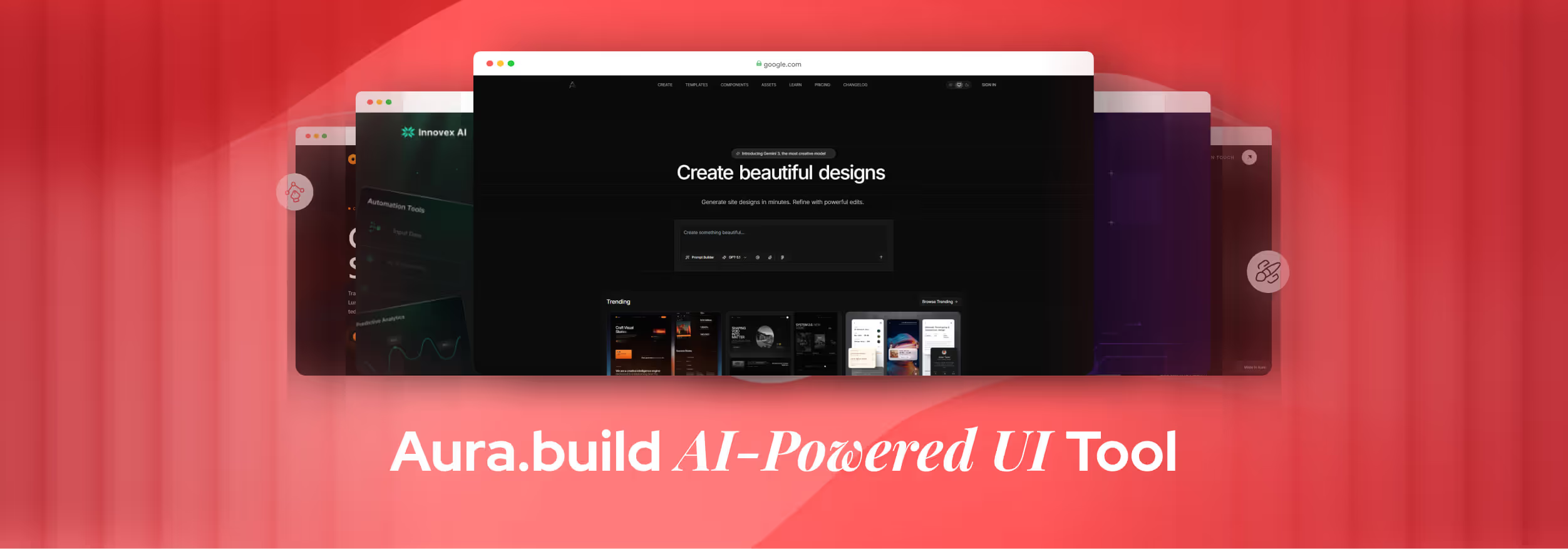
Tired of spending hours turning design ideas into real websites? Aura.build is here to change that. This AI-powered design system lets you create UI layouts, convert images to code, and generate Tailwind CSS instantly. It makes web designing faster and easier than ever. It is also one part of a larger shift, one we map in our roundup of ai ux design trends 2026.
Whether you’re a designer, developer, or a beginner with no coding experience, Aura.build helps bring ideas to life in minutes. No more messy layouts, repeated tasks, or confusing handoffs between teams. Everything stays clean, organized, and ready for use.
From multi-page sites to responsive layouts, Aura.build streamlines your workflow. In this guide, we’ll explore its features, real-world uses, and step-by-step tips so you can design smarter, not harder.
What is Aura?
Creating websites and apps can take a lot of time, but Aura.build makes it much easier. Instead of designing everything manually, you simply write a short prompt, and the AI generates the layout for you.
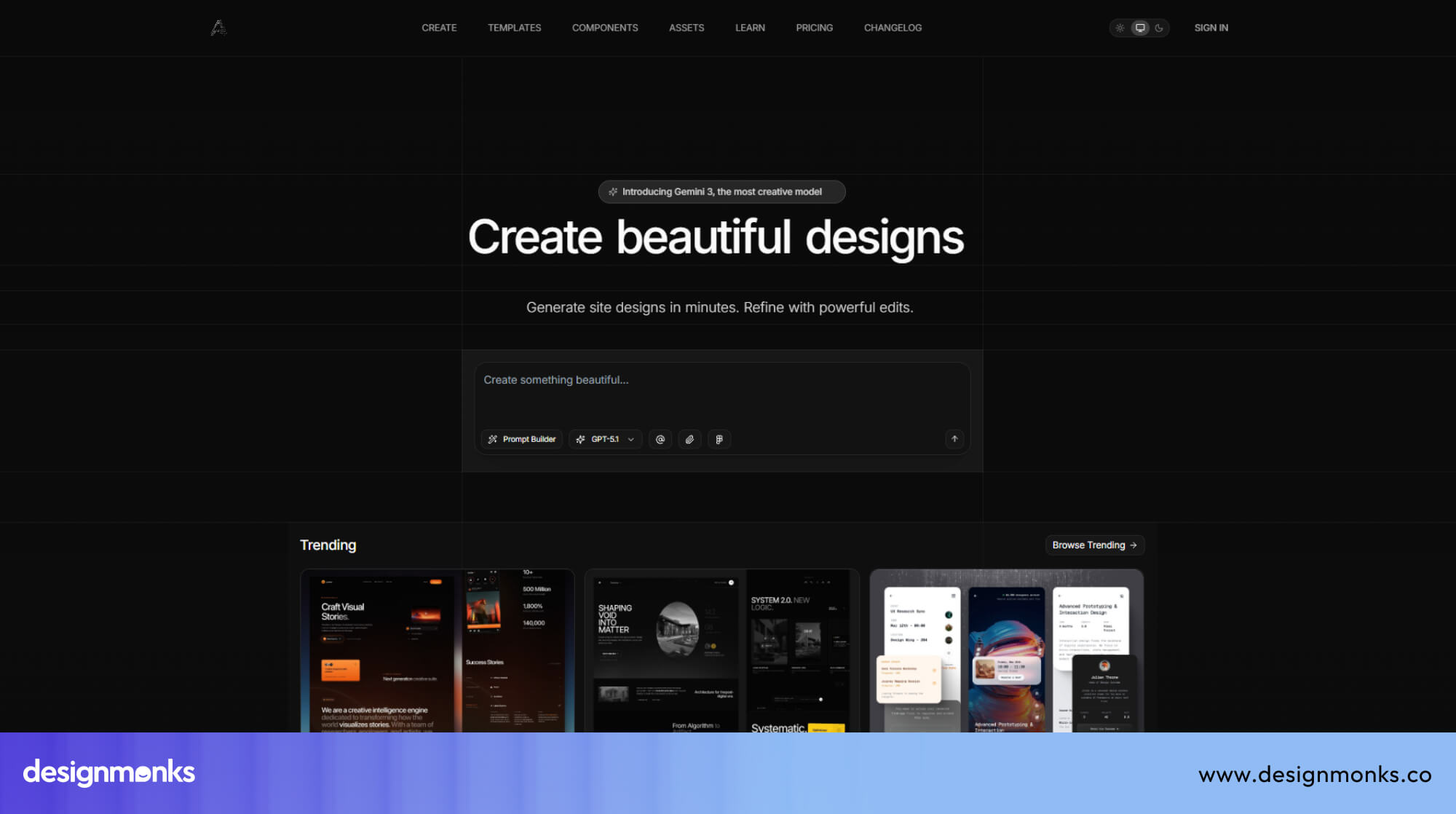
It uses smart models like GPT, Claude, and Gemini to understand your ideas and turn them into professional-looking designs. Aura.build doesn’t just create designs, it also generates clean, ready-to-use code. You get HTML, Tailwind CSS, and even JavaScript, so your designs can be used directly in a project.
This saves hours of manual coding and ensures the layout works perfectly on different devices. It speeds up the entire process, letting you go from an idea to a fully functional, responsive website much faster than traditional design and development methods.
Who Is Aura For?
Aura.build is designed for anyone who works with digital interfaces, from beginners to experienced professionals. UI/UX designers can use it to quickly create layouts, experiment with styles, and produce multiple design ideas in minutes.
Developers benefit from the tool because it generates clean HTML and Tailwind CSS code, reducing the time spent translating designs into functional websites.
Even non-designers or business owners can use Aura.build to build simple landing pages or prototypes without needing coding knowledge. Its AI guides you step by step, making design accessible to everyone.
Teams also gain a lot from Aura.build. Shared templates, reusable components, and collaborative workspaces let multiple people work together efficiently. Whether it’s a solo project, client work, or a team campaign, Aura.build helps speed up the design-to-code process while keeping everything organized and consistent.
Key Features of Aura
Aura is packed with features that make designing and coding websites faster and easier than ever. Whether you’re a designer, developer, or beginner, these tools save time and help maintain clean, professional layouts. From AI-generated designs to ready-to-use code, Aura.build combines creativity and practicality in one platform:
AI-Powered Design Generation
Aura.build uses advanced AI models like GPT-5, Claude, and Gemini to create UI designs from simple instructions. You just type a prompt describing your idea, and the AI builds a full layout in minutes.
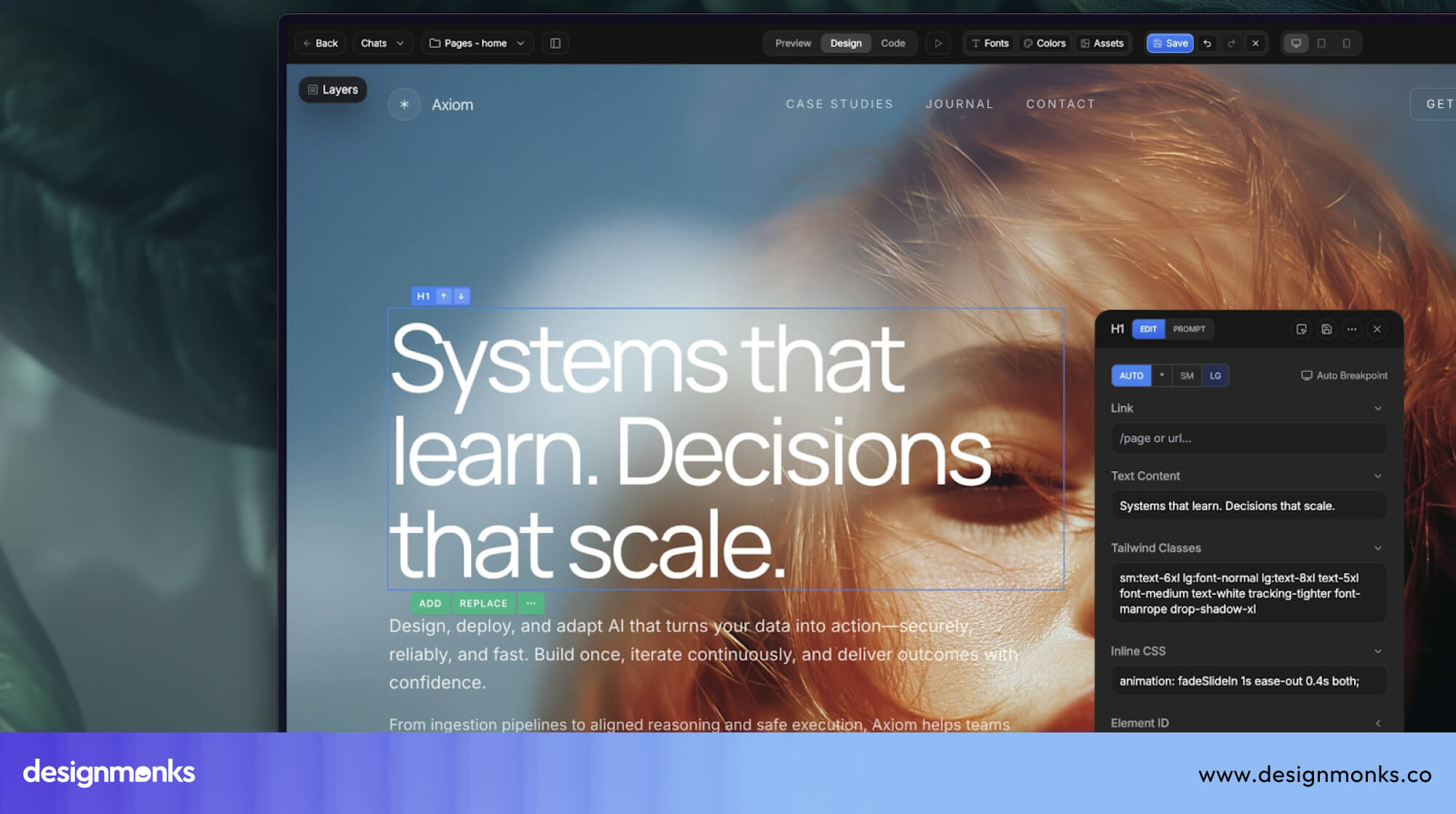
The prompt builder helps you craft precise instructions, making it easier to achieve the exact design you want. This feature is perfect for brainstorming new ideas, prototyping, or speeding up repetitive tasks.
Image-to-HTML Conversion
The image-to-HTML tool is one of Aura.build’s most helpful features. Instead of manually coding a design from scratch, you can upload a screenshot, sketch, or UI elements mockup. Aura looks at the image, understands the layout, and turns it into responsive HTML and Tailwind CSS.
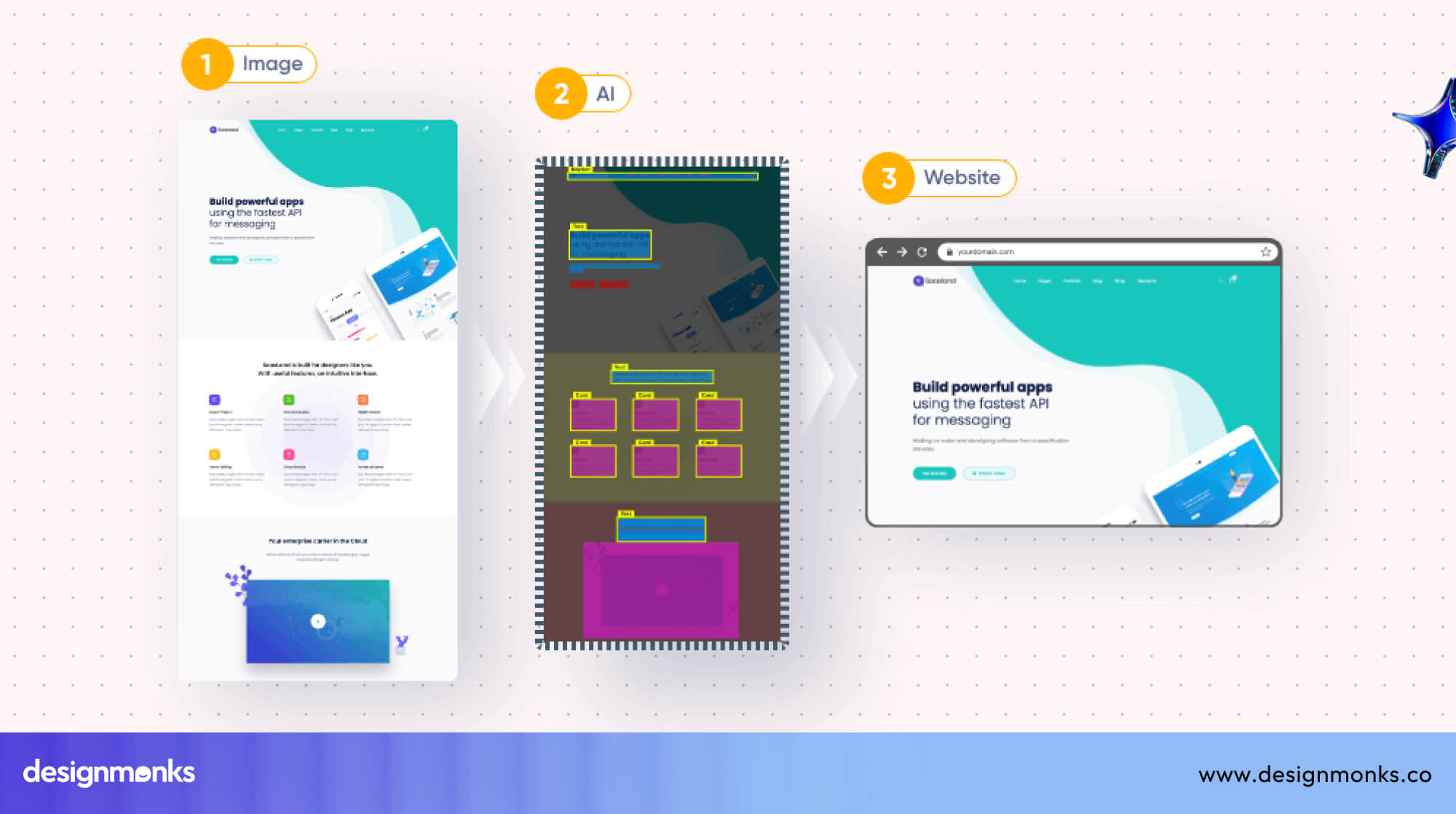
This means the spacing, colors, buttons, and text are all recreated in code automatically. It’s especially useful for redesigns, client requests, or quick prototypes. You can copy the code immediately and use it in your project without spending hours rebuilding the same layout by hand.
Multi-Page Sites & Navigation
Aura.build isn’t limited to single screens. You can create multi-page websites by simply describing what pages you need. The tool connects your pages with built-in navigation, so users can move smoothly from one page to another. It also adds clean page transitions, making your site feel more professional.
This feature is great for websites with home pages, about sections, product pages, dashboards, or step-by-step flows. You don’t need to manually link anything, Aura handles all of it for you.
Export Options (HTML, Figma, Subdomains)
Aura.build gives you several ways to export your work, depending on what you need next:
- HTML export gives you real code that works in any project.
- Tailwind CSS export gives you clean utility classes for easy styling.
- Figma export lets designers continue editing or hand off work to a UI/UX team.
- Subdomain publishing allows you to publish your site live on an Aura-hosted link within minutes.
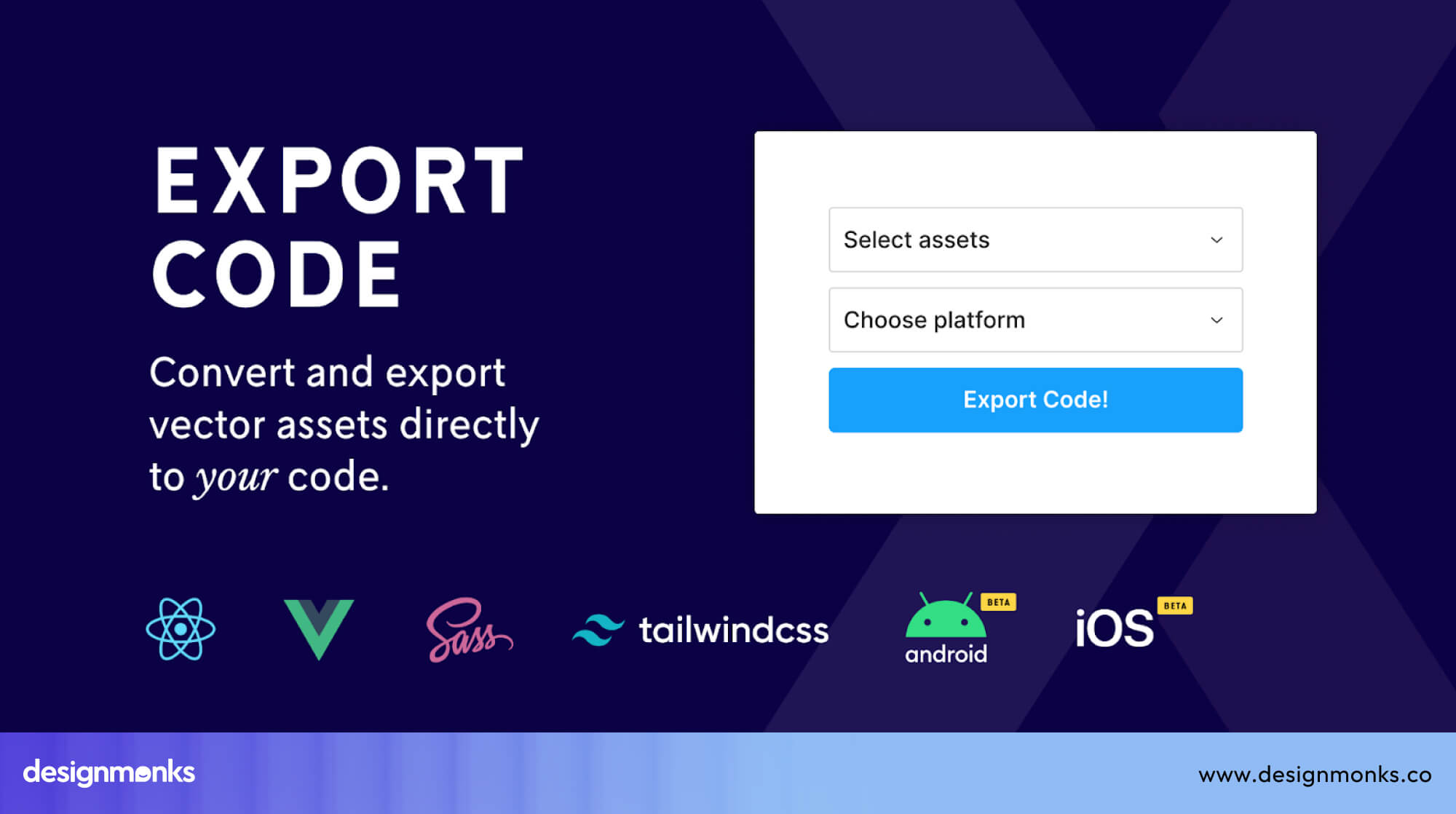
For developers, Aura also supports JavaScript, meaning you can add your own logic without depending on any locked ecosystem. Everything is open and easy to move.
Templates, Components & Remixing
Aura.build comes with many ready-made templates (complete pages) and components (small UI pieces like cards, navbars, and buttons). Instead of creating everything from zero, you can pick one, customize it, or remix it into a new style.
The platform also includes public components, which are shared resources your team can reuse. This keeps your projects consistent and saves time when creating similar pages.
Design Mode & Code Mode
Aura.build supports two ways of working:
- Design Mode lets you drag, move, and arrange elements visually. You can also use the layer panel to control spacing, alignment, and structure.
- Code Mode shows the HTML and Tailwind CSS behind the design. Developers can fine-tune code, adjust classes, or add their own changes.
Switching between these modes makes Aura comfortable for both designers who prefer visuals and developers who prefer code.
Prompting & References (“@” syntax)
Aura supports a special “@” syntax that allows you to pull in existing components, templates, or sections directly into your prompt.
For example, typing “@navbar + @footer” tells the AI to include those parts automatically. This keeps your designs consistent and helps you build complex pages faster without rewriting the same instructions.
Responsive Layout & Layout Prompting
You can guide Aura to create different kinds of layouts just by describing them. Whether you want a grid, a flex layout, a list, or a bento-box style, Aura understands the structure and generates the right design.
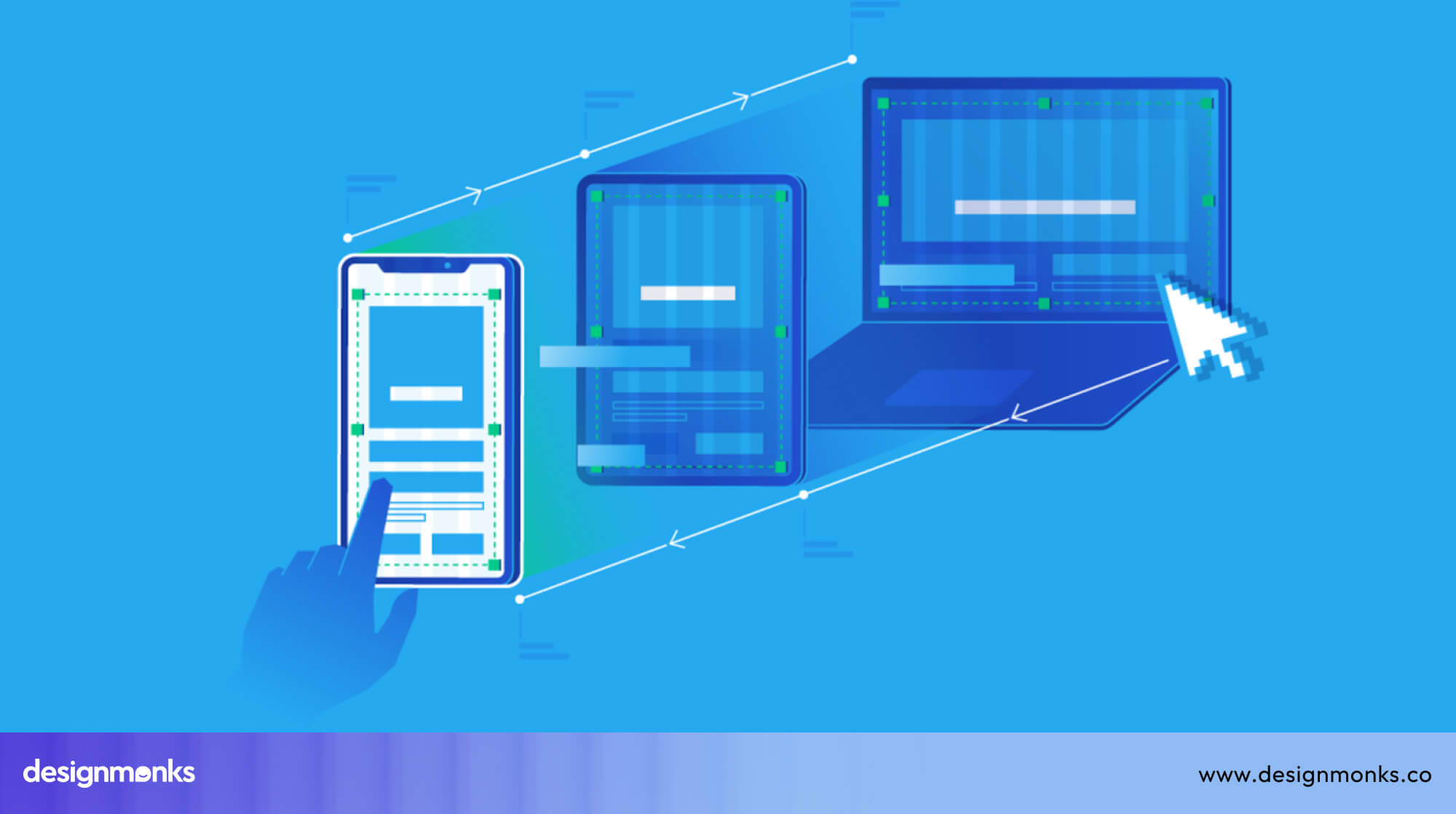
The best part is that Aura automatically makes the layout responsive. Meaning it adjusts to desktops, tablets, and mobile screens without extra work.
Styling & Animation
Aura.build understands styling instructions like shadows, gradients, rounded corners, or soft backgrounds. You can also ask for micro-interactions, such as a button lifting when hovered, or simple animations like fade-ins or slide effects. These styling options help your design look polished and modern, even if you’re not an expert in CSS or animation.
Integrations & Workflow of Aura.build
Aura.build fits easily into modern design–development workflows by keeping everything connected, fast, and easy to hand off. It removes many of the common bottlenecks teams face when moving from a design file to real, working code.
Figma Integration
Aura.build’s Figma integration makes the import and export process extremely simple. You can bring in Figma frames with their spacing, colors, and layout intact, and Aura turns them into clean, responsive code.
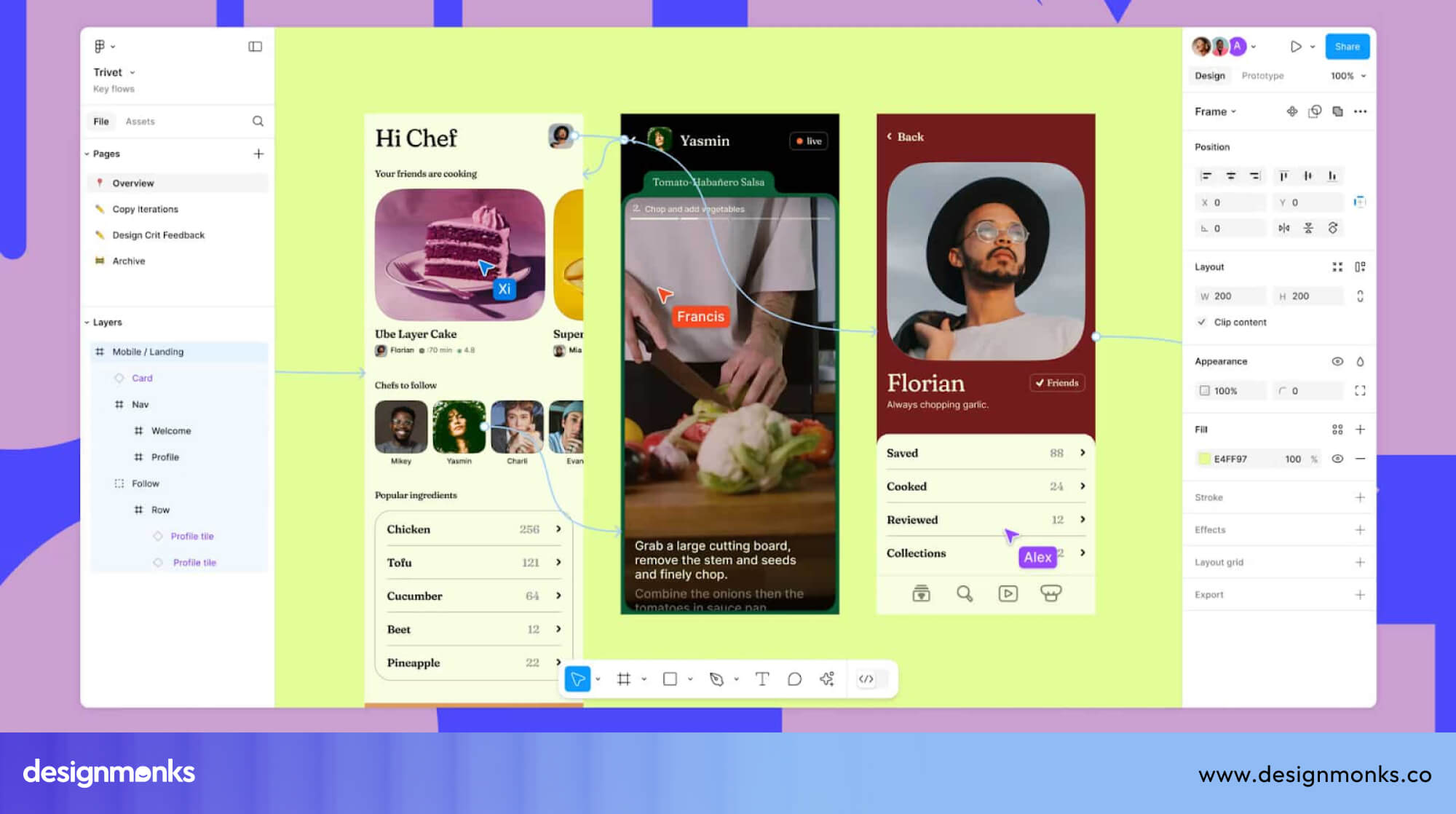
This reduces the usual design-to-dev confusion. It's a step that many teams say takes the most time in their workflow. When you’re done refining the layout, you can export it back to Figma or continue building inside Aura without losing consistency.
Code Ownership & No Vendor Lock-in
Aura generates real HTML, Tailwind CSS, and JavaScript. This means developers fully own the code and can continue working in any editor or framework they prefer. Since nothing is locked behind a custom system, you avoid long-term maintenance issues that often come from vendor-locked tools. The result is a workflow that stays flexible, future-proof, and easy for any team to maintain.
Pricing & Plans of Aura.build
Aura.build offers flexible pricing so anyone, beginners, freelancers, or teams, can pick a plan that matches their needs. You can pay monthly or switch to yearly billing for a lower price.
Monthly Plans
Free Plan: The Free plan gives you 10 AI prompts per month and allows you to build up to 2 pages per project. It’s perfect for testing Aura.build and learning how the tool works.
Pro Plan: The Pro plan costs $20 per month. You get 120 AI prompts, up to 100 pages per project, HTML and Figma export, Pro templates, and private subdomain publishing. Great for serious creators and small teams.
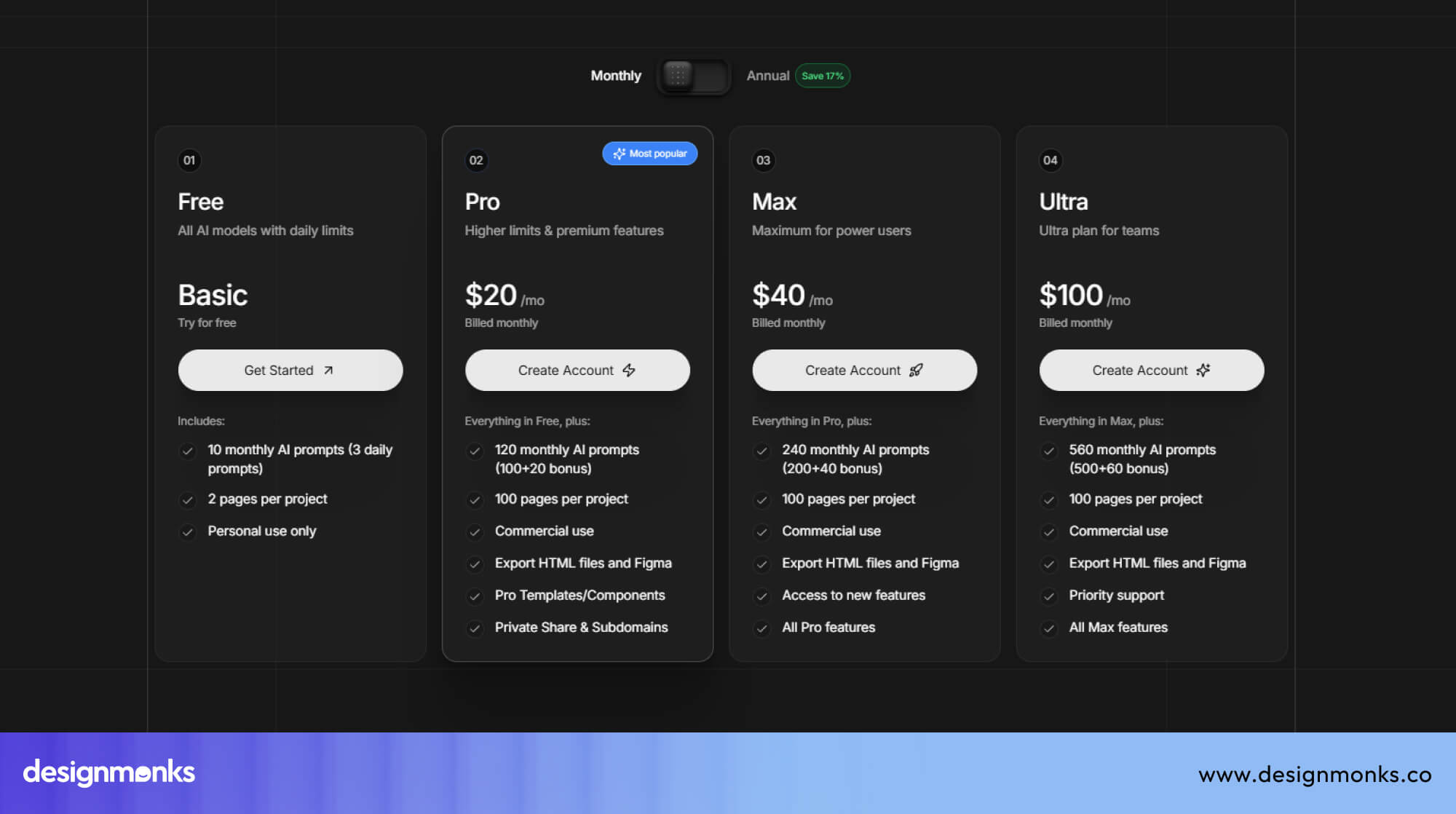
Max Plan: The Max plan is $40 per month. It includes 240 prompts, 100 pages per project, all Pro features, plus early access to upcoming Aura tools. Ideal for heavy users who need more AI power.
Ultra Plan: Aura mainly promotes this plan yearly, but it is designed for teams. It includes higher prompt limits, advanced features, and priority support for $100.
Annual Plans (Save 17%)
Free Plan: Same features as the monthly version, 10 prompts and 2 pages, but free all year.
Pro Plan: Costs $16.67/month when billed yearly. You get 120 prompts, 100 pages, full export options, and commercial usage rights. A cost-friendly choice for regular creators.
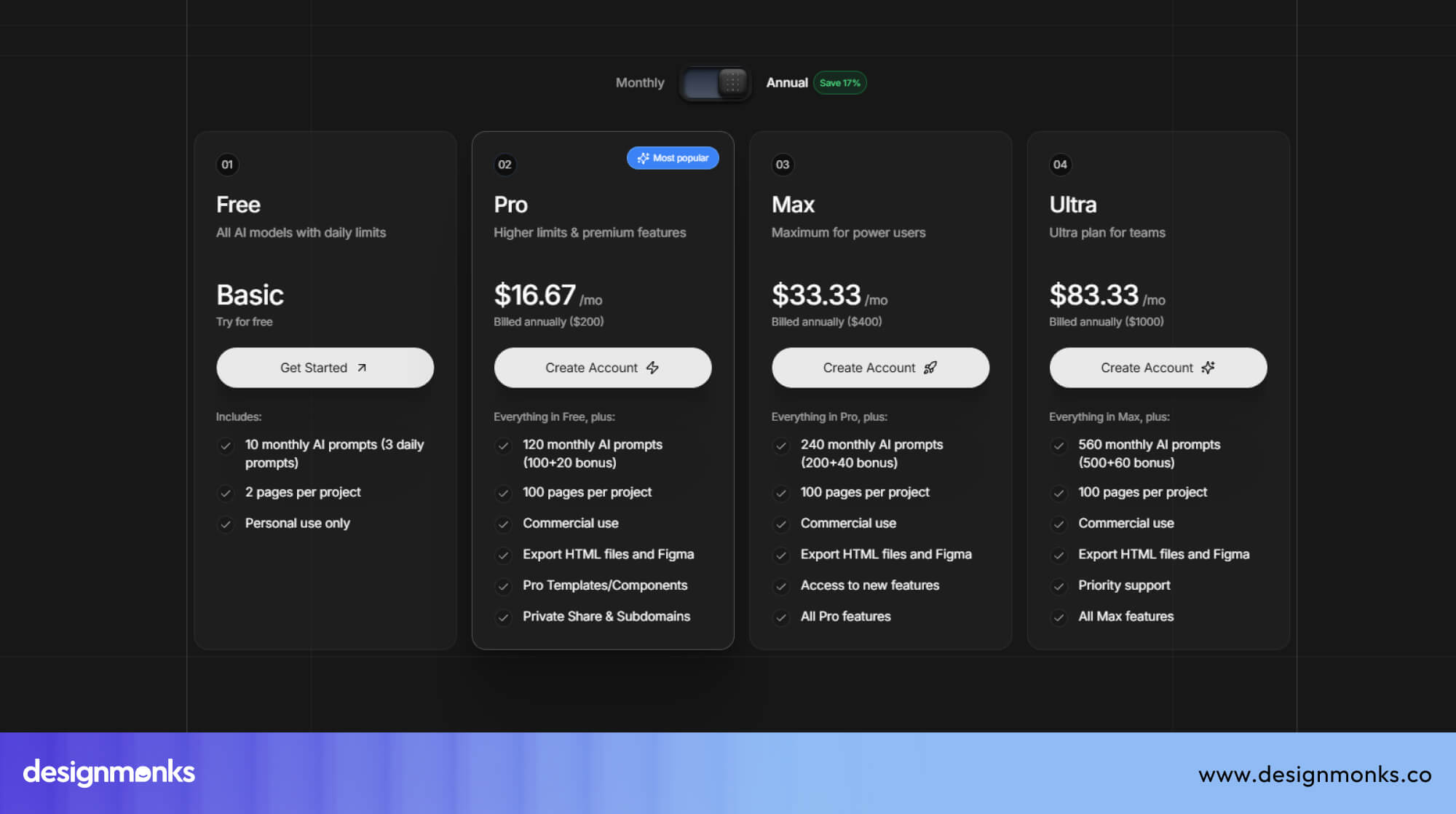
Max Plan: Costs $33.33/month when billed yearly. It includes 240 prompts, 100 pages, all Pro features, plus early access.
Ultra Plan: Costs $83.33/month. This plan is best for teams who need 560 monthly prompts, full export freedom, commercial use, and priority support.
AI Credits (Extra Prompts)
Aura.build also offers AI credits you can buy whenever you need more prompts.
- 200 credits cost $40
- 1 credit = 1 AI prompt
These AI tools are perfect for ux and never expire. Each of these credits are and is helpful when you need extra design power during busy months.
Real-World Use Cases - How Design Monks is Optimizing in Their Work
At Design Monks, Aura.build has quickly become a practical part of the team’s daily workflow. Instead of spending hours manually designing pages, building components, or turning visuals into code, the team now uses Aura to speed up. This improved overall design quality.
One of the biggest advantages is time savings. Tasks that normally took several hours, like creating layout variations, generating hero sections, or converting mockups into HTML, now take minutes thanks to AI prompts and quick export options. This lets the team focus more on strategy and creativity instead of repetitive work.
DM is also seeing consistent design improvements. By remixing components, reusing templates, and leveraging @ references, the team can maintain a polished, unified style across all projects without reinventing the wheel.
Whether it’s prototyping client websites, generating multi-page flows, or handing over clean code to developers, Aura.build is helping Design Monks deliver faster, maintain higher quality, and reduce production bottlenecks, all with less effort.
How to Get Started with Aura.build
Getting started with Aura.build is surprisingly easy, even if you’ve never used an AI design tool before. Below is a quick guide to help you move from sign-up to your first working design in just a few minutes:
1. Signing Up & Setting Up
To begin, create a free account on Aura.build. Once you’re in, you’ll land on your dashboard, where you can access your projects, explore templates, or start a new workspace. The interface is clean and simple, so you can quickly understand where everything is.
Your canvas, layers, code panel, and prompt box are all laid out properly. This setup makes it easy to jump straight into designing without learning a complicated tool.
2. Writing Your First Prompt
Your first prompt is where the magic begins. Start with a clear prompt structure:
- What you want → “Create a landing page hero section…”
- Style or tone → “modern, clean, soft shadows…”
- Framework preference → “…with Tailwind CSS code.”
Being specific helps the AI understand exactly what you need. Mention layout preferences, colors, spacing, or any components you want. The clearer your instructions, the better the result.
3. Importing from Figma & Exporting Code
Aura.build works smoothly with Figma. Here's the simple workflow:
Import from Figma: Export your frame from Figma → upload it into Aura → let Aura interpret the structure.
Edit or improve: You can adjust the design, change the layout, or rewrite sections using prompts.
Export code: When you’re ready, export clean HTML, Tailwind CSS, or copy the code from the console code panel and paste it directly into your project.
This makes design-to-development handoff extremely fast.
4. Image-to-HTML Workflow
Aura’s image-to-HTML tool is one of its most powerful features. Here’s how it works:
- Upload: Select any screenshot, mockup, or UI image.
- Conversion: Aura analyzes the image and converts it into responsive HTML + Tailwind code.
- Review: Check the structure, adjust spacing, edit text, or refine components.
- Export: Download the HTML, Tailwind CSS, or copy the code directly for your project.
This workflow turns static images into real, working web layouts in minutes, saving hours of manual coding.
Tips & Best Practices for Aura.build
Following these tips will help you get the best results, save time, and maintain consistent, responsive designs:
- Write clear, simple prompts and mention layout styles like grid, flex, or two-column to help Aura understand exactly what to generate.
- Use @ component references (like @header or @button) to keep your design consistent and speed up complex page structures.
- Start with small prompts, test results, and expand gradually to avoid overwhelming the AI with unnecessary details.
- Reuse templates and saved components to build pages faster and maintain a uniform style across your entire project.
- Customize public components or remix existing templates to create new layouts without rebuilding everything from scratch.
- Export HTML + Tailwind when you want ready-to-use code, and deploy easily through Vercel, Netlify, or your own hosting.
- Always review your design on mobile before exporting or publishing to ensure every layout is fully responsive.
Aura.build Limitations & Considerations
While Aura.build is powerful, knowing its limitations helps you plan projects more effectively:
- Free and lower-tier plans have monthly AI prompt limits, so heavy usage may require upgrading or buying extra credits.
- Very complex designs with advanced animations, interactive dashboards, or custom backend logic may need manual coding.
- AI-generated layouts may occasionally need adjustments for highly dynamic or unusual components.
- Prompt quality matters: unclear or overly long instructions can lead to less accurate results.
- Large projects may require breaking work into smaller parts, as extremely detailed pages can exceed context limits.
Aura.build vs Alternatives
When it comes to building websites quickly with AI, there are several tools available, but Aura.build stands out for its combination of design flexibility, code export, and responsive layouts. Understanding how it compares with other popular platforms helps you choose the right tool for your needs:
Comparison with Webflow
Webflow is a popular visual web builder that allows designers to create websites without heavy coding. It offers a CMS, hosting, and drag-and-drop design tools. However, Webflow’s exported code is often hard to edit and tied to its platform.
Aura.build, on the other hand, produces clean HTML, Tailwind CSS, and JavaScript, giving developers complete control and flexibility while still providing AI-powered design assistance. For teams that need fast design-to-code workflows and code ownership, Aura has a clear advantage.
Comparison with Figma Sites
Figma sites is mainly a visual builder focused on designers, allowing simple website creation directly from Figma templates. While it’s great for mockups and prototypes, its export options are limited, and the generated code often requires manual adjustments.
Aura.build allows both designers and developers to import Figma designs, generate real code, and publish multi-page responsive sites, making it a more complete tool for production-ready projects.
Comparison with Other AI Tools
Other AI-powered design-to-code tools, like Lovable and Cursor, offer interesting shortcuts for UI design. Lovable is strong in generating small components, and Cursor can assist with code generation, but both tools lack full workflow integration for multi-page sites or ready-to-use Tailwind exports.
Aura.build combines AI-generated layouts, image-to-HTML conversion, multi-page navigation, and export options in one platform, giving teams a more efficient end-to-end solution.
FAQs
Is Aura.build free?
Aura.build has a Free plan with limited AI prompts and pages. Upgrading to Pro or Max gives more prompts, templates, and full export options.
Can I self-host the exported site?
Yes, you can self-host the exported site. You can export HTML, Tailwind, and JS and host anywhere like Netlify, Vercel, or your own server, with no vendor lock-in.
Which AI models are used?
Aura uses GPT-5, Claude, and Gemini to generate responsive layouts and design components from your prompts.
Does Aura support collaboration?
Yes, Aura.build supports collaboration. Teams can share public components, templates, and workspaces, allowing multiple users to work together efficiently.
What is Aura.build?
Aura.build is an AI-powered design system that turns text prompts and images into clean, responsive UI and real code. It generates layouts, converts designs to HTML/Tailwind, and exports to Figma or your own host, so teams can build interfaces faster without starting from scratch.
Is Aura.build good for websites or just UI design?
It works for both. You can generate full multi-page sites with navigation, plus individual UI components and design systems, then export working HTML/Tailwind for production.
How does Aura.build compare to Webflow or Figma?
Aura.build focuses on AI-driven generation from prompts, while Webflow is a manual visual builder and Figma is a design tool. Where those tools give you fine-grained control, Aura.build trades some control for speed, you describe what you want and it builds it. For step-by-step control, export to Figma or HTML.
Conclusions
Creating modern websites doesn’t have to feel slow or complicated anymore. With Aura.build, you can turn ideas into clean designs and real code within minutes. Its AI tools save time, reduce boring tasks, and keep your work organized from start to finish.
Whether you’re building a simple page or a full website, Aura.build helps you work smarter and faster. If you want a smoother workflow and better results with less effort, this is the tool worth trying.









.avif)