.svg)


Relume is changing the way websites are built, combining AI, no-code tools, and seamless design integrations to help professionals move from idea to execution in minutes.
Born from a small Sydney-based agency, it has evolved into a powerful platform used by thousands of designers and developers worldwide.
This case study explores how Relume identified key workflow challenges, delivered an innovative solution, and grew into a market disruptor while staying lean, bootstrapped, and laser-focused on empowering the creative process.
Overview: Relume
Relume is an AI-powered, full-stack no-code web and app design platform that helps designers go from idea to deployment in minutes. It generates complete sitemaps, wireframes, style guides, and website copy based on just a few inputs, eliminating the need to start from scratch.
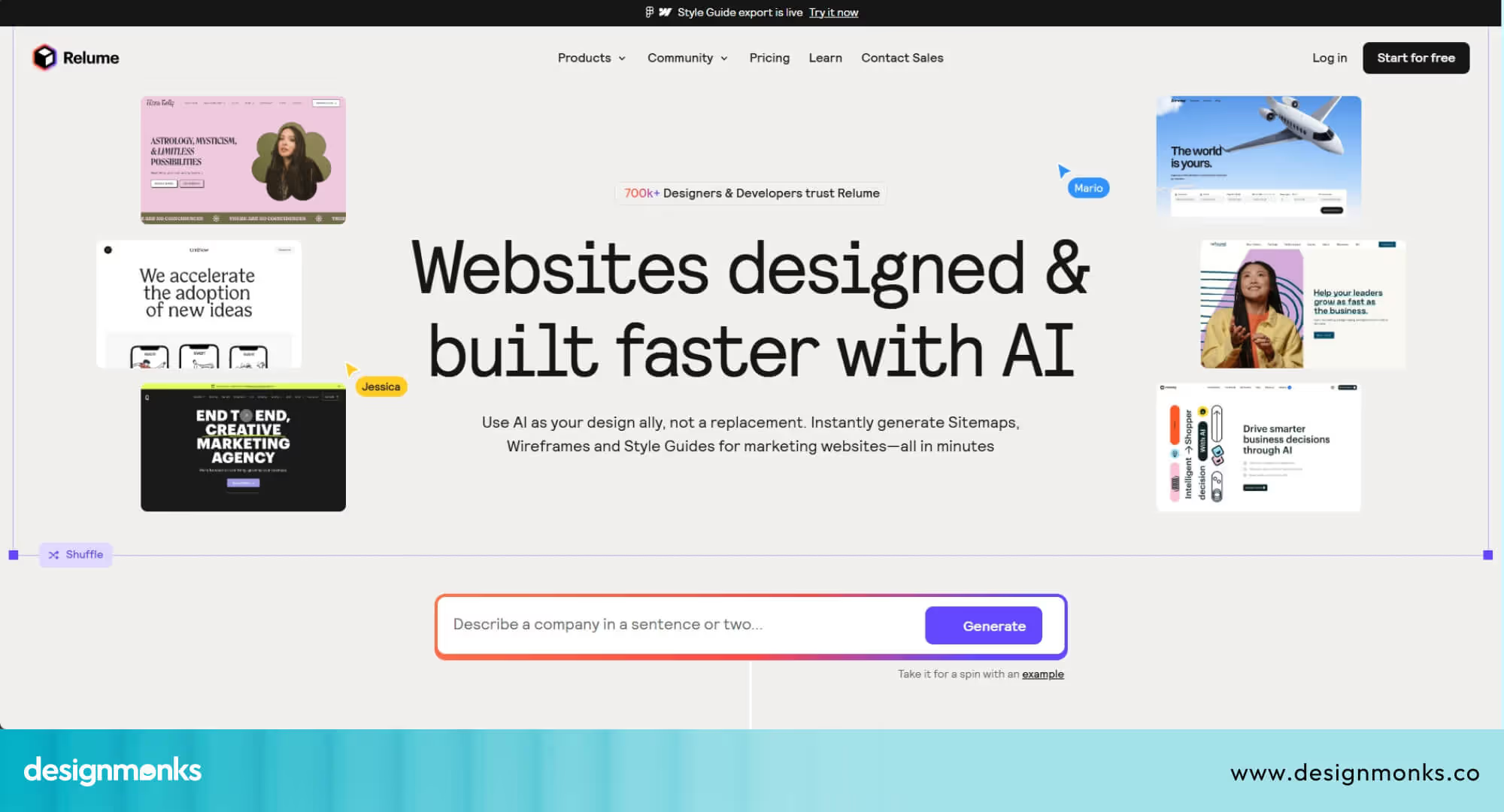
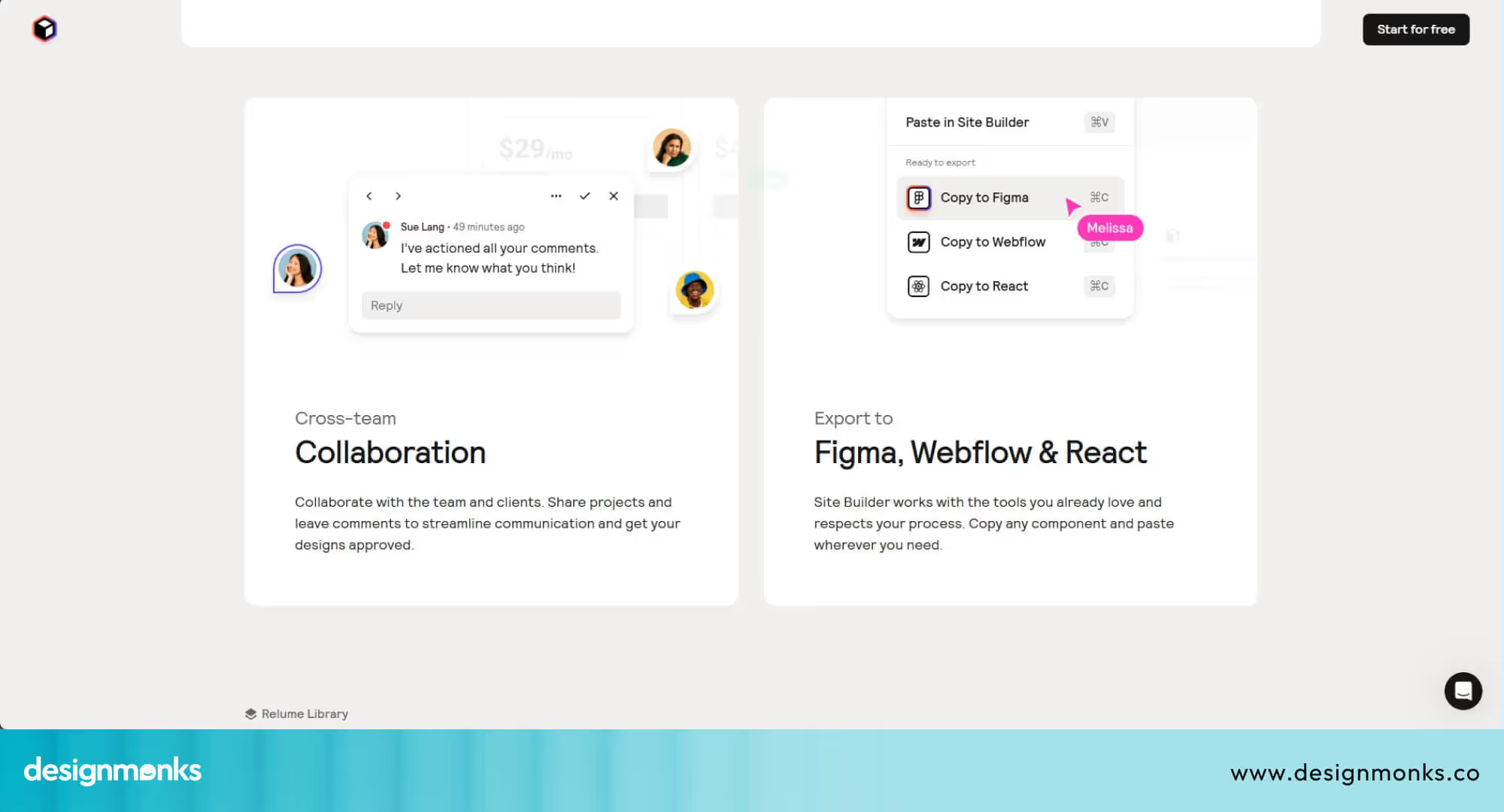
Built to streamline the early-stage design process, Relume supports seamless exports to Figma, Webflow, and React with a smooth handoff and customization. Designers can instantly visualize structure, layout, and content while still retaining full control over visuals like fonts, images, and colors.
No matter if you're building a portfolio, landing page, or product site, Relume’s smart automation takes care of repetitive work so designers can focus on creativity and craft. Ideal for freelancers, agencies, and startups, it’s a powerful time-saver that makes web creation faster, smarter, and scalable, without writing a single line of code.
Quick Stats
- Monthly unique visits: 580K to 850K
- Pages per session: approximately 4 to 5
- Bounce rate: around 37% to 45%
- Global website rank: ~#72K to #96K
- Total users: 700K+ designers and developers
- Team size: approximately 32 employees globally
- Annual revenue: estimated at $1.8 million
- Retention rate: ~90% indicating strong user satisfaction
- Product launch: late 2021
- Company founded: 2020 in Sydney, Australia
- Community: Active Slack channel and design competitions
- Pricing: Freemium model with paid tiers starting at $38/month
The Challenge: Repetition & Bottlenecks in Web Design Workflows
Freelancers and digital agencies often face a common bottleneck: the manual, repetitive, early-stage work required in every new web project. Tasks like building sitemaps, wireframing layouts, drafting placeholder content, and setting up design systems can take hours, even days, before the creative work even begins.
These issues directly impact:
- Project Throughput: More time per project means fewer clients served.
- Profit Margins: Billable hours are wasted on repetitive setup instead of higher-value design.
- Client Experience: Iterations are slower, and ideation is hard to visualize in early meetings.
- Scalability: Solo designers or small teams often hit capacity quickly.
Relume identified this gap in the workflow and reimagined how early-stage design could be automated without losing creative control.
The Solution: An AI-Driven Design Companion
Relume offers a multi-layered solution that combines AI automation, rich component libraries, and tool integration to improve design workflows dramatically.
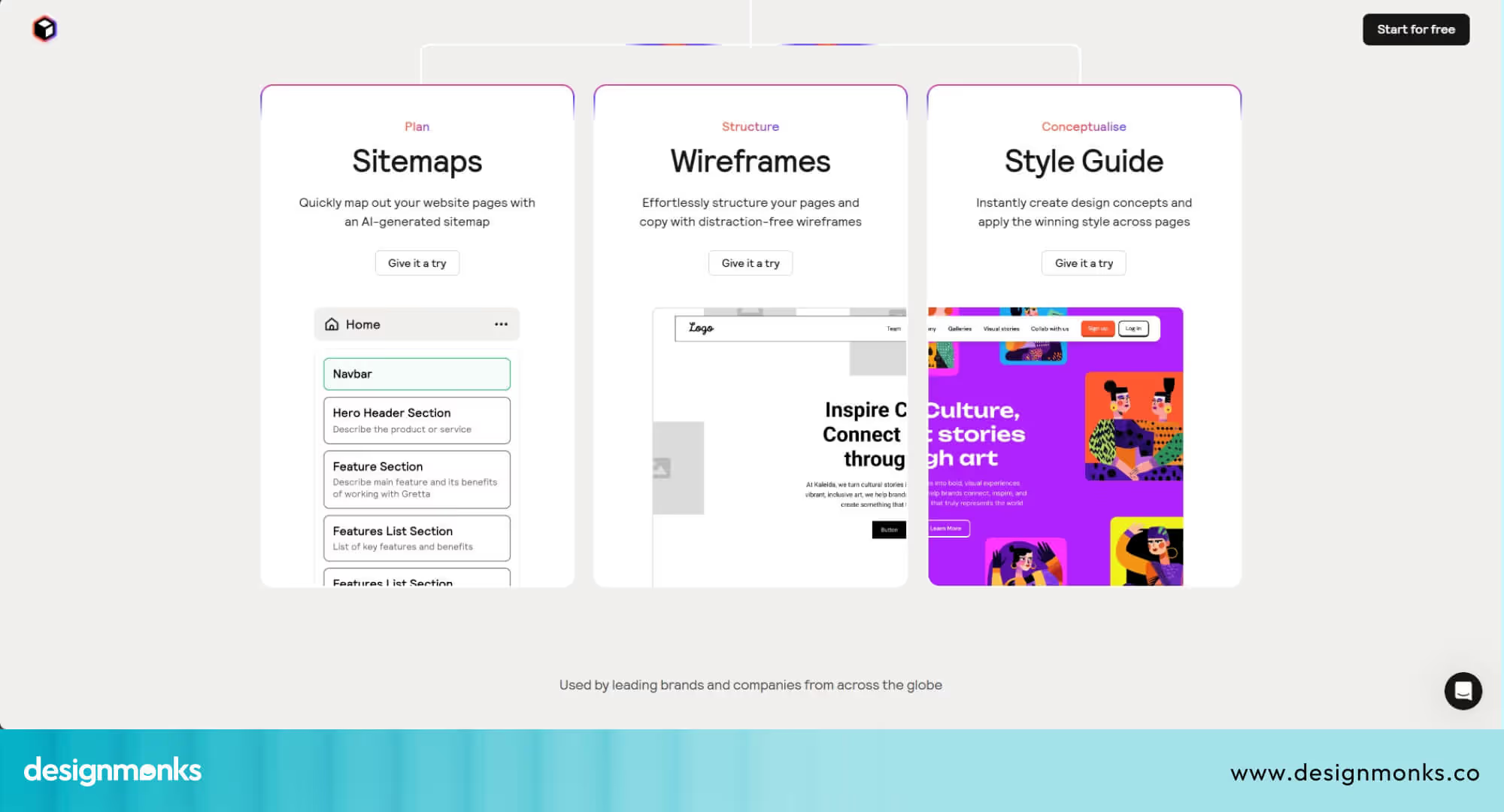
Here are the solutions it chose to bring:
AI‑Generated Sitemaps & Wireframes
At its core, Relume uses AI to generate complete sitemaps and wireframes from a simple text prompt. For example:
"Marketing website for a SaaS CRM tool" - instantly becomes a visual sitemap with structured pages and user flows.
Designers can then convert this sitemap into low-fidelity wireframes with one click, cutting down planning time by 90%.
1,000+ Reusable Components
Relume’s component libraries are extensive and optimized for real-world usage:
- Figma Kit: Over 1,000 drag-and-drop design components.
- Webflow Library: Clean, responsive elements optimized for Webflow.
- React Library: Ready-to-code components for handoff or in-house devs.
These libraries are modular and customizable, covering every UI need, including navbars, hero sections, testimonial blocks, pricing tables, CTAs, footers, and more.
Seamless Integration Across Tools
Relume doesn’t replace the tools designers already use; it enhances them:
- Figma: Export AI-generated wireframes directly into editable Figma files.
- Webflow: Connect styles, classes, and components using Relume’s Chrome extension.
- React: Developers can export JSX-ready code to speed up front-end development.
These integrations make Relume a powerful addition to the tech stack, not a disruption.
Implementation: From Prompt to Prototype
So, how do they implement all these facts at once? First of all, they planned and followed a step-by-step process.
Step-by-Step Workflow
Relume streamlines the early design process into a five-step flow:
- Prompt Input: Designer enters a basic project description.
- Sitemap Generation: AI creates a page hierarchy and flow.
- Wireframe Generation: Converts sitemap to grayscale wireframes.
- Customization: Designers tweak layout, content, and structure.
- Export: Deliverable is exported to Figma, Webflow, or React.
Tools in Use
- Figma Kit: For collaborative design sessions.
- Webflow Library: For live prototypes and no-code builds.
- React Library: For developers building production apps.
- Chrome Extension: For syncing style guides and classes.
Real-Time Use Case Example
Designers using Relume often run live client meetings with the platform open. They can:
- Input client requirements in real time.
- Generate a sitemap and wireframe during the call.
- Export the initial wireframe to Figma before the call ends.
- Collaborate immediately on revisions with clients.
This drastically cuts feedback loops and boosts client satisfaction.
Results & Data: How Relume Is Reshaping Design Productivity
After implementing AI-driven design and streamlining workflows, Relume has seen remarkable traction in both user productivity and business growth. From time saved on projects to increasing web traffic and revenue milestones, the impact of its product-led strategy is both measurable and meaningful.
Time Savings and Productivity Gains
Relume users report saving 20 to 30 hours per 5-page project, especially on early-stage design tasks like layout planning and copy drafting.
That’s nearly a 30% reduction in project time, allowing freelancers and agencies to take on more work without adding extra team members.
Web Traffic & User Engagement
Relume has rapidly gained traction in the no-code and design community:
- Monthly traffic: Ranges between 580K to 850K visits.
- Engagement: Users average 4 to 5 pages per session.
- Bounce rate: A healthy, around 40%, indicates sustained interest.
Notably:
- October 2024 saw a peak with approximately 850K visits.
- November saw a drop to approximately 581K, a 32% dip likely influenced by seasonal factors.
These numbers show strong visibility and growing interest within the design community.
Business Growth & Team
- Founded: 2020 in Sydney, Australia.
- Employees: Approximately 32 people as of 2025.
- Remote-first: HQ in Sydney with distributed teams globally.
- Revenue: Estimated $1.8 million annually (as of June 2025).
- Funding: Bootstrapped; zero external investment to date.
Relume’s lean team and high return showcase the viability of product-led, community-driven business models in the SaaS design space.
Relume Pricing in 2025: Free vs Starter vs Pro vs Team
Relume's pricing structure has evolved significantly since Relume pricing 2024, offering flexible options for designers at every level. The platform's recent Relume funding has enabled expanded features while maintaining competitive rates that cost less than 1% of typical web projects.
- Free Plan: Provides conceptual tools with 1 project, 1 page, and basic Figma export, perfect for testing the platform. Starter ($18/month annually, $32 monthly) unlocks 5 pages, full component access, and Webflow export, ideal for freelancers.
- Pro ($40/month annually, $48 monthly): Offers unlimited projects and pages for full-time professionals building multiple sites.
- Team Plan (starting at 3 users): Adds collaborative workspaces with shared assets and team management features.
All paid plans include AI sitemap generation, 1000+ pre-designed components, and seamless Figma/Webflow integration, making Relume a cost-effective solution for accelerating web design workflows.
What Users Are Saying: Real Feedback from the Community
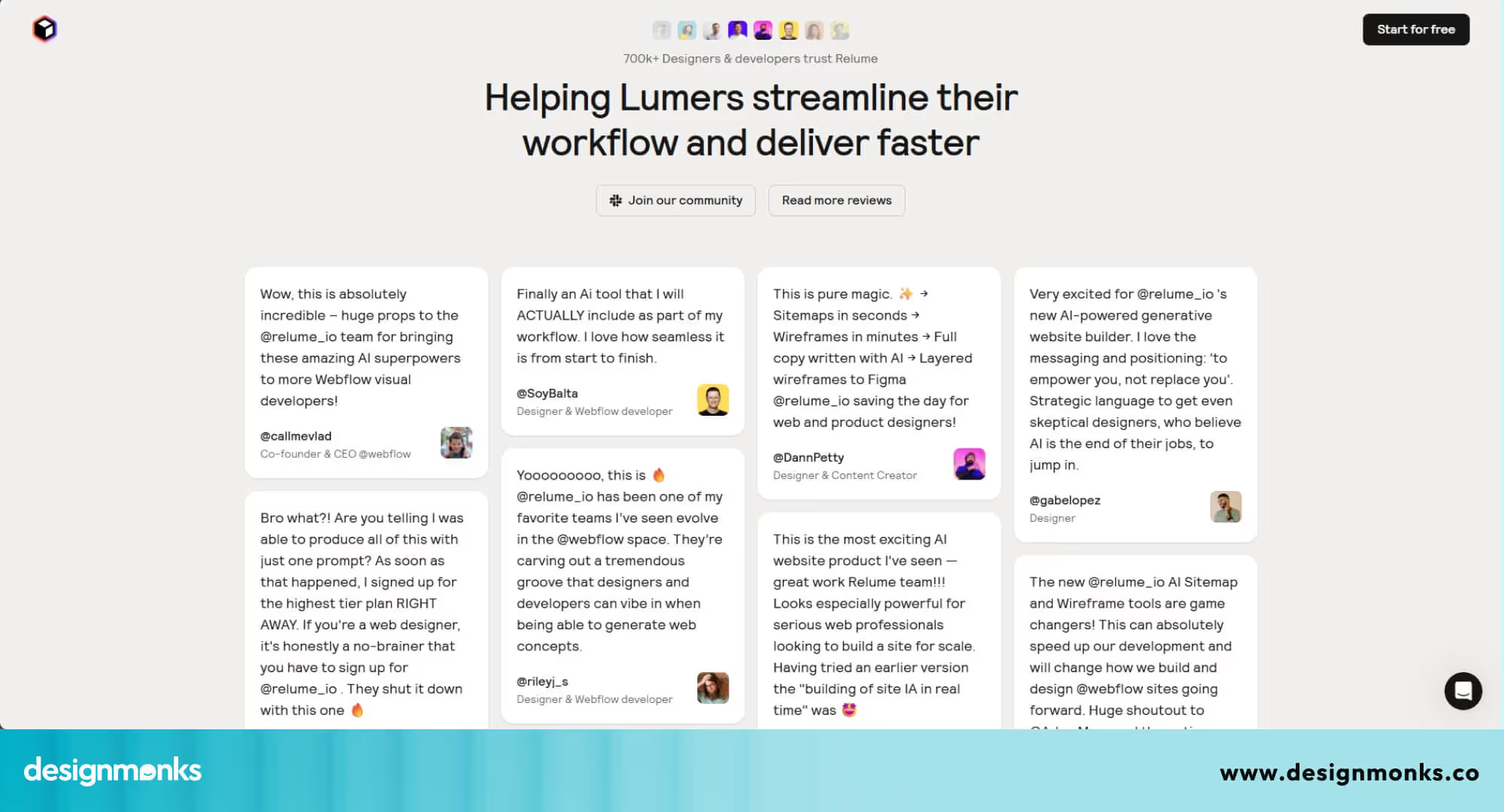
Relume’s user base, made up of freelancers, agencies, and developers, consistently highlights the platform’s ability to save time and streamline client workflows. Many designers report saving 10 to 20 hours per project, especially during the early stages of sitemap creation and wireframing.
For some, this translates to reclaiming nearly 30% of the total project budget, which lets them take on more clients without increasing workload.
One popular use case is using Relume during discovery calls. Designers generate live sitemaps on the spot to help clients visualize project scope instantly. This not only improves communication but also shortens turnaround time for proposals and approvals.
As with any fast-growing product, there are a few concerns raised, particularly around trial billing and subscription management. A small number of users have reported confusion over free trial limitations and billing transitions. However, these issues appear to be isolated and not reflective of the broader user sentiment.
Overall, Relume’s community praises its impact on productivity and client experience, with many considering it a “superpower” in modern web design workflows.
How Relume Fits Into a Modern Webflow & Figma Workflow
Relume works as a bridge between strategy, design, and build. It helps teams move faster from structure to interface using an AI website builder for designers without breaking existing Webflow or Figma workflows.
Start With Structure, Not Screens
Relume begins by generating a complete sitemap from a simple prompt. This helps teams define information architecture before touching visual design. It reduces planning time and keeps everyone aligned on page structure and content flow.
Turn Ideas Into Wireframes Instantly
Once the structure is ready, Relume creates wireframes for each page using its AI wireframe generator. Designers get a clear layout foundation, making it easier to focus on UX decisions instead of spending hours on low-value setup work.
Design Freely Inside Figma
All wireframes and components can be exported into Figma, where designers customize visuals and branding. This keeps the design system consistent and allows full creative control without changing the familiar UI and collaboration workflow teams already use.
Ship Faster With Webflow Components
After design is approved, layouts move into Webflow using the Relume component library. This removes repetitive build tasks, speeds up development, and ensures the final site matches the design with far fewer handoff issues.
Pros & Cons: Weighing the Strengths and Trade-offs of Relume
Like any powerful tool, Relume comes with its advantages and limitations. For many users, the benefits far outweigh the drawbacks, but understanding both sides offers a clearer view of where the platform shines and where it still has room to grow.
.avif)
Strengths
- Saves 20 to 30 Hours per Project: Designers report significant time savings on sitemap planning, wireframing, and early-stage client iterations.
- 1,000+ Production-Ready Components: A vast library of high-quality, reusable blocks for Figma, Webflow, and React accelerates design and development.
- AI-Powered Workflow Efficiency: From prompt to prototype in minutes, Relume reduces friction in planning, layout structuring, and content drafting.
- Seamless Tool Integration: Direct export to Figma and Webflow, React-ready components, and a Chrome extension enhance workflow continuity.
- Client-Friendly Presentation: Live sitemap generation during discovery calls helps scope projects faster and improves client engagement.
- Strong Community & Retention: High user satisfaction, an active Slack community, and a 90%+ retention rate show real-world value and stickiness.
Trade-offs
- AI Wireframes Need Manual Adjustments: While fast, the AI-generated layouts still require customization to meet brand or usability standards.
- Limited Free Tier: The free version only allows 30 components and 1 active project, which may feel restrictive for frequent users.
- Billing & Trial Confusion: A few users reported one-time billing mishandling or unclear trial transitions, although these cases appear limited.
- No End-to-End Hosting or CMS: Relume focuses on design workflows, not full-site publishing, so users still need tools like Webflow or custom code for live deployment.
- Learning Curve for First-Timers: New users may take time to understand the AI prompts, component logic, and export process, especially if unfamiliar with no-code tools.
As we see, Relume is a strong productivity tool for designers who want to move fast and scale smartly, but like any growing platform, it’s best used with awareness of its current limitations.
Relume Alternatives: How It Compares to Competitors
Choosing the right AI website builder depends on your workflow, integrations, and design approach. While Relume excels at Webflow-focused design automation, several alternatives offer different strengths worth considering for your specific project needs.
Framer AI vs Relume
Framer AI provides end-to-end website creation with built-in hosting, unlike Relume's export-focused approach. It offers real-time editing and publishing without requiring external tools, making it ideal for rapid deployment.
However, Relume's component library is significantly larger and better suited for Webflow professionals.
Webflow's Native AI Tools vs Relume
Webflow recently introduced native AI features for copywriting and layout suggestions directly within their platform. While convenient for existing Webflow users, these tools lack Relume's extensive pre-designed component library and advanced sitemap generation.
On the other hand, Relume remains superior for wireframing and comprehensive project planning before Webflow development.
10Web vs Relume
10Web focuses on WordPress-powered AI website generation with automated hosting and optimization features. It's better for WordPress ecosystems and offers complete site management.
Relume, conversely, targets professional designers needing precise control over Webflow and Figma workflows, making it more specialized for design-first agencies.
Durable AI vs Relume
Durable AI emphasizes speed, generating complete business websites in 30 seconds with minimal input. It's ideal for entrepreneurs needing quick online presence without design expertise.
Consequently, Relume serves professional designers requiring customizable, high-quality components and detailed wireframing capabilities for client work.
Recommendations & Final Thought
Relume is ideal for agencies, freelancers, and small teams looking to speed up early-stage website design while aligning quickly with clients. Its AI-driven workflows and export flexibility let users retain full creative control over styling, branding, and development.
Even though the platform offers significant productivity gains, users should review trial terms and billing policies carefully to avoid confusion. Overall, Relume is a powerful addition to any modern design toolkit focused on speed, collaboration, and efficiency.









.avif)