.svg)



Key Takeaways
- Webflow offers visual design control with a fast no-code development workflow.
- WordPress provides unmatched flexibility through plugins, themes, and custom code.
- Webflow ensures faster performance with built-in hosting, CDN, and security.
- WordPress excels for content-heavy websites and large-scale publishing needs.
- Choosing a platform depends on scalability, control, and long-term business goals.
Every website starts with a decision, and choosing the wrong platform can limit your growth from day one. That is exactly why the Webflow vs WordPress comparison matters more than most people think.
If you want full design control and a faster, no-code workflow, Webflow is the better choice. If you need deeper customization, flexibility, and a wide range of plugins, WordPress is the way to go.
But this choice goes far beyond tools and features. It can quietly shape how fast you grow online, how easily you scale, and how much you truly control your website. Want to dig deeper into details? Keep reading!
What Is Webflow?
Webflow is a no-code website builder that lets you design, build, and launch websites visually without writing traditional code. It works as a visual development tool where you control layouts, styling, and structure directly on the screen, while it automatically generates clean HTML and CSS in the background.
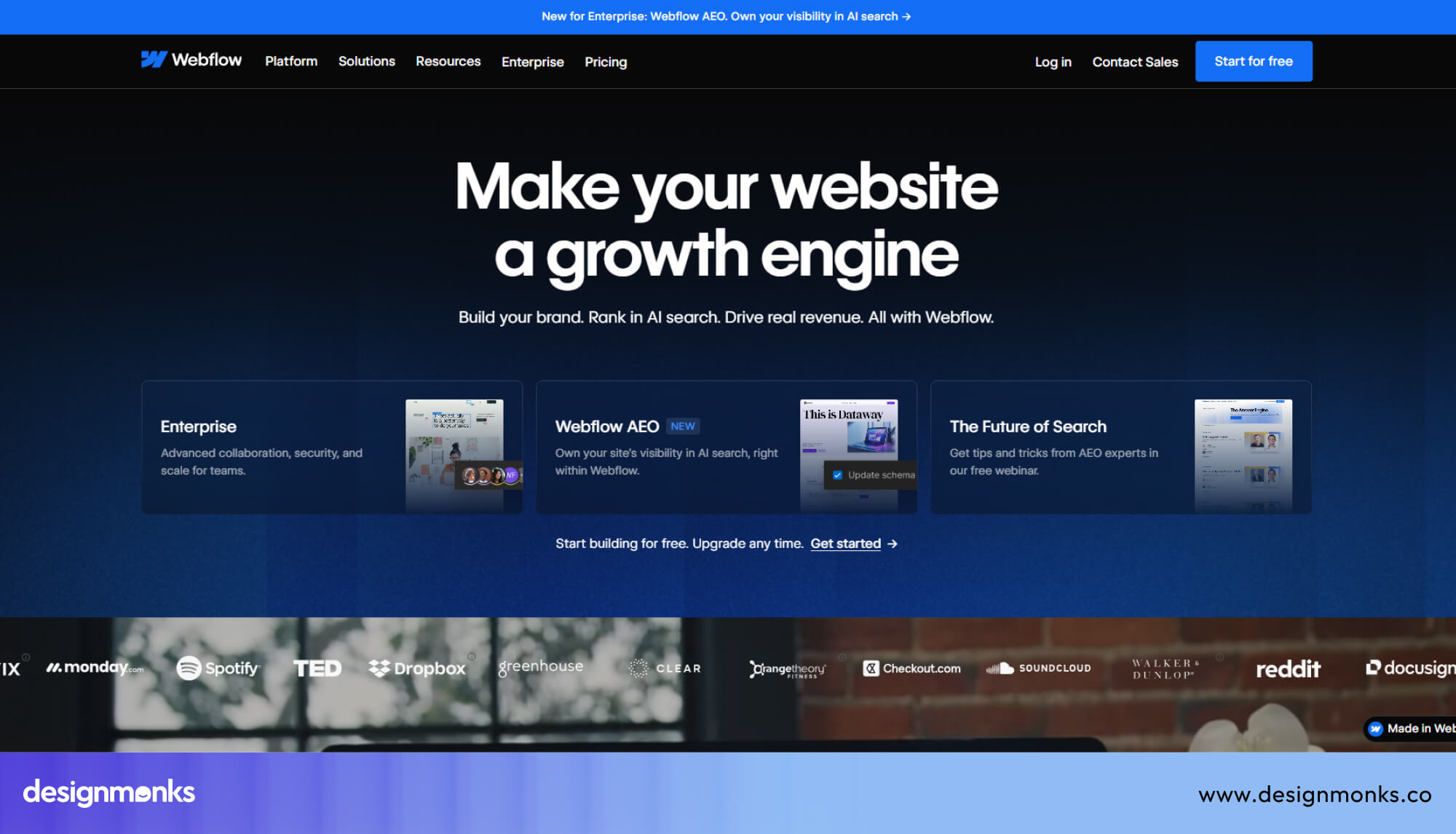
It also includes Webflow CMS for managing dynamic content, built-in hosting, and advanced layout systems like CSS grid for responsive design.
How Webflow Works as a Visual Development Platform
Webflow follows a frontend-first approach, you design everything visually but still get developer-level control over structure and responsiveness.
Instead of switching between tools for design, CMS, and hosting, everything stays in one ecosystem. This makes the workflow smoother and faster for modern website creation.
Who Should Use Webflow?
Webflow is the go-to platform for designers, marketing teams, SaaS companies, and agencies. If you care deeply about how your website looks and performs, and you don't want to rely on plugins or developers for every small change, Webflow is built for you.
Startups love it because it lets their marketing team update the website without touching any code. Design agencies love it because they can deliver pixel-perfect websites to clients fast.
What Is WordPress?
WordPress is an open-source CMS that allows you to create, manage, and scale websites without building everything from scratch. It gives you a flexible system where you can control both design and functionality using themes, plugins, and custom code if needed.
It is one of the most widely used website platforms in the world because it supports everything from simple blogs to large ecommerce stores and enterprise websites.
How WordPress Works as an Open-Source CMS
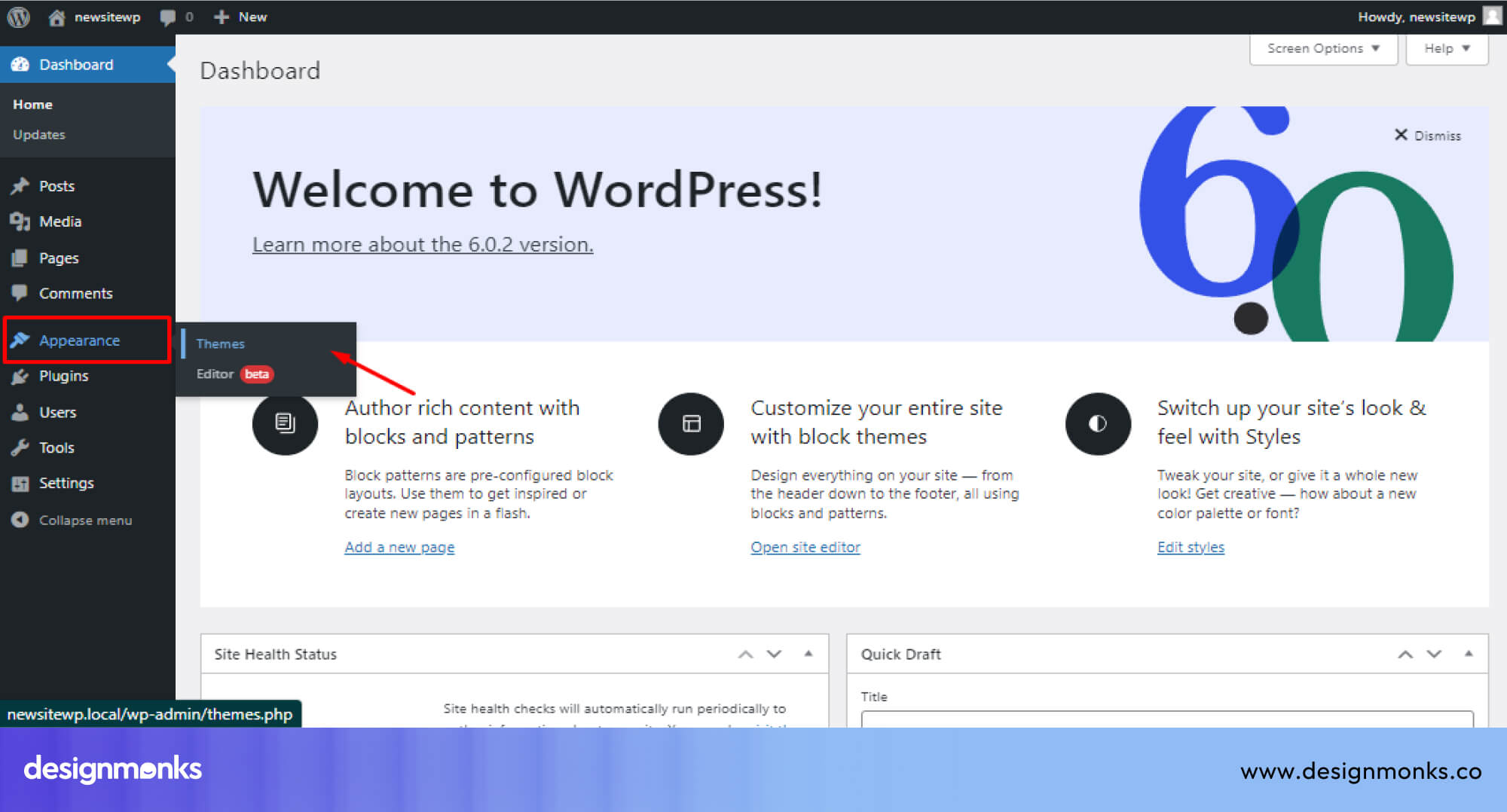
WordPress works as a self-hosted system where you install it on a hosting provider and manage your website through a backend dashboard. Instead of building layouts manually, you start with themes that define your site design, then extend functionality using a large plugin ecosystem.
These plugins handle everything from SEO and security to e-commerce and performance optimization. The platform is built on PHP, which allows deep customization for developers who want full control over structure and logic.
Because it is open-source, WordPress gives complete freedom but also requires ongoing management. You are responsible for updates, backups, hosting quality, and security, which makes it powerful but more hands-on compared to fully managed platforms.
Who Should Use WordPress?
WordPress is best for bloggers, publishers, ecommerce stores, enterprise websites, and developers who want full control over customization. It works especially well for content-heavy websites where publishing, SEO, and scalability matter most.
Platforms like WooCommerce make it a strong choice for online stores, while publishers and media sites use it for managing large volumes of content efficiently.
Webflow vs WordPress: Key Differences at a Glance
Now let's take a close look at this side-by-side breakdown. It shows exactly where Webflow and WordPress differ in real use:
Quick Verdict by Business Type
If you are choosing based on business goals, the right platform depends on what you are building:
- SaaS: Webflow is better for fast landing pages and marketing sites with clean design.
- Blogs: WordPress wins because of its strong content management system and publishing tools.
- Ecommerce: WordPress (with WooCommerce) is better for complex online stores, while Webflow works for simpler shops.
- Enterprise: WordPress is stronger for large-scale enterprise websites with custom needs.
- Agencies: Webflow is preferred for client work because of speed and visual control.
- Portfolio sites: Webflow is ideal for clean, modern, and design-focused portfolios.
Ease of Use and Learning Curve
This is where most people feel the difference first. Both platforms look easy at the start, but the learning experience is very different once you actually begin building.
Webflow’s Visual Editing Experience
Webflow has a designer-friendly workflow. You work inside a visual canvas and see changes happen in real time. You can click on any element, adjust its spacing, change fonts, set hover animations, and build responsive breakpoints for mobile, all from one interface.
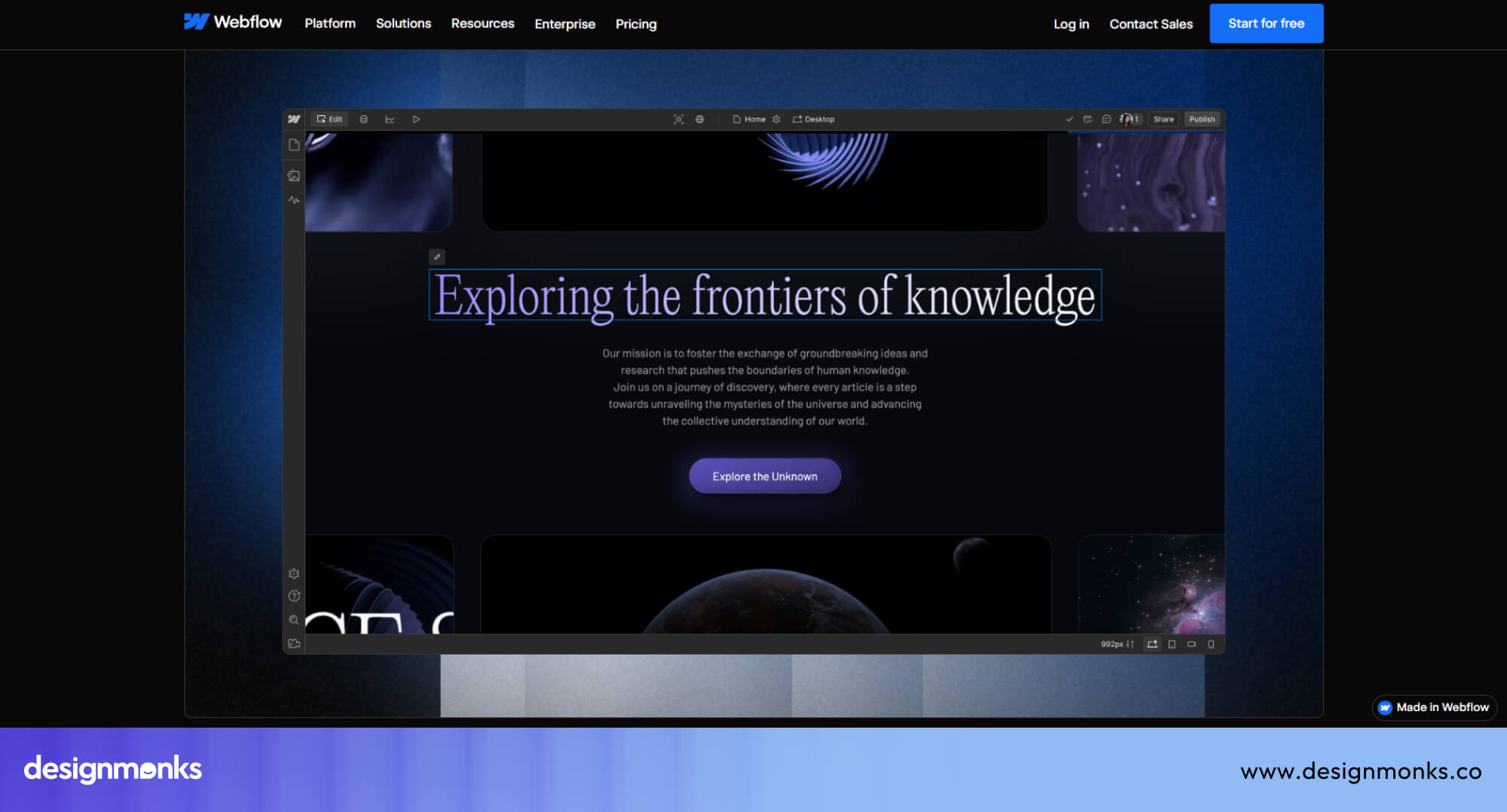
The interface looks similar to Figma or Sketch. If you've ever used a design tool, Webflow will feel familiar. The learning curve exists, but it's mostly around understanding how CSS concepts (like flexbox and grid) translate into Webflow's panel, not about coding.
WordPress Dashboard and Plugin Workflow
WordPress has a traditional admin dashboard. You log in, manage posts, install plugins, and adjust settings across multiple menus. For a basic blog, it's manageable.
But for a well-designed website, you'll need a page builder like Elementor or the block-based Gutenberg editor.
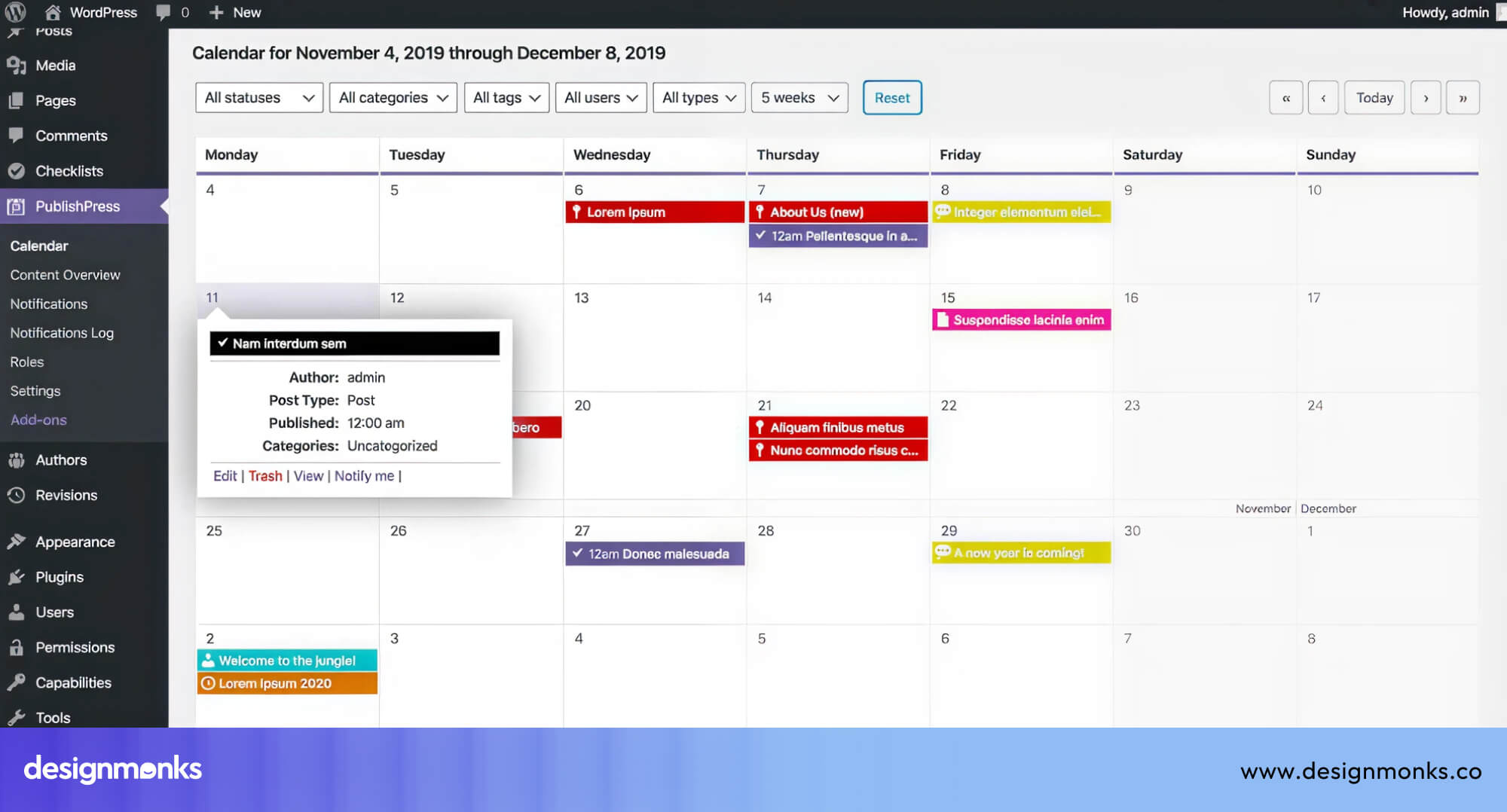
Elementor adds its own learning curve. You're essentially learning two systems, WordPress itself and then Elementor on top of it. Plugin conflicts are also a real issue. Two plugins can break each other, and debugging that requires technical knowledge.
Which Platform Is Easier for Beginners?
Webflow is easier if your goal is building a polished, professional website. The visual editor removes a lot of guesswork.
WordPress is easier if you just want to write and publish blog posts quickly. The dashboard for publishing content is simple. But once you want a custom design, things get technical fast.
Neither platform is completely beginner-proof. But Webflow's learning curve leads you to design mastery. WordPress's learning curve often leads you to forum troubleshooting.
Design Flexibility and Customization
This section is where creative control really matters. The gap between the two platforms becomes clearer when you look at how much freedom you actually get.
Webflow’s Pixel-Perfect Design Control
Webflow gives you CSS-level control without ever opening a code editor. You can adjust margin, padding, typography, colors, animations, and interactions from a visual panel.
You can build custom grid layouts, sticky navbars, scroll-triggered animations, and micro-interactions. You would actually need a developer for these.
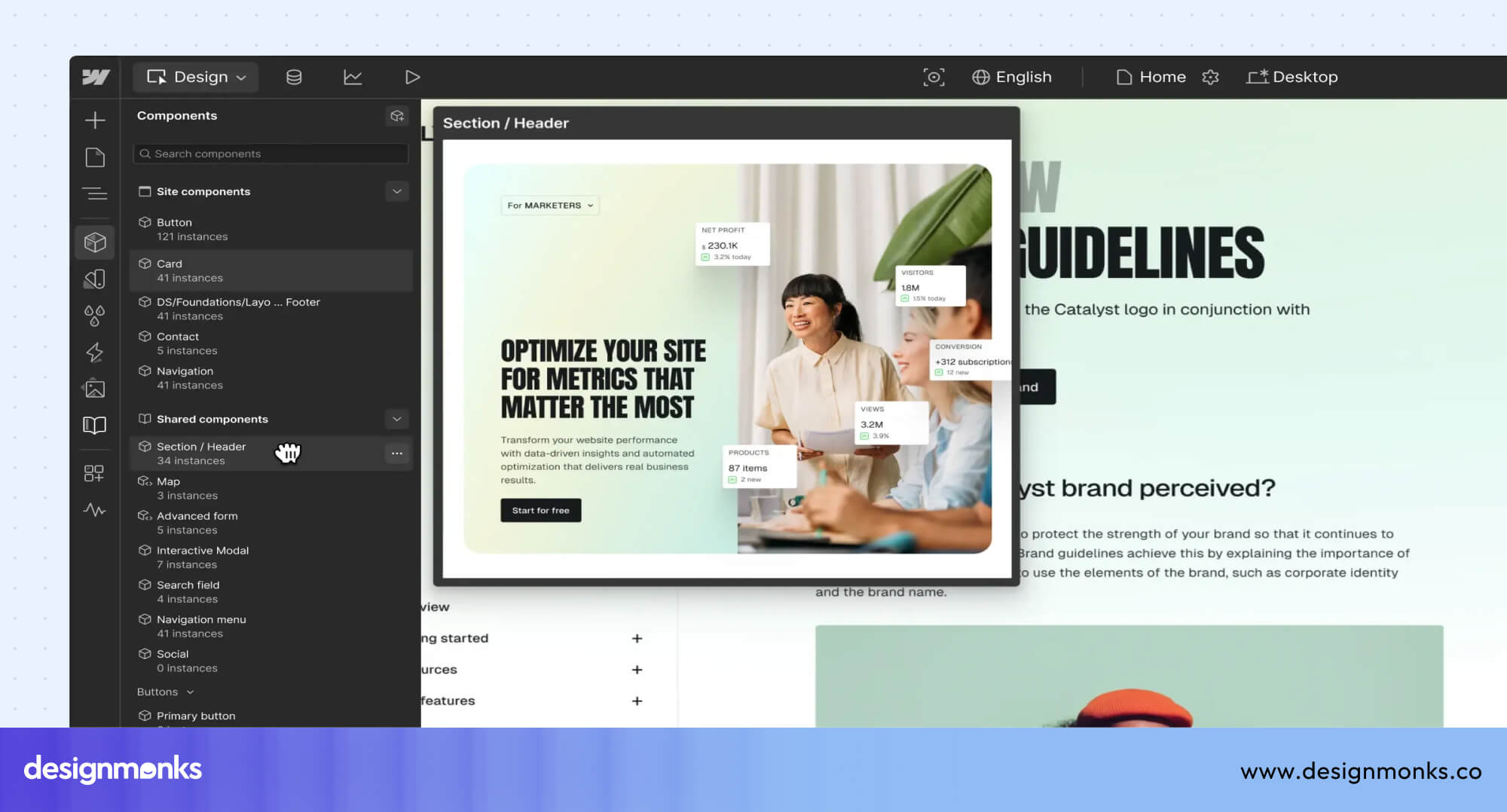
Every design is responsive by default. You switch between desktop, tablet, and mobile views and adjust the layout for each. Webflow also supports CSS Grid natively, which gives you serious layout power.
WordPress Themes and Page Builders
WordPress design flexibility depends heavily on your theme. A good premium theme from ThemeForest or a builder like Elementor or Divi can get you far. But you're always working within the constraints of what that theme allows.
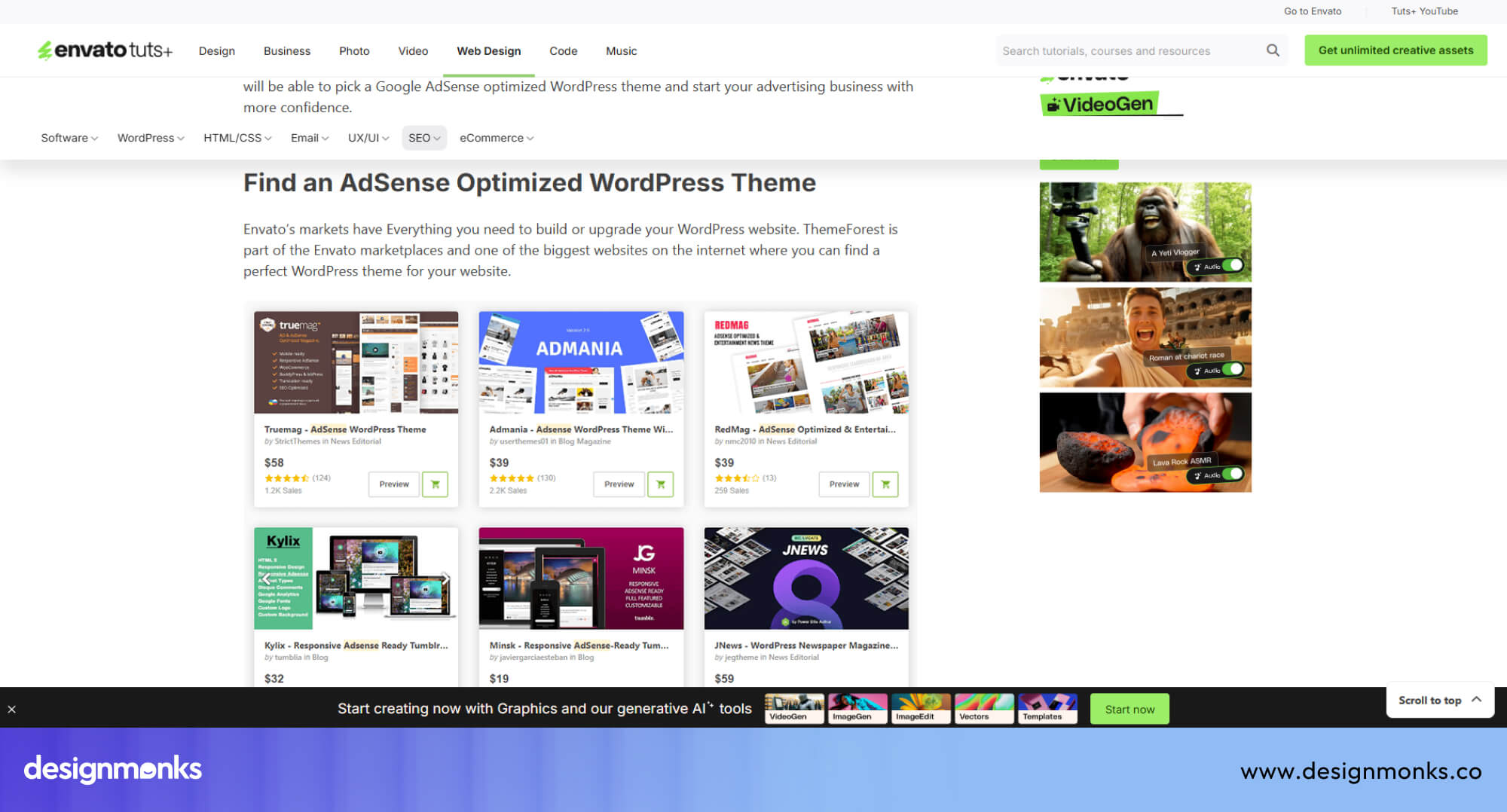
Want to change something outside the theme's settings? You'll need to add custom CSS or hire a developer. Premium themes cost anywhere from $40 to $200, and they sometimes conflict with plugins or stop receiving updates.
Which Platform Gives More Creative Freedom?
Webflow wins for designers and marketing teams who want creative control. WordPress wins for developers who want to build custom functionality from the ground up using PHP and custom post types.
If design is your priority, Webflow is the clear winner. If custom backend logic is your priority, WordPress gives you more room.
SEO Capabilities Comparison
SEO is one of the biggest deciding factors for any website. Both platforms handle it well, but in completely different ways.
Webflow SEO Features
Webflow gives outputs that are clean and, semantic HTML. This matters for SEO because search engines prefer well-structured code.
Webflow automatically generates XML sitemaps, lets you edit meta titles and descriptions per page, supports Open Graph tags for social sharing, and allows custom schema markup.
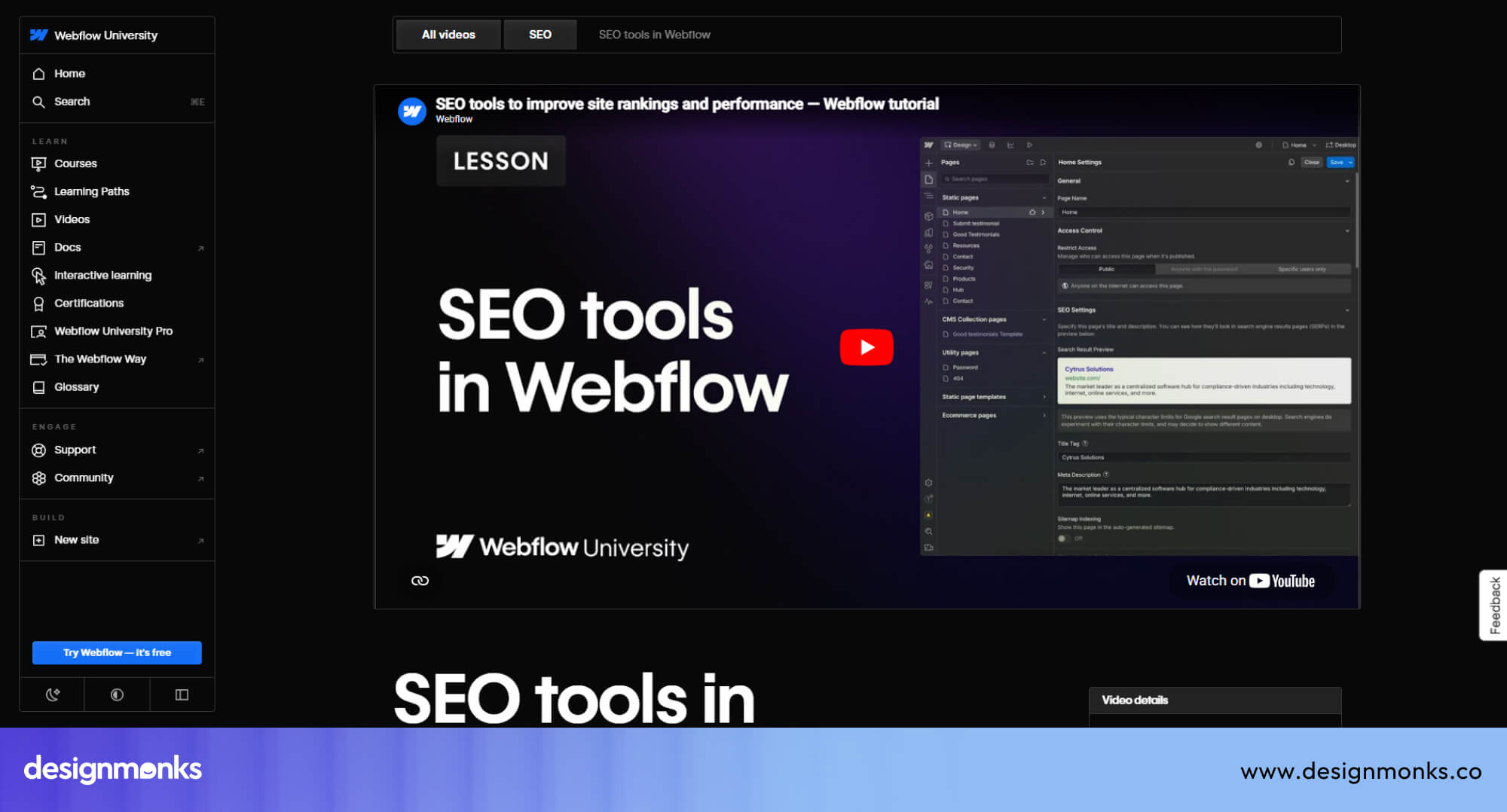
Webflow also has fast page loads by default, and speed is a confirmed Google ranking factor for your blog. Webflow handles hosting on AWS with a CDN so your site loads fast without any extra configuration.
WordPress SEO Features
WordPress has a massive SEO advantage through its plugin ecosystem. Yoast SEO and Rank Math are two of the most powerful SEO tools available online and both are WordPress plugins.
They give you on-page SEO analysis, XML sitemap generation, breadcrumbs, schema markup, and more.
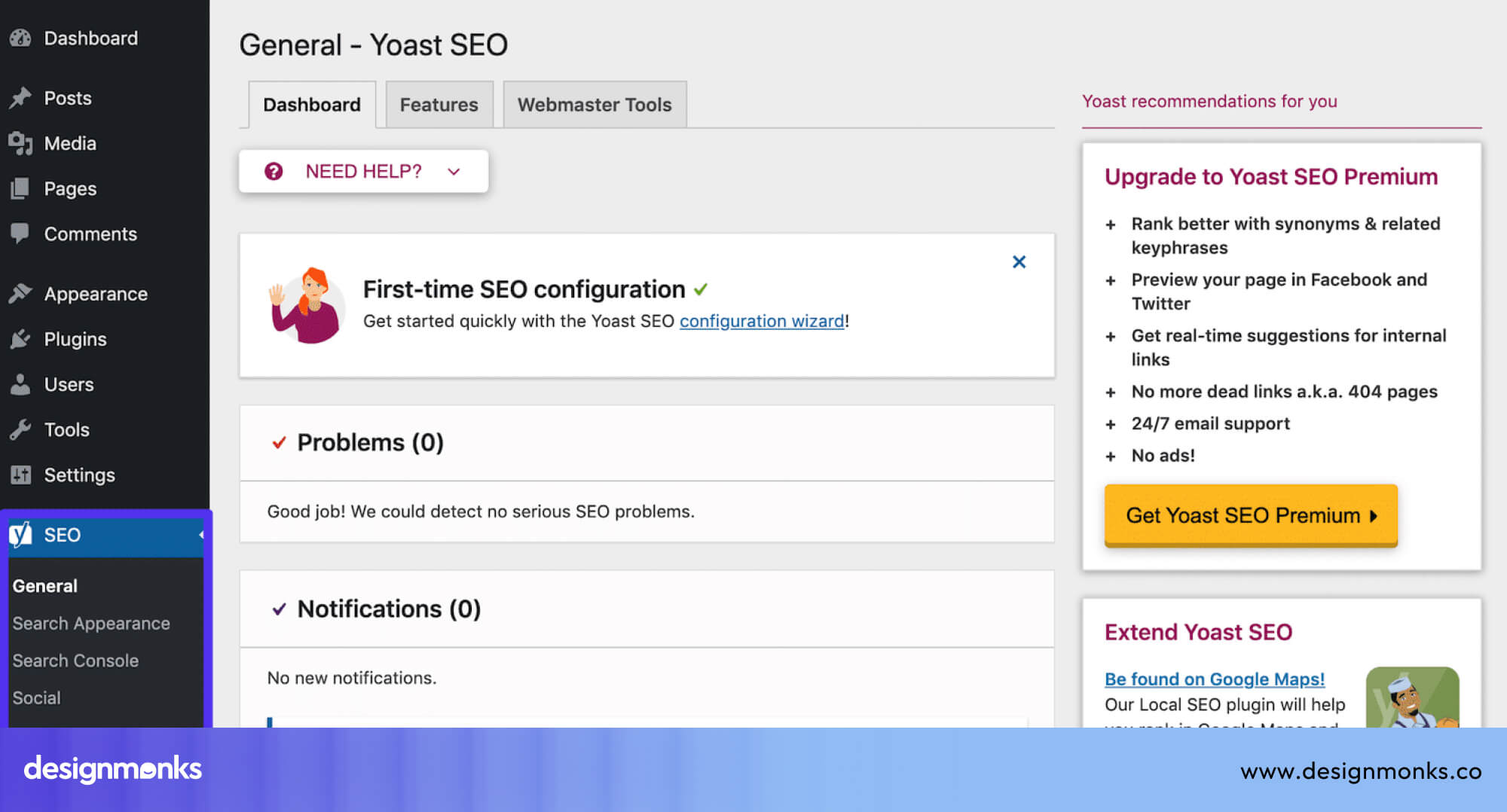
WordPress blogging tools are also the best in the industry. Publishers can manage thousands of posts, categories, tags, and internal linking structures with ease. That scale is hard to match.
Which Platform Is Better for SEO?
Both platforms can rank well in Google. The difference comes down to what type of SEO work matters most for your website.
Technical SEO: Webflow has the advantage. Clean code, fast hosting, and solid built-in SEO settings.
Content SEO: WordPress has the advantage. The plugin ecosystem and editorial tools make it the better long-term choice for content-heavy strategies.
Performance, Speed, and Hosting
Performance directly affects user experience, SEO, and conversions. Let's see how each of these platforms performs in this case:
Webflow Hosting Infrastructure
Webflow can host your website on Amazon Web Services (AWS) with a global Content Delivery Network (CDN).
This means your website is served from servers closest to your visitor's location, which reduces load times significantly.
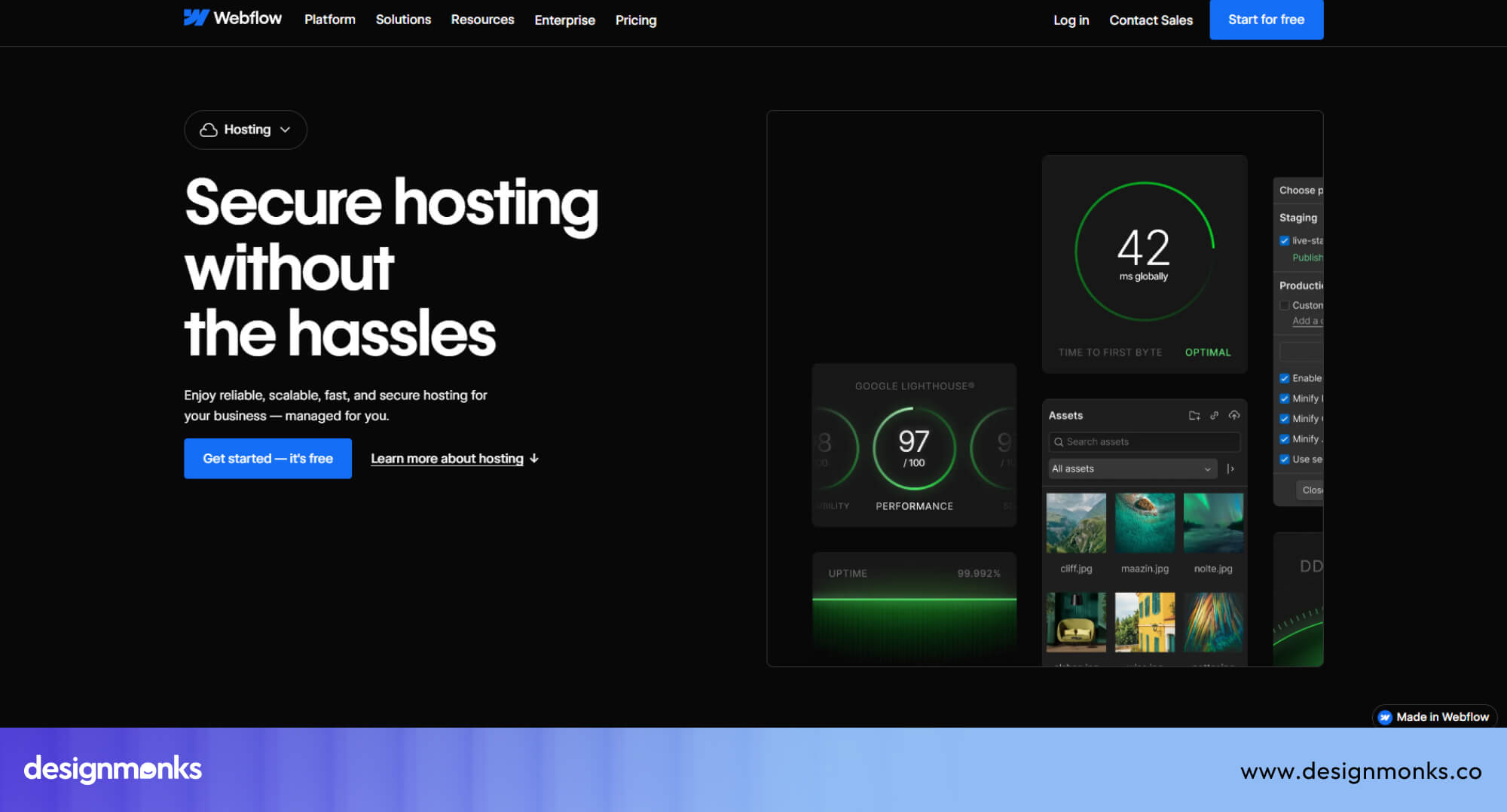
You don't need to manage any servers. You don't have to configure caching rules. Webflow handles all of it. This is a huge time-saver for non-technical teams.
WordPress Hosting Flexibility
WordPress lets you choose your own host. This is both an advantage and a challenge. If you pick a great managed WordPress host like Kinsta or WP Engine, you get excellent performance.
If you pick a cheap shared hosting plan, your site might be slow and unreliable.
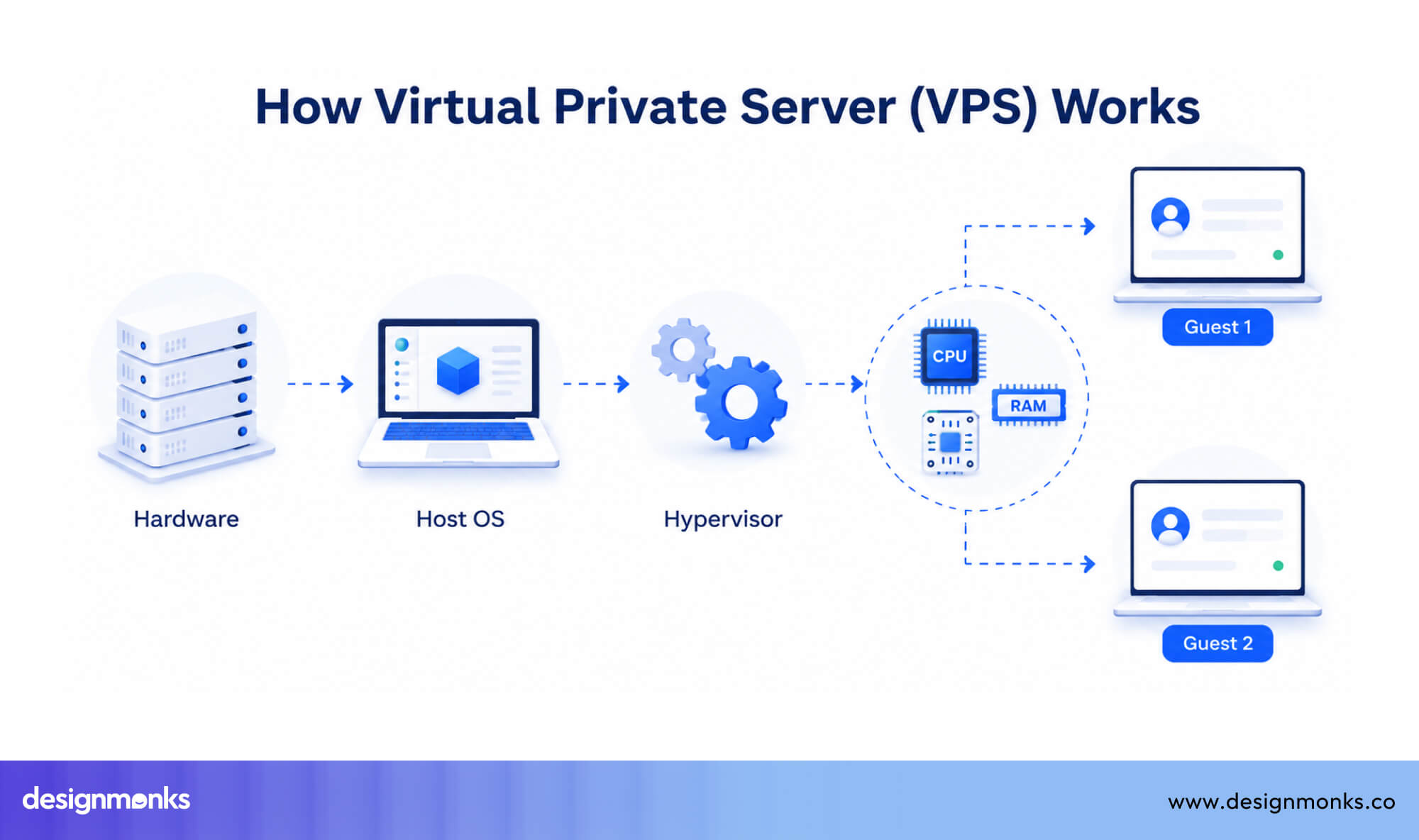
If you manage WordPress hosting from premium providers, it will typically cost you $25–$50/month and up. You also need to configure caching plugins like WP Rocket, optimize images, and manage CDN settings separately.
Which Platform Loads Faster?
Webflow loads faster. Its hosting is optimized specifically for Webflow-built websites, and there are no plugins slowing things down. WordPress can match or beat Webflow on speed but only with a good hosting plan, a well-configured caching setup, and a theme that doesn't load unnecessary code.
That takes work and often money.
Security and Maintenance
This is where long-term effort becomes clear. One platform manages it for you, the other puts it in your hands.
Webflow’s Managed Security Model
Webflow includes SSL certificates (HTTPS) for all websites automatically. It handles server-level security, automatic backups, and platform updates on its end. You never have to log in and click "update" on anything.
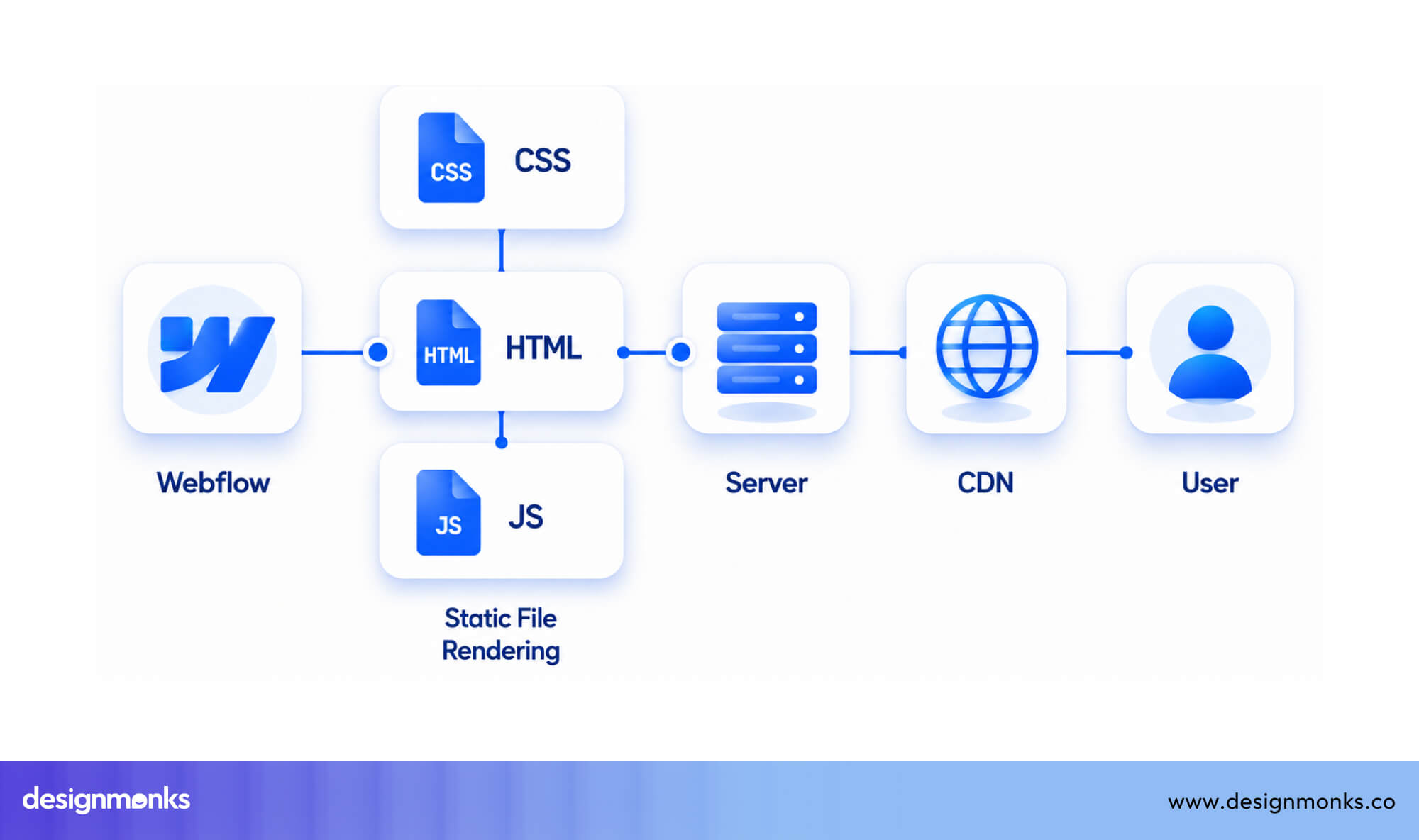
Since Webflow is a closed platform, there are no third-party plugins introducing vulnerabilities. The attack surface is much smaller compared to WordPress.
WordPress Security Challenges
WordPress's biggest security risk is its plugin ecosystem. Over 59,000 plugins exist in the WordPress directory.
Poorly maintained plugins are one of the top sources of WordPress vulnerabilities. Outdated themes, brute-force login attacks, and SQL injection are common issues.
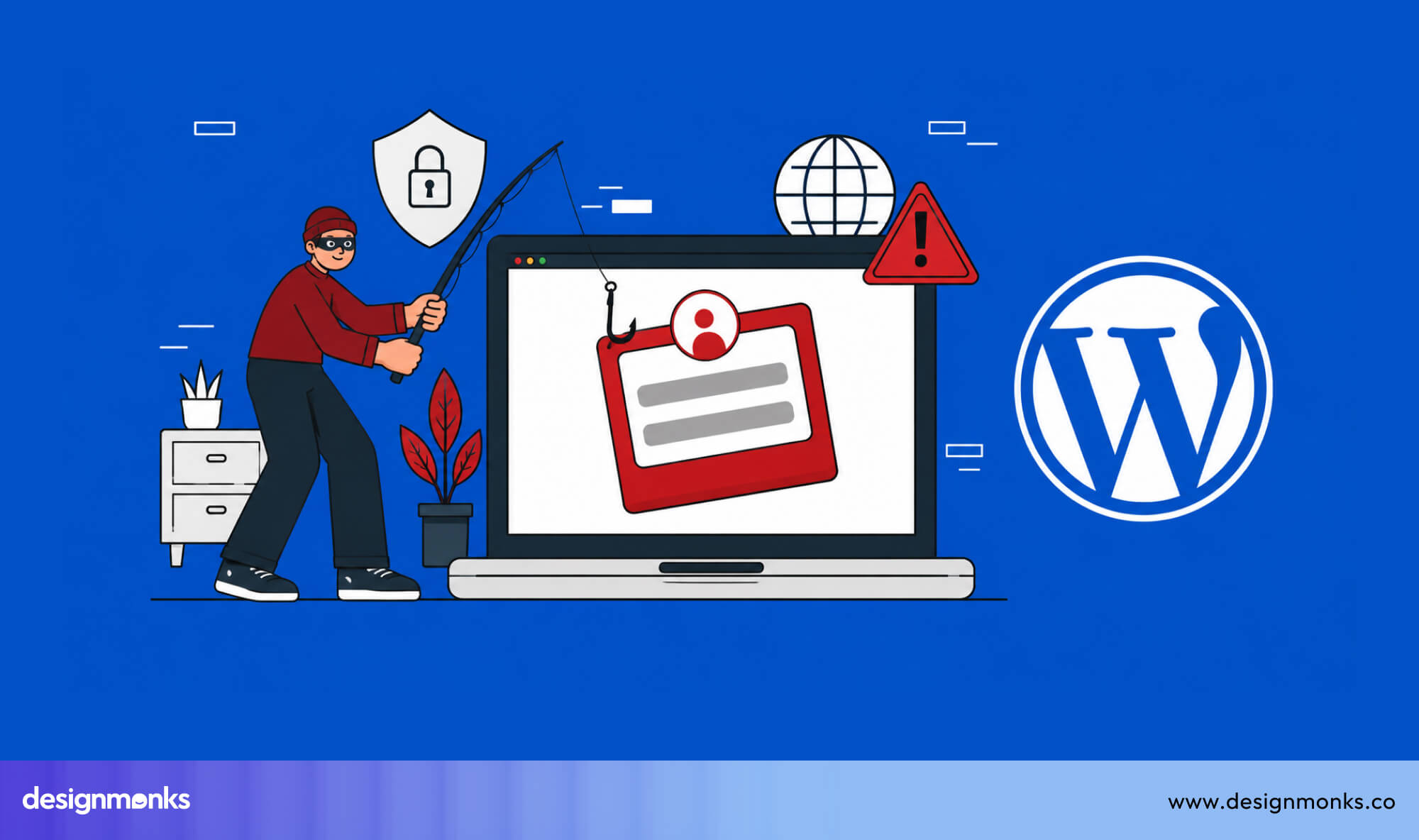
To secure a WordPress site properly, you need a security plugin like Wordfence, a regular update schedule, strong passwords, and ideally two-factor authentication.
It's manageable, but it's a continuous responsibility.
Which Platform Requires Less Maintenance?
Webflow requires almost no ongoing maintenance. Updates happen automatically. Security is handled by Webflow's team.
WordPress requires regular plugin updates, theme updates, core updates, backups, and security monitoring. If you neglect it, you're at risk. Many businesses hire a WordPress maintenance service for $50–$150/month just to handle this.
CMS and Content Management Experience
Once your website starts growing, content management becomes the real game-changer. A good CMS decides how smoothly you can scale without chaos.
Webflow CMS Collections
Webflow CMS is built around "Collections." You create a collection (like "Blog Posts" or "Team Members"), define the fields (title, date, image, body text), and then design a template that automatically displays any item in that collection.
This is powerful for structured content. You can build a blog, a portfolio, a job board, or a product catalog, all using collections. The design of each page is controlled from a single template.
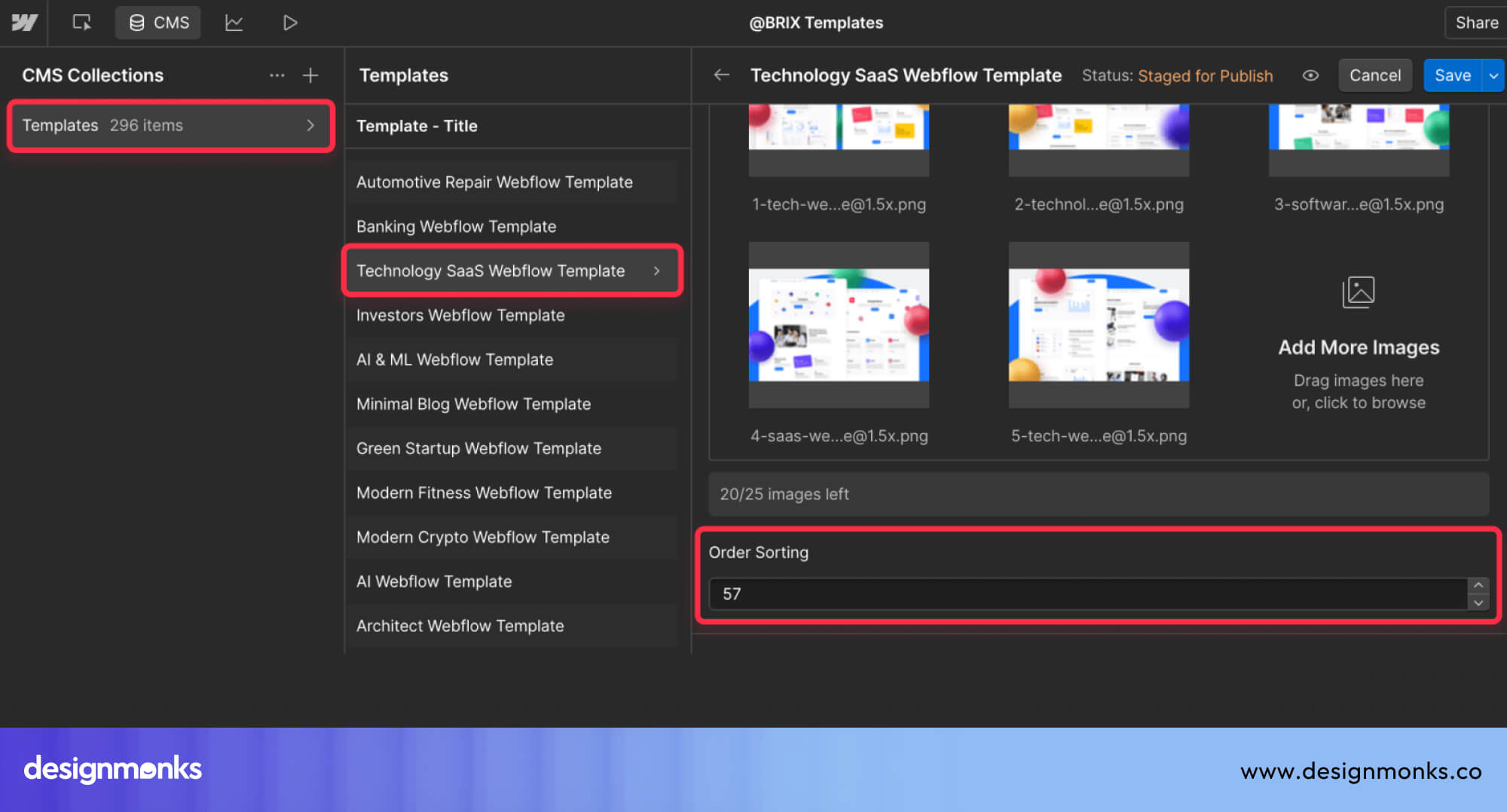
But Webflow CMS has item limits based on your plan. The Business plan allows up to 10,000 CMS items, which is plenty for most websites but might not be enough for large publishers.
WordPress Blogging and Publishing Strengths
WordPress was originally built as a blogging platform, and it's still the best in the world for publishing content at scale. The Gutenberg editor gives you a modern block-based writing experience.
You can schedule posts, manage categories and tags, set author permissions, and handle editorial workflows.
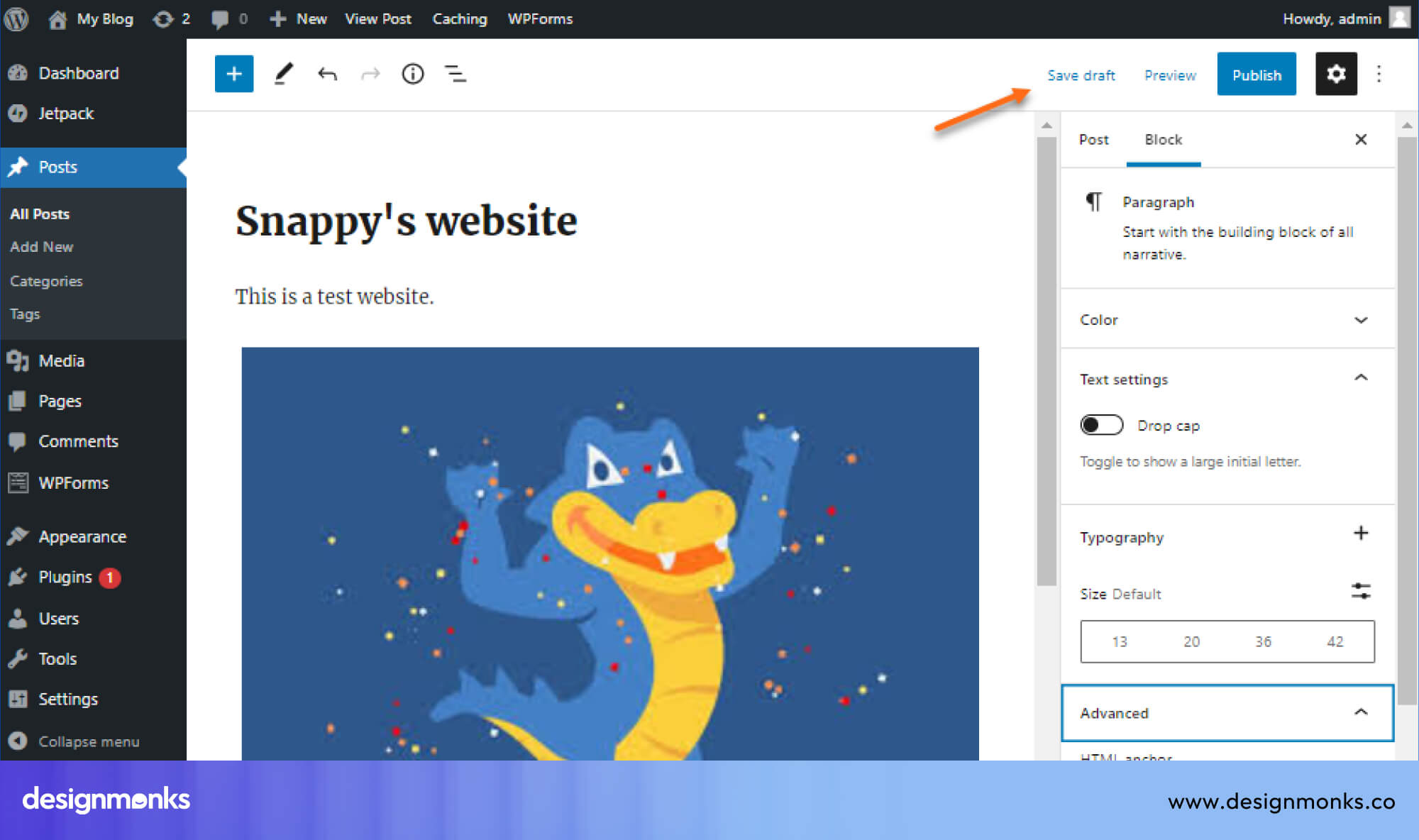
WordPress supports unlimited posts and pages. For news sites, media companies, or any website publishing hundreds of articles per month, there's no better platform.
Which CMS Is Better for Large Content Websites?
For content volume and editorial workflow, WordPress is the winner. It's simply built for publishing at scale.
For structured content with custom fields and beautiful templates, Webflow CMS is excellent. It just hits limits faster than WordPress for high-volume publishers.
Ecommerce Capabilities
If you plan to sell online, this section becomes critical. The way each platform handles ecommerce can completely change your growth path.
Webflow Ecommerce Features
Webflow Ecommerce lets you build beautiful online stores with the same design freedom you get on the rest of the platform. You can create custom product pages, checkout flows, and category layouts that look completely unique.
Webflow Ecommerce supports physical and digital products, discount codes, and basic order management. It connects with Stripe for payments and also integrates with PayPal.
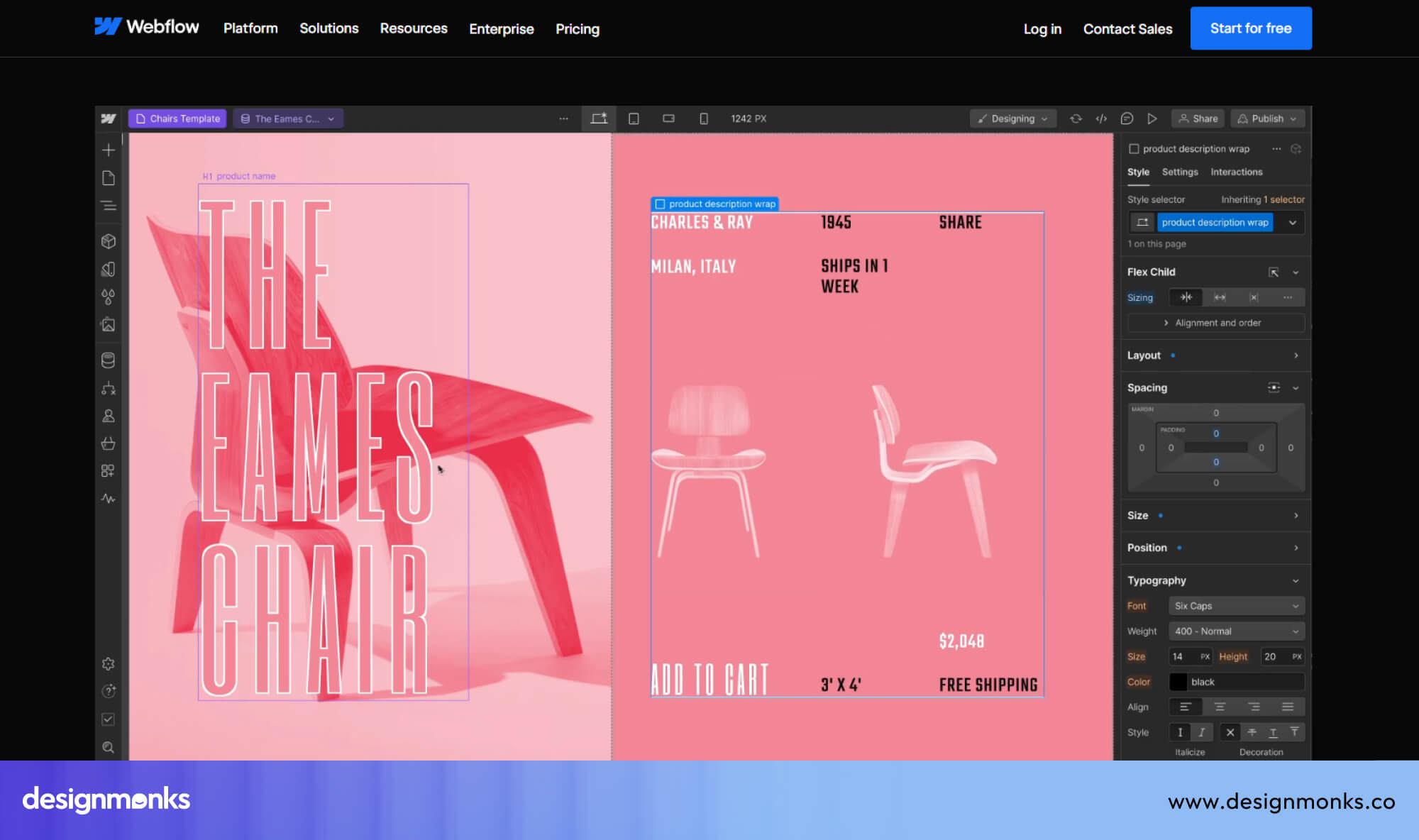
But Webflow's limitation is scale. Webflow Ecommerce works very well for small to medium stores. For example, boutique brands, designers selling products, or businesses with under 1,000 SKUs.
For complex stores with thousands of products, advanced inventory management, or subscription billing, it starts to show its limits.
WordPress & WooCommerce Ecosystem
WooCommerce is the most-used e-commerce platform in the world. As a WordPress plugin, it turns any WordPress site into a full online store.
The extension library for WooCommerce is enormous. It has subscriptions, booking systems, wholesale pricing, complex shipping rules, multi-currency, and more.
WooCommerce gives you full control over your store's data, checkout experience, and backend. It scales to massive stores with tens of thousands of products. Many large ecommerce brands run on WooCommerce.
Which Is Better for Ecommerce?
For simple stores, you should go with Webflow. Great design, easy setup, clean checkout experience.
But for complex stores, the WordPress and WooCommerce combination is the best choice. It will give you more extensions, better scalability, and deeper inventory control.
Pricing and Total Cost Comparison
Cost is not just about the starting price. Long-term expenses often decide which platform is actually more practical.
Webflow Pricing Breakdown
Webflow uses a subscription model, so designing in it comes with ongoing costs. But for exploring and experimenting, Webflow is free of charge with 2 static pages, a limited CMS,1 GB bandwidth, and 50 form submissions. The Basic plan starts at $15/month and is for simple sites.
The CMS plan is $25/month and adds the CMS and blog features. The Business plan is $39/month and increases traffic and CMS item limits.
For e-commerce, Webflow's Standard plan starts at $29/month and goes up to $212/month for the Advanced plan.
There's also a Workspace plan for teams and agencies, which is priced separately. In this subscription, everything is included, such as hosting, CMS, SSL, and CDN. No surprise bills from your hosting company.
WordPress Cost Breakdown
WordPress software is free. But running a WordPress website is not free.
Here's what you typically pay, for hosting ($10–$50/month depending on quality), a premium theme ($50–$200 one-time), essential plugins like Yoast SEO, WP Rocket, and Wordfence ($100–$300/year), and potentially a developer for customizations.
When you add it all up, a well-functioning WordPress website often costs $150–$500/year at minimum, and can go much higher for managed hosting and premium plugins.
Which Platform Is More Cost-Effective?
For small to medium websites, Webflow is more predictable in cost. You pay one subscription and know exactly what you're getting.
WordPress can be cheaper if you're technical and manage it yourself. But when you factor in hosting, plugins, and maintenance time, the total cost often catches up to or exceeds Webflow.
Webflow vs WordPress for Different Use Cases
Choosing the right platform becomes much easier when you look at real-world use cases. Both Webflow and WordPress are strong, but they perform best in different situations depending on your goals, team, and level of control needed.
Best for SaaS Websites
Webflow is a strong choice for SaaS companies because it allows fast development of landing pages and marketing sites. Teams can update content, launch campaigns, and test ideas without relying on developers. It is ideal for startups that move quickly and need a clean, professional frontend.
Best for Blogs and Media Sites
WordPress is the clear winner for blogs and publishing platforms. It supports unlimited posts, advanced editorial workflows, and powerful SEO tools through plugins. This makes it perfect for content-heavy websites that rely on consistent publishing and organic traffic.
Best for Marketing Websites
Webflow works best for marketing-focused sites. You can create high-converting landing pages, add animations, and manage design changes without coding. It also allows faster iteration, which is important for campaigns and growth testing.
Best for Ecommerce
WordPress with WooCommerce is better for complex ecommerce stores that need advanced features like multiple payment gateways, inventory systems, and custom checkout flows.
Webflow is better suited for smaller, design-focused stores where simplicity and visual experience matter more than deep functionality.
Best for Agencies
Webflow is preferred by many agencies because it speeds up development and makes client handoff easier.
Clients can manage content through a clean CMS without breaking the design, while agencies can deliver high-quality, custom websites efficiently.
Best for Enterprise Websites
WordPress is better for large enterprise websites that require deep customization, integrations, and large-scale content management.
Webflow, however, is often used for enterprise marketing sites where performance, design, and ease of updates are more important than backend complexity.
Pros and Cons of Webflow
Pros:
- Visual editor gives designer-level control without coding
- Hosting, CDN, and SSL are all included
- Clean code output is great for SEO and performance
- Low maintenance, no plugin updates or server management
- CMS Collections are elegant for structured content
- Great for landing pages and marketing websites
Cons:
- Steeper learning curve than simple drag-and-drop builders
- CMS item limits on lower plans
- Ecommerce is limited for complex store needs
- Pricing can get expensive for teams and agencies
- Fewer third-party integrations compared to WordPress
- Locked into Webflow's ecosystem
Pros and Cons of WordPress
Pros:
- Powers 43% of the internet, massive community and resources
- Unlimited content with no item caps
- Thousands of plugins for almost any feature
- WooCommerce is the gold standard for ecommerce
- Full control over code and server
- Free and open-source software
Cons:
- Requires regular maintenance (updates, backups, security)
- Plugin conflicts and vulnerabilities are common
- Hosting and plugin costs add up
- Design quality depends heavily on theme choice
- Can get slow without proper optimization
- Developers often needed for serious customization
Webflow vs WordPress: Final Verdict
Choose Webflow if:
- You're a designer or marketing team that wants creative control
- You're building a SaaS website, portfolio, or marketing site
- You want fast load times and managed hosting without the hassle
- You want low maintenance and a clean CMS for your team
- You're running an agency and want beautiful client deliverables
Choose WordPress if:
- You're building a blog or content-heavy website at scale
- You need WooCommerce for a large, complex online store
- You want complete control over your site's code and data
- You have developer resources to manage and customize the platform
- You rely on a specific plugin or tool only available in WordPress
There's no single winner here. Both platforms are excellent, but they're just built for different goals.
The best platform is the one that fits how your team actually works. A great WordPress site beats a poorly managed Webflow site, and a well-built Webflow site beats a bloated, slow WordPress site every time.
So you need to know your goals, know your team's skills, and then make the call.
Hire Design Monks for Your Next Webflow or WordPress Project
You've picked your platform. Now comes the part that actually makes or breaks everything, building it the right way. Instead of struggling through it, you can skip the hassle of searching and go straight to Design Monks.
Design Monks is a professional web design and development agency working across Webflow, WordPress, and Framer. They specialize in smooth migrations, carefully transferring your content, structure, and design to a faster, modern platform without losing your existing work.
Whether you need a Webflow site built from scratch, a WordPress site redesigned and optimized, or a complete migration to Webflow CMS or Framer CMS, they handle the entire process from start to finish.
So, if you want it done right without the headache, Design Monks is a solid place to start.


.avif)
.avif)
.avif)
.avif)


.avif)
.avif)
.avif)
.avif)








.avif)