.svg)




Key Takeaways
- UX surveys reveal user needs, frustrations, expectations, and preferences at scale.
- Surveys help teams measure satisfaction, usability, effort, and overall experience.
- Combining surveys with other research methods provides deeper, reliable UX insights.
- Clear questions and targeted participants lead to more useful survey results.
- Acting on survey findings helps teams improve products and user experiences.
What if your product's biggest UX problem is hiding in plain sight? Your analytics might show where users leave, but they cannot always tell you why. That is where UX survey benefits become evident.
By asking users directly, teams can uncover frustrations, expectations, preferences, and opinions that numbers alone may miss. Surveys also make it easier to collect responses from many users, compare different groups, and measure satisfaction before and after a product change.
Still, not every survey delivers useful answers. Keep reading to learn what UX surveys can measure, when they work best, their biggest benefits, and how to properly utilise them!
What Is a UX Survey?
A UX survey is a set of questions that asks users about their experience with a digital product. You can send it by email, show it on a website, add it inside an app, or display it after an action, such as a purchase or sign-up.
UX surveys usually include different types of questions. Closed questions use ratings, multiple-choice answers, or yes/no options. They make it easy to count and compare responses.
Open-ended questions let users share their thoughts in their own words and give you more detail.
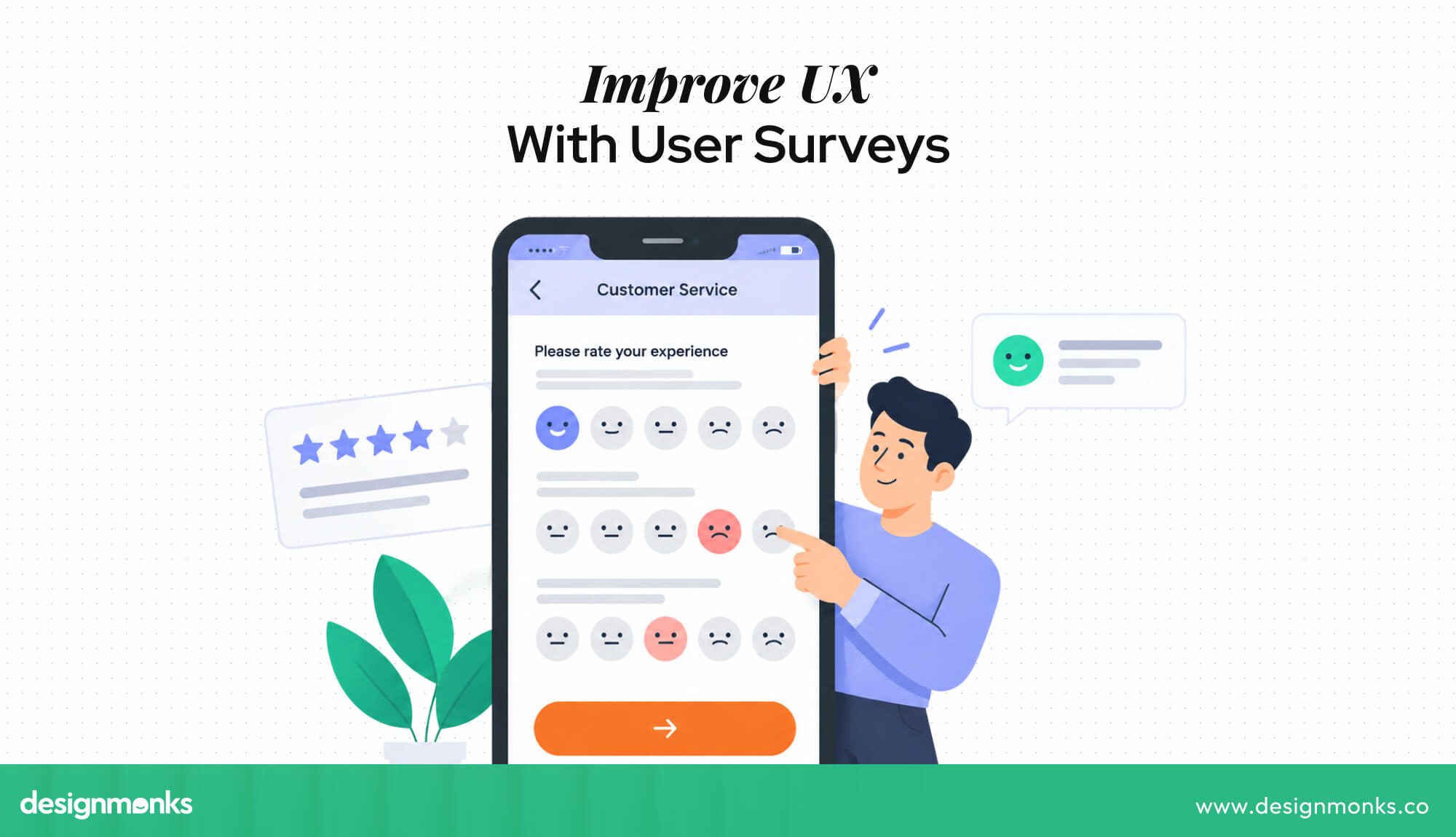
A UX survey can be very short, like one question after completing a task, or longer, with several questions for existing customers. The main goal is to collect user feedback in a clear and consistent way.
What Does a UX Survey Measure?
A UX survey helps you understand what users think, feel, and expect when using a product. It can measure several important parts of their experience:
- User satisfaction: How happy users are with the product, feature, or interaction.
- Usability: How easy or difficult the product feels to use.
- User expectations: What users expected the product to do and whether it met those expectations.
- Preferences: Which features, designs, or workflows users like most.
- Pain points: Where users feel confused, frustrated, or annoyed.
- Overall experience: How users feel about the product, such as whether it feels clear, trustworthy, fast, or outdated.
Together, these answers help you understand what users need and how they feel about the product. For example, analytics may show that users leave a form halfway through. A UX survey can help explain why.
At Design Monks, we use user feedback as part of our UI/UX design service. We combine survey responses with other research methods to uncover user needs and pain points. These insights help turn feedback into practical design improvements.
UX Surveys vs. Other UX Research Methods
UX surveys are just one way to learn about users. Other research methods answer different questions:
- User interviews: Talk to a small number of users to understand their thoughts, needs, and reasons in detail.
- Usability testing: Watch users complete real tasks to see where they struggle.
- Analytics: Track user actions, such as clicks, page views, and drop-offs, to see what happens.
- A/B testing: Compare two versions of a product to see which one performs better.
Surveys can reach many users and turn their answers into measurable data. They work best when combined with other research methods and give you a clearer picture of both what users do and why they do it.
Key Benefits of UX Surveys
The advantages of UX surveys are practical. Each benefit below connects to a concrete outcome for the product or design team:
Collect Feedback From Many Users at Scale
One of the biggest benefits of UX surveys is their reach. Interviews usually involve only a few people because each session takes time to plan and run. A survey can reach hundreds or even thousands of users at once.
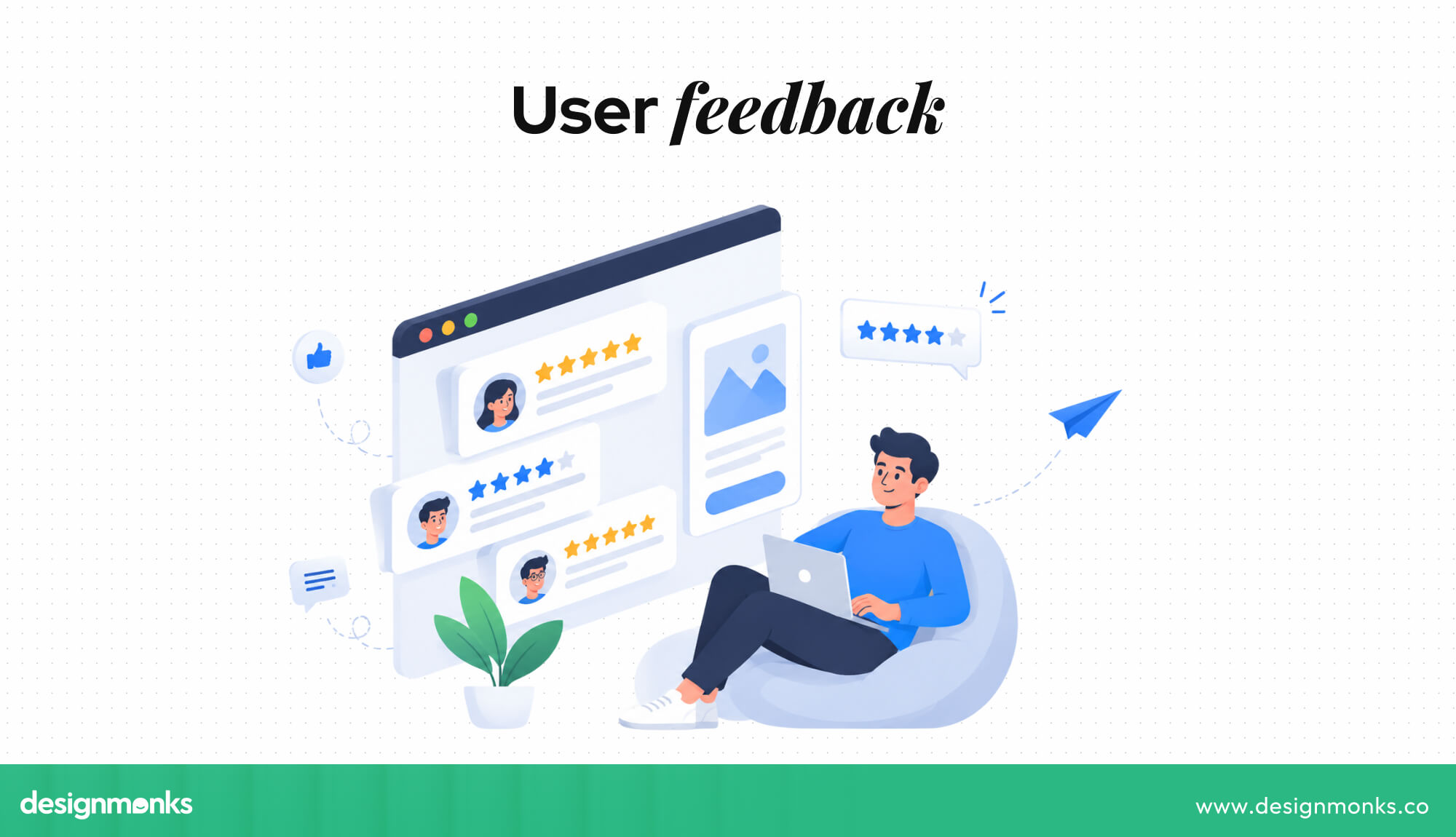
More responses help teams find common problems and patterns. For example, if 70% of users say they cannot find a setting, it shows a clear problem that needs attention.
Reduce UX Research Costs
UX surveys can be a low-cost way to collect user feedback. Teams do not need to arrange interview sessions, book rooms, or spend hours reviewing recordings. Once a survey is ready, many tools can collect and organize responses automatically. This makes it easier for small teams and startups to run research more frequently.
Measure User Experience and Satisfaction
User experience can feel difficult to measure, but surveys turn user opinions into numbers. Rating questions and scales help teams track satisfaction and compare results. For example, a team can measure checkout satisfaction as 4.1 out of 5. These numbers make it easier to track progress and see whether changes are improving the experience.
Identify User Pain Points and Areas for Improvement
Teams can sometimes miss problems because they already know how a product works. Users may struggle with things that seem simple to the people who built the product.
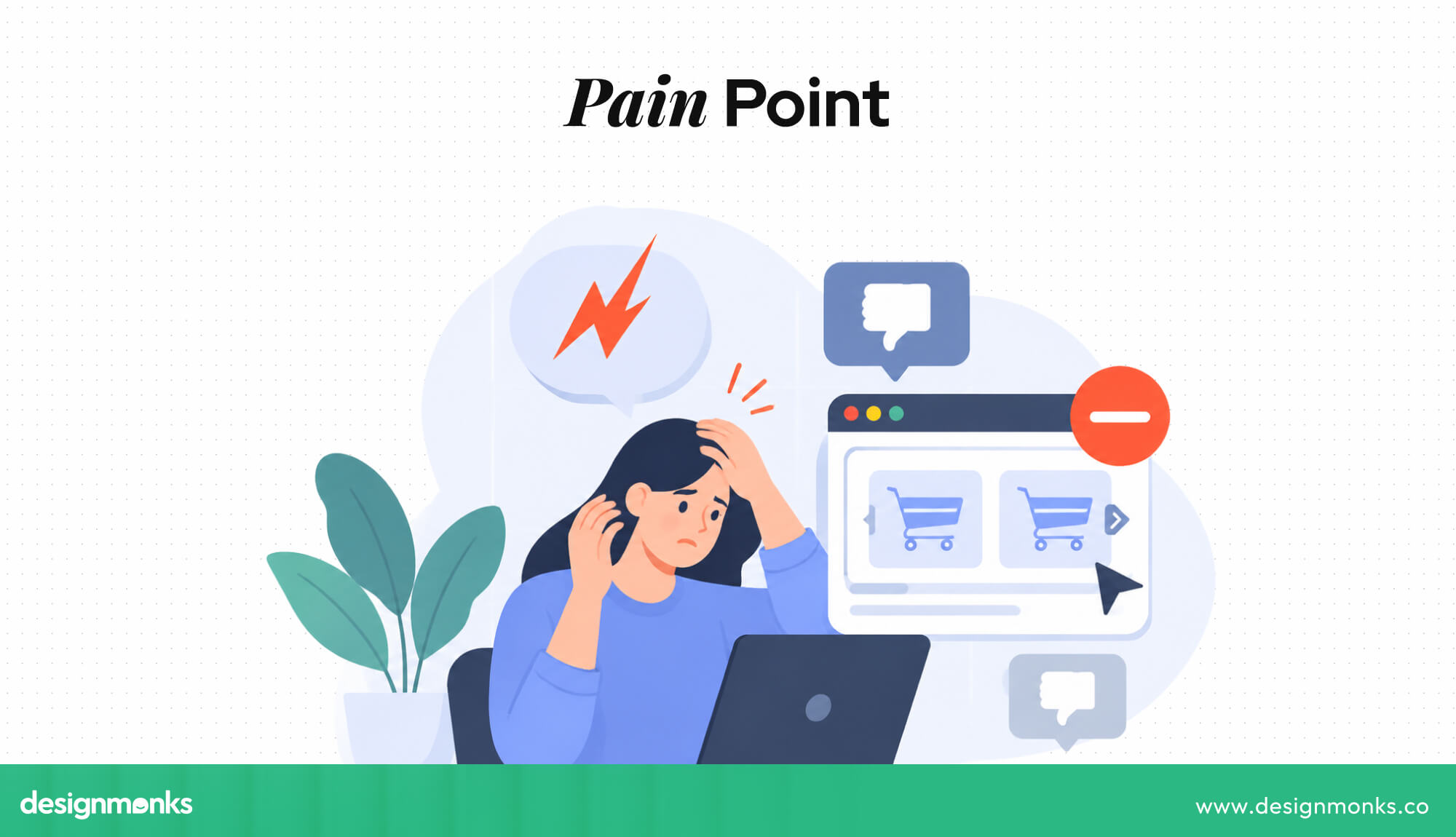
Surveys help uncover these problems through ratings and written feedback. Users might mention confusing labels, hidden features, slow processes, or missing options. These responses show teams where improvements are needed.
Support Data-Driven Design Decisions
Design decisions can sometimes be based on personal opinions or assumptions. Survey results give teams real feedback from users to support those decisions.
For example, if many users say a navigation menu is confusing, the team has useful evidence that it may need to be changed. Survey data does not replace design judgment, but it helps teams make more informed choices.
Benchmark UX Performance Over Time
One survey shows how users feel at a certain point in time. Running similar surveys regularly helps teams track changes. For example, satisfaction may increase from 3.6 to 4.2 out of 5 after a redesign.
This gives the team a clear way to measure whether the change improved the experience. Regular surveys can also help teams notice problems early. A gradual drop in satisfaction may show that new features are making the product harder to use.
Segment Feedback by User Type
Different users can have different needs. New users, experienced users, free users, and paying customers may all use the product differently.
Surveys let teams compare feedback from these groups. For example, experienced users may like a feature while new users find it confusing. Looking at these differences helps teams create better experiences for different types of users.
Validate Design Ideas and Product Changes
Surveys can help teams get feedback before and after making a product change. They can show users a design, prototype, or new page and ask whether it is clear and useful. After launch, teams can ask users how they feel about the change. Finding problems through a survey is often easier than discovering them later through complaints or support requests.
Collect Feedback Remotely and Conveniently
Online surveys let users share feedback from their own devices and locations. They do not need to attend a meeting or schedule a research session.

This makes surveys useful for products with users in different cities, countries, and time zones. In-product surveys can also collect feedback while the user's experience is still fresh.
Give Users a Direct Voice in Product Development
UX surveys give users a simple way to share their thoughts about a product. When teams listen to this feedback and make useful changes, users can feel that their opinions matter.
This creates a stronger connection between users and the product. It also gives teams an ongoing source of feedback that can guide future improvements.
How UX Surveys Improve the Product Design Process
UX surveys become more useful when teams use the feedback to improve their daily design work. They can help teams understand users, choose what to fix first, test design ideas, and measure whether changes are working.
Here’s how surveys support different stages of the product design process:
Discover User Needs and Expectations
At the beginning of a project, surveys help teams learn what users need, expect, and struggle with. Questions about their goals, frustrations, current tools, and common problems can reveal needs that the team may not have considered.
For example, a team planning a banking app might ask users which parts of managing their money they find difficult. If many users say they struggle to understand their monthly spending, the team can decide to make spending information easier to view and understand.
This early feedback helps teams focus on real user problems instead of making decisions based only on assumptions.
Prioritize UX Problems and Features
Product teams usually have more ideas, problems, and feature requests than they have time to handle. Survey results can help them decide what deserves attention first.
For example, users may report that they have trouble finding the search feature while showing little interest in a new dashboard option. In this case, improving search may create more value than adding another dashboard feature.
Teams can also ask users to rate how important a feature or improvement is. When the same problem appears in many responses, it becomes easier to identify high-priority issues and create a more focused product roadmap.
Validate Design Decisions
Every design decision is based on some assumption. A team may believe users will understand a new icon, prefer a shorter checkout process, or find a new feature useful. UX surveys can help test whether those assumptions match what users actually think.
Teams can show users a design, prototype, or concept and ask questions about clarity, usefulness, or ease of use. If the responses show confusion or low interest, the team can make changes before spending more time and money on development.
Measure the Impact of UX Changes
A redesign or new feature should solve a problem or improve the user experience. UX surveys can help teams check whether that actually happened.
For example, a team might ask users to rate how easy it is to complete checkout before a redesign. After launching the new design, they can ask the same question again. Comparing the two sets of responses can show whether users find the new checkout easier.
Create a Continuous UX Feedback Loop
UX surveys work best when they are part of an ongoing process rather than something a team does only once.
Collect Feedback → Analyze → Find Problems → Improve Design → Measure Again
First, teams collect feedback from users. They then review the responses to find common problems and important patterns. Those findings guide design improvements. After the changes are made, teams collect feedback again to see whether the improvements worked.
This creates a continuous feedback loop. Each round of feedback gives the team more information about what users need and where the product can improve. Over time, this helps keep the product useful, easy to use, and aligned with changing user expectations.
What UX Metrics Can Surveys Measure?
UX surveys can measure several common UX metrics. Using standard metrics also makes it easier to compare results over time and see whether the user experience is improving:
Customer Satisfaction (CSAT)
CSAT measures how satisfied users are with a product, feature, or experience. Users usually answer a question such as, “How satisfied were you?” using a rating scale.
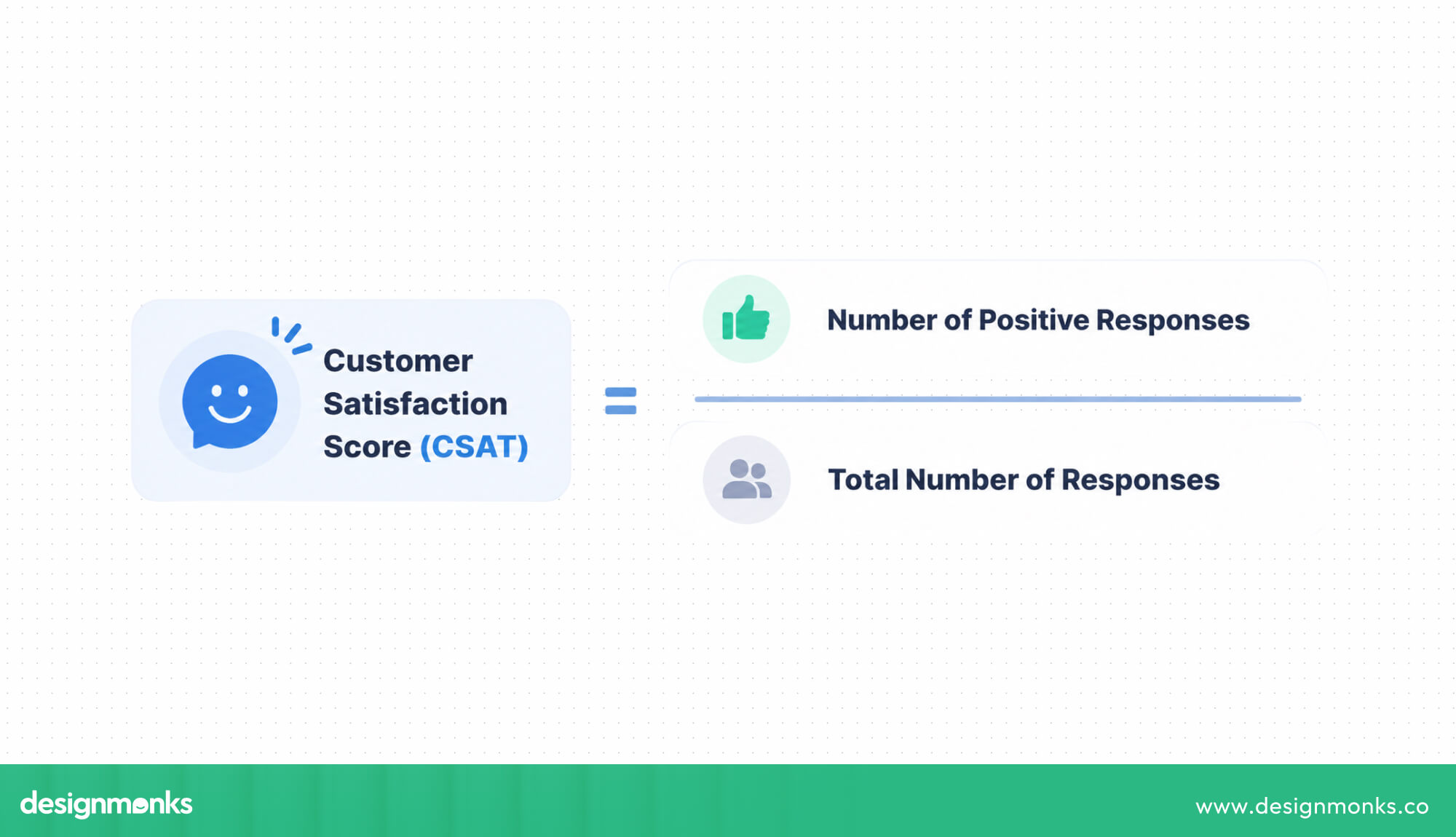
It works well after specific actions, such as onboarding or customer support. Teams can use CSAT results to quickly spot areas where users are happy or dissatisfied.
Net Promoter Score (NPS)
NPS measures how likely users are to recommend a product to others. Users give a score from 0 to 10. It helps you understand overall loyalty and satisfaction. But follow-up questions are needed to understand the reasons behind the score.
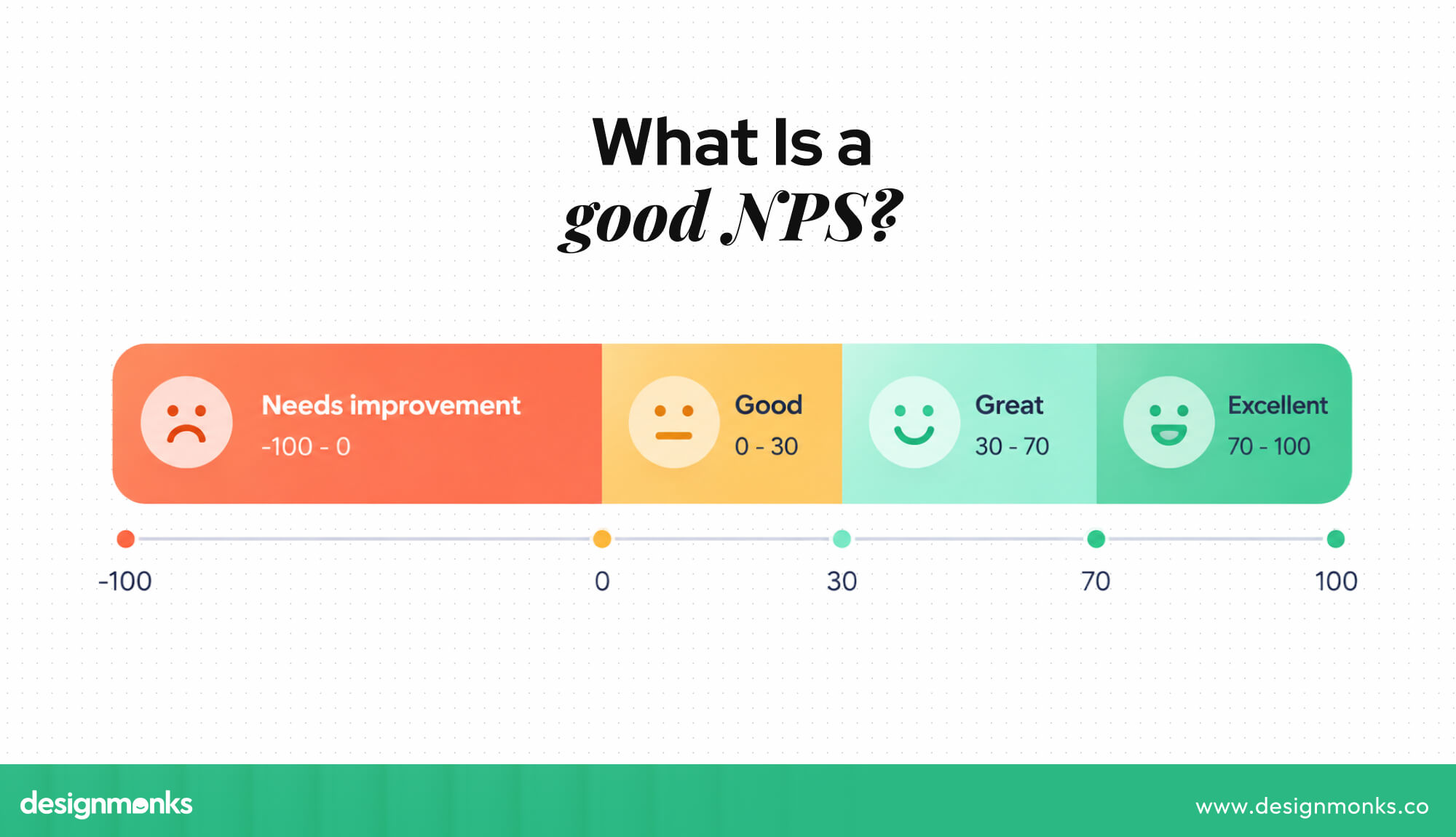
A higher NPS generally shows stronger user loyalty, while a lower score can highlight areas that need attention.
Customer Effort Score (CES)
CES measures how easy or difficult it was for users to complete a task. For example, users may rate how easy it was to complete a purchase or solve a problem.
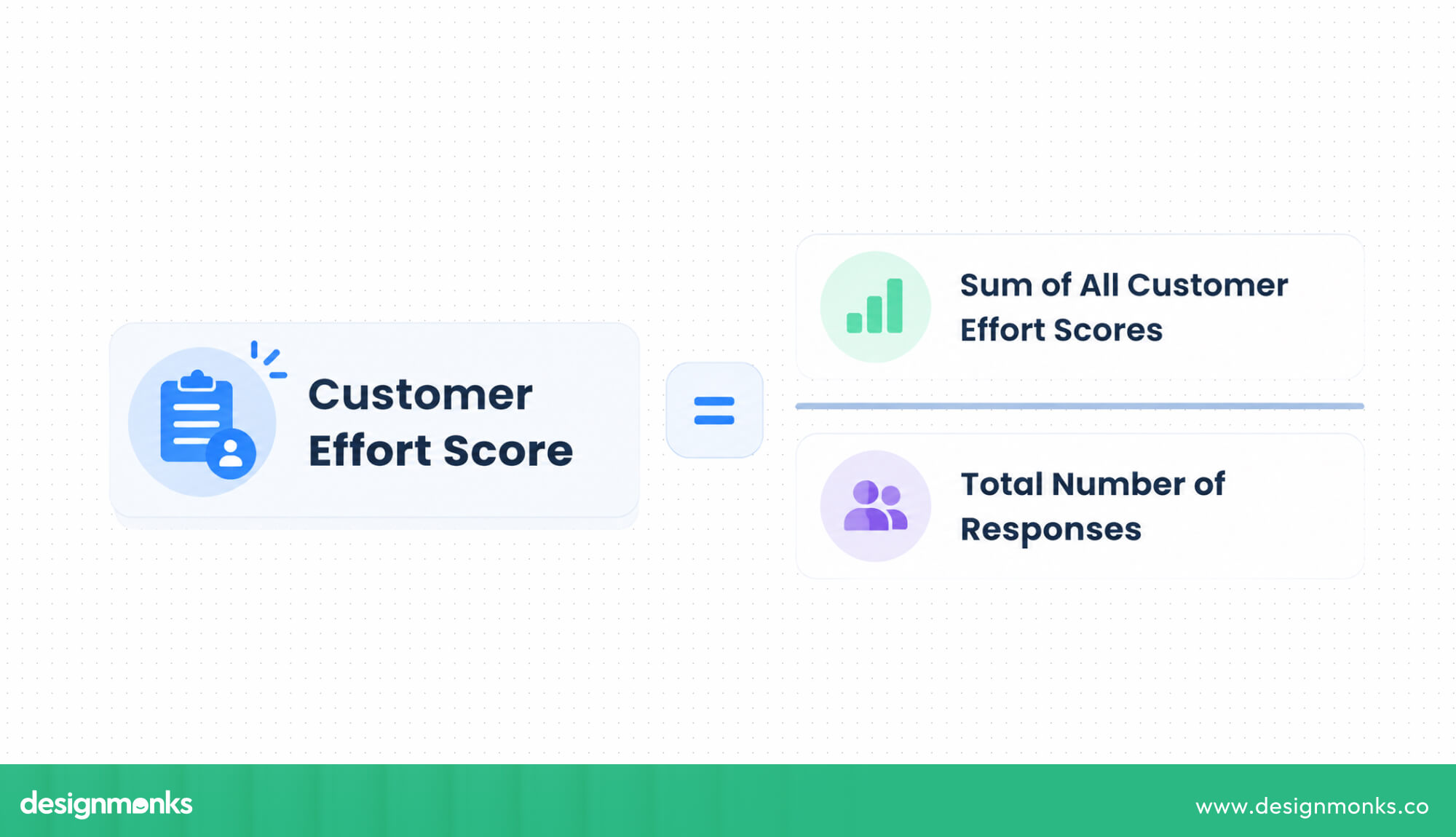
It can help teams find areas that create extra effort. A lower effort usually means users can complete tasks more easily. It makes CES useful for finding friction in important user flows.
System Usability Scale (SUS)
SUS is a standard survey with 10 questions that measures how easy a product feels to use. Users answer each question on a five-point scale, and the answers create a score from 0 to 100.
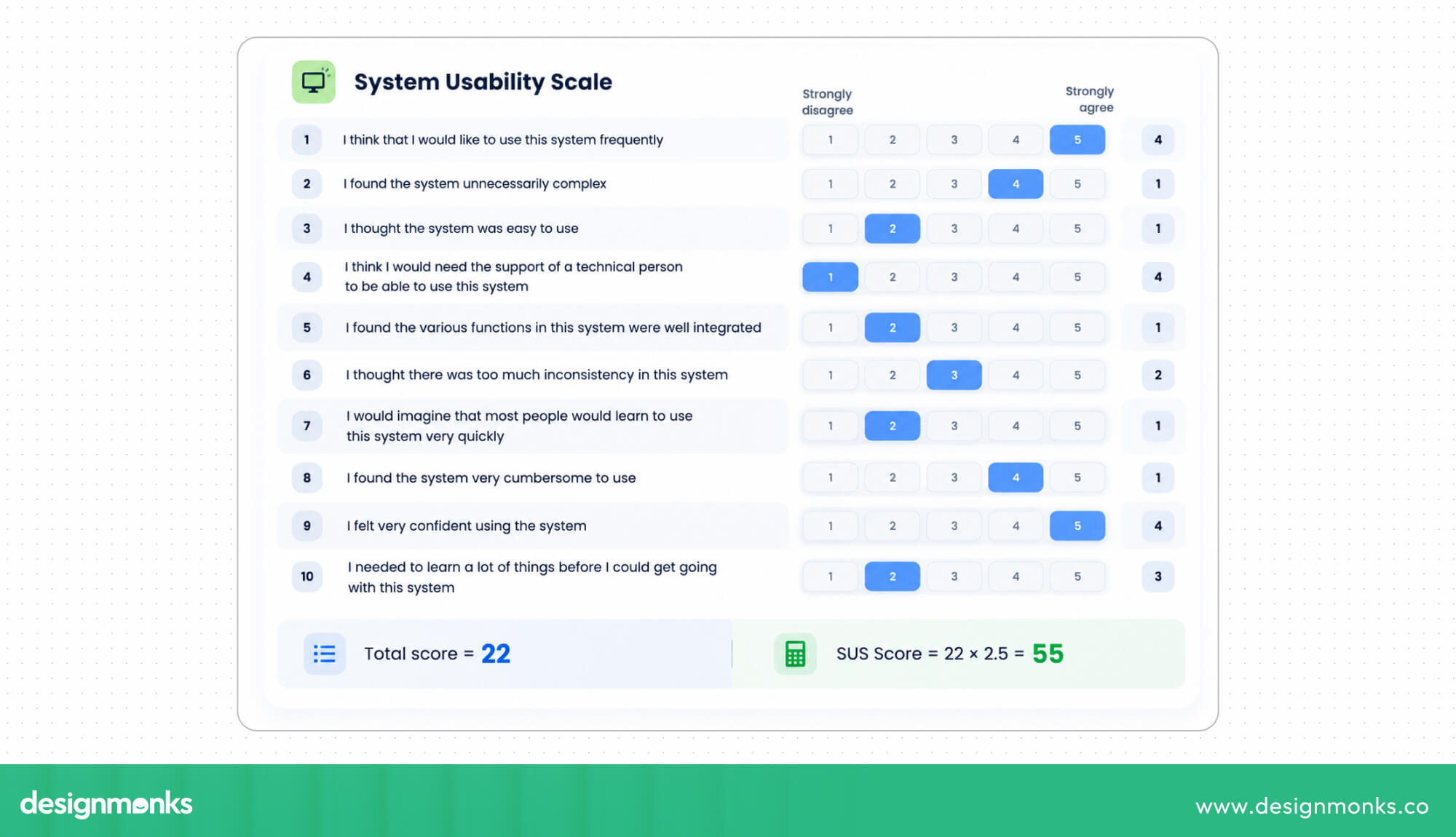
It gives teams a simple overall usability score that they can track and compare after design changes.
Likert Scale Questions
Likert scales ask users how much they agree or disagree with a statement. They usually have five or seven options, from “strongly disagree” to “strongly agree.”
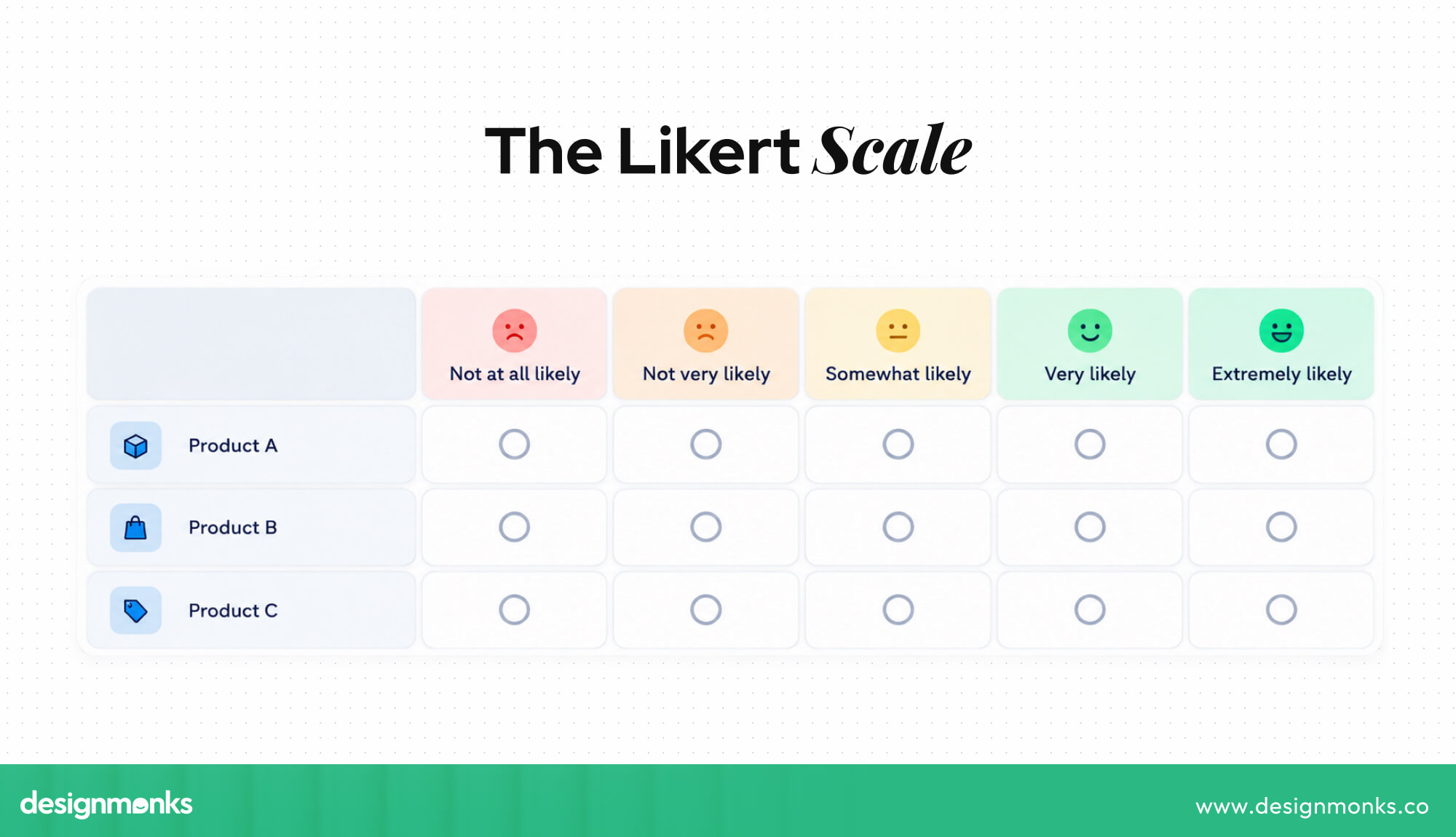
They can measure opinions about many parts of a product. For example, users can rate whether they find a feature easy to understand, useful, or trustworthy.
When Should You Use a UX Survey?
UX surveys can be useful at many stages of a product. Some moments are especially helpful because user feedback can directly guide design and product decisions.
During Early Product Discovery
Before development starts, surveys can help teams understand user needs, expectations, and problems. They can also show whether a problem is common enough to solve.
This helps teams focus on real user needs before investing time in development.
After a Product or Feature Launch
A short survey after launch can show how users feel about the new product or feature. It can reveal problems that earlier testing may have missed. Early feedback can help teams fix issues quickly before they affect more users.
During a Website or App Redesign
Surveys can be used before and after a redesign. Before the redesign, they show what needs to be fixed. After the redesign, they show whether the new experience is better.
Comparing both sets of feedback helps teams see whether redesigning the website actually solved the original problems.
After a Specific User Task
A survey can appear after actions such as making a purchase, signing up, or contacting support. Asking questions right away helps users give feedback while the experience is still fresh.
This makes it easier to understand how users felt about a specific part of the product.
For Continuous UX Measurement
Regular surveys help teams track satisfaction and usability over time. They can also help spot problems before they become bigger issues. Comparing results from different periods can show whether recent product changes are improving or hurting the user experience.
UX Survey Limitations to Consider
UX surveys are useful, but they also have some limits:
- Limited detail: Surveys cannot provide the same depth as a live conversation.
- Self-reported data: Users may not always remember or describe their actions correctly.
- Response bias: Some users may give answers they think are expected.
- Sampling bias: People who respond may not represent all users.
- Low response rates: Many users may ignore surveys.
- Survey fatigue: Long or frequent surveys can make users stop responding carefully.
- Poor questions: Confusing or leading questions can produce unreliable results.
A UX survey can tell you what users think, but it may not always tell you why they think or behave that way.
That is why surveys work best with other user research methods. Interviews can explain user motivations, usability testing shows what users actually do, and analytics shows real usage patterns.
How to Get Better Results From UX Surveys
Good survey results start with good survey design. Clear questions, the right participants, and a focused goal can make the feedback much more useful. Here's how you can get better results from UX surveys:
Define the Research Goal First
Know what you want to learn before writing questions. Every question should help answer that goal. Remove questions that do not provide useful information. A clear goal also makes it easier to decide which users to survey and how to use the results.
Ask Clear and Neutral Questions
Use simple and unbiased language. Avoid confusing terms and questions that ask two things at once. For example, “Was the app fast and easy to use?” asks about two different things.
Clear questions reduce confusion and help users give more accurate answers.
Combine Closed and Open-Ended Questions
Closed questions give you numbers that are easy to compare. Open-ended questions explain the reasons behind those numbers. Using both gives you a better understanding of user feedback.
For example, ask users to rate their experience and then give them space to explain their rating.
Keep the Survey Short
Long surveys can make users lose interest or stop responding. Ask only the questions you need and keep the survey short enough to finish easily. A shorter survey is more likely to get complete and thoughtful responses.
Screen and Segment Participants
Make sure the right users answer your survey. For example, ask new users about onboarding rather than long-time customers. You can also compare answers from different user groups.
This helps teams understand how different types of users experience the product.
Pilot-Test the Survey
Test the survey with a small group before sending it to everyone. This can help you find confusing questions, broken logic, or other problems. It also gives you a chance to check whether the survey takes too long to complete.
Turn Findings Into Actions
Collecting feedback is only the first step. Teams should review the results, decide what to fix, make changes, and share improvements with users when possible. Acting on feedback shows users that their opinions matter and helps turn survey results into real product improvements.
Simple workflow you can follow:
Define Goal → Select Users → Create Questions → Collect Responses → Analyze Results → Take Action
UX Survey Examples
The questions you ask should match the situation. Here are a few examples of UX surveys:
Each question focuses on one clear issue and connects to a possible action. That makes the survey more useful.
UX Survey Benefits vs. Other Research Methods
UX surveys are useful when you need feedback from a large number of users and want results that are easy to measure and compare. However, they cannot answer every UX research question on their own. That's why you need other research methods to get a complete picture. Here's what each method can help you with and how you can combine them:
No single method covers every research need. UX surveys excel at scale and quantification, but they work best as one part of a broader research strategy that also draws on interviews, usability testing, analytics, and experimentation where deeper behavioral or motivational insight is required.
FAQs
Why are UX surveys important in UX research?
UX surveys are important in UX research because they provide a cost-effective, scalable way to understand how users perceive a product. When combined with behavior data, they help teams better understand user needs and problems.
Are UX surveys better than user interviews?
Neither method is universally better, they serve different purposes. Surveys offer scale and quantifiable data, while interviews offer depth and context around individual motivations. Most research strategies benefit from using both.
What can a UX survey measure?
UX surveys can measure user satisfaction, usability, expectations, preferences, pain points, and overall perceived experience. They often use standardized metrics like CSAT, NPS, CES, and SUS for this measurement.
When should you conduct a UX survey?
Surveys are valuable during early product discovery, after a launch, during a redesign, immediately after a specific user task, and on a recurring basis for continuous UX measurement.
Conclusion
UX surveys give teams a direct way to understand what users think, need, and experience.
When designed carefully, the UX survey benefits go beyond collecting opinions. They help identify patterns, measure satisfaction, compare user groups, and support better design decisions.
The key is knowing when a survey is the right research method and pairing it with deeper methods when needed. Ask the right questions, listen closely, and use what you learn to create experiences users genuinely want to return to.


.avif)
.avif)
.avif)
.avif)


.avif)
.avif)
.avif)
.avif)







.avif)