.svg)



Key Takeaways
- UX teams are using data and user behavior to make smarter design decisions.
- AI is reshaping UX workflows while human judgment remains essential for decisions.
- Accessibility, personalization, and design systems are becoming core parts of modern UX.
- Successful UX teams combine AI efficiency with research, strategy, ethics, and empathy.
- The future of UX will be smarter, adaptive, predictive, and increasingly human-centered.
Think about the last app that made you say, “Wow, that was easy.” That feeling did not happen by accident. Someone thought about where you would click, what might confuse you, and how quickly you could get things done. That is UX, and the state of UX design in 2026 shows that this work is becoming bigger than ever.
Designers are no longer focused only on screens, buttons, and colors. They are using AI to speed up research and design while working more closely with product teams and business goals. Accessibility, personalization, data, and customer needs are also taking center stage.
In other words, UX is changing from “make it look good” to “make it work better.” Here is what that change looks like in 2026.
Executive Summary: Key UX Stats 2026
In case you are in a hurry, here’s a summary:
In 2026, AI has become a normal part of how designers work. It is not a strange new toy anymore. It helps with research, drafts, and testing, while people still make the final calls.
UX has also become more "business-first." That means designers are expected to connect their work to real numbers, like sales, sign-ups, or how long people stay on an app. Accessibility is no longer something companies do if they have extra time. In many countries, it is now required by law.
Design systems, which are shared sets of buttons, colors, and rules that keep a product looking consistent, are becoming smarter and more automated.
And research, the process of learning what users actually want and need, is leaning more on data and AI tools to work faster and dig deeper. If you're looking to put these UX practices into action, you can explore our UI/UX design services.
Now, let's look at each of these changes in more detail:
What Defines UX Design in 2026?
A few years ago, UX focused mainly on screens, buttons, menus, and page layouts. The goal was simple: make digital products easy to understand and use. That still matters in 2026, but UX has grown into something much bigger.
Today, designers also think about what users need, what problems they face, and what the business wants to achieve. This is called human-centered design. This means creating products around real user needs instead of focusing only on how they look.
This wider role has also brought UX closer to product strategy, or deciding what a product should do and why. Designers now consider customer journeys, user behavior, and business goals alongside the interface.
UX Is No Longer Just About Interfaces
This is one of the biggest changes in 2026: UX designers are now expected to understand the business side of things, not just the design side. This means designers pay close attention to things like:
- Business KPIs (Key Performance Indicators): These are the specific numbers a company uses to measure success, like how many people buy something or how many people cancel their subscription.
- Customer journeys: This is the full path a person takes when using a product, from the very first time they hear about it to the moment they become a loyal user.
- Product thinking: This means understanding not just how something looks, but why it exists and what problem it solves.
- User behavior: This is simply what people actually do when they use a product, which is often different from what they say they will do.
- Conversion rate: This shows how many users complete an action, such as buying or signing up
So in 2026, UX designers are increasingly judged by whether their designs actually improve numbers like this, not just by whether the screens look modern. This is sometimes called "outcome-driven UX," meaning design decisions are judged by their real-world results, not just their appearance.
AI Has Become Every Designer's Assistant
As UX has expanded, designers now have to handle research, brainstorming, wireframing, testing, documentation, and product decisions. Doing all of this manually can take a lot of time, but AI is changing that part of the process.
Tools such as ChatGPT, Claude, Gemini, and Figma AI can help designers summarize user interviews, organize research, generate ideas, create early layouts, write sample content, and speed up testing.
But there is an important difference between using AI and handing the whole job to AI.
AI is a very fast assistant. It can create a rough idea in seconds, but it does not automatically know what is right for your users or your product. A designer still needs to check the work, spot mistakes, understand the user's needs, and make the final decision.
This is why AI is not simply replacing UX designers. Instead, it is changing how they spend their time. When AI handles some of the repetitive work, designers can spend more time on research, problem-solving, strategy, and making sure the final experience actually works for people.
And this shift from designing screens to solving bigger problems with the help of AI is one of the clearest signs of how UX is changing in 2026.
Major UX Trends Shaping 2026
Now that we know how UX has changed, let's look at the trends pushing it forward in 2026. Some are changing how designers work, while others are changing what users expect from digital products:
AI-Generated Design and Wireframes
A wireframe is a simple outline of a screen. It shows where buttons, text, images, and other elements will go before designers add colors and fine details. It is the basic plan for a house.
In 2026, tools like Figma AI, Galileo AI, and Uizard can create these early designs from simple text prompts. A designer could ask for a sign-up screen for a fitness app and get a rough layout in seconds.
The result is not meant to be the finished design. Designers still need to review, change, and test it. But AI gives them a useful starting point and saves time, especially when exploring different ideas.
Hyper-Personalized User Experiences
Personalization means showing people content or features based on their interests and past actions. In 2026, this is becoming much more advanced.
For example, a shopping app now uses a recommendation engine. This system automatically suggests products based on what you have viewed or bought before. Predictive UX takes this further by trying to guess what you might need next.
Context-aware interfaces can also change based on things like your device, location, or time of day. When it works well, personalization makes an app feel more useful.
But getting it wrong can feel annoying or even creepy. Good UX gives users control and makes it easy to change their preferences.
Accessibility Becoming Standard
Accessibility for devices is making digital products usable by people with different abilities, including people who have difficulty seeing, hearing, moving, or using a mouse.
For years, accessibility was sometimes treated as an afterthought. Teams might build the product first and only later fix details like making mobile buttons large enough and easy enough to tap.
In 2026, that approach is changing. WCAG 2.2 (a set of international guidelines for accessible websites and apps) is becoming a standard part of product design. This includes simple things such as providing enough color contrast, adding text descriptions to images, and making features work with a keyboard.
Accessibility is also becoming a bigger legal requirement. The European Accessibility Act (EAA) became enforceable in June 2025, covering many digital products and services in the EU.
As a result, accessibility testing is becoming part of the normal design process. Teams are also using inclusive design. This means considering different users and abilities from the beginning instead of fixing accessibility problems later.
Smarter Design Systems
A design system is a shared set of building blocks, like buttons, colors, fonts, and rules, that a whole team uses so a product looks and feels consistent everywhere. In 2026, design systems are getting smarter. They now often include:
- Component libraries: Ready-made pieces, like a button or a form field, that designers and engineers can reuse instead of building from scratch every time.
- Design tokens: Small, named values, like a specific shade of blue or a specific spacing size, that are stored once and used everywhere. So a single change updates the whole product instantly.
- Enterprise design systems: Large, well-organized design systems used across big companies with many teams and products. These are often supported by dedicated design operations staff who keep everything organized and up to date.
AI is speeding this up too. Some design tools can now check whether a new screen actually follows the design system's rules. They can flag mistakes automatically instead of relying on a human to catch every detail by hand.
Human-AI Collaboration
AI is becoming a regular part of UX work, but it is not working alone. In 2026, one of the biggest trends is human-AI collaboration, where designers and AI tools work together instead of one replacing the other.
AI can handle repetitive tasks such as summarizing research, creating early design ideas, generating wireframes, and organizing feedback. This gives designers more time to focus on things AI cannot fully understand, such as user needs, business goals, ethics, and the reason behind a design decision.
For example, a designer might ask AI to create three possible layouts for a new feature. Instead of accepting one automatically, the designer reviews each option, removes what does not work, and improves the strongest idea.
The key is to use AI for speed and humans for judgment. This balance helps teams explore more ideas, work faster, and still keep the final experience useful and human-centered.
How AI Is Changing UX Workflows
AI is not changing just one part of UX. It is helping across the whole process, from understanding users to testing a finished design. Let’s see what that looks like at each stage:
User Research
AI is making it much easier to work through large amounts of user feedback. Instead of spending hours reading, researchers can use AI to summarize conversations, organize findings, and surface common themes.
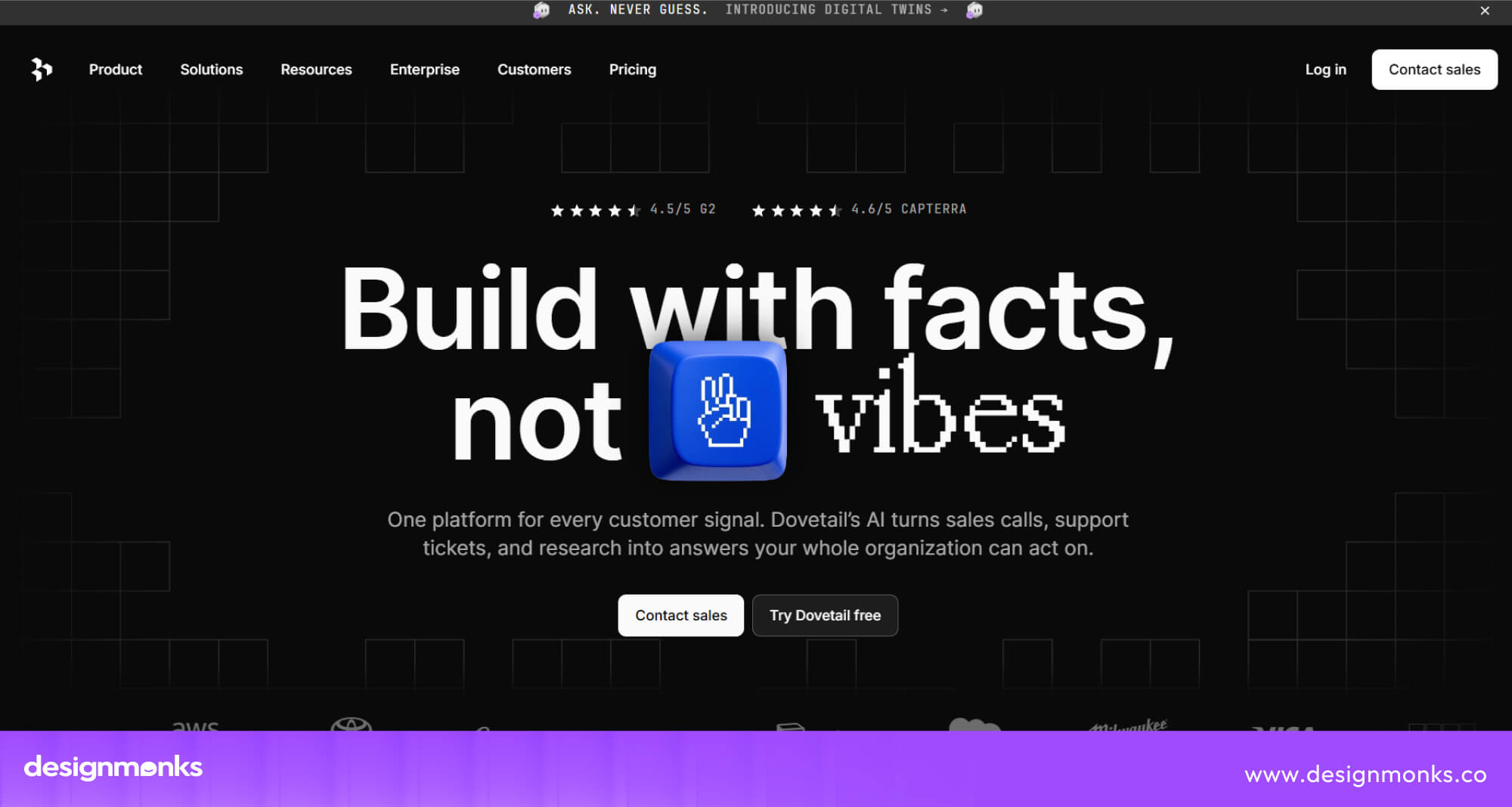
For example, Dovetail can help teams organize research and use AI to summarize interviews and identify patterns across feedback.
Condens also helps researchers structure interview data, tag key findings, and identify connections among user comments.
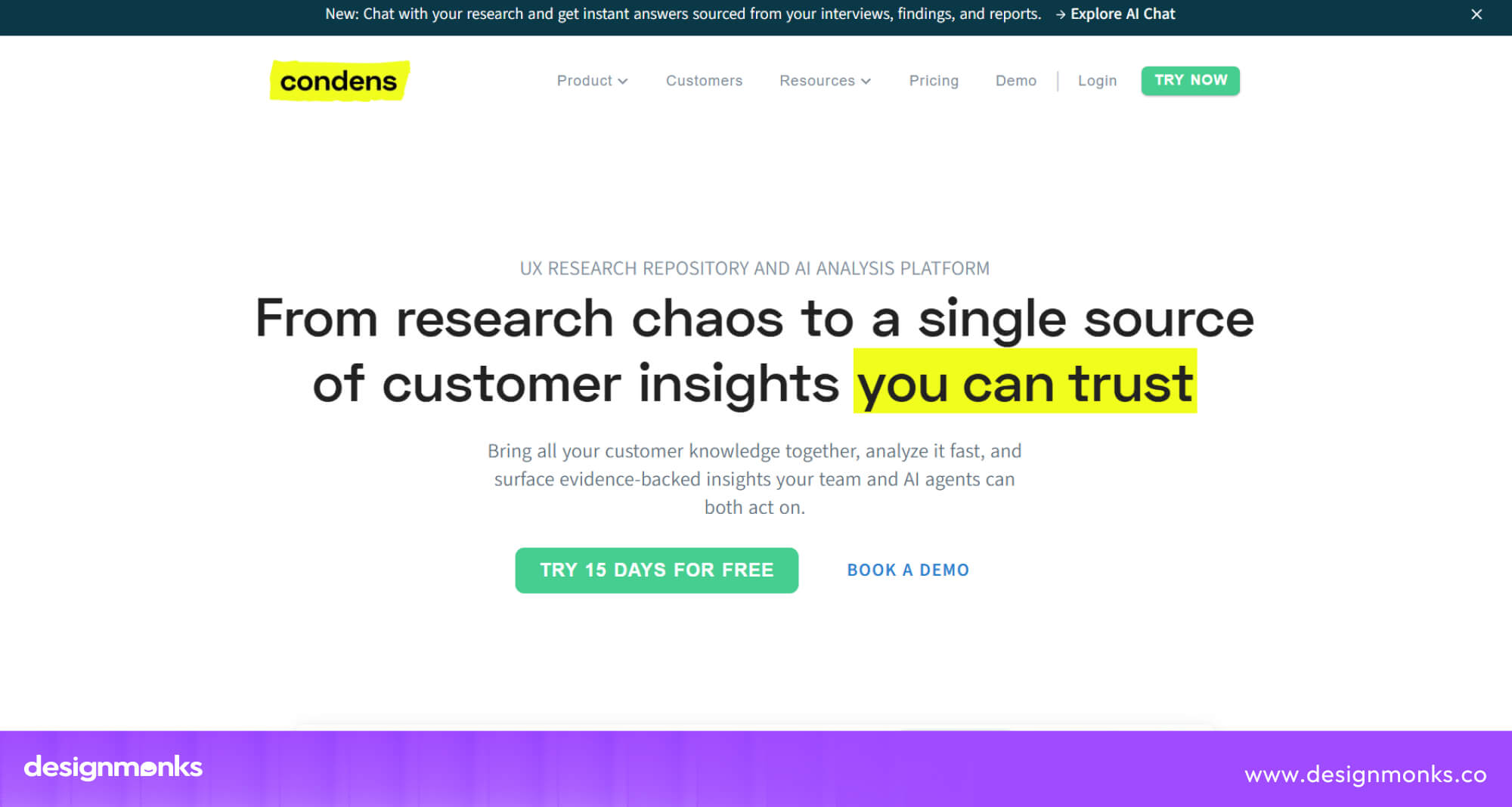
This means researchers can get to the important findings faster. But they still need to decide what those findings mean and which ones are worth acting on.
Ideation
Once the team understands the users, AI can help turn those findings into possible solutions. Designers can use it to explore different approaches, challenge their first ideas, and quickly create several directions to discuss with the team.
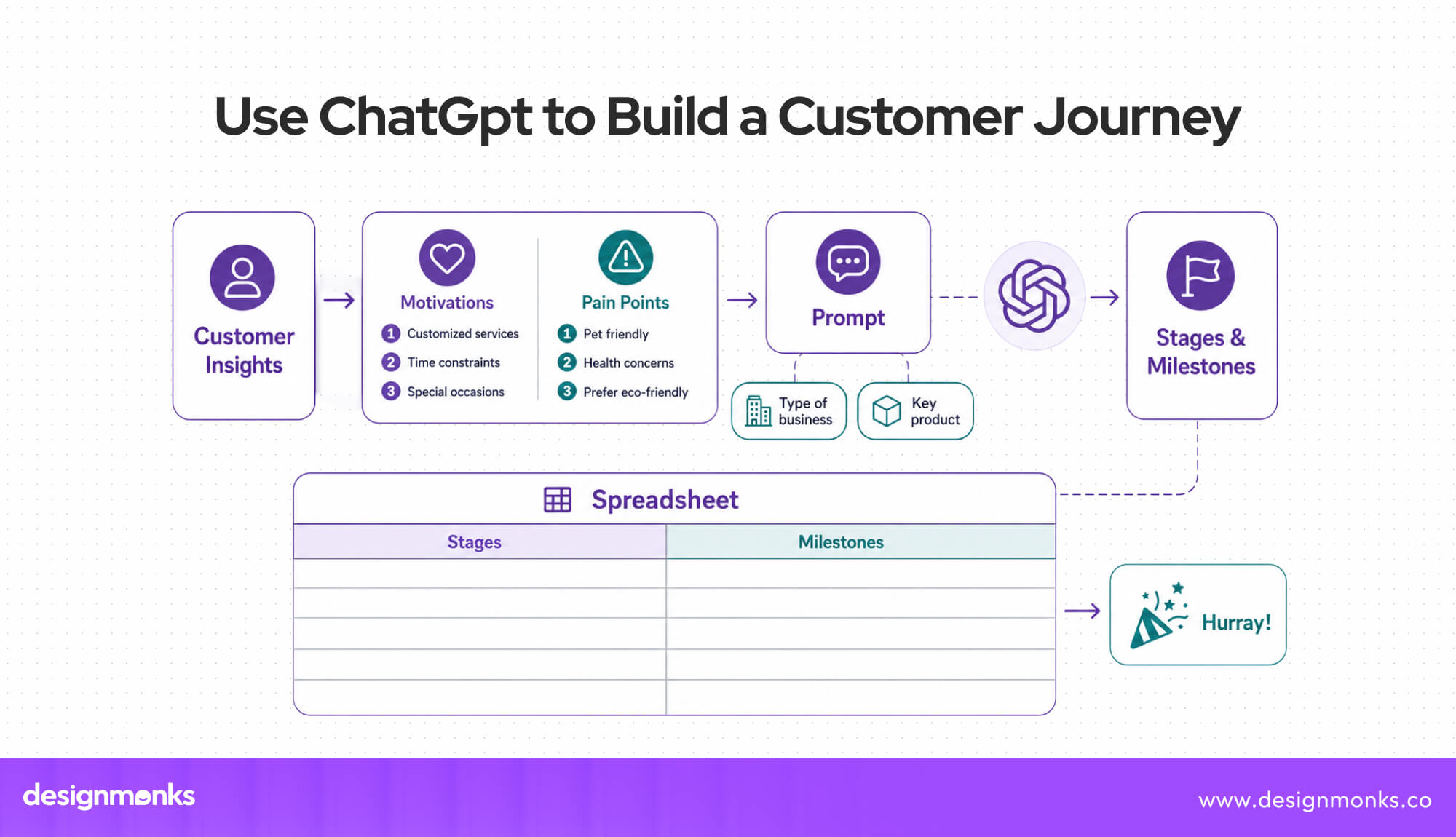
For example, ChatGPT can work as a brainstorming partner, helping generate feature ideas, user stories, personas, and possible solutions to a problem.
Claude can be useful when designers need to work through longer research notes, product requirements, or project briefs and turn them into organized ideas. The goal is not to let AI choose the idea. It gives designers more starting points to think about and improve.
Wireframing
AI is also shortening the distance between an idea and a visual design. Instead of spending hours creating the first rough layout, designers can describe what they need and generate several starting points.
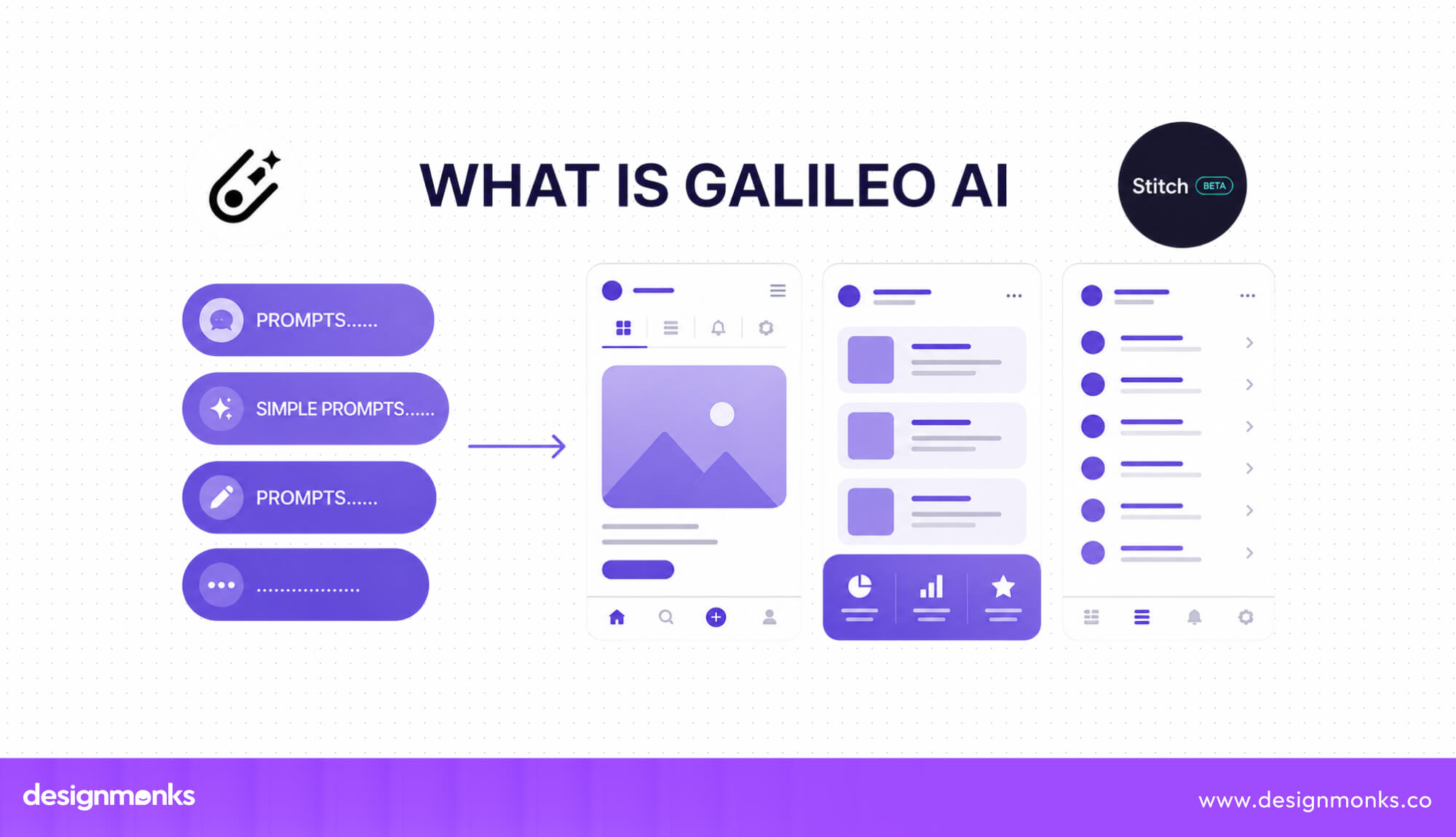
Figma AI helps designers generate and adjust UI concepts within their existing design workflow. Uizard is useful for quickly turning simple descriptions into visual interface concepts, while Galileo AI focuses on generating UI ideas from text prompts.
Designers can then compare these options, remove what does not work, and refine the strongest direction.
Prototyping
Once a design starts taking shape, AI can help teams turn static screens into interactive experiences faster. This gives designers something they can test before developers start building the product.
Figma makes it easy to connect screens, add interactions, and test user flows within the same design workspace. Framer is particularly useful when designers want highly interactive web experiences that feel closer to a real website.
The faster a team can create a working prototype, the sooner it can find problems and improve the design.
Usability Testing
AI is also helping teams make sense of what happens when real users test a product. Instead of manually reviewing every session and piece of feedback, AI can help summarize results and highlight patterns that deserve attention.
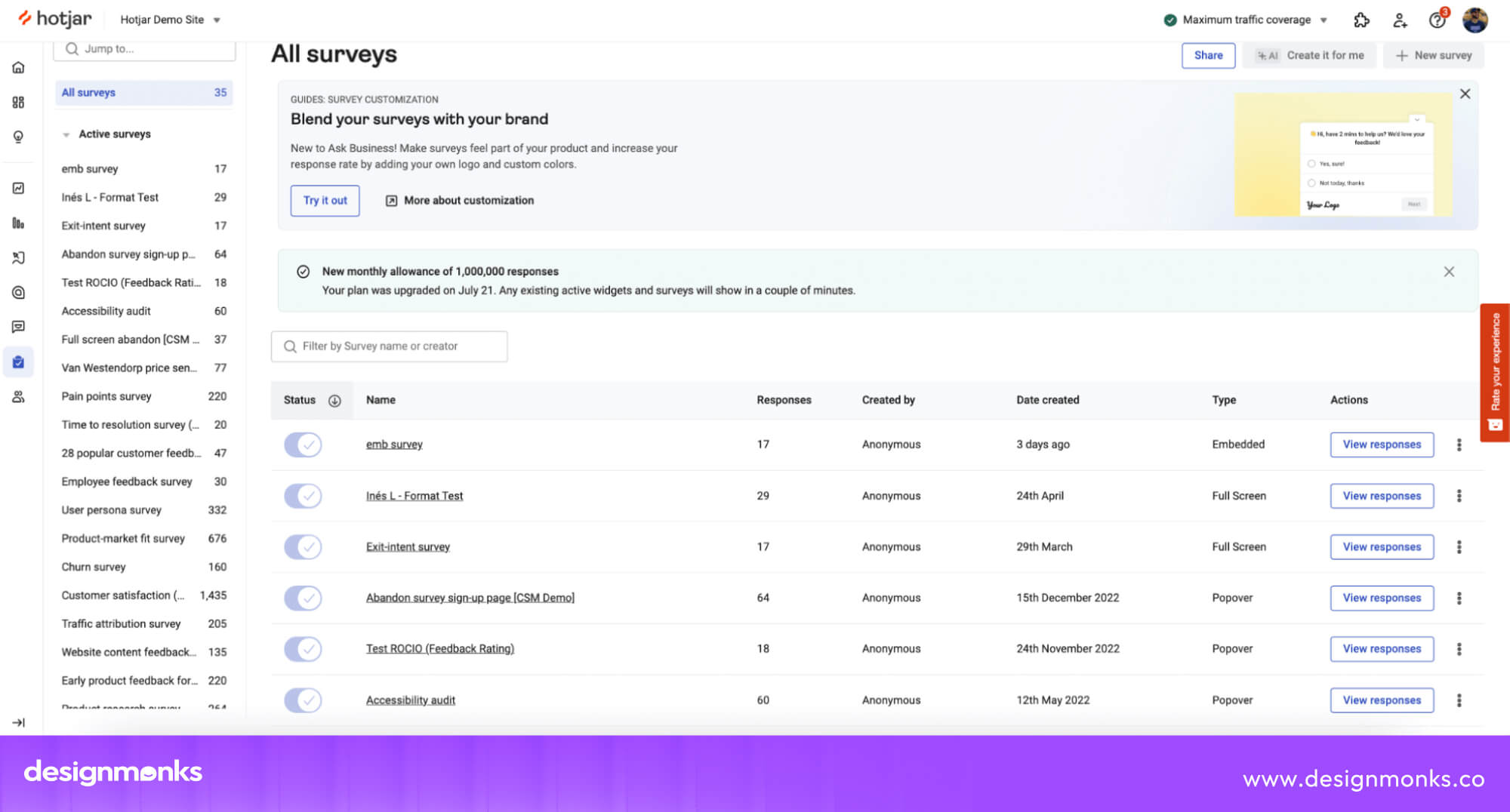
Maze helps teams run structured usability tests, collect user responses, and turn the results into useful reports. Hotjar takes a different approach by showing how people behave on live websites through tools such as heatmaps and session recordings.
Together, these kinds of tools help teams move from “We think this design works” to “We have evidence showing what users actually do.”
Across the entire workflow, the role of AI is becoming clearer, it speeds up the work. On the other hand, designers provide the context, judgment, and human understanding needed to make the final decisions.
UX Skills That Matter Most in 2026
With AI taking care of more repetitive UX tasks, designers have more time to focus on skills that require human thinking. In 2026, being good at making screens look nice is no longer enough. The most useful UX skills right now are:
- Systems thinking: Understanding how one design decision can affect the rest of a product.
- AI literacy: Knowing how to use AI tools while also understanding their limits.
- UX research: Knowing how to ask the right questions and understand what users really need.
- Communication: Explaining design decisions clearly to developers, managers, and clients.
- Product thinking: Understanding the business problem behind a product or feature.
- Data analysis: Using numbers and user data to support design decisions.
- Stakeholder management: Working with different people who may have different goals.
The common thread is simple, designers need to think clearly, work with people, and understand the bigger picture.
UX Tools Dominating 2026
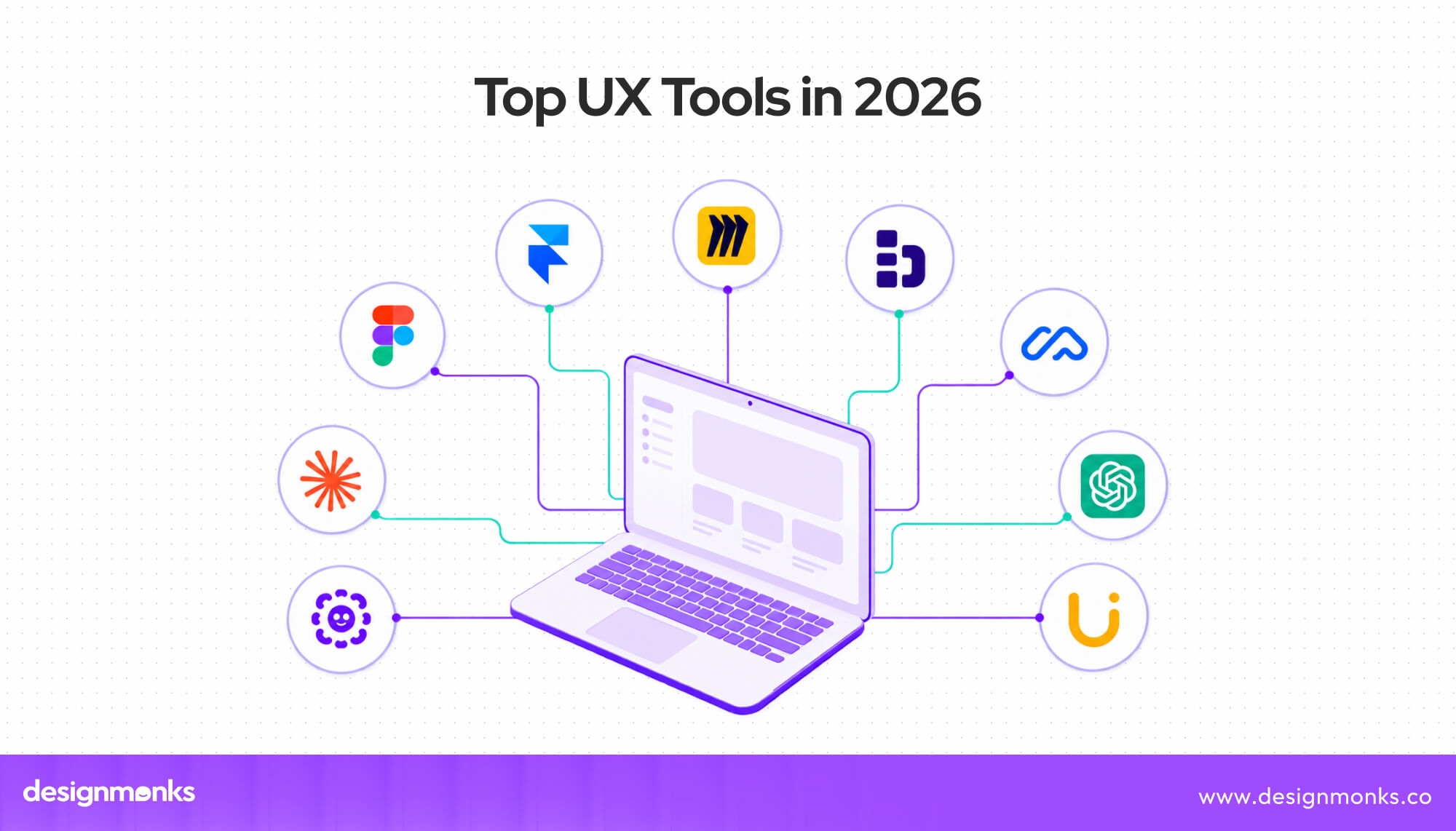
The UX process now involves more than one type of work, so teams rarely depend on a single tool. Instead, they use different platforms for research, design, collaboration, prototyping, testing, and AI-assisted tasks.
Here is what each major tool does best and where it fits:
Figma
Best for UI design and team collaboration. Figma remains the main workspace for many UX teams because designers can create screens, build reusable components, create prototypes, and work with teammates in the same file.
Its AI features also help speed up early design tasks. It’s really useful from the first layout to the final prototype.
Framer
Best for interactive websites and realistic prototypes. Framer is useful when a simple clickable prototype is not enough. Designers can create highly interactive web experiences that feel much closer to a real website.
This makes it especially helpful for testing animations, page interactions, and responsive layouts before development.
Miro
Best for brainstorming and mapping ideas. Miro works like a shared digital whiteboard where teams can collect ideas, map customer journeys, organize research findings, and plan projects.
It is particularly useful when several people need to contribute ideas at the same time, whether they are sitting together or working remotely.
Dovetail
Best for organizing and analyzing user research. Dovetail brings interviews, surveys, notes, and other research into one place. Its AI features can summarize large amounts of feedback and help identify repeated themes.
This saves researchers from manually searching through every interview to find common user problems.
Maze
Best for usability testing, Maze helps teams test prototypes with real users before a product is built. Teams can measure whether users complete tasks, collect feedback, and identify where people struggle. Its reports make it easier to turn testing results into clear design improvements.
ChatGPT
Best for brainstorming and everyday UX support. ChatGPT can help designers explore ideas, write user stories, summarize information, generate research questions, and think through possible solutions.
It is especially useful when a designer needs several ideas quickly or wants to look at a problem from different angles.
Claude
Best for working through large amounts of information. Claude is useful when a UX project involves long research documents, product requirements, or detailed project briefs. Designers can use it to organize information, identify patterns, compare ideas, and turn complex material into something easier to work with.
Galileo AI
Best for generating early UI concepts. Galileo AI helps designers move from a written idea to a visual interface quickly. A designer can describe a screen or product concept and generate an initial UI direction.
This is useful during early exploration when teams want to compare several possible layouts before committing to detailed design.
Uizard
Best for quickly turning ideas into wireframes. Uizard is designed to help teams create early interface concepts without building every screen manually. It is useful for quickly visualizing an idea, especially during the early stages. As the goal at that time is to explore structure rather than perfect every visual detail.
The important point is that these tools serve different purposes rather than replacing one another. Together, they can create a faster and more efficient UX workflow. For more tools and options, explore our guide to the best UX design tools.
Biggest UX Challenges in 2026
Faster design tools do not mean fewer UX problems. In 2026, UX teams face new challenges from AI, automation, privacy, and faster product cycles:
1. AI Hallucinations
AI hallucinations happen when AI generates information that sounds correct but is actually wrong. In UX, this can affect research summaries, user personas, and design recommendations.
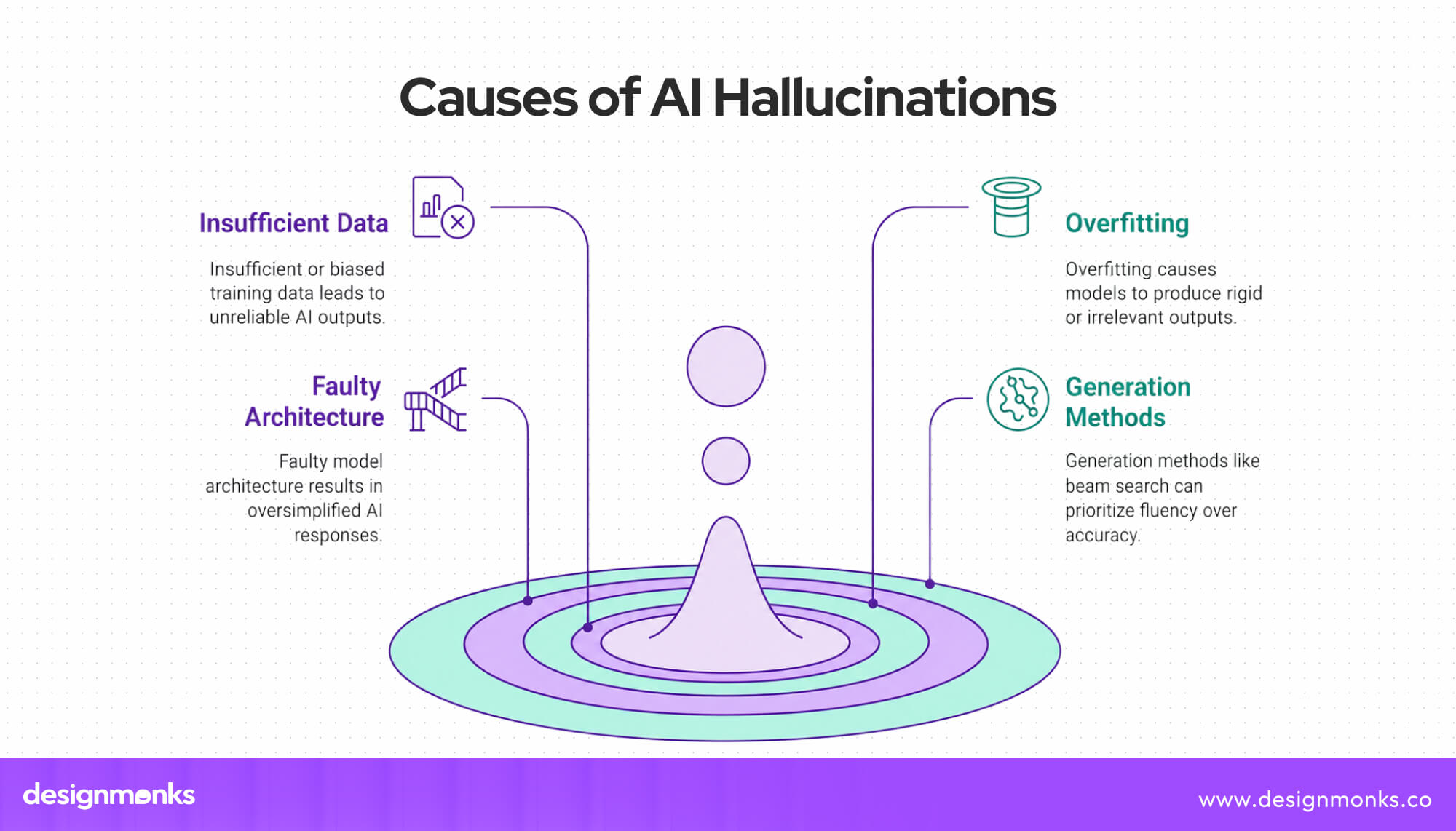
For example, AI may create a user insight that is not supported by real research. Designers should always verify AI-generated information before using it.
2. AI Bias
AI bias occurs when an AI system produces unfair results because of bias in its training data. This can create poor experiences for certain groups of users. UX teams should test AI-powered features with diverse users to identify and reduce unfair outcomes.
3. Privacy Concerns
AI products often collect large amounts of user data and create new privacy concerns. Regulations such as GDPR also require companies to handle personal data responsibly. Designers should make consent, data usage, and privacy controls clear and easy for users to understand.
4. Ethical AI
Ethical AI means creating AI experiences that are fair, transparent, and responsible. Users should understand when AI is being used and how it affects their experience. Giving users control and explaining important AI decisions can make these experiences more trustworthy.
5. Over-Automation
Over-automation happens when too many decisions are handled automatically. While automation saves time, it can frustrate users when they lose control over important actions. Moreover brand autheticity gets questioned, generic product floods the market and customer relationship becomes transactional.
AI should support users rather than take over decisions that still require human judgment.
6. Design Debt
Design debt occurs when quick design shortcuts create problems that teams must fix later. AI can increase this risk by making it easy to generate screens without following existing design systems.
Regular design reviews and reusable components can help keep products consistent and easier to maintain.
7. Unrealistic Stakeholder Expectations
AI can generate designs, copy, and prototypes quickly, which can create unrealistic stakeholder expectations about project timelines.
However, good UX still requires research, testing, iteration, accessibility checks, and developer collaboration. AI can speed up the process, but it cannot replace thoughtful UX work.
AI is making UX work faster, but it also makes human judgment more important. Successful UX teams will know when to use AI, when to question its output, and when human research should lead the decision.
UX Metrics Businesses Care About
As UX becomes more connected to business goals, teams need ways to measure whether their work is actually helping users. Some of the most useful metrics include:
- Conversion Rate: How many users complete a desired action, such as buying or signing up.
- Task Success Rate: How many users successfully complete a task.
- Time on Task: How long users take to complete that task.
- CSAT: How satisfied users are with a product or experience.
- NPS: How likely users are to recommend a product to others.
- Customer Retention: How many users continue using the product over time.
- Feature Adoption: How many users start using a new feature.
These numbers help teams move beyond asking, “Does this design look good?” They can now ask, “Is this design actually working?” That is an important part of UX maturity, or how seriously a company treats UX as part of its overall strategy.
UX Industry Statistics in 2026
AI adoption is rapidly changing the UX industry. Designlab's 2026 survey of more than 200 UX and product designers found that nearly 60% use AI moderately or extensively, compared with 44.3% the previous year.
Only 6% said they do not use AI. Designers mainly apply AI to UX writing, research synthesis, data analysis, ideation, prototyping, and iteration.
AI use for wireframing and prototyping increased from about 20% to 57.3% in one year, while 60% said it reduces time spent on routine tasks. However, adoption comes with caution, many designers remain concerned about design quality, accuracy, privacy, and overreliance on AI-generated outputs.
Overall, 2026 is not just about adopting new tools. It is about learning how to use them well while keeping people at the center of design.
The Future of UX Beyond 2026
So, where does UX go from here? We cannot know exactly, but several trends give us a good idea of what may come next.
Agentic AI could allow AI systems to complete several steps on their own instead of simply answering questions. Ambient computing could make technology less dependent on screens by using voice, sensors, and other devices.
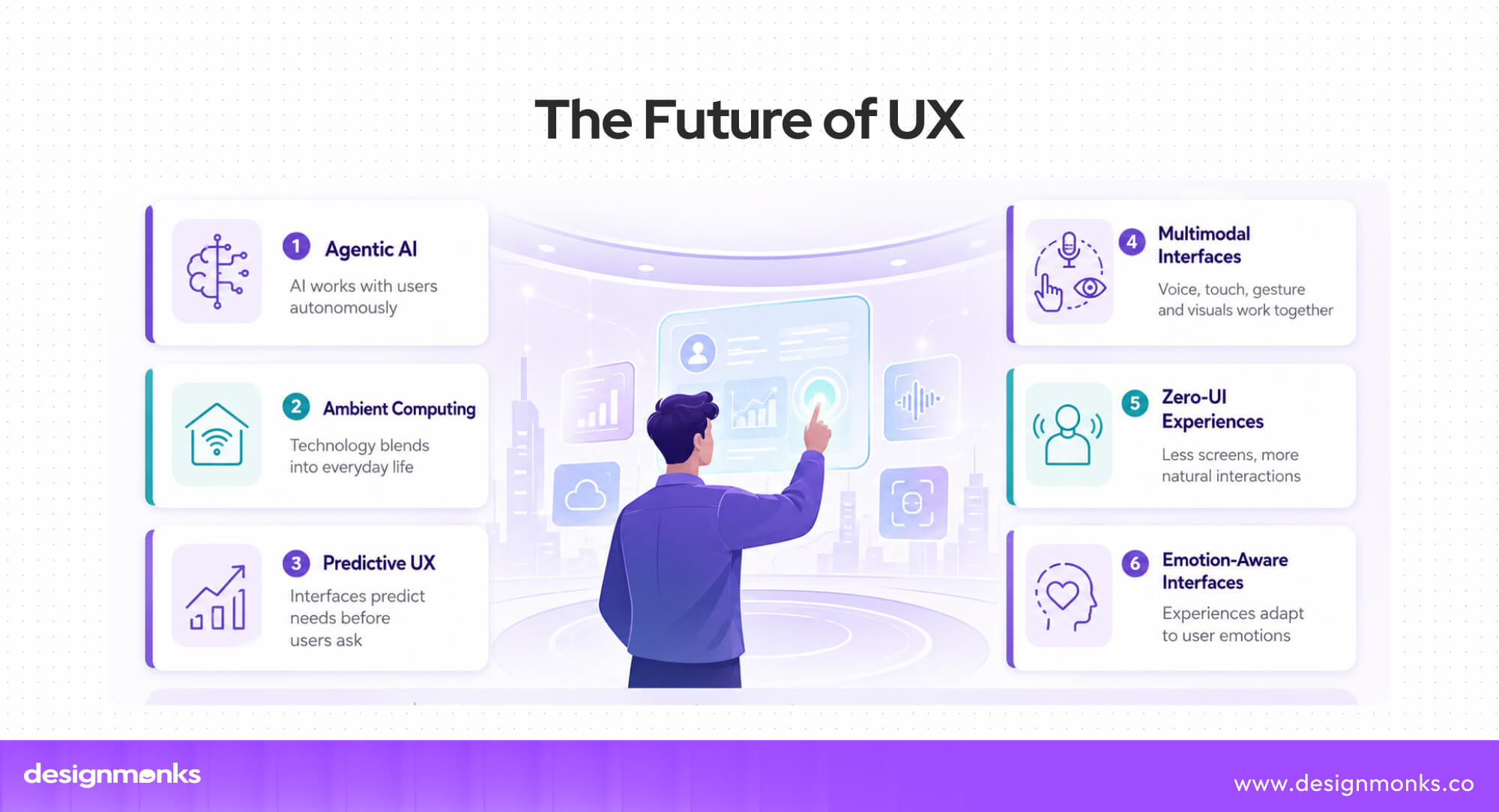
We may also see more predictive UX, where products try to anticipate what users need, and multimodal interfaces. This lets people interact through voice, touch, text, or other methods.
Then there is zero-UI, where there is little or no visible interface, but there will be emotion-aware interfaces. It will attempt to respond to a user's mood or frustration. Autonomous design assistants could also help manage design systems and find inconsistencies automatically.
Not each one of these predictions will become reality. But the direction is clear, UX is moving beyond screens and toward smarter, more adaptive, and more human-centered experiences.
FAQs
Is UX design still a good career in 2026?
Yes, though it is more competitive than a few years ago, especially for entry-level roles. Experienced designers who can think strategically and work well with AI tools tend to do the best.
Will AI replace UX designers?
Most current evidence says no, at least not entirely. AI is replacing some repetitive tasks, like basic wireframing. But it still relies on human judgment for strategy, ethics, and understanding real user needs.
What industries are hiring UX designers?
Technology, finance, healthcare, e-commerce, and government are all actively hiring UX talent in 2026, particularly for roles that combine design skills with research or AI fluency.
What does a modern UX workflow look like?
A modern workflow typically blends human-led research and decision-making with AI assistance at nearly every stage, including research summaries, ideation, wireframing, prototyping, and usability testing.


.avif)
.avif)
.avif)
.avif)


.avif)
.avif)
.avif)
.avif)







.avif)