.svg)



Key Takeaways
- Mockups show visual design; prototypes demonstrate real user interaction flows.
- Confusing mockups and prototypes leads to costly design and development mistakes.
- Mockups focus on appearance, while prototypes focus on usability and behavior.
- Both tools together improve communication, testing, and overall product quality.
- Following proper workflow reduces rework and speeds up the design process.
One small mistake in design can cost hours of rework, and it often starts with confusion around Prototype vs Mockup. They may look similar on the surface, but they serve very different roles in the UI/UX process.
A mockup focuses on visual detail such as how the design looks, including layout, colors, typography, and spacing. A prototype focuses on real interaction, showing how users click, navigate, and move through the product.
Missing this difference can affect everything from user experience to development speed. But don't worry in this guide will walk you through their exact roles, key differences, and how to use them properly.
What Is a Mockup?
A mockup is a static visual representation of a product screen. It shows exactly how the interface will look, but it does not include any interaction or functionality.
Users cannot click, scroll, or test anything in a mockup.
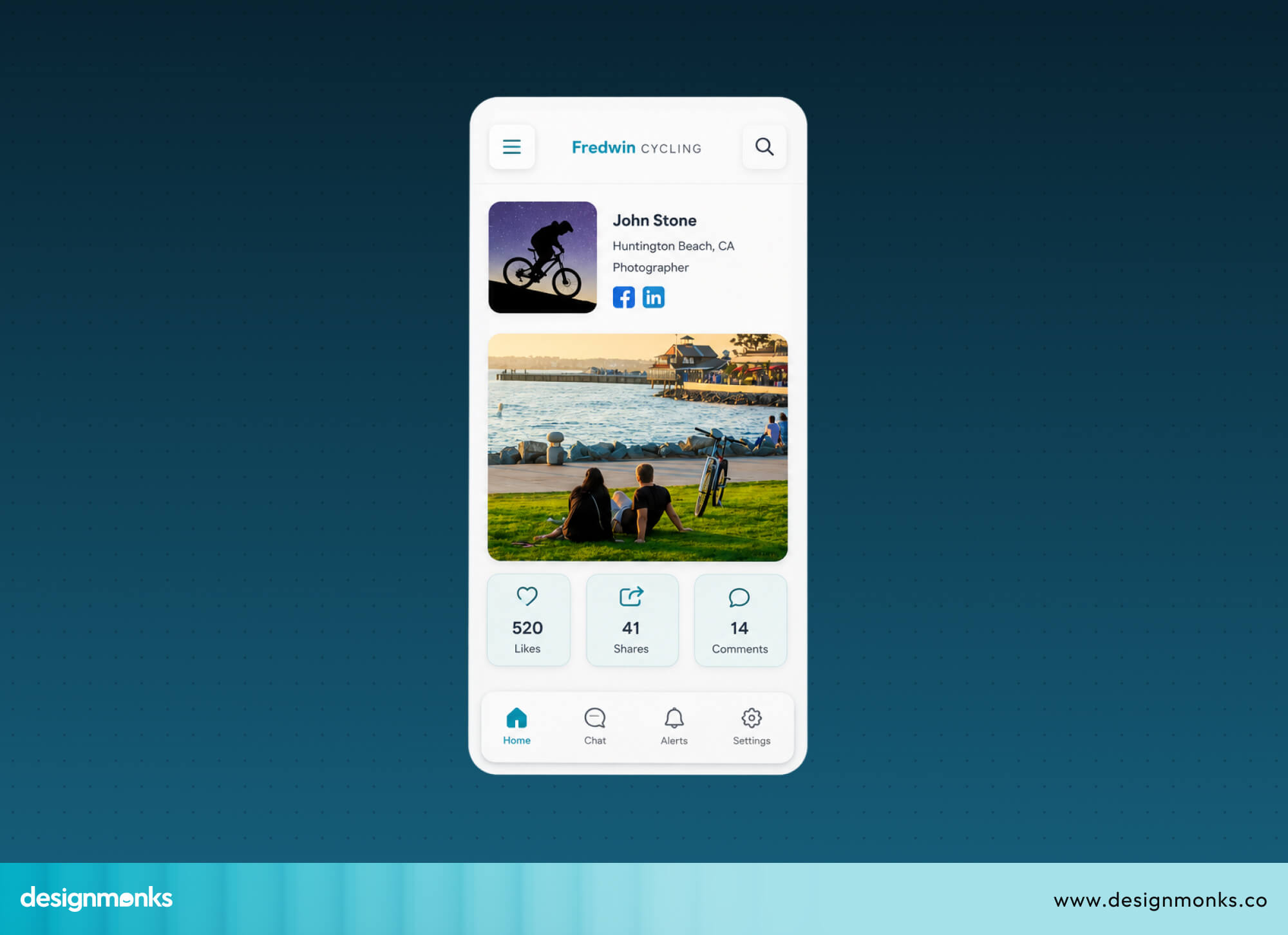
The main goal of a mockup is to present the visual side of a product. It focuses on layout, colors, typography, and overall design clarity. Because of this, mockups often look very close to the final product, even though they are not functional.
Key Characteristics of a Mockup
These features define what makes a mockup different from other design stages.
- Static design: A mockup does not respond to user actions. It is a fixed visual.
- High-fidelity visuals: It includes detailed and polished design elements that closely match the final UI.
- Typography and branding: Mockups use real fonts, sizes, and brand elements to show a consistent identity.
- Colors, spacing, and layout: Every design decision is clearly defined, including alignment and spacing.
- UI presentation for stakeholders: Mockups are used to present designs to clients, managers, and decision-makers.
What Mockups Are Used For?
Mockups play an important role in aligning teams and validating design direction:
- Visual feedback: Teams and clients can review the design and suggest improvements.
- Design approval: Stakeholders can confirm the look before development begins.
- Brand consistency: Helps maintain a unified style across all screens.
- Client presentations: Makes it easier to explain how the product will look.
- Marketing previews: Used to showcase the product in ads or landing pages before launch.
Popular Mockup Design Tools
Designers today have some really solid tools to choose from. Each one has its own strengths, so the right pick depends on your team's workflow and needs:
Figma: A browser-based tool where teams collaborate in real time. Perfect for mockups that need fast reviews and quick edits.
Adobe XD: Built specifically for UI/UX design. It comes with ready-made UI components and clean artboards, ideal for quick mockup building.
Sketch: A Mac-based tool with a simple interface and strong plugin support. Great for organized, component-based mockup design.
Photoshop: Best for mockups needing heavy visual work. Custom illustrations, image editing, and advanced effects are where it stands out.
What Is a Prototype?
A prototype is an interactive version of a product that simulates how it works in real life. Unlike mockups, it is not just for viewing, it lets users click, navigate, and experience how the product will behave.
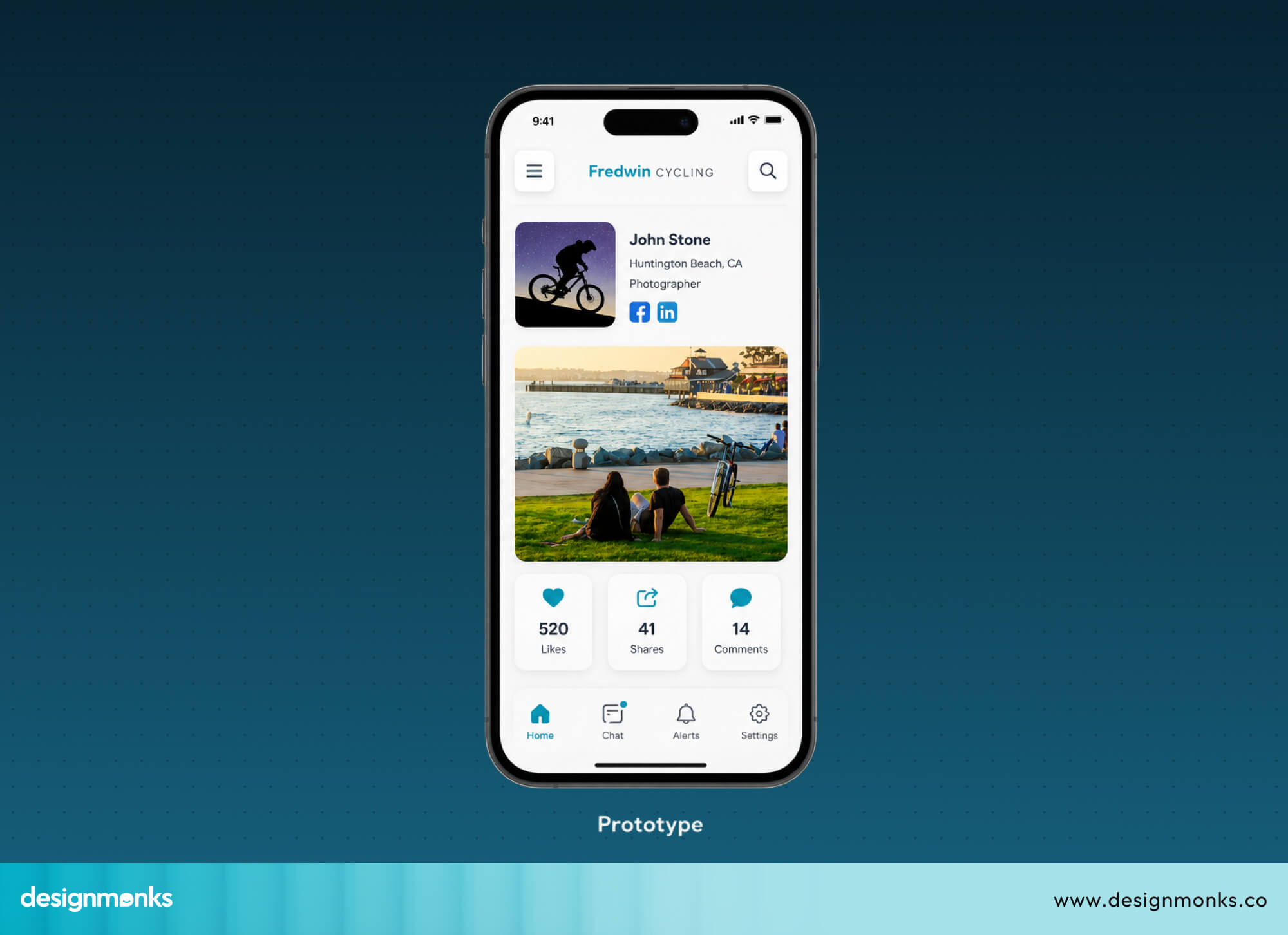
Prototypes are used to test ideas before development starts, so teams can understand how users will actually interact with the product.
The main goal of a prototype is to bring the design to life. It focuses on user flow, interaction, and experience. This helps teams spot problems early and improve usability before writing any code.
Key Characteristics of a Prototype
The key characteristics that differentiate prototypes are:
- Interactive screens: Users can tap to navigate between pages, just like in a real app.
- Clickable navigation: Buttons and links actually work and simulate real behavior.
- Animations and transitions: Smooth movements show how screens change.
- Simulated user flows: Help test how users complete tasks step by step.
- Functional experience testing: Can be used to check how real the product feels before development.
Types of Prototypes
Prototypes can range from very simple to highly advanced depending on the stage of design:
- Low-fidelity prototype: Basic structure with simple shapes and rough interactions.
- High-fidelity prototype: Detailed design with realistic visuals and smooth interactions.
- Interactive prototype: Focused mainly on navigation and user flow testing.
- Rapid prototype: Quick version built fast to test early ideas.
- Coded prototype: Built using code for near-real product behavior.
What Prototypes Are Used For?
Prototypes are mainly used to test and improve the user experience before development:
- Usability testing: Checks how easily users can use the product.
- UX validation: Confirms whether the design solves user problems.
- Stakeholder demos: Shows how the product actually works, not just how it looks.
- MVP testing: Helps validate ideas before building the full product.
- Developer understanding: Makes it easier for developers to understand interactions and logic.
Prototype vs Mockup: Main Differences
Now that you have an idea about both of them, let's see how they compare when placed side by side:
The table gives you an idea, now let's walk through each difference so you actually understand what they mean in real projects.
Interactivity
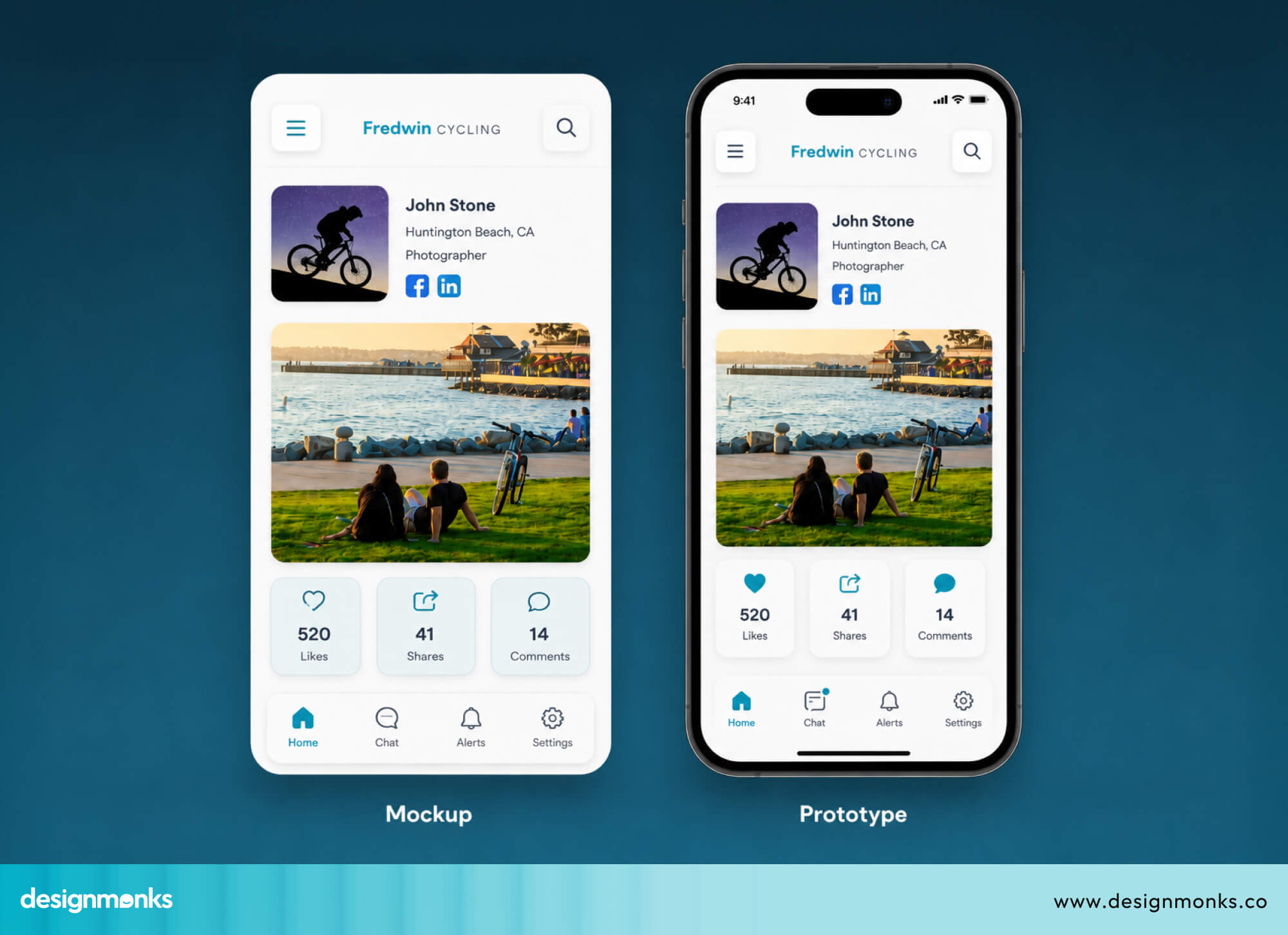
A mockup is static, it is only meant for viewing. You can see the full design, but you cannot click buttons, scroll, or interact with anything. It is basically a visual snapshot of the product.
A prototype is interactive, it behaves more like a real product. Users can click buttons, move between screens, and experience basic interactions. This makes it useful for understanding how the product actually feels in use.
Purpose
A mockup focuses on appearance and visual direction. It helps answer the question: “Does this design look right for the brand and layout?” A prototype focuses on behavior and user experience. It helps answer: “Does this flow make sense when a user actually tries to use it?”
This difference is important because good design is not just about looks. It is also about how smoothly a user can move through the product.
User Testing
Mockups are not suitable for user testing because they are not interactive. Users can only view the screen, so you cannot observe real behavior or decision-making. Prototypes, on the other hand, are built specifically for testing. You can watch how users navigate through screens, where they get stuck, and what confuses them.
This feedback is extremely valuable because it helps fix UX issues before development begins, saving both time and cost.
Design Fidelity
Mockups usually have high visual fidelity, meaning they look very polished and close to the final product. They include real colors, typography, spacing, and layout details.
Prototypes can vary in fidelity. Some are very rough and simple, while others are highly detailed and almost look like real apps. However, the main focus of a prototype is not just visuals, it is interaction and flow.
So in short, mockups focus on how things look, while prototypes focus on how things behave.
Development Handoff
During the development handoff, both tools play different roles. A mockup helps developers understand the visual design. It clearly shows colors, fonts, spacing, and layout structure so they can build the interface accurately.
A prototype helps developers understand functionality. It shows how screens connect, what happens when buttons are clicked, and how users move through the product.
When both are used together, developers get a complete picture of both design and behavior, which reduces confusion and rework.
Time and Complexity
Mockups are generally faster to create because they focus only on visuals. A well-designed mockup can be completed quickly, especially when using design systems. Prototypes take more time because they require linking screens, setting up interactions, and testing flows. The complexity increases with the level of detail.
However, this extra effort is worth it. Prototypes help identify usability issues early, which reduces costly changes during development and improves the final product experience.
Prototype vs Mockup vs Wireframe
You now know what mockups and prototypes are. But there's a third tool that comes before both of them, and a lot of people skip it or confuse it with the others. Let's clear that up right now:
What Is a Wireframe?
A wireframe is the very first step in designing any digital product. It's a simple, low-detail layout that shows what goes where on a screen. No colors, no fonts, no images, just basic shapes, boxes, and lines.
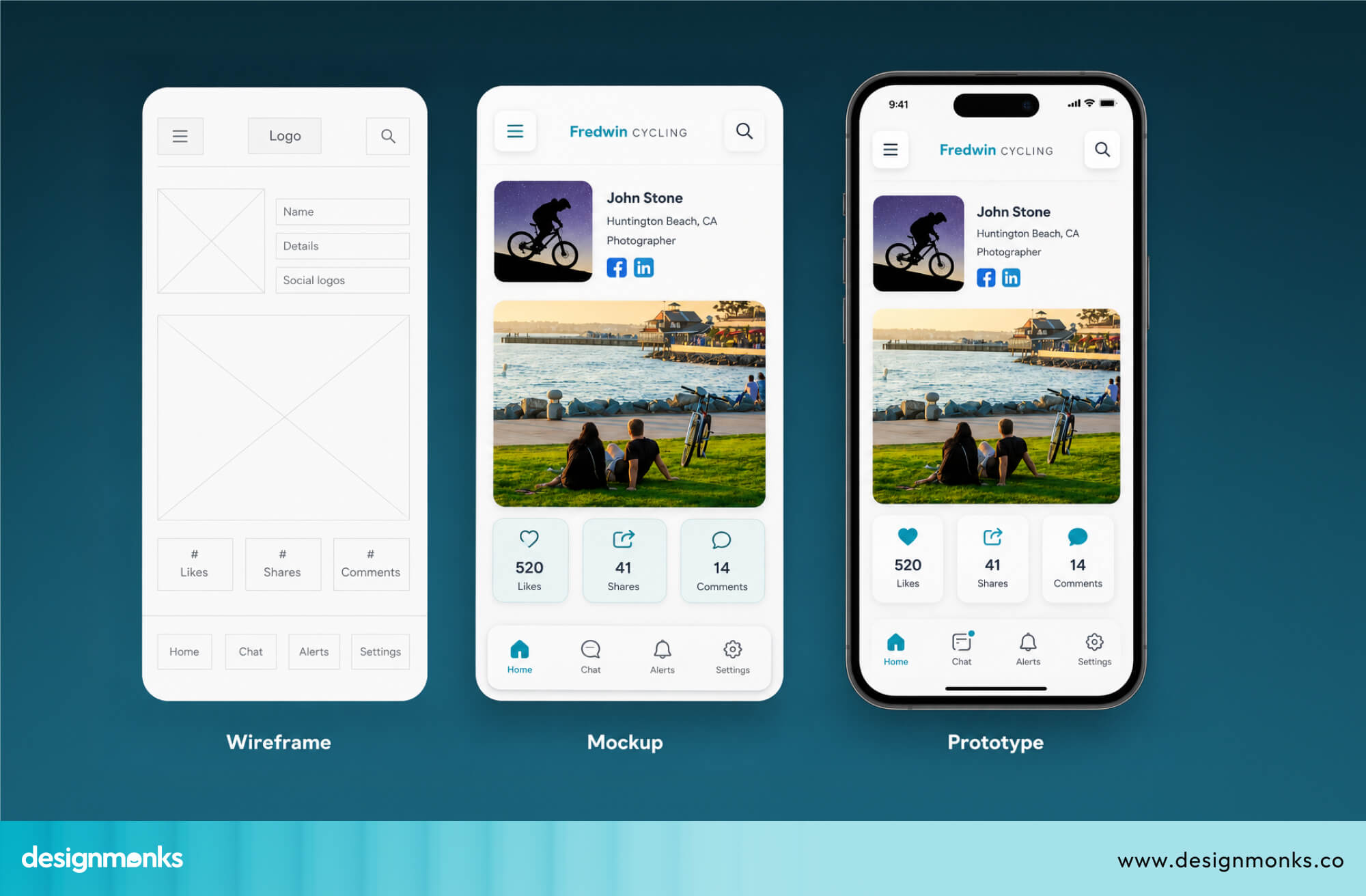
It is the skeleton of your design. It only cares about one thing: structure. Where does the navigation go? Where does the button sit? What content appears at the top? Wireframes answer all of that before any visual design begins.
They're quick to make and easy to change. At this stage, you're still figuring things out, and wireframes let you do that without wasting design time.
How Wireframes, Mockups, and Prototypes Work Together
These three tools don’t compete with each other. Instead, they work in a clear sequence, where each one builds on the previous stage. A proper UI/UX design process usually follows this flow:
Wireframe → Mockup → Prototype
Each stage has a specific role in shaping the final product:
- Wireframe: It defines the structure of the screen. At this stage, you decide what elements appear and where they are placed. There are no colors, no fonts, and no visual styling, just layout and hierarchy.
- Mockup: This is where visual design is added. Colors, typography, spacing, and branding are applied to the wireframe structure. At this point, the design starts to look like a real product, even though it is still not interactive.
- Prototype: This stage makes the design functional. Screens are connected, buttons become clickable, and user flows are created. It allows you to test how the product actually works in real scenarios.
This full process is known as the product design lifecycle. It takes an idea from rough structure to a tested and validated design. Skipping any step often leads to problems later, when changes become more difficult and expensive.
Key Differences Between All Three
Here’s a simple breakdown of how wireframes, mockups, and prototypes differ in the areas that matter most:
Wireframes focus only on structure, without visuals or interaction. Mockups add full visual design but still remain static. Prototypes combine structure, visuals, and interaction, making them the only stage where real user testing becomes possible.
Each tool plays a specific role in the design process. When used together, they create a clear path from idea to fully functional product.
Advantages and Limitations of Mockups
Before deciding when to use mockups, it helps to understand where they work well and where they fall short:
Advantages of Mockups
- Faster to create: You can build a strong mockup in hours.
- Strong visual communication: Clients and stakeholders understand exactly what the product will look like.
- Easier stakeholder alignment: "Alignment" means everyone agrees and is on the same page. Mockups make this easy early on.
Limitations of Mockups
- No interaction testing: You can't test how users navigate or behave with a static image.
- Limited usability validation: You can't confirm the product is easy to use from a mockup alone.
- Cannot simulate real experiences: What feels right in a static design may feel completely wrong when you actually use it.
When Should You Use a Mockup?
Mockups are not meant for every stage of the design process. But there are specific moments where they shine:
Early UI Design Presentation
This is one of the most common reasons designers reach for a mockup first. When you want to show the layout and visual hierarchy of a product early in the design process, a mockup is the right call.
It can show how elements are going to be arranged, what should be big or small, and what should stand out first.
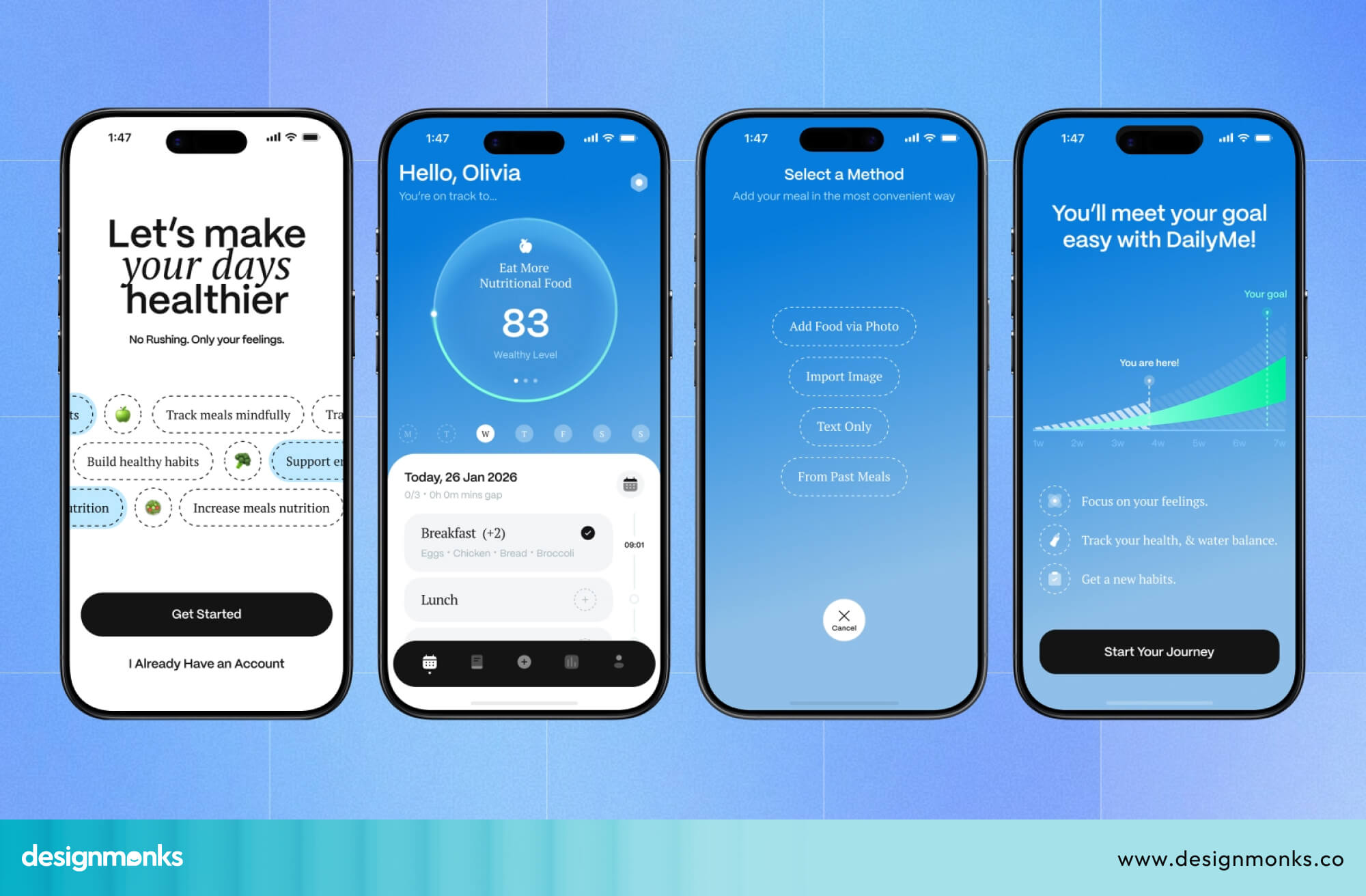
It also helps stakeholders give real, useful feedback early on. Instead of trying to imagine what the product will look like, they can actually see it. That means fewer surprises later and faster design approvals.
Branding and Visual Consistency
Mockups play a key role in keeping a product visually consistent and aligned with the brand. Since they show the full design in detail, it becomes easy to check if colors, fonts, layouts, etc are being used similarly across all screens.
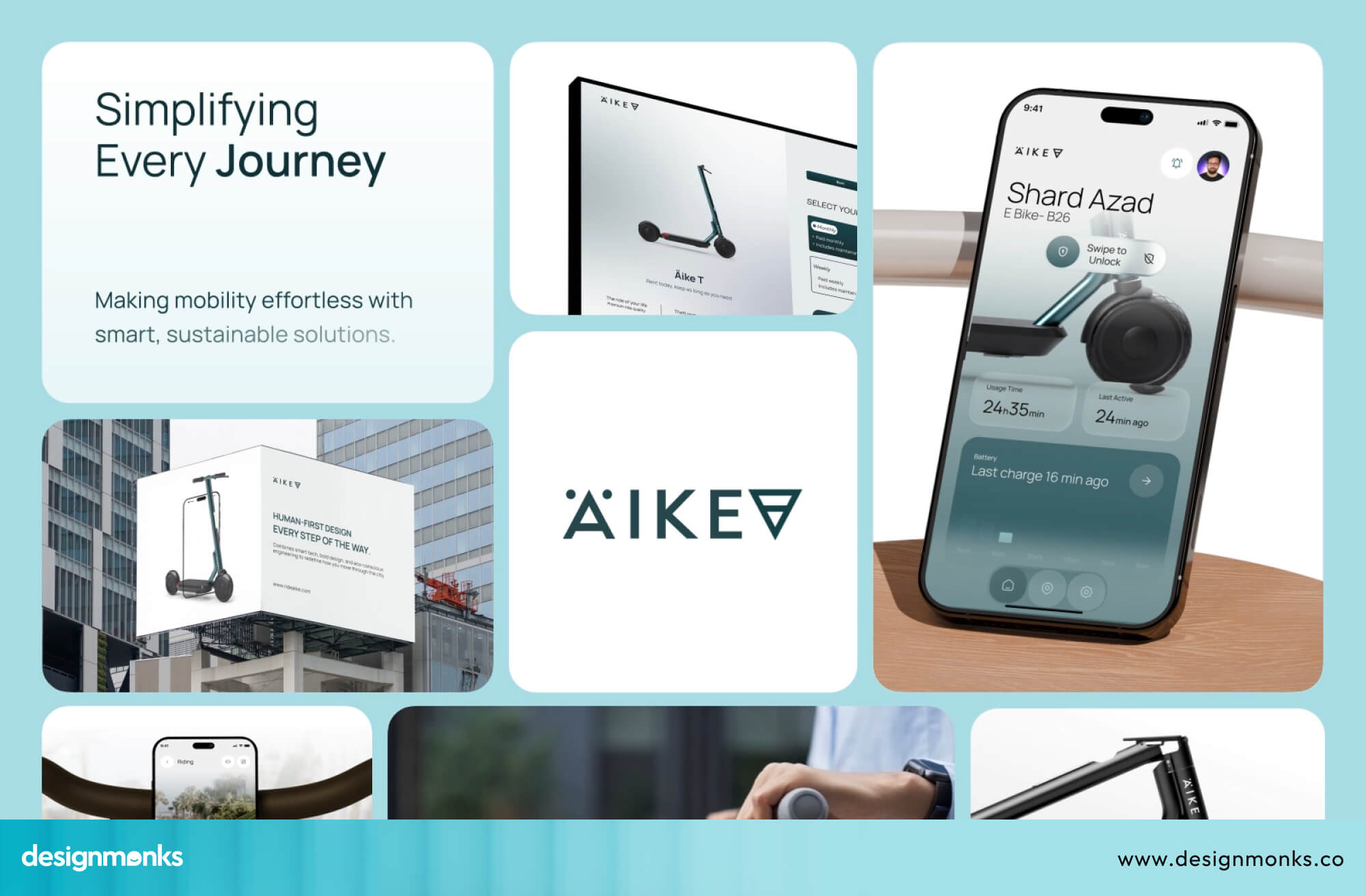
This helps designers spot small inconsistencies early, like a slightly different shade, uneven spacing, or mismatched typography, before anything goes into development.
Because everything is shown together in a polished form, mockups make it much easier for teams to compare screens side by side and ensure the product feels unified, not scattered or random.
Stakeholder and Client Approval
Before moving on to building prototypes or writing code, it's smart to get visual feedback and approval from clients. Mockups are perfect for this. They're detailed enough to make real decisions, but quick enough to change if the client wants something different.
Advantages and Limitations of Prototypes
Now let's look at the advantages of prototypes:
Advantages of Prototypes
- Better usability insights: You learn how real users behave, which a mockup can never show you.
- Improved UX validation: You can confirm your design decisions before development.
- Stronger developer communication: Developers have a working reference, which reduces confusion and mistakes.
Limitations of Prototypes
- More time-consuming: Building good prototypes takes real effort.
- Higher design effort: You need to think through every interaction and connection between screens.
- Complex interactions may require coding: Some advanced behaviors can't be built in design tools alone and need actual code.
When Should You Use a Prototype?
A prototype is used when you need to understand how a product actually works, not just how it looks. It becomes important once the basic design is ready and you want to test real interactions and user behavior, like:
Usability Testing
A prototype is the best tool for usability testing because it lets real users interact with the design. Instead of just viewing screens, users can click, navigate, and complete tasks as they would in a real product.
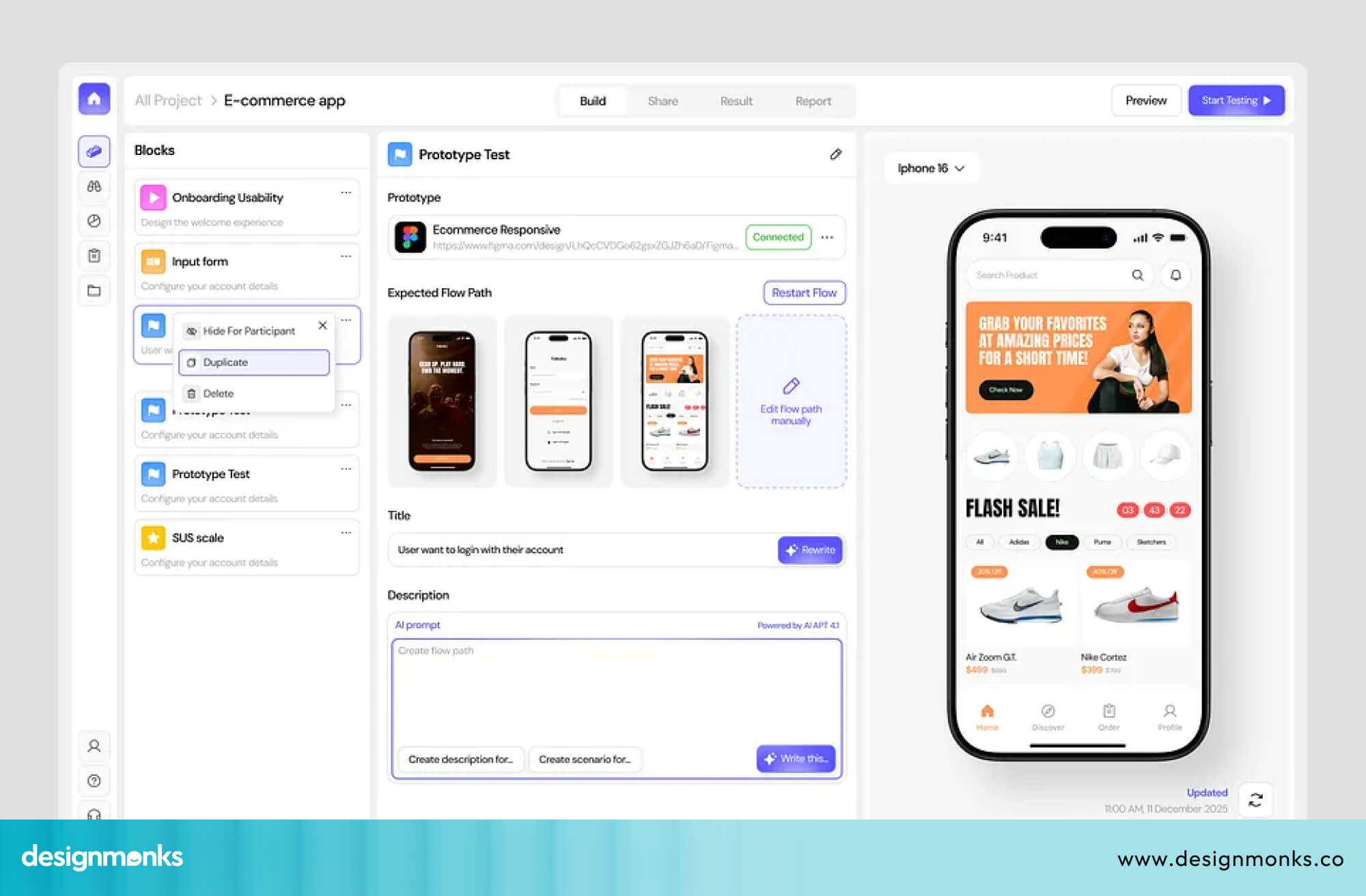
This helps you see how people move through the product, where they get confused, and where they stop or make mistakes. These insights are important for improving navigation and overall user flow before development begins.
Product Validation
Prototypes are also used to validate product ideas early, especially during MVP (Minimum Viable Product) testing. At this stage, the goal is to check if the core idea actually works for users.
By allowing people to interact with a working version of the product, even if it’s not fully built, teams can collect honest feedback and decide whether to move forward, adjust, or rethink the idea.
Developer Collaboration
Prototypes make communication between designers and developers much clearer. Instead of only showing static screens, a prototype demonstrates how the product should behave in real situations.
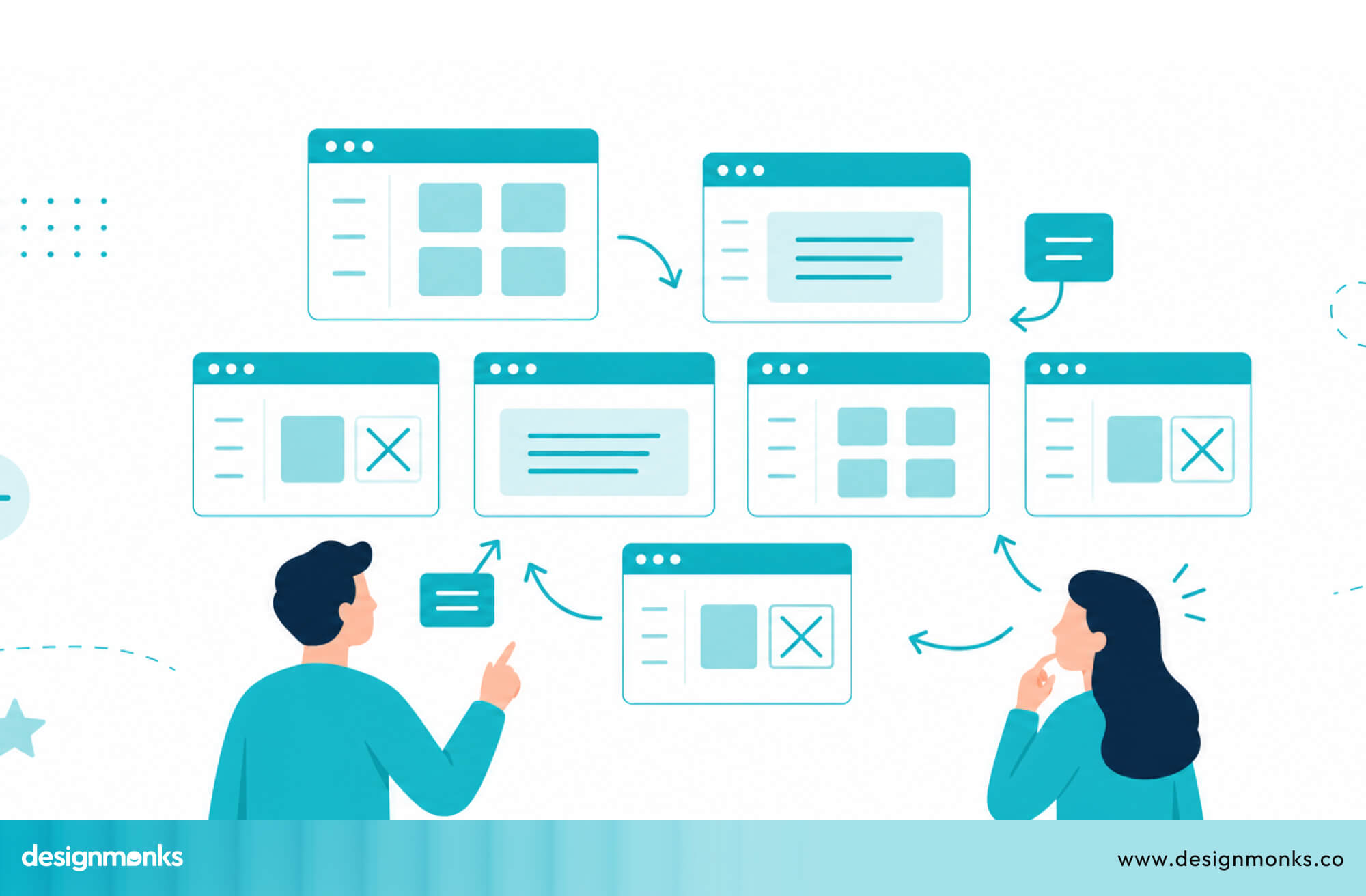
Developers can see how screens connect, what happens when buttons are clicked, and how different user flows are expected to work. This reduces confusion and helps avoid mistakes during development.
Investor or Product Demos
Prototypes are also useful when presenting the product to investors or stakeholders. Instead of explaining ideas with static designs, you can show a working simulation of the product.
This makes it easier for others to understand the concept because they can see and experience the flow themselves. It gives a much clearer picture of how the final product will function, even before it is fully built.
Best Tools for Creating Mockups and Prototypes
Different tools support different parts of the design process, but some tools can handle both mockups and prototypes in one place:
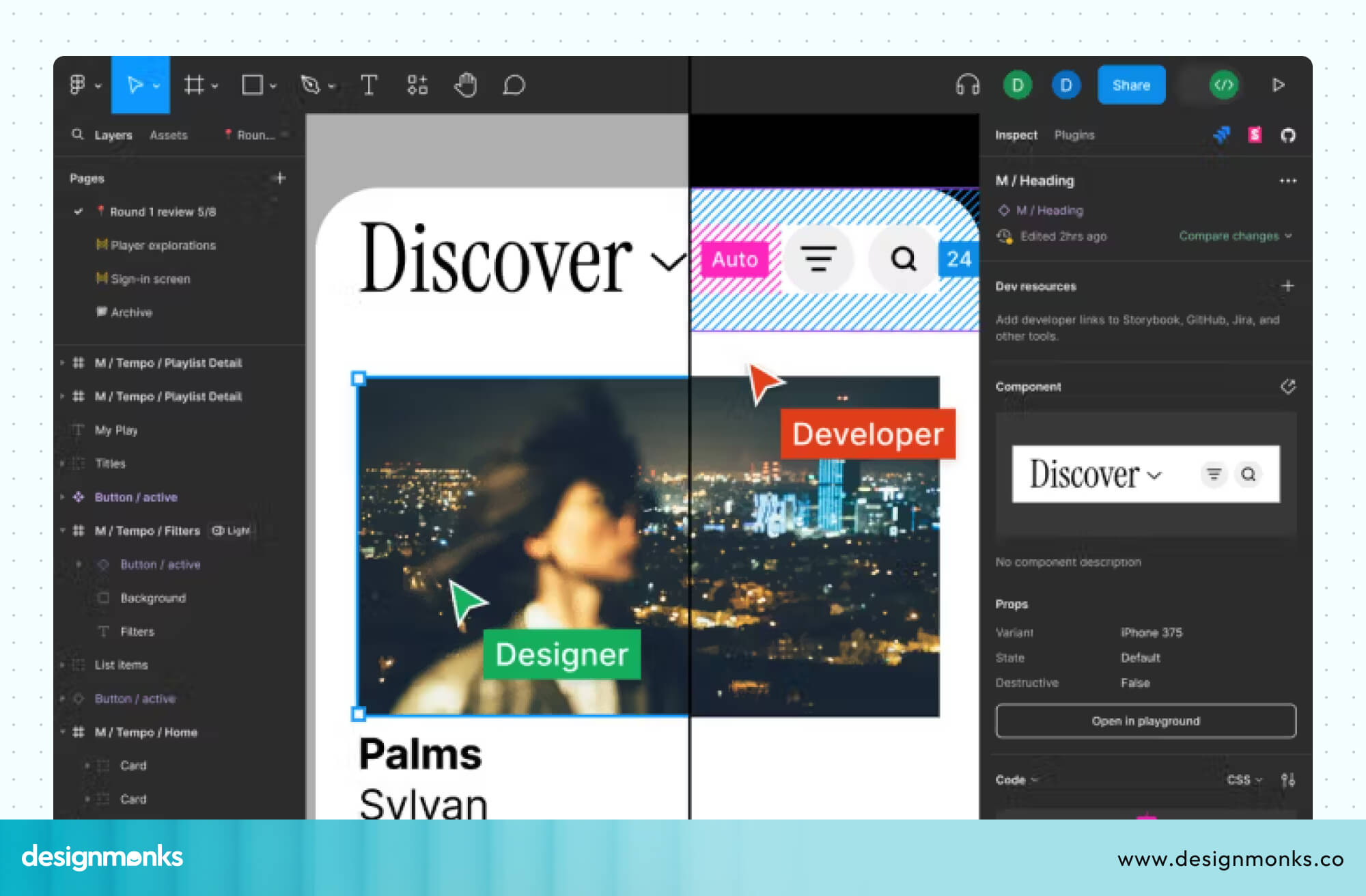
Figma
Figma is the most widely used UI design tool today. It works in the browser, supports real-time team collaboration, and handles both mockup design and interactive prototyping in one place.
It's the industry standard for most design teams.
Adobe XD
Adobe XD handles both mockups and prototypes in one place. For mockups, it gives you clean artboards, ready-made UI components, and smooth design system support.
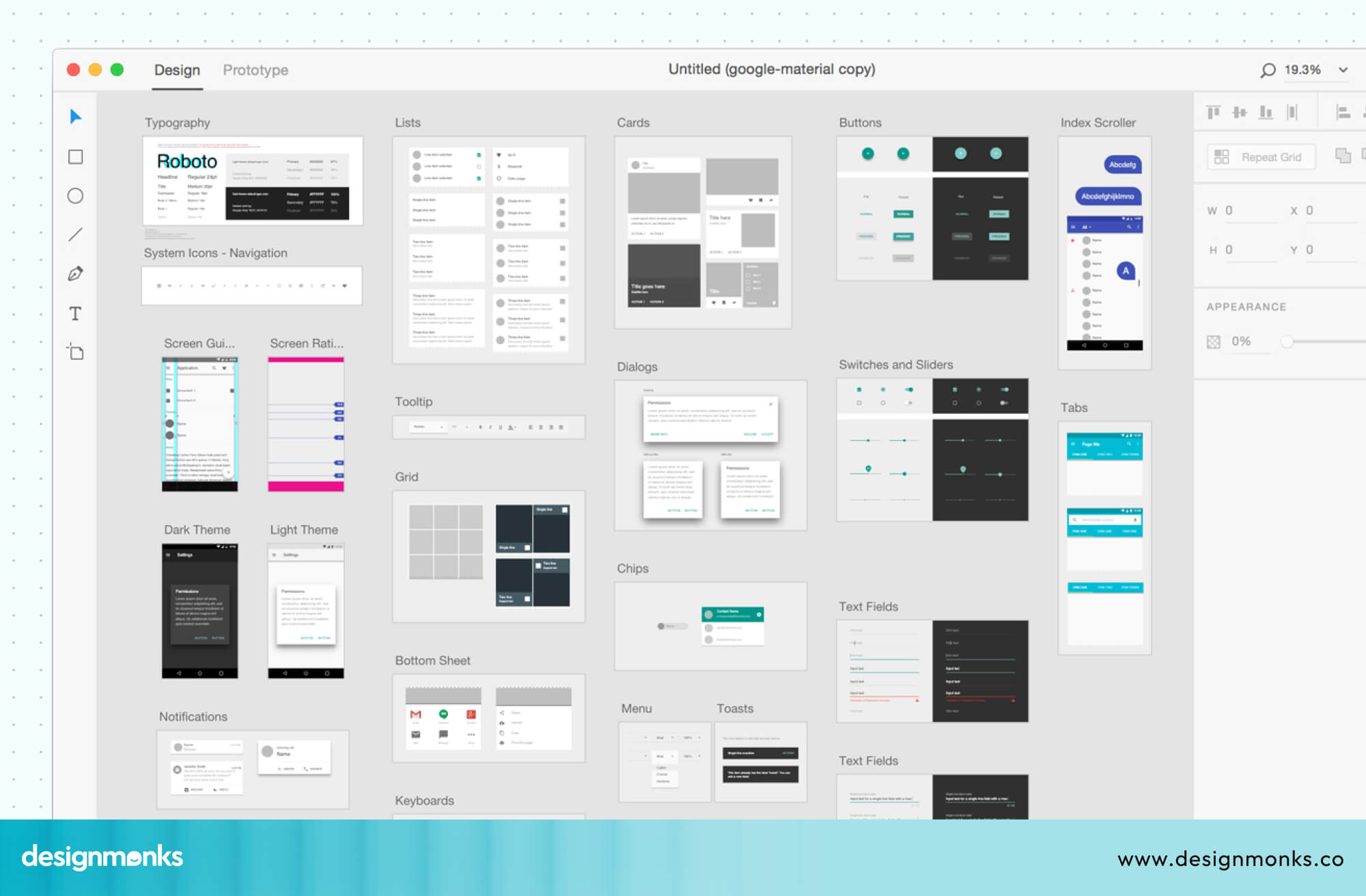
For prototypes, it lets you link screens, add transitions, and simulate user flows without leaving the tool. It also connects well with Photoshop and Illustrator, so designers already in the Adobe ecosystem can move between tools without any friction.
Framer
For mockups, Framer gives you a solid visual design canvas, but it really shines on the prototype side.
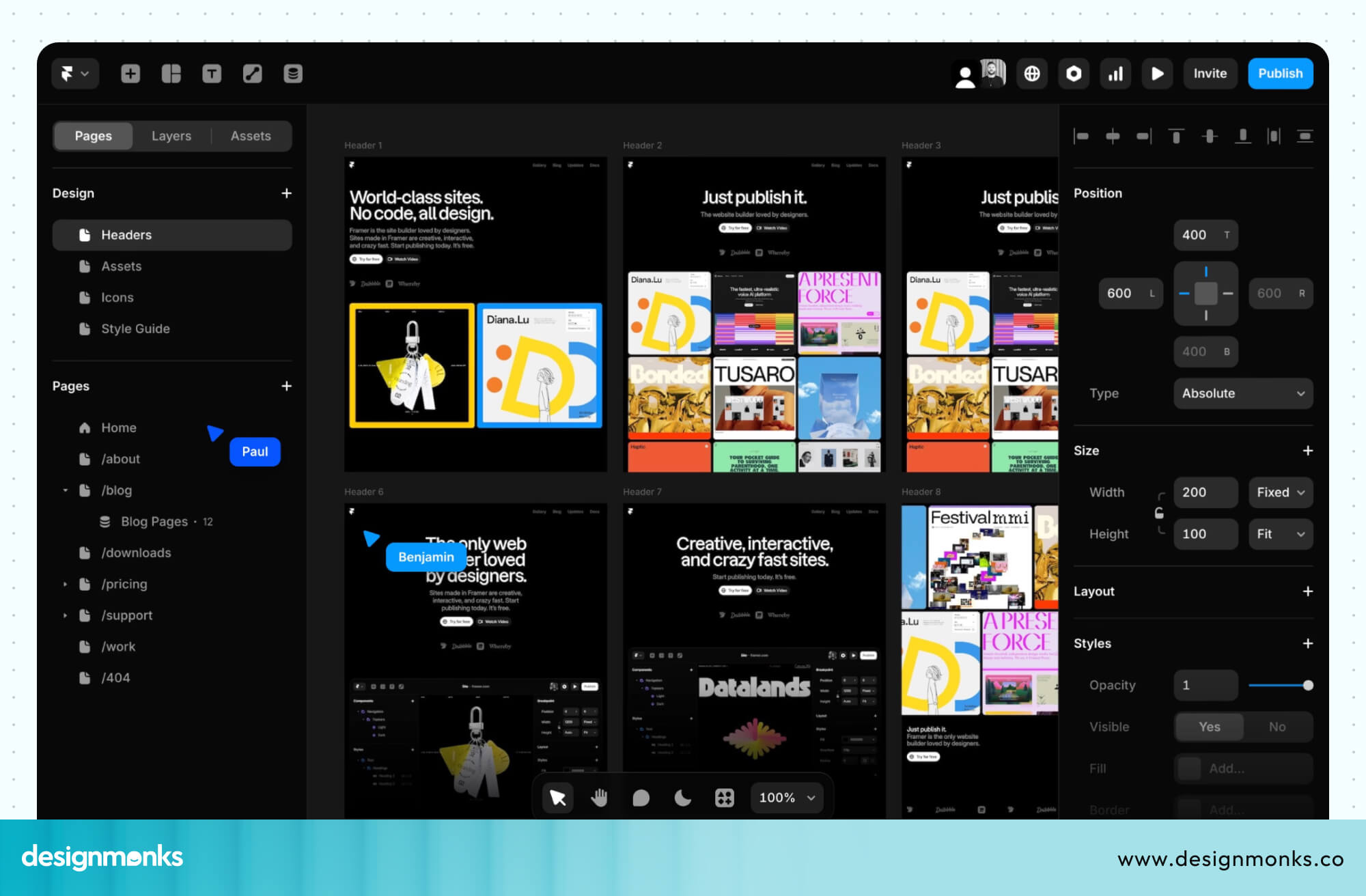
It supports advanced animations, realistic interactions, and even basic code. You can build prototypes that feel almost identical to a real coded product. If your team needs to test complex interactions before development, Framer is one of the best tools for that job.
InVision
InVision supports both mockups and prototypes, with a strong focus on collaboration. For mockups, you can upload your designs and organize them clearly for your team.
For prototypes, InVision lets you link screens together and create clickable flows that can be shared directly with clients or stakeholders.
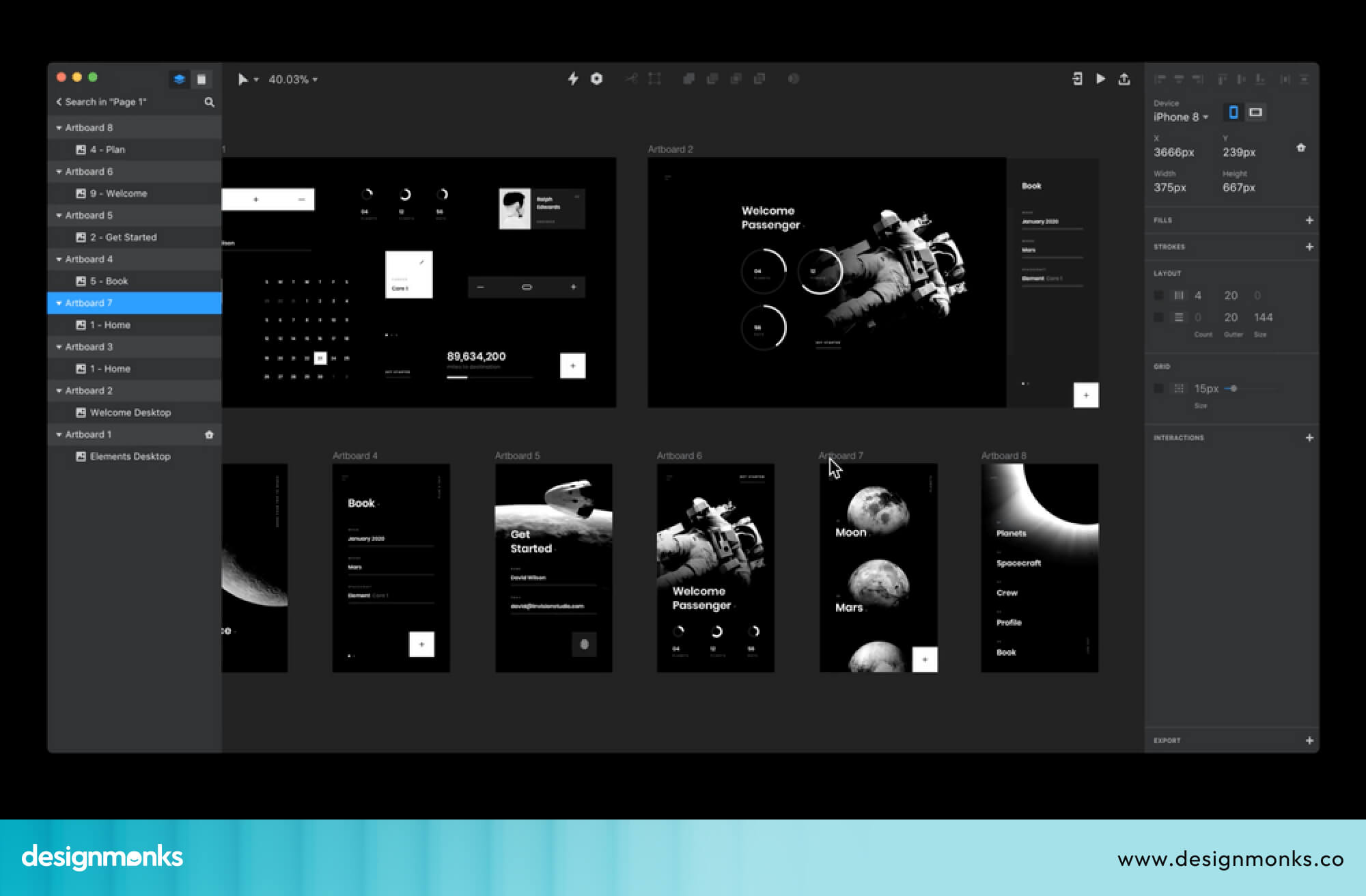
What makes it stand out is the feedback system, team members and clients can leave comments directly on specific parts of the screen, making reviews fast and organized.
Common Mistakes Designers Make
Even experienced designers fall into these traps. Most of these mistakes don't show up immediately, they show up later, during development, when fixing them costs real time and money. Knowing them upfront puts you ahead of most teams:
- Treating mockups as functional designs and skipping prototyping altogether.
- Going straight from mockup to development without testing any user flows.
- Building high-fidelity prototypes too early before the design direction is confirmed.
- Showing clients only mockups and collecting feedback on visuals when functionality hasn't been tested yet.
- Using the wrong tool at the wrong stage, like wireframing too late, prototyping too early.
- Handing developers only mockups with no prototype, leaving interactions open to guesswork.
How Design Teams Typically Use Both Together
Modern design teams, especially in SaaS companies, don't choose between mockups and prototypes. They use both, in order, as part of an iterative workflow:
Agile Product Design Workflow
In Agile design, work is done in short cycles called sprints. In each sprint, the team focuses on a small feature, designs it, tests it, collects feedback, and then improves it in the next cycle. Wireframes, mockups, and prototypes all play a role here. Wireframes set the structure, mockups define the visual design, and prototypes test how it works.
The goal is not perfection in one step, but steady improvement over time.
Collaboration Between Designers and Developers
When designers share both mockups and prototypes with developers, it removes confusion before coding begins.
Mockups show how the product should look. Prototypes show how it should behave. Together, they give developers a complete understanding of both design and interaction. This helps reduce mistakes and rework during development.
Role in Design Systems
A design system is a set of reusable design elements like buttons, colors, icons, and forms that keep everything consistent. When teams build mockups and prototypes using these shared elements, every screen naturally follows the same style and rules.
This keeps the product visually consistent, easier to scale, and more professional over time.
How to Turn Mockups into Prototypes
Turning a mockup into a prototype is not as complicated as it sounds. Here's the basic process:
- Start with your completed mockup screens: All the visual designs should be ready.
- Define your user flows: Decide which screens connect to which, and what action triggers each transition.
- Add interactions in your design tool: In Figma or Adobe XD, you can select a button and link it to another screen. This creates click-through behavior.
- Add transitions and animations: These make the prototype feel more realistic. Even simple fade or slide transitions help.
- Test it yourself first: Go through every flow and make sure it works as expected.
- Share with users or stakeholders: Use the share link to let others test it and give feedback.
The goal is not to build something perfect. The goal is to build something testable.
Design Your Prototype and Mockup with Design Monks
Great UI/UX doesn’t happen by guesswork. It comes from a clear process and the right team behind it.
A team like Design Monks can help you move through the full design flow with structure and clarity. They start with wireframes to define the foundation, turn them into detailed mockups for visual direction, and then build interactive prototypes to test real user flows before development begins.
This step-by-step approach reduces confusion, avoids costly revisions, and keeps the entire process efficient. They also work with consistent design systems and reusable components, which ensures every screen stays aligned and nothing feels random or disconnected.
If you’re planning a product and want it designed the right way from the start, working with the right team can save you months of rework. Reach out to Design Monks and turn your idea into a clean, tested, and ready-to-build product experience.
FAQs
Is a prototype better than a mockup?
No, a prototype is not better than a mockup. Both of them are important and serve different purposes.
Can a mockup be interactive?
No, mockups cannot be interactive. If it becomes interactive, it is a prototype.
Do developers need prototypes?
Yes, developers need prototypes to understand functionality and logic.
Is Figma used for both mockups and prototypes?
Yes, Figma is used for both mockups and prototypes. It supports both design and interaction.
Are prototypes necessary for small projects?
No, prototypes are not always necessary for small projects. But they are very useful for testing ideas.
Conclusion
Mockups and prototypes are both essential parts of UI/UX design, but they are not the same. Mockups focus on how a product looks, while prototypes focus on how it works. If you only use mockups, you will miss usability issues. If you rely solely on prototypes, you will miss visual design details.
The best approach is simple. Start with a wireframe to plan the structure. Then create a mockup to design the visuals. Finally, build a prototype to test interactions.


.avif)
.avif)
.avif)
.avif)


.avif)
.avif)
.avif)
.avif)







.avif)