
.svg)



Key Takeaways
- Nano Banana accelerates UX design with rapid layouts and prompt-driven workflows.
- Prompt-first design enables early visualization and multi-screen journey planning.
- AI ensures design consistency, accessibility optimization, and personalized user experiences.
- Human oversight remains crucial for usability, ethics, and creative decision-making.
- Real-world use cases span mobile apps, dashboards, websites, SaaS, and campaigns.
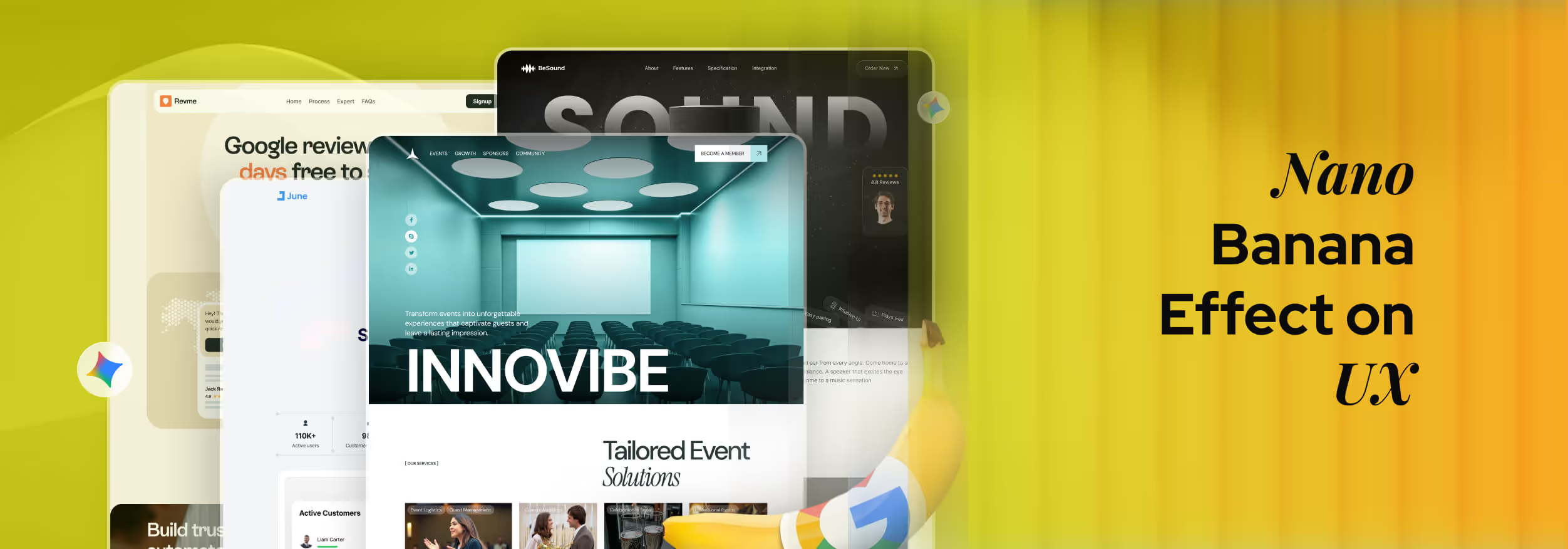
Nano Banana is Google’s AI image generation model designed to create and edit visuals through simple text prompts. Instead of relying only on traditional design tools, users can now generate layouts, screens, and visual concepts by describing what they want in natural language.
The effect of Nano Banana on UX is shifting how design happens. It speeds up ideation, makes prototyping easier, supports faster testing, and helps teams explore multiple design directions in very little time. This approach changes how designers, product managers, and stakeholders collaborate.
In this blog, we will explain the entire fact of Nano Banana Effect on UX, how it works, where it is used, and what challenges it brings. So, let’s check them together.
What Is the Nano Banana?
As we’ve learned earlier, Nano Banana is a Google-built AI image generation and editing model designed to create realistic visual layouts from simple text prompts. It helps users generate UI screens, mockups, and visual concepts without traditional design tools.
It works through a prompt-first system where users describe layout structure, visual style, and content in natural language. The model then translates those instructions into usable visual outputs within seconds.
Nano Banana is widely used for early-stage UX design, concept visualization, prototype exploration, and multi-screen user flow generation. It focuses on speed, consistency, and realistic visual structure for product design use cases.
Purpose Of Nano Banana:
- Accelerate early UX ideation without relying on time-consuming manual design processes.
- Simplify layout visualization for designers, product managers, and non-design stakeholders.
- Enable fast generation of consistent multi-screen user interface concepts
- Support early usability validation through quick visual experimentation and comparison.
- Reduce dependency on heavy design software during the discovery phase.
- Make high-quality visual design accessible to non-expert users.
How Nano Banana Transforms UX Design Workflows
Today, UX work is no longer limited to slow tools and long setup times. Nano Banana changes how designers think, test, and build ideas by making design fast, flexible, and easier to explore. Here is how it transforms the workflow of UX design:
Rapid Layout Making
Nano Banana allows designers to create full layouts just by describing them in simple words. Instead of starting from a blank screen, they can instantly visualize screens, sections, and structures within minutes.
Thus, it saves a huge amount of time in the early design phase. Designers no longer need to block hours for wireframes. They can quickly turn ideas into visible layouts and test directions faster than before.
Prototype Generation Becomes Easier
Creating a prototype used to require multiple tools and manual linking of screens. With Nano Banana, multi-screen user flows can be generated from a single prompt in one step.
This approach makes it easier for product teams to test onboarding, dashboards, and feature flows without heavy setup. Even non-designers can understand these prototypes clearly during reviews and discussions.
Faster Iteration
Previously, even small layout changes required manually tweaking components repeatedly. With Nano Banana, designers can update a prompt to adjust colors, structure, text, or spacing instantly
As a result, designers can try new ideas very quickly. Teams can explore many variations in a short time without feeling stuck in one design direction or wasting effort on repeated manual edits.
A/B Testing Cycles Become Convenient
For A/B testing, designers often need multiple visual variants of the same screen. Nano Banana creates these variations quickly using prompt-based changes such as button styles, layouts, or font emphasis.
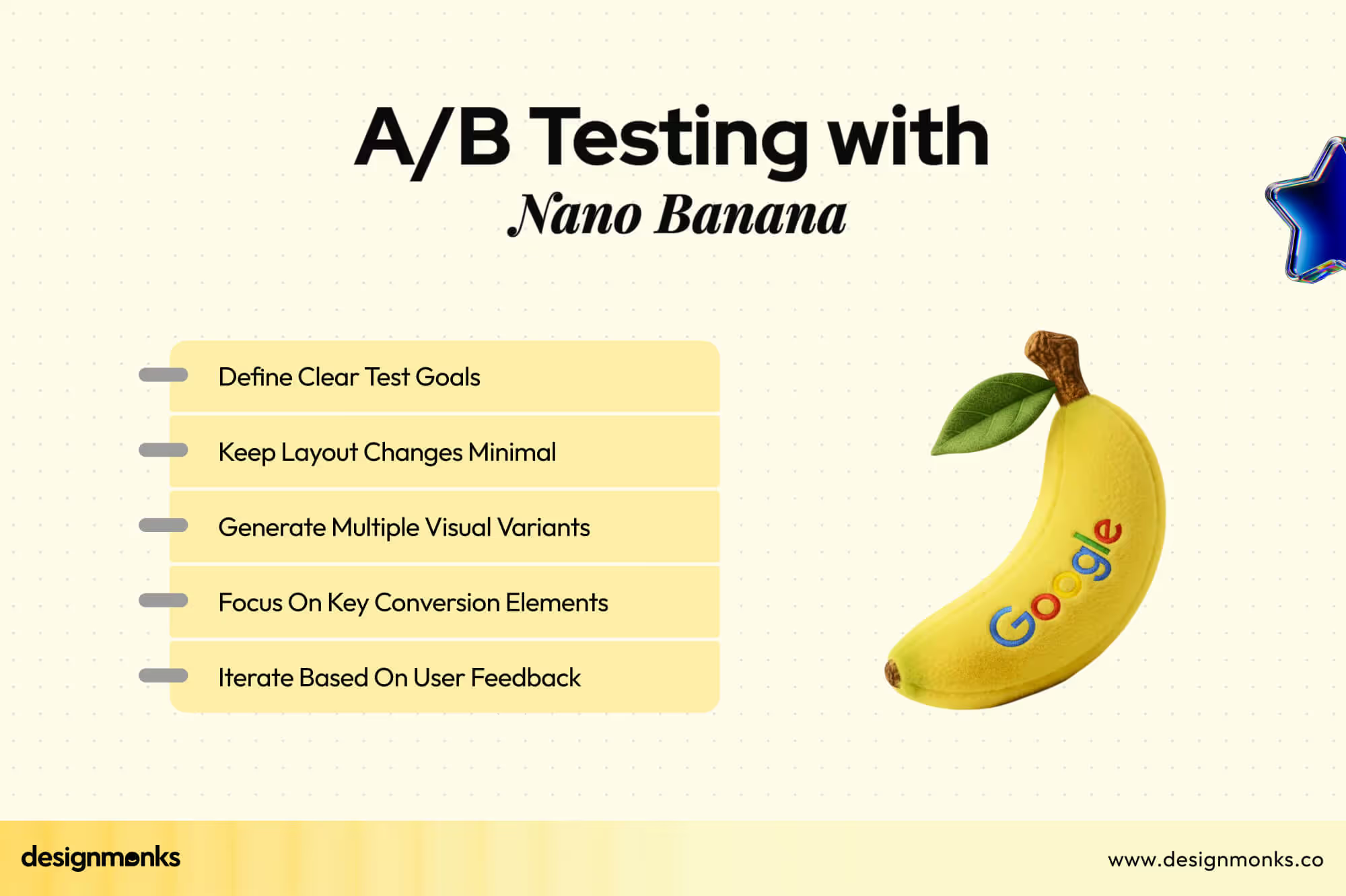
This strategy helps teams compare different versions early, before development begins. It reduces dependency on developers for test visuals and shortens the overall testing cycle significantly.
Reduced Design-Production Gap
Nano Banana creates visuals that already look close to real products. Because of this, developers and stakeholders can clearly understand layout structure, content placement, and visual hierarchy early.
This way, the tool reduces confusion during handoff. Developers get clearer direction, and designers face fewer misinterpretation issues while moving designs from concept to production.
Impact Of Nano Banana On Core UX Principles
Nano Banana not only makes design faster, but it also changes how core UX principles work in real projects. It directly affects how users experience consistency, clarity, accessibility, and personalization in digital products.
Improved Design Consistency
This advanced AI design tool helps teams keep colors, fonts, and layout styles the same across multiple screens. When you generate several pages using similar prompts, the design automatically stays aligned and visually connected.
This is very useful in apps with many features. Instead of fixing small mismatches manually, designers get consistent screens from the beginning, which builds stronger branding and reduces visual confusion for users.
What stays consistent with Nano Banana:
- Same color style across all screens
- Consistent button shapes and spacing
- Unified typography for headings and text
- Repeated layout structure for familiarity
Better Visual Hierarchy Control
With clear prompts, Nano Banana can arrange content based on importance. Headings appear stronger, buttons stand out better, and key information gets visual priority automatically.
This approach helps users understand what to look at first without thinking too much. When visual order feels natural, users move through the screen smoothly and complete tasks with less effort.
Accessibility Optimization Through AI
Nano Banana can generate layouts with better spacing, readable text sizes, and proper contrast when accessibility is mentioned in the prompt. This way, it helps teams think about inclusive design from the start.
Instead of fixing accessibility later, designers can test accessible layouts early. This strategy improves the experience for users with visual, motor, or reading difficulties before development even begins.
Major accessibility improvements it supports:
- Larger text for better readability
- Clear contrast between text and background
- Better spacing for touch interactions
- Cleaner layouts for reduced visual stress
Personalization At Scale
Nano Banana allows teams to create different UI styles for different user types using small prompt changes. The same app can feel slightly different for beginners, experts, or different regions.
As a result, it makes personalization faster and cheaper. Instead of designing multiple versions manually, teams can generate variations instantly and test how different users respond to each experience.
Enhanced User Satisfaction
When screens feel clear, consistent, accessible, and personalized, users feel more comfortable using the product. Nano Banana supports all these areas together through fast visual experimentation.
Users may never know this tool was used, but they feel the result. Fewer mistakes, smoother flows, and easier decisions all lead to better overall product experience.
Nano Banana's Prompt-First UX for Journey-Driven Design
Prompt-first UX changes how designers think. Instead of clicking tools first, you describe the user journey map in words. Nano Banana then turns that thinking into visual screens and flows.
Designing With Prompts Instead Of Tools
Earlier, designers had to build everything by clicking, dragging, and adjusting pixels one by one. Now you just explain what you need in simple words, and Nano Banana creates the design for you.
The real shift here is mindset. You stop thinking about tools and start thinking about problems, flows, and users. Design becomes more about ideas and less about software skills.
Journey-First Screen Planning
Instead of jumping straight into a single screen, you first explain the full journey. Like where the user starts, what choices they make, and where they finally reach.
By doing this, the experience feels more natural. You design the story first, then the screens. That is how real users move, step by step, not screen by screen.
Multi-Screen Flow Generation
You can now generate full flows in one request. Onboarding, profile setup, verification, and success screens can appear together within seconds.
Seeing everything at once helps you notice gaps early. You quickly understand if the journey feels smooth or broken before spending hours designing each screen manually.
Faster Stakeholder Alignment
Explaining UX with words often creates confusion. Different people imagine different things. When Nano Banana shows real screens early, everyone sees the same reality.
As a result, decisions become faster. Feedback becomes clearer. Arguments are reduced because discussions now focus on visible experience, not imagination.
Early UX Validation Without Design Setup
Earlier, testing ideas meant setting up frames, components, and layouts first. Now, you can test your thinking almost instantly using a prompt.
This automated approach allows teams to fail fast and improve faster. Weak ideas get rejected early, and strong ones move forward with more confidence and clarity.
Real-World Use Cases Of Nano Banana In UX
The use of this automated tool, Nano Banana, must be different based on different industry-focused startups’ requirements in real product design work. You can explore some industry-specific use cases to figure out your own needs for your very industry:
Fitness And Health Applications
A fitness startup can use Nano Banana to quickly design onboarding flows, workout tracking dashboards, and progress screens. Instead of guessing what users may like, teams can test multiple layouts within hours.
It also helps designers experiment with motivation-focused layouts, habit tracking visuals, and goal-setting journeys without waiting for full UI builds.
What fitness apps can generate using Nano Banana:
- User onboarding and health goal setup screens.
- Workout tracking and daily progress layouts.
- Meal planning and calorie monitoring views.
- Achievement badges and motivation visuals.
- Subscription and upgrade flow designs.
Finance And Data-Driven Dashboards
Finance products need trust, clarity, and control. With Nano Banana, teams can visualize complex financial data into simple, easy-to-read layouts in minutes. This is extremely useful when founders are still shaping the idea and do not want to invest time in heavy dashboard design too early.
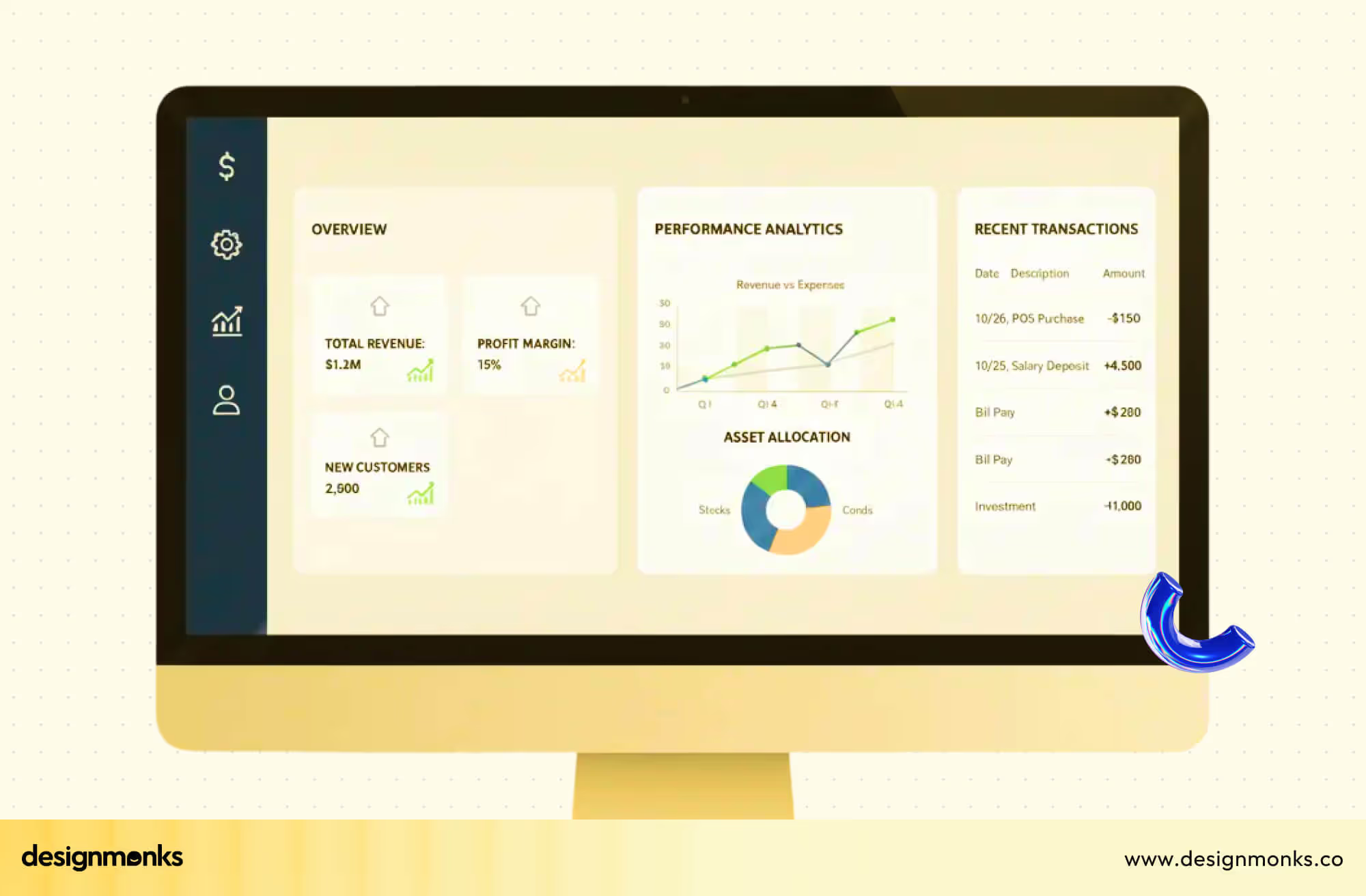
Common finance UX elements created with Nano Banana:
- Income and expense overview dashboards.
- Transaction history and filtering layouts.
- Savings, investment, and portfolio views.
- Alerts and financial insights panels.
E-Commerce And Marketing Websites
E-commerce startups move fast, and Nano Banana supports that speed by helping teams generate multiple versions of landing pages, product pages, and checkout flows at once.
Teams can quickly test which layout feels more trustworthy and which buying flow feels smoother before development begins.
What e-commerce teams usually validate using Nano Banana:
- Homepage and promotional landing page layouts.
- Product listing and category structures.
- Product detail pages with reviews and ratings.
- Cart flow and checkout experience.
- Offer banners and seasonal campaign screens.
- Email and pop-up marketing visuals.
SaaS Products And Admin Panels
SaaS products often fail because users feel overwhelmed by complex dashboards. Nano Banana helps teams simplify these systems early by generating clean layouts through journey-based prompts.
This strategy allows founders, designers, and developers to agree on structure before building heavy logic. Here are the SaaS UX structures commonly explored with Nano Banana:
- User dashboards and performance analytics.
- Team and role management interfaces.
- Settings and permission control screens.
- Onboarding walkthroughs for new users.
- Billing, subscription, and upgrade flows.
Creative And Promotional Design Assets
Nano Banana is not limited to product UX. Startups also use it heavily for branding, promotions, and visual storytelling. Marketing teams can generate visual directions quickly without waiting for long creative pipelines.
Types of creative assets teams produce using Nano Banana:
- Social media visuals and campaign posts.
- Website hero sections and banners.
- Event and launch promotion graphics.
- Brand storytelling visuals for presentations.
H2: Practical Prompt Examples For Nano Banana UX Design
Now, you must be thinking about how the prompt should be for your production, right? Well, here are some simple but detailed prompt examples that will give you enough idea about it:
Prompt For Mobile App Onboarding Flow
When you want to shape the first steps of an AI mobile app design, Nano Banana helps you generate a clear onboarding journey before any screen design begins.
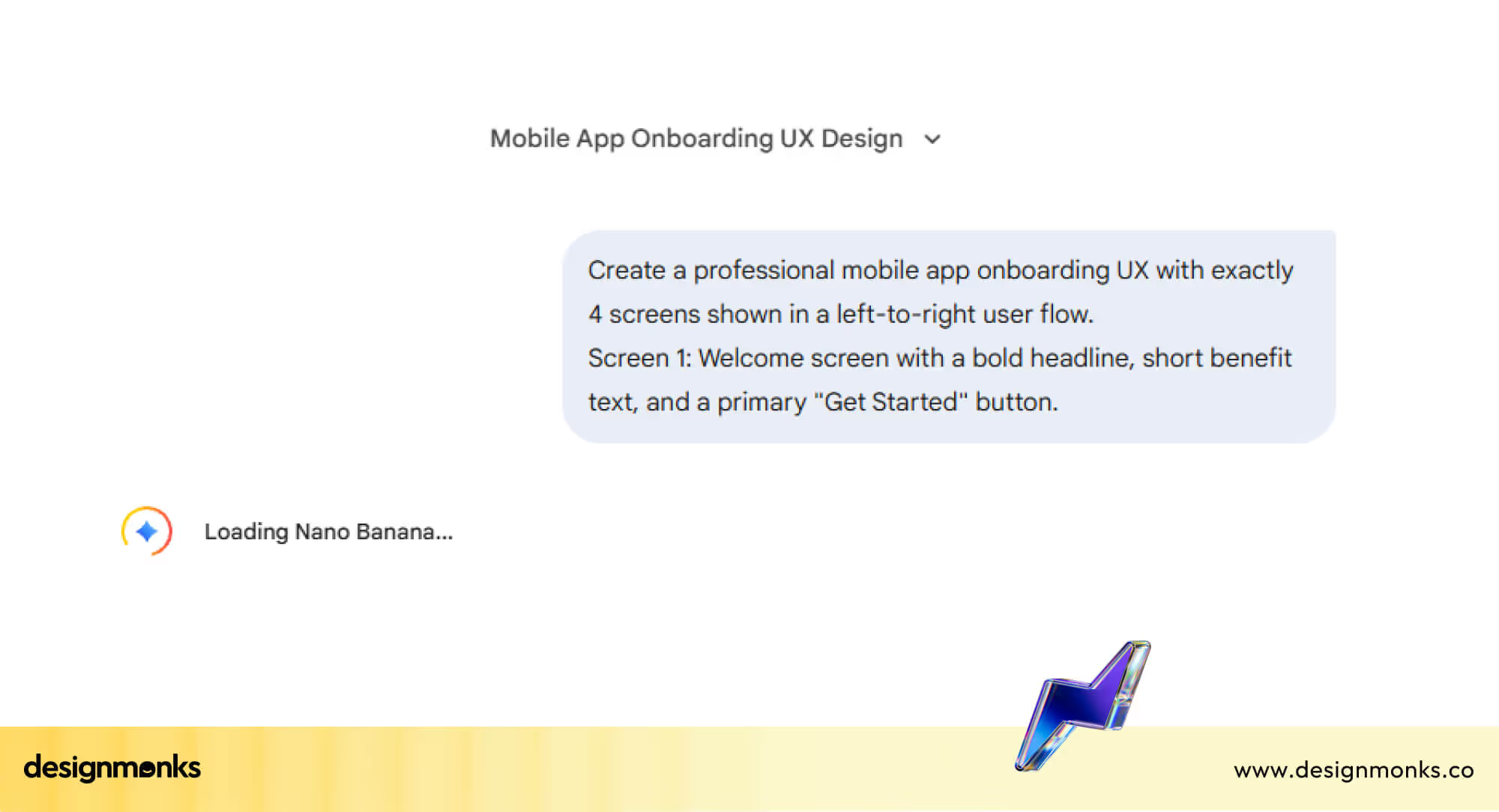
Example Prompt:
Create a professional mobile app onboarding UX with exactly 4 screens shown in a left-to-right user flow.
- Screen 1: Welcome screen with a bold headline, short benefit text, and a primary “Get Started” button.
- Screen 2: Sign-up screen with email, password fields, social login options, and clear CTA.
- Screen 3: Preferences screen where users select interests using cards or toggle options.
- Screen 4: Success screen with a friendly confirmation message and “Go to Dashboard” button. Use a modern, clean UI style with soft gradients, rounded buttons, proper spacing, and strong visual hierarchy.
Follow mobile UX best practices with readable typography, balanced white space, and clear touch targets. Make the design suitable for early product validation and user testing.
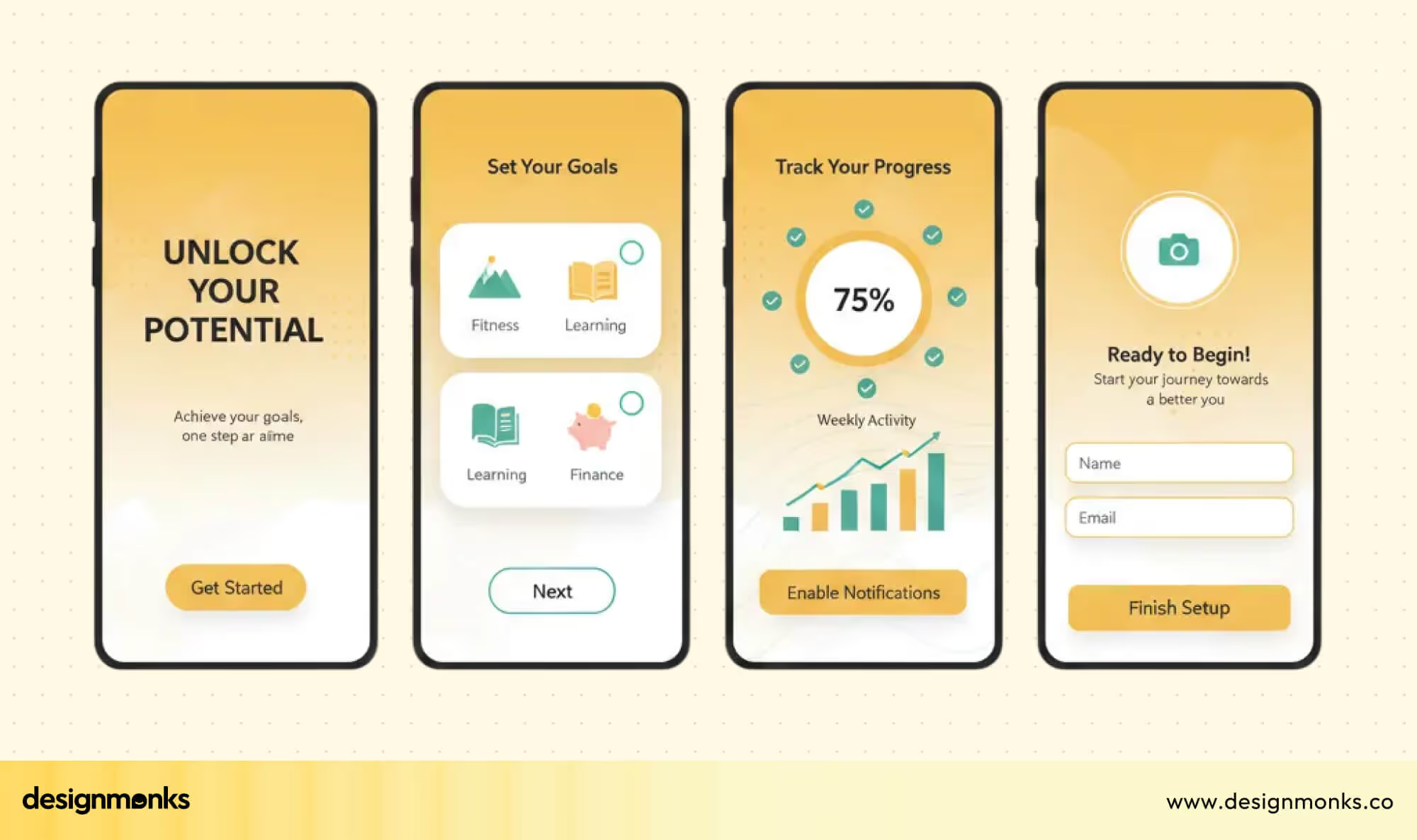
Expected Result: A clean, structured onboarding sequence with clear steps and minimal cognitive load.
Prompt For Dashboard And Data Visualization
For startups dealing with numbers, finance, HR, and analytics, Nano Banana can outline the main widgets, charts, and panels instantly.
Example Prompt:
Create a professional dashboard UX with exactly four screens in a left-to-right user flow.
- Screen 1: Overview with key metrics and quick insights.
- Screen 2: Detailed analytics with charts and filters.
- Screen 3: Data comparison view with trends and progress indicators.
- Screen 4: Export or report summary screen.
Use clean layouts, readable charts, good contrast, and strong data hierarchy.
Expected Result: A well-organized dashboard framework with logical grouping and clear data hierarchy.
Prompt For Landing Page And Marketing Website
Marketing teams can use prompts to quickly test different homepage layouts and value propositions without long design cycles.
Example Prompt:
Create a professional landing page UX with exactly four screens in a left-to-right user flow.
- Screen 1: Hero section with headline, value proposition, and main CTA.
- Screen 2: Features section with short benefits and icons.
- Screen 3: Social proof with testimonials and logos.
- Screen 4: Pricing or lead capture with strong conversion focus.
Use modern web UI, clear spacing, and conversion-focused layout.
Expected Result: A conversion-focused landing page with clarity in messaging and balanced visual hierarchy.
Prompt For SaaS Admin Panel
Admin panels are often complex, so prompts help simplify the structure by defining roles, settings, and key workflows upfront.
Example Prompt:
Create a professional SaaS admin panel UX with exactly four screens in a left-to-right user flow.
- Screen 1: Admin dashboard with system overview.
- Screen 2: User management with roles and access levels.
- Screen 3: Data table with filters and bulk actions.
- Screen 4: Settings and configuration panel.
Use clean enterprise UI, structured grids, and clear action hierarchy.
Expected Result: A streamlined admin panel structure where core functions are accessible and logically placed.
Prompt For Campaign And Promotional Assets
Nano Banana also supports creative needs, allowing marketers to generate quick campaign visuals or layout ideas.
Example Prompt:
Create a professional promotional design flow with exactly four screens in a left-to-right layout.
- Screen 1: Campaign hero banner with main message.
- Screen 2: Offer details with visual highlights.
- Screen 3: Social media ad variations.
- Screen 4: Final call-to-action creative.
Use strong contrast, bold typography, and campaign-focused visuals.
Expected Result: A cohesive set of campaign-ready layouts aligned visually across different formats.
UX Challenges, Risks, And Human Oversight
Nano Banana makes UX work faster and easier, but it is not perfect. Like any smart tool, it comes with limits, risks, and areas where human thinking is still essential to protect real user experience.
Ergonomic And Usability Limitations
Nano Banana can generate clean layouts, but it does not truly feel how a human hand uses a screen. Sometimes buttons appear slightly out of thumb reach, spacing feels tight, or key actions sit in awkward areas.
A real designer tests comfort, reach, and ease of use based on real behavior, not just visual logic.
Risk Of Generic Design Outputs
Because Nano Banana learns from existing patterns, some designs can start to look similar. Dashboards, onboarding screens, and cards may follow familiar layouts again and again.
Without human creativity, the product may lose brand personality and emotional connection that makes users remember and trust a product.
Over-Reliance On Prompt-Based Design
It is easy to depend too much on prompts and forget why certain UX rules exist. If teams only generate screens without thinking about user intent, accessibility, or edge cases, problems appear later.
Nano Banana should support thinking, not replace UX decision-making.
Ethical And Privacy Concerns
The model can generate very realistic visuals, sometimes using faces, environments, or identity-based elements.
If misused, this can create privacy risks or misleading content. Designers must stay careful about consent, data use, and how real people are represented inside AI-generated designs.
Why Human UX Judgment Still Matters
Nano Banana accelerates design generation, but human insight ensures usability, accessibility, and emotional connection. Designers validate flows, identify pain points, and refine interactions that AI alone cannot anticipate.
Key Areas Where Human Judgment Is Crucial:
- User Emotion Understanding: Anticipate frustration, delight, and motivation in interactions.
- Flow Testing: Ensure navigation feels natural and intuitive across screens.
- Accessibility Compliance: Verify readability, contrast, and touch targets for all users.
- Micro-Interaction Design: Refine small animations, hover effects, and feedback cues.
- Strategic Decision Making: Balance AI efficiency with brand identity and user goals.
FAQs
Can Nano Banana Replace UX Designers?
No, Nano Banana cannot fully replace UX designers. It can enhance workflows and ideation, but cannot replicate human judgment, empathy, or the ability to test and refine designs based on real user behavior and emotions.
Can Nano Banana Designs Be Used For Real Products?
Yes, designs generated by Nano Banana can be used as starting points or prototypes. However, human oversight is needed to ensure usability, accessibility, and platform-specific requirements before final implementation in real products.
How Reliable Is Prompt-First UX For User Testing?
Prompt-first UX is reliable for early validation, ideation, and stakeholder alignment. It helps visualize flows quickly, but real user testing still requires interactive prototypes and human-guided refinements to capture authentic feedback.
Which Tools Currently Use Nano Banana Models?
Nano Banana models are integrated into platforms like Gemini, ImagineArt, and Google AI Studio. These tools allow designers to generate high-quality layouts, wireframes, and promotional visuals using prompt-driven workflows efficiently.
End Note
Nano Banana is reshaping UX by enabling faster design, automated iterations, and prompt-first workflows that help teams quickly visualize ideas and explore multiple design directions.
Designers can produce layouts, prototypes, and user flows in minutes, saving time and improving early-stage decision-making. Despite its power, human strategy, research, and judgment remain essential. Designers ensure usability, accessibility, and meaningful interactions that AI for UX alone cannot guarantee.
The true value comes from combining Nano Banana’s speed with thoughtful human oversight to create effective, user-centered experiences.


.avif)
.avif)
.avif)
.avif)


.avif)
.avif)
.avif)
.avif)







.avif)




