.svg)



Key Takeaways
- Claude Design accelerates ideation, structure, and early-stage product thinking
- Generates prototypes, flows, slides, and videos from simple prompts
- Works best as thinking layer before tools like Figma execution
- Maintains design system consistency across large and complex workflows
- Combines AI speed with human creativity for faster product design
Most design tools help you create, but Claude Design helps you think first. Developed by Anthropic, it introduces a new approach where AI becomes part of the early creative process, shaping ideas before they become visuals.
From product concepts to interface structures, it generates organized outputs that designers can refine further in their tools of choice. This makes the design process less fragmented and more intentional. Instead of blank canvases, teams begin with AI-driven direction that reduces guesswork and speeds decisions.
But how far can this shift really go, and what does it change for designers in real workflows? Let's find out!
What is Claude Design?
Claude Design is a complete design product by Anthropic. Designers can use it to explore ideas, write user flows, and create simple documentation. It helps organize thinking and reduces guesswork early in the process.
Instead of starting from scratch, teams begin with clear, AI-guided direction. This leads to faster decisions and smoother design execution.
With Claude Design, you can turn rough prompts into structured outputs like feature ideas, onboarding flows, or product specs. It can refine concepts, suggest improvements, and help break down complex design problems into simple steps.
Built by Anthropic, it works alongside your existing tools. Designs can be exported directly to Canva, PDF, PPTX, or HTML for further editing. It supports the early stages, helping designers move from rough ideas to clear direction with more speed and clarity.
Key Design Capabilities of Claude
Built on Claude Opus 4.7, Claude Design handles complex prompts, long context, and detailed instructions while maintaining structure. It also processes full design systems and long documents, turning them into clean, practical outputs.
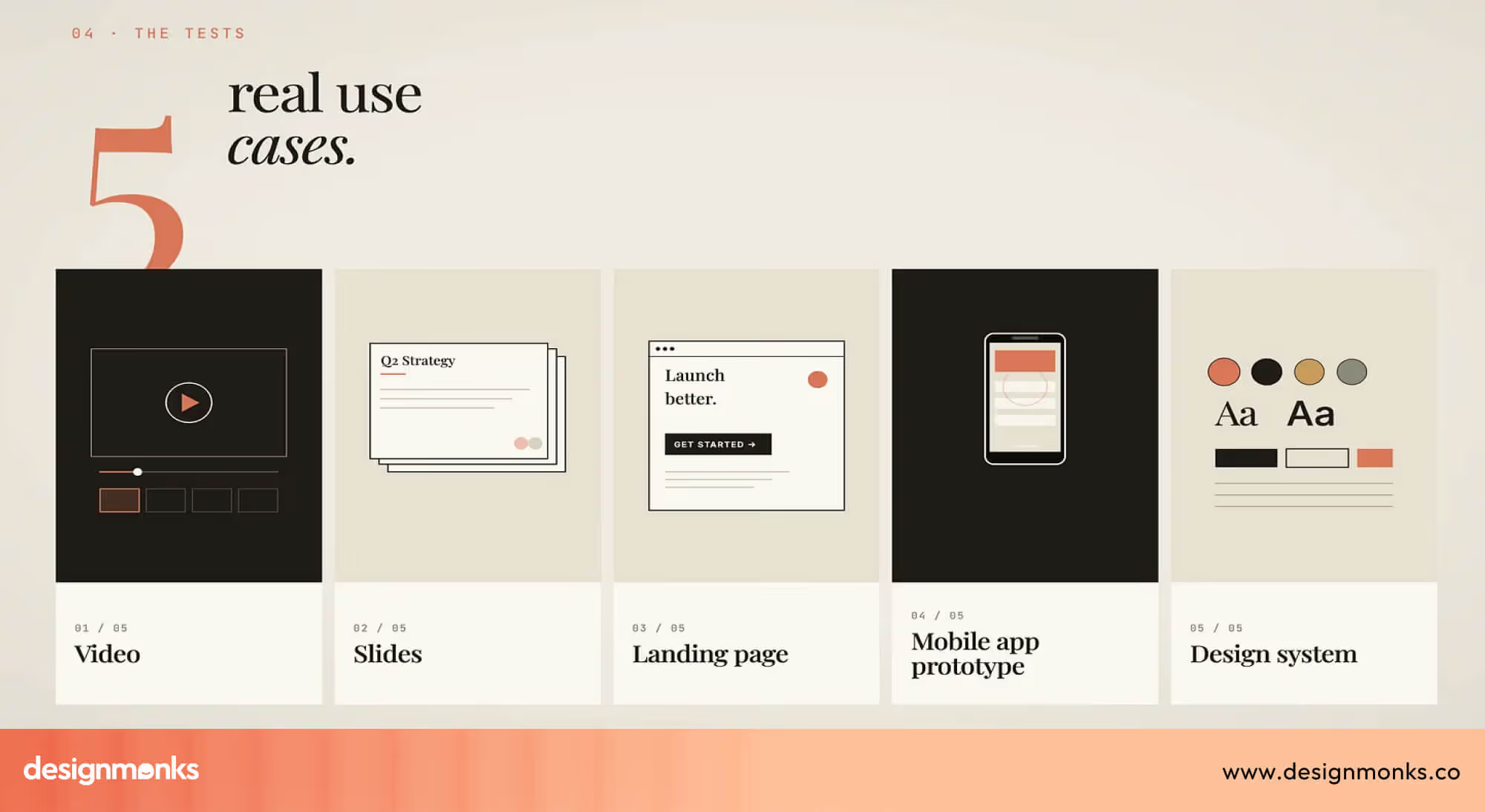
Along with this, it can create prototypes, slides, videos, one-pagers, and more:
Design-System Ingestion
Claude Design can read and understand your existing design systems, including files, components, and even parts of your codebase. It learns your brand rules, like colors, typography, spacing, and UI patterns, so everything it generates feels consistent.
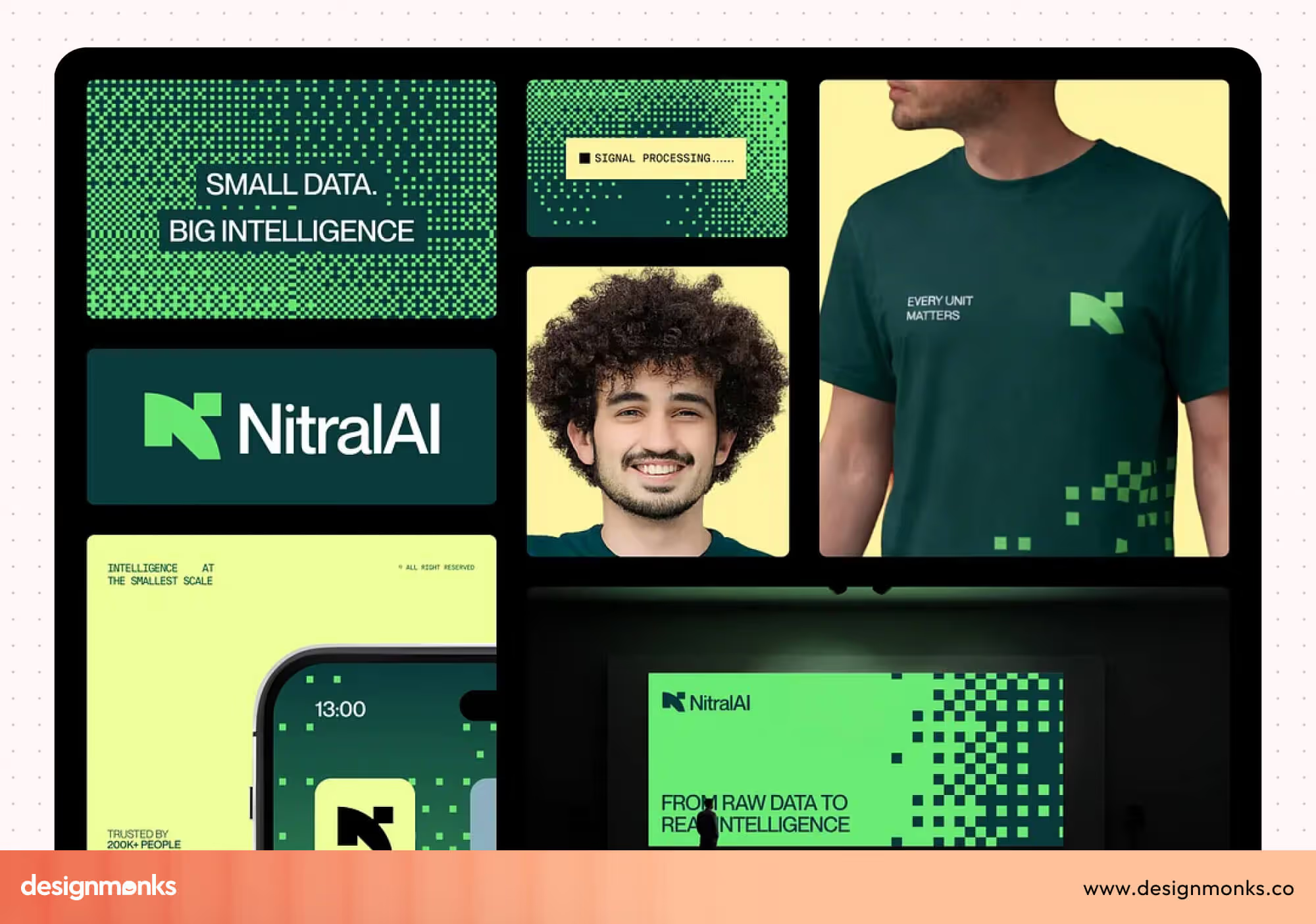
This is important because it avoids generic outputs and keeps designs aligned with real product standards. Over time, this makes iteration faster since you don’t need to explain your system again and again.
Prototypes
Once your system is understood, Claude can generate structured UI layouts and interactive mockups. These are not just visual guesses, they are based on your actual design logic.
It can suggest layouts, flows, and components that match your product style. This helps designers quickly test ideas, explore variations, and move into tools like Figma with a stronger starting point.
Slides
Claude can create complete presentation decks with clear structure and flow. It organizes content into sections, builds logical narratives, and formats slides in a way that feels polished.
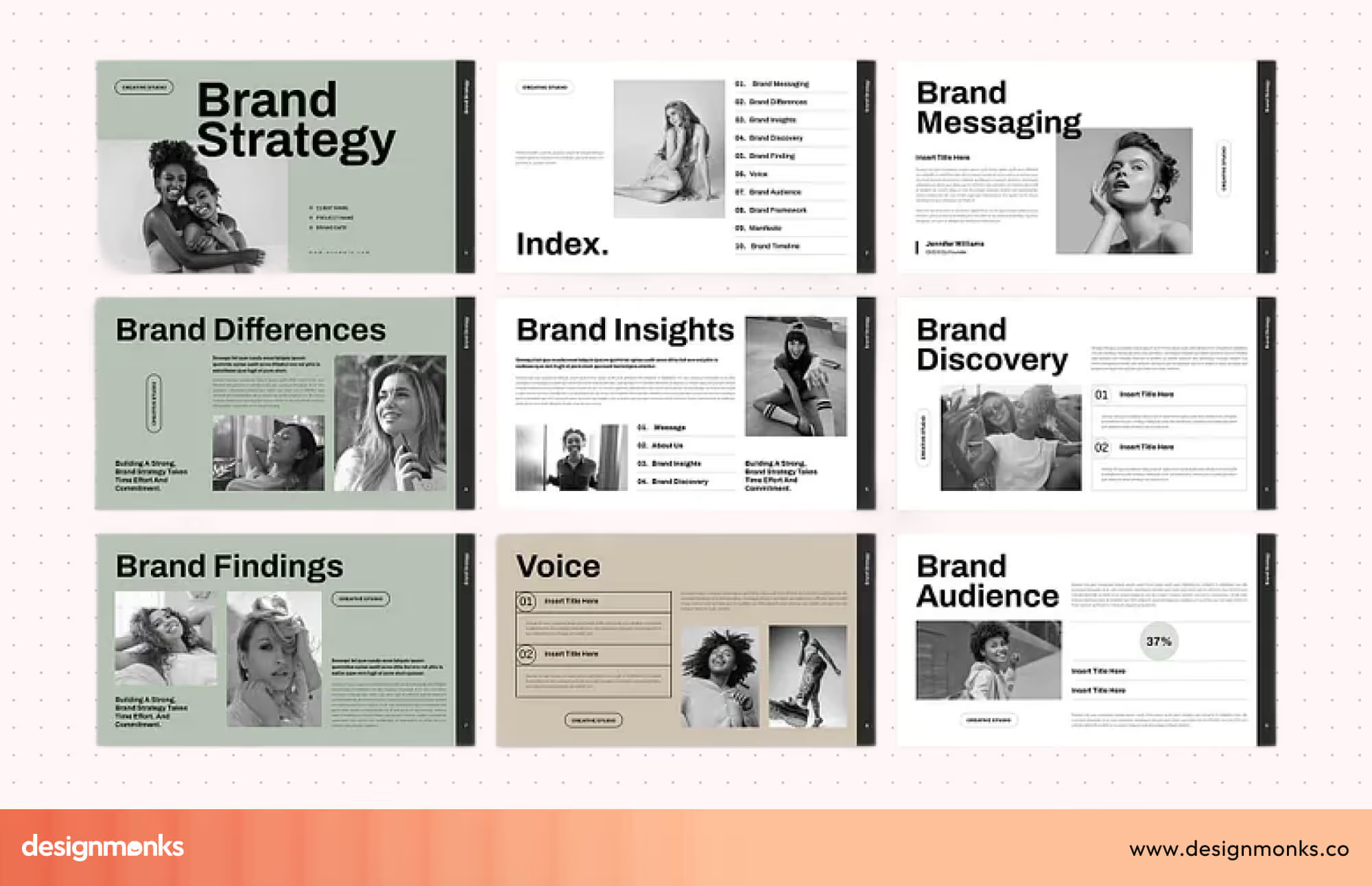
This is useful for product reviews, stakeholder updates, or pitch decks, where clarity and structure matter more than visual perfection at the start.
Video Generation
Claude Design can also generate simple animated videos from text prompts. You just describe what you want, like a product announcement, and Claude AI turns it into a structured animated sequence. It first asks clarifying questions such as duration, tone, and aspect ratio, then builds the video step by step.
The output is generated like code, which means you can tweak elements such as colors, pacing, or captions before finalizing it. This makes it surprisingly fast compared to traditional video tools, where the same work could take hours or even days.
However, export options are still limited, so saving the final video may require screen recording for now.
One-Pagers & Marketing Assets
It can also generate one-pagers, summaries, and lightweight marketing assets. These are designed in a clean, editorial style, making them easy to read and share.
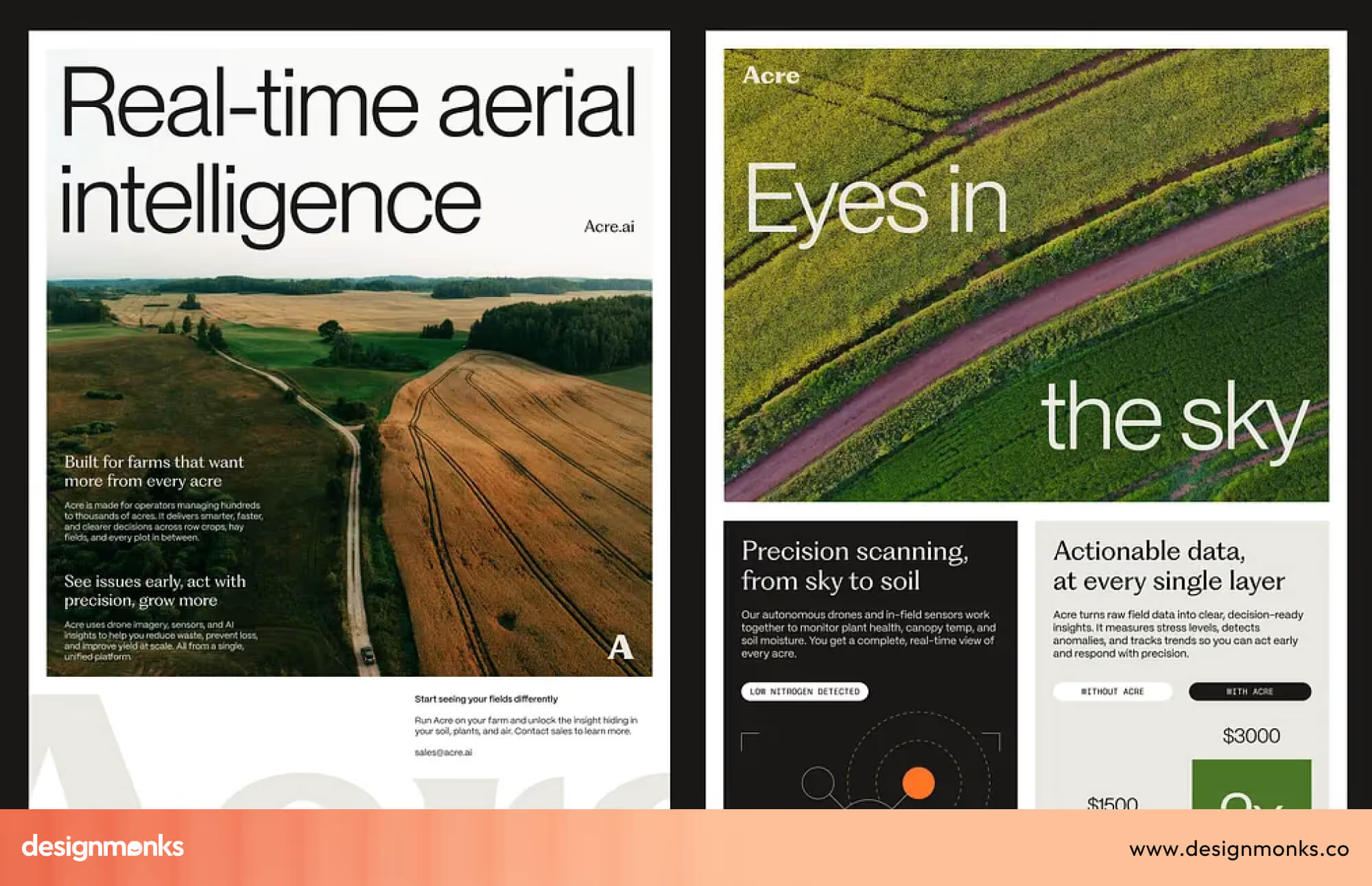
Teams can quickly turn product ideas into presentable documents without relying heavily on design teams for every small asset.
Multi-System Support
Claude Design allows teams to manage and switch between multiple design systems. This is especially useful for companies handling multiple products, brands, or clients. Each system can be referenced separately, so outputs stay accurate depending on the context you’re working in.
Export Formats
After generating outputs, Claude makes it easy to export them in practical formats like PDF, URL, and PPTX. You can also send them directly to tools like Canva for further editing. This ensures that ideas don’t stay inside AI, they can be shared, refined, and used in real workflows.
Availability
Currently, Claude Design is in a research preview stage. It is available to users on Claude Pro, Max, Team, and Enterprise plans. This means the product is still evolving, with new features and improvements expected as more teams start using it in real workflows.
How does Claude Design Work?
Instead of jumping between multiple tools, with Claude Design, you can work in one unified space with two main parts, a chat interface on one side and a visual canvas on the other.
You describe what you want in natural language, and Claude AI turns it into a structured, working design. From there, you refine it step by step until it matches your intent:
Create a Project
You begin by creating a new project. The system automatically connects to your organization’s design system, including brand colors, typography, components, and UI rules. This means you don’t need to manually set up styles or rebuild foundations. Everything stays consistent from the start.
Add Context
Next, you can enrich the project with context. This includes uploading screenshots, wireframes, product references, or design inspiration.
You can even connect an existing codebase so Claude understands your real components and architecture. This context directly improves accuracy and makes outputs more production-ready.
Write Your Prompt
Then you describe what you want to build. A strong prompt usually includes the goal, layout structure, content details, and target audience.
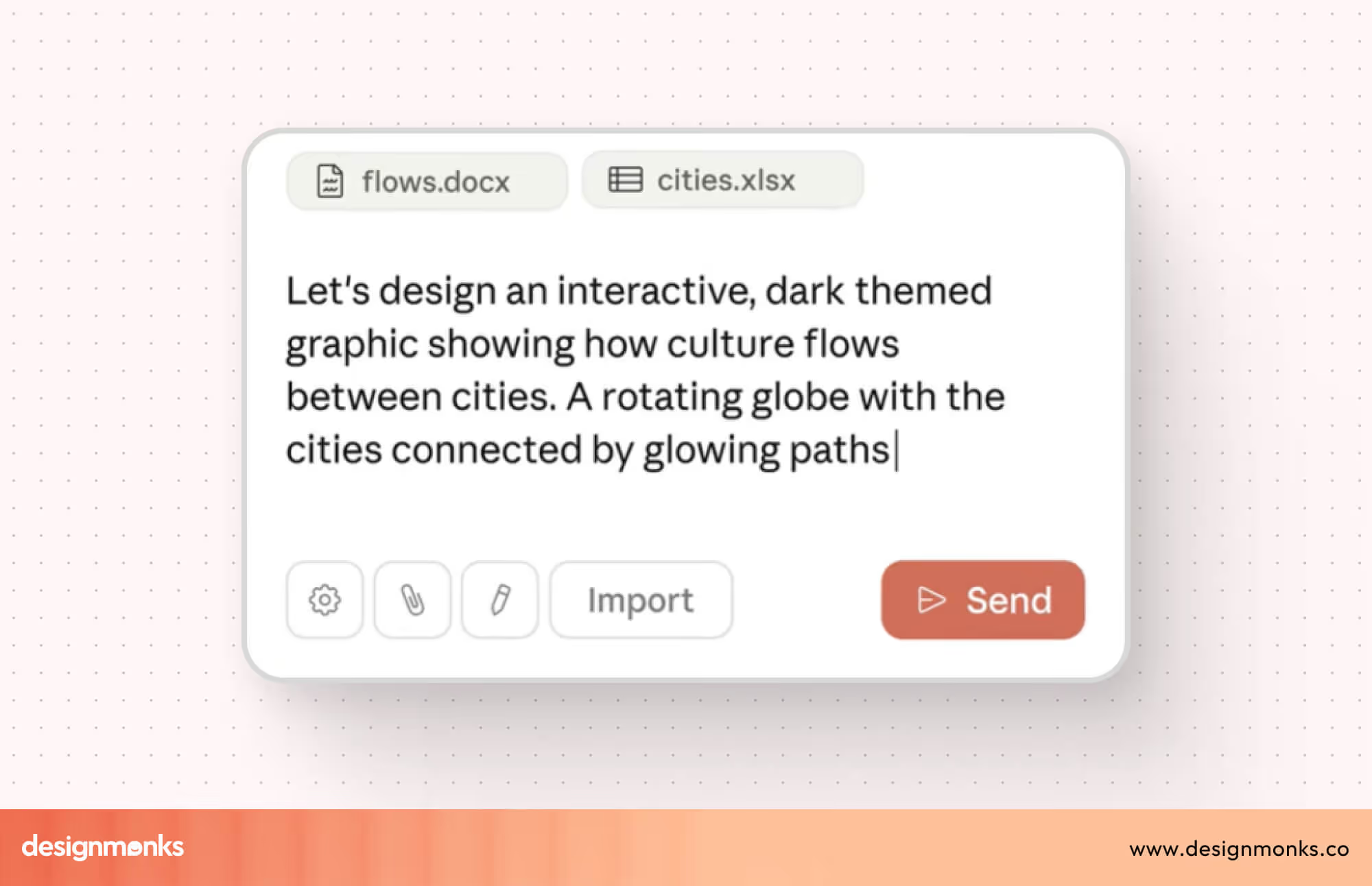
You don’t need perfect formatting. Claude can interpret natural language and even ask follow-up questions if anything is unclear or missing.
Review the Design
Once the prompt is processed, Claude generates a design directly on the canvas. This can include UI layouts, user flows, or structured product screens. Everything is aligned with your design system, so the output feels consistent with your product instead of generic AI mockups.
Iterate and Improve
This is where most of the work happens. You can refine the design in two ways, use chat for bigger changes like layout shifts or new sections, and inline comments for small, precise edits like spacing, buttons, or labels.
This makes iteration fast, controlled, and easy to manage. If comments don’t get picked up, simply paste the feedback into chat. This is a quick workaround for occasional issues.
Export or Share
Once the design is ready, you can export it in multiple formats like PDF, PPTX, or HTML. You can also send it directly to tools like Canva for further editing.
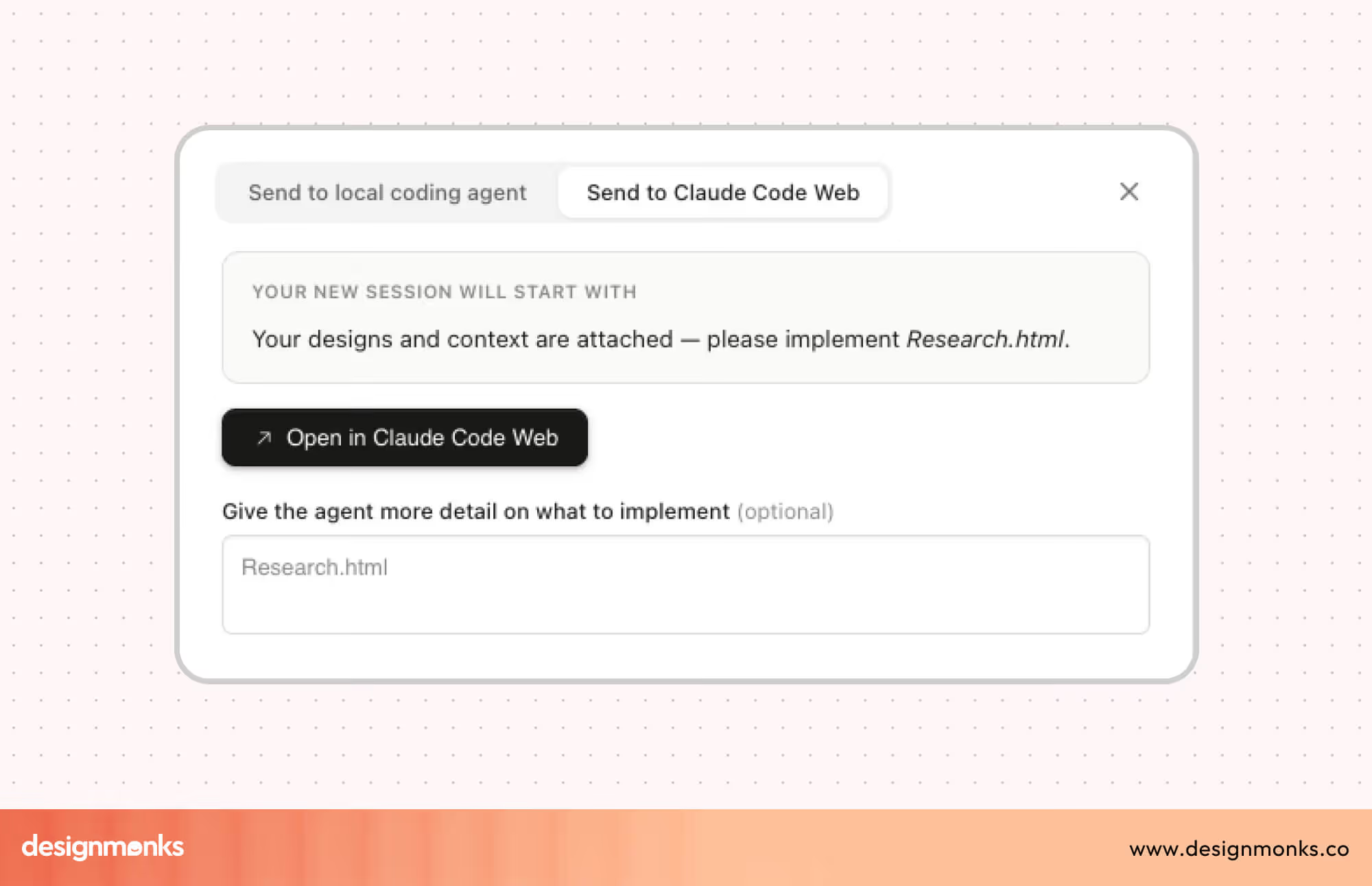
Sharing options also allow you to send a link to teammates for feedback, review, or collaboration in real time.
Tips for Better Results with Claude Design
To get the most out of Claude Design, a few simple practices can make a big difference in output quality and speed:
- Start simple, then build gradually by adding details and edge cases
- Be specific with feedback so changes are clear and actionable
- Mention design system components to keep outputs consistent
- Plan for responsiveness early (mobile, desktop, or both)
- Ask for multiple variations to explore better directions
- Use Claude for feedback on usability, accessibility, and structure
How Designers Use Claude in Real Workflows
Claude Design is most powerful when used across real design stages, not as a one-off tool. Designers don’t need to replace their existing tools,they can use Claude AI to think, structure, and refine before execution.
It fits naturally into workflows like product design, prototyping, and collaboration. Instead of starting from a blank page, teams begin with structured ideas, clearer flows, and better direction. Here's how designers can use Claude:
Claude for Product Design Workflows
In product design, especially SaaS and AI products, Claude AI helps move from idea to execution faster. Designers can define user journeys, map flows, and write product requirements in one place.
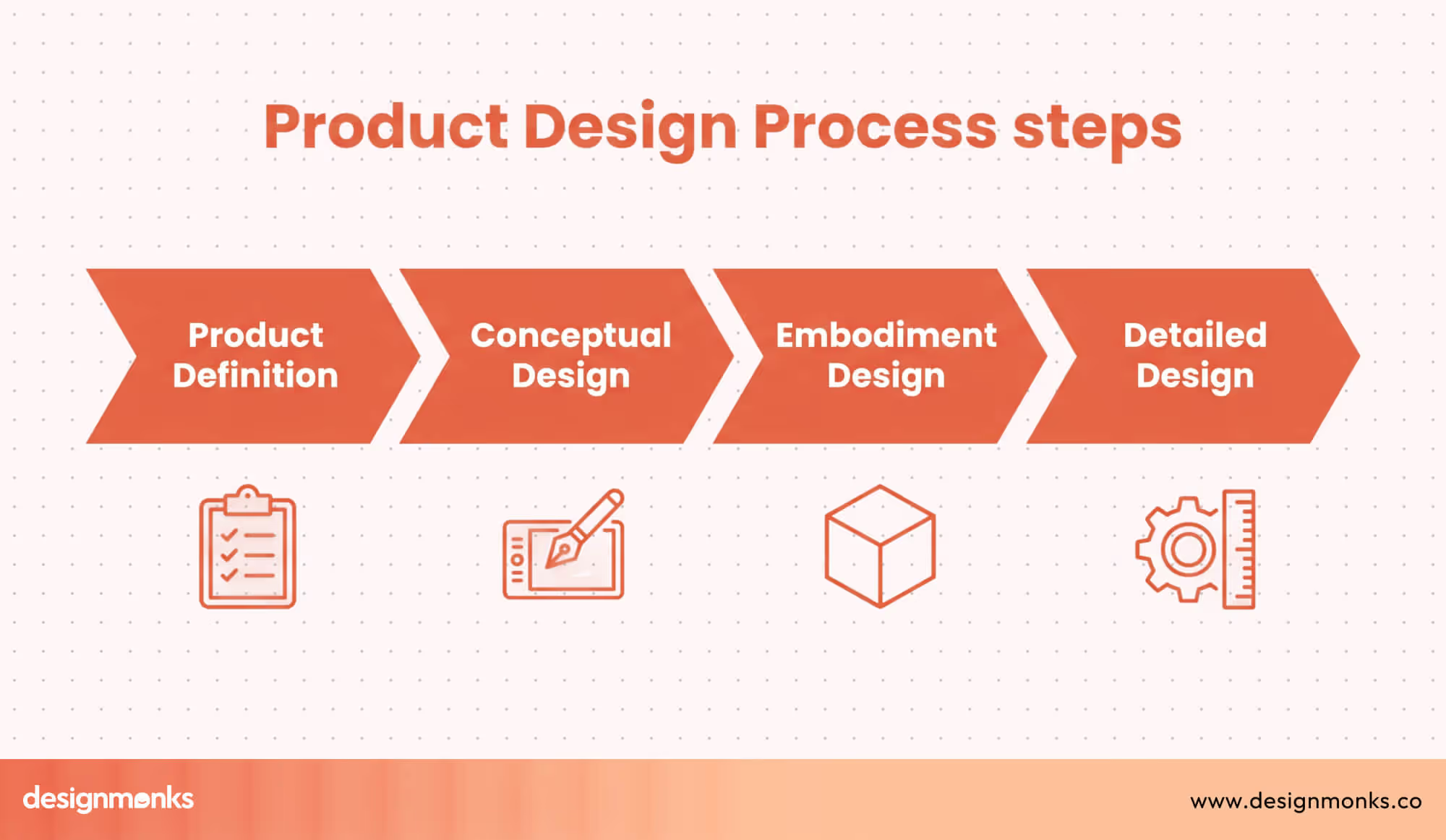
Instead of starting manually, you can generate complete flows with edge cases, making early-stage thinking clearer and easier to turn into real designs.
Claude for Rapid Prototyping
Claude Design works best when combined with tools like Figma and Framer. Instead of jumping directly into design tools, you first use Claude to generate layout ideas, content structure, and flows.
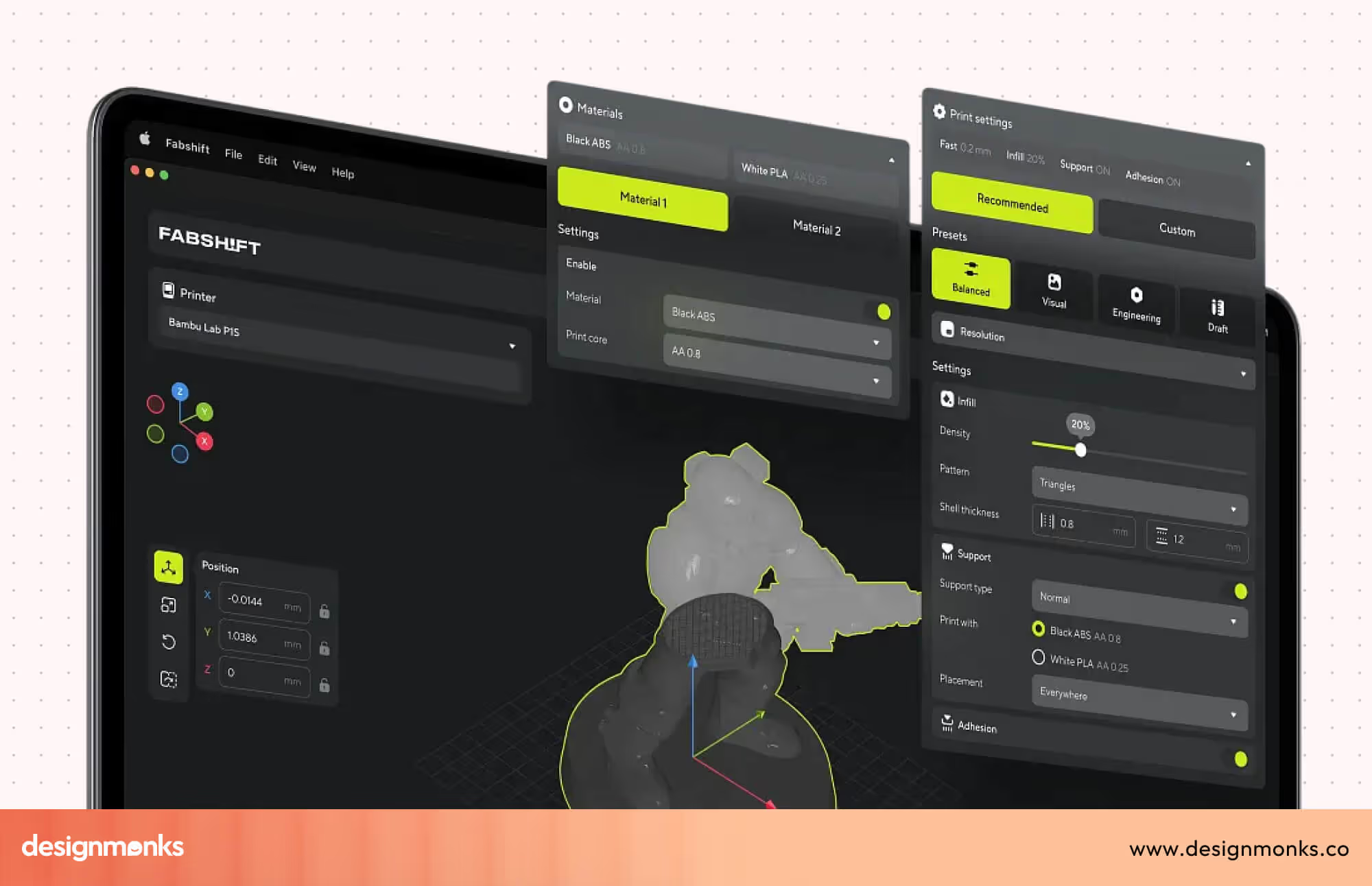
This makes prototyping much faster. Designers can explore multiple directions quickly without manually building each variation. Claude can also suggest alternative layouts and help teams test ideas early. Once the structure is clear, designers move into Figma or Framer to build the visual layer.
This approach reduces trial and error. Instead of guessing layouts, you start with a strong foundation and make rapid iteration more effective and less time-consuming.
Claude in Design Collaboration
Claude Design also improves how teams collaborate. It helps document ideas, summarize discussions, and align different stakeholders. In many teams, design decisions get lost in meetings or scattered documents. Claude solves this by turning conversations into structured outputs.
Teams can use it for brainstorming sessions, writing summaries, or creating shared documents. It also supports async collaboration, where team members contribute at different times but stay aligned.
For design ops, this is especially useful because it reduces confusion and keeps everyone on the same page. Instead of long back-and-forth discussions, teams can rely on clear, AI-supported documentation that captures decisions and next steps.
Claude vs Other AI Design Tools
Claude Design is not competing directly with visual tools, it plays a different role. It focuses on thinking, structure, and workflows, while other tools focus on visuals or outputs.
Understanding where it fits helps designers choose the right tool for the right task. Instead of replacing tools, Claude complements them and makes workflows more efficient when used correctly:
Claude vs ChatGPT for Designers
ChatGPT and Claude are both AI assistants, but they feel different in design workflows. Claude is stronger in handling long context, structured thinking, and detailed workflows. This makes it better for UX flows, documentation, and product logic.
ChatGPT, on the other hand, is often more flexible and creative in brainstorming. It can generate ideas quickly, which is why it’s widely used in usability testing scenarios. But it does require more refinement for structured tasks.
For designers, Claude Design works better when clarity and structure matter, while ChatGPT can be useful for early ideation and quick exploration.
Claude vs Midjourney & DALL·E
These tools serve very different roles in the design process. Midjourney and DALL·E are built for visual generation, they create images, UI concepts, and creative visuals directly from prompts. They’re useful when you need inspiration, moodboards, or quick visual ideas.
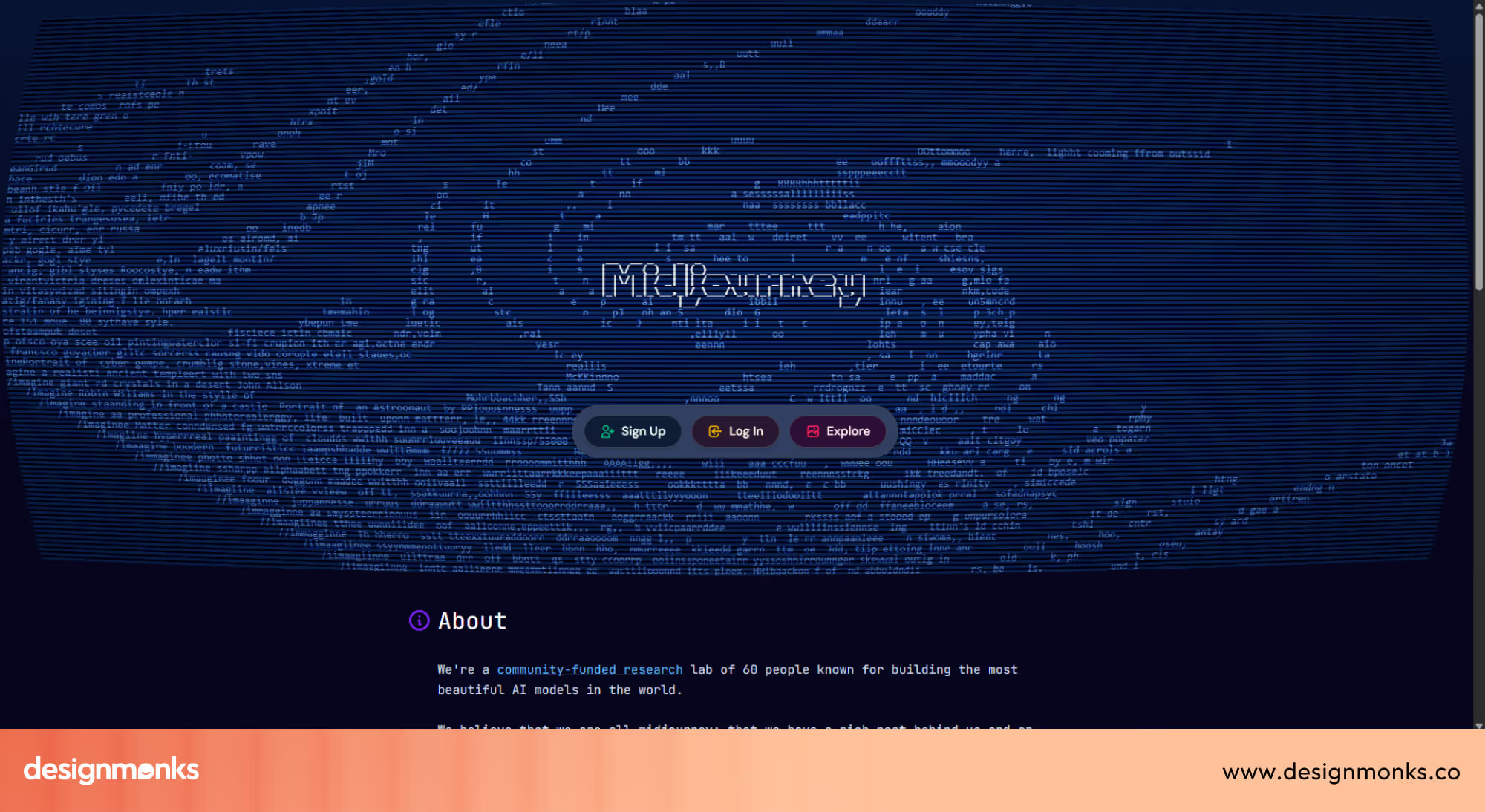
Claude Design focuses on thinking and structure, such as defining layouts, user flows, and product logic. But it can also produce prototypes, slides, mockups, and more. It is useful throughout the design process, not just at the start.
So, they work best together. Use Claude Design to figure out what to design and why, then use Midjourney or DALL·E to explore the visual direction with its more refined palette.
Different tools, different strengths, but more powerful when combined.
Benefits & Limitations of Claude in Design
Claude Design brings clear advantages, but it also has limits. Understanding both helps teams use it effectively without over-relying on it:
Benefits
- Speed: Reduces time spent on ideation, documentation, and planning
- Ideation: Generates multiple ideas, flows, and directions quickly
- Scalability: Handles large projects, long documents, and complex systems
- Brand Consistency: Automatically applies your team's design system, such as colors, typography, and components, across every project
- Accessibility: Makes professional design work achievable for non-designers like founders, PMs, and marketers without a design background
Limitations
- Visual polish: Outputs are strong starting points but may still need refinement in dedicated design tools for pixel-perfect execution
- Requires prompting skill: Results depend on how well you guide it
- Not a replacement for tools like Figma: Still needs design tools for execution
- Export limitations: Video outputs currently lack full export options and may require screen recording to save
- Early stage product: Still in research preview, meaning some features are occasionally buggy, such as inline comments disappearing or save errors in compact view
Best Practices for Using Claude Design
Claude Design works best when you treat it as part of a larger workflow, not just a standalone tool. Here's how to integrate it strategically into your specific design process:
Prompt Engineering for Designers
Strong prompts produce strong outputs. Instead of vague requests, be specific about what you're building, who will use it, and what should be included.
For example, "create a mobile app onboarding flow for fitness enthusiasts with three screens: welcome, permission request, and goal selection" gives Claude much clearer direction than "design an app onboarding."
The more detail you provide upfront, the fewer iterations you'll need later. Test different phrasings and refine based on what works. Prompt writing is a skill that improves with practice.
Integrating Claude into the UX Process
Claude Design is most powerful when used across the entire design workflow:
- Research → summarize insights
- Ideation → generate concepts
- Design → define flows and structure
- Handoff → create documentation
This consistent presence throughout your process means Claude isn't just a one-off tool, it becomes a thinking partner that understands your project from start to finish.
Combining Claude with Design Tools
Claude handles ideation, structure, and rapid prototyping exceptionally well. Once your layouts and flows are solid, move into Canva, Framer, or Webflow for visual refinement and production-ready execution.
Claude Design integrates directly with Canva, so the handoff is seamless. The strongest teams can use the Claude design to move fast early, then leverage specialized tools for polish and deployment.
Future of AI-Assisted Design with Claude
Claude Design signals a fundamental shift in how design work will happen. The question is no longer whether AI will be part of the design process, but how deeply it will be embedded in it:
AI-Native Design Workflows: AI-generated structure is becoming the starting point, not the blank canvas. Designers will spend less time setting up and more time making decisions. Claude Design is an early example of what this looks like in practice.
The Role of LLMs in UX: LLMs like Claude are taking over the repetitive parts of UX, logic, structure, and content. This doesn't shrink the designer's role, it redirects it toward higher-order thinking and better decisions.
Human + AI Collaboration: The future isn't AI replacing designers. It's designers who know how to work with AI, outpacing those who don't. Claude Design makes that collaboration practical and accessible today, not at some distant point in the future.
What Designers Should Take from This?
Claude Design is a full design product that generates real visual outputs like prototypes, mockups, slides, and more. It improves speed, clarity, and consistency across the entire design process.
The best results come from pairing it with dedicated design tools for final execution. Designers who adapt early will move faster, think more clearly, and deliver better work in less time.
FAQs
Is Claude Design a design tool?
Yes, Claude Design is a full design product by Anthropic. It can generate prototypes, UI layouts, slides, and interactive mockups directly through conversation.
Can Claude Design Replace Designers?
No. Claude Design handles structure, logic, and rapid iteration, but creative judgment, strategic thinking, and decision-making still require a human designer.
Does Claude Design create UI designs?
Yes, Claude Design can generate prototypes, UI layouts, slides, and interactive mockups directly from your prompts.
Is Claude better than ChatGPT for designers?
It depends on the task. Claude Design is built specifically for design workflows, it understands design systems, generates visual outputs, and integrates with tools like Canva. ChatGPT is more general-purpose and better suited for quick brainstorming or content tasks. For structured design work, Claude Design has the clear edge.
How Should Beginners Start Using Claude Design?
Start with a simple, specific prompt, describe what you're building, who it's for, and what should be included. From there, iterate and refine through conversation.
Bottomline: So What’s Next after Claude Design?
Claude Design is an early signal of where the industry is heading. As AI becomes more capable, the design process will shift. Ideas will move faster from thought to prototype, and structures will be generated rather than built from scratch.
Design tools will increasingly serve as execution layers rather than starting points. The designers who thrive will be those who learn to direct AI effectively, combining human creativity with machine speed to build better products in less time.


.avif)
.avif)
.avif)
.avif)


.avif)
.avif)
.avif)
.avif)








.avif)