.svg)


Every design project starts with a clear idea, but somewhere between design and development, things start to break. The paper design tool is built to fix this exact problem.
When designers and developers work separately, the handoff becomes a weak point. Details are missed, changes take longer, and the final product often feels slightly different from what was planned. Now imagine skipping that step and designing with real code, so nothing gets lost. This is the promise of the paper design tool.
But how does it actually work, and why is everyone talking about it right now? Let's find out!
What is Paper.design?
Imagine designing something and knowing it will look exactly the same when it is built. No changes, no confusion, no back-and-forth fixes. That’s the idea behind Paper tool.
Paper design tool is a modern UI design tool built on real web technologies like HTML and CSS. Instead of drawing static screens like traditional tools, it lets you design using the same building blocks that developers use to create websites and apps.
In simple words, it connects design, code, and even AI tools into one shared space. This means designers and developers are no longer working in separate worlds. They are working on the same thing, at the same time.
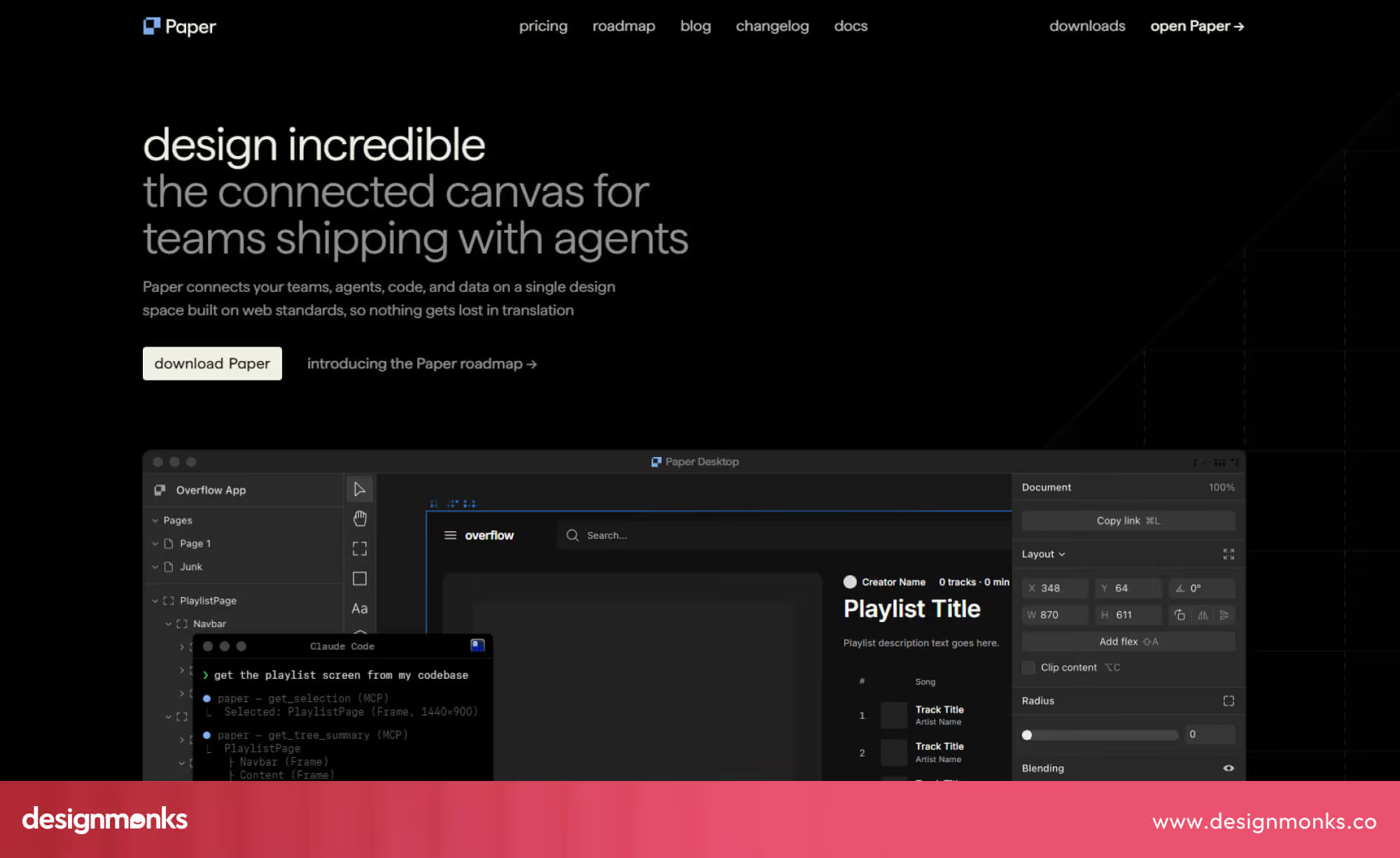
Most design tools act like drawing boards. You create something visually, and then someone else has to rebuild it in code. But the Paper tool is different. It works more like a live system where the design is already close to real code.
This is why many people call it a code-native design platform. It is not just about how things look, it is about how they actually work. And this small change solves one of the biggest problems in design.
The Vision Behind Paper.design
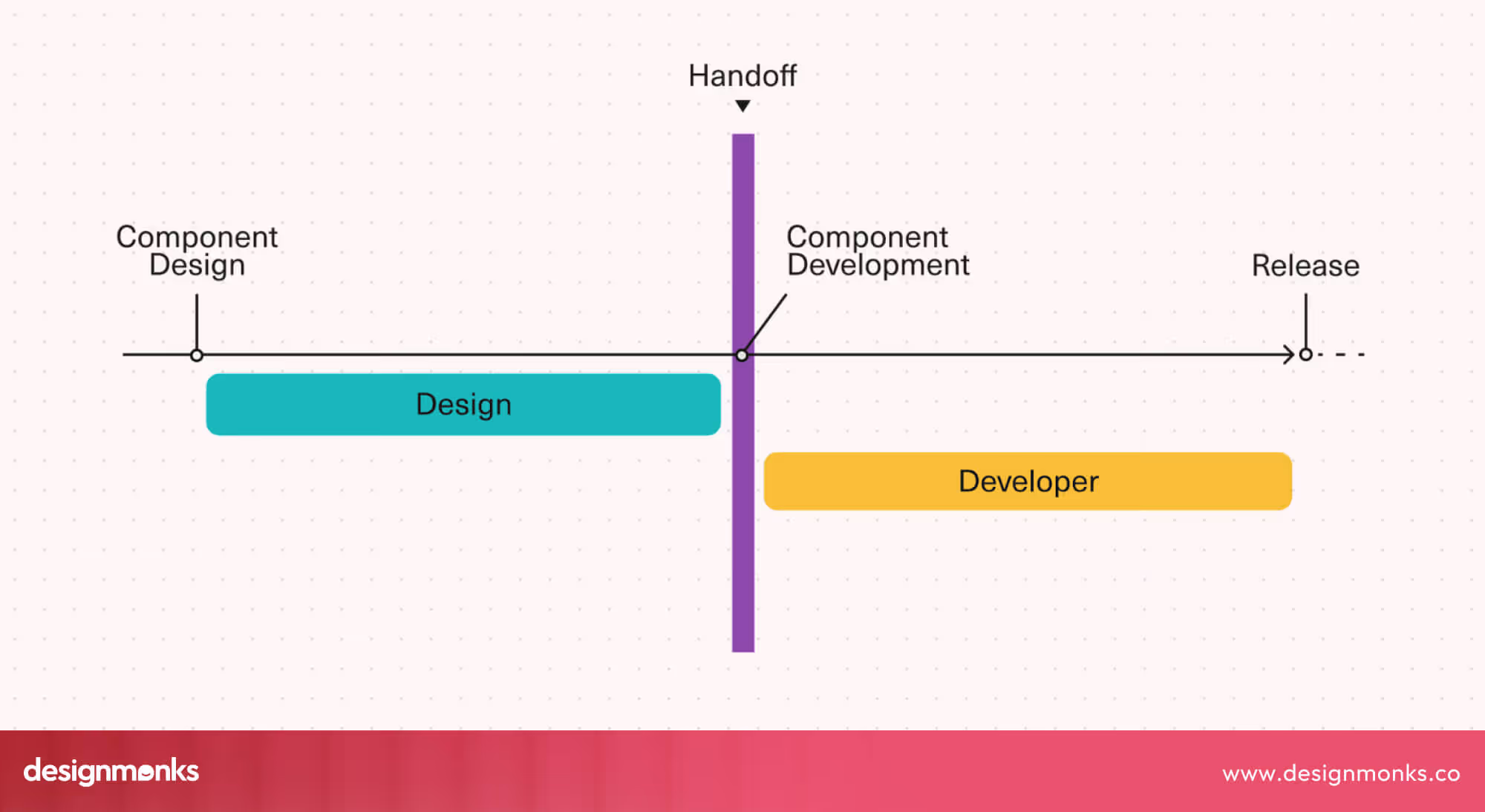
For a long time, teams have followed the same process. Designers create screens, and then developers try to turn those screens into working products. This step is called the design-to-code workflow, and it is where many problems begin.
The vision behind the Paper tool is simple, remove this step completely.
Instead of passing files from one person to another, Paper tool creates a collaborative design environment where both sides work together from the start. Designers are not just making visuals anymore. They are building real structures that developers can use directly.
This idea may sound small, but it changes everything.
Think about it like building a house. Traditional design tools are like drawing a blueprint and hoping the builder follows it perfectly. But using the Paper tool is building a house together, in real time, using the same materials.
Because of this, there is less guessing, fewer mistakes, and much faster results.
Paper tool’s vision is not just to improve design. It is to bring design and development into one smooth system where ideas move quickly and clearly from concept to reality.
Why Paper Is Different From Traditional Design Tools
To understand why Paper tool is different, let’s look at how most tools work today.
Tools like Figma are great for creating layouts and visuals. But they use their own special formats. These designs are not real code. So when the design is ready, developers have to rebuild everything using HTML, CSS, or JavaScript.
This creates a gap. During this process:
- Small details can be missed
- Layouts may behave differently
- Time is spent explaining instead of building
The Paper design tool removes this gap completely.
Because it uses real web technologies, there is no need to export or translate designs. What you design is already structured like real code. This is called a code-native design workflow.
Another big difference is how the Paper design tool handles design systems. Traditional tools store styles and components in their own way. Paper tool works with real systems that developers already understand.
So instead of two separate systems, one for design and one for code, you get one shared system. This is what makes the Paper design tool feel less like a design tool and more like a bridge between creativity and development.
Key Features of Paper
Now, let’s break down what actually makes Paper tool powerful. These are the features that define how it works. From designing directly with real web elements to syncing seamlessly with code, each feature is built to make your workflow faster, smarter, and more accurate:
HTML/CSS Native Canvas
One of the biggest features of the Paper tool is its design canvas.
In most tools, the canvas is just a visual space where you drag and drop shapes. But in Paper tool, the canvas is built using real web technologies like HTML and CSS.
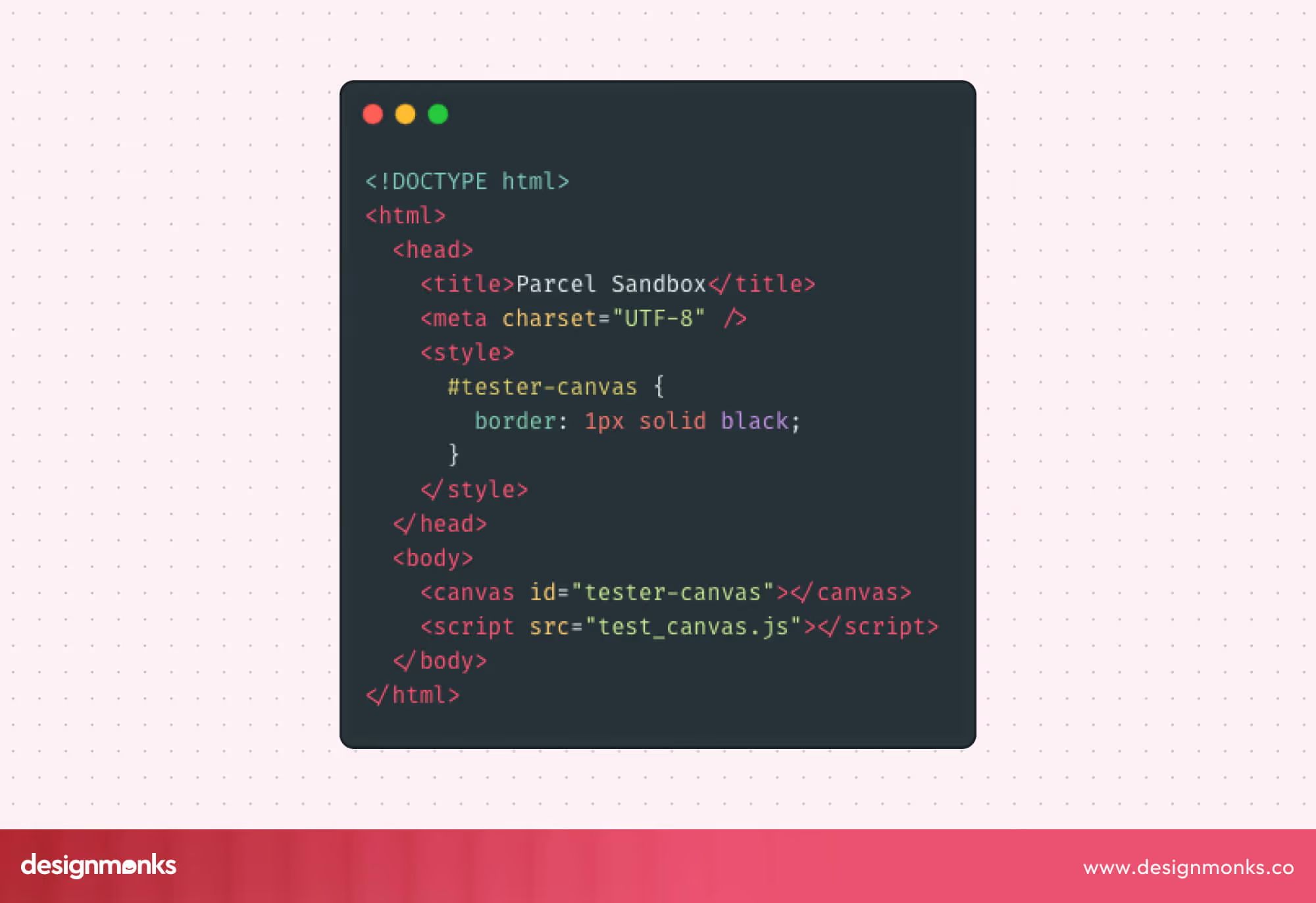
This means every element you create behaves exactly like it would on a real website. For example:
- Layouts respond to screen size
- Spacing follows real rules
- Elements align properly
The Paper tool also supports layout systems like Flexbox, which is commonly used in web development.
Because of this, the Paper tool acts like a web layout engine instead of a simple drawing tool. This reduces the surprises later. What you see in design is much closer to what users will actually experience.
AI Agent Integration via MCP
The Paper design tool does more than just connect design and code, it also brings AI tools into the workflow. Using the Model Context Protocol (MCP), Paper tool can integrate with AI assistants like Claude and GitHub Copilot, enabling an AI-assisted design process.
For example, AI can help generate layouts, suggest code improvements, and even assist with design decisions.
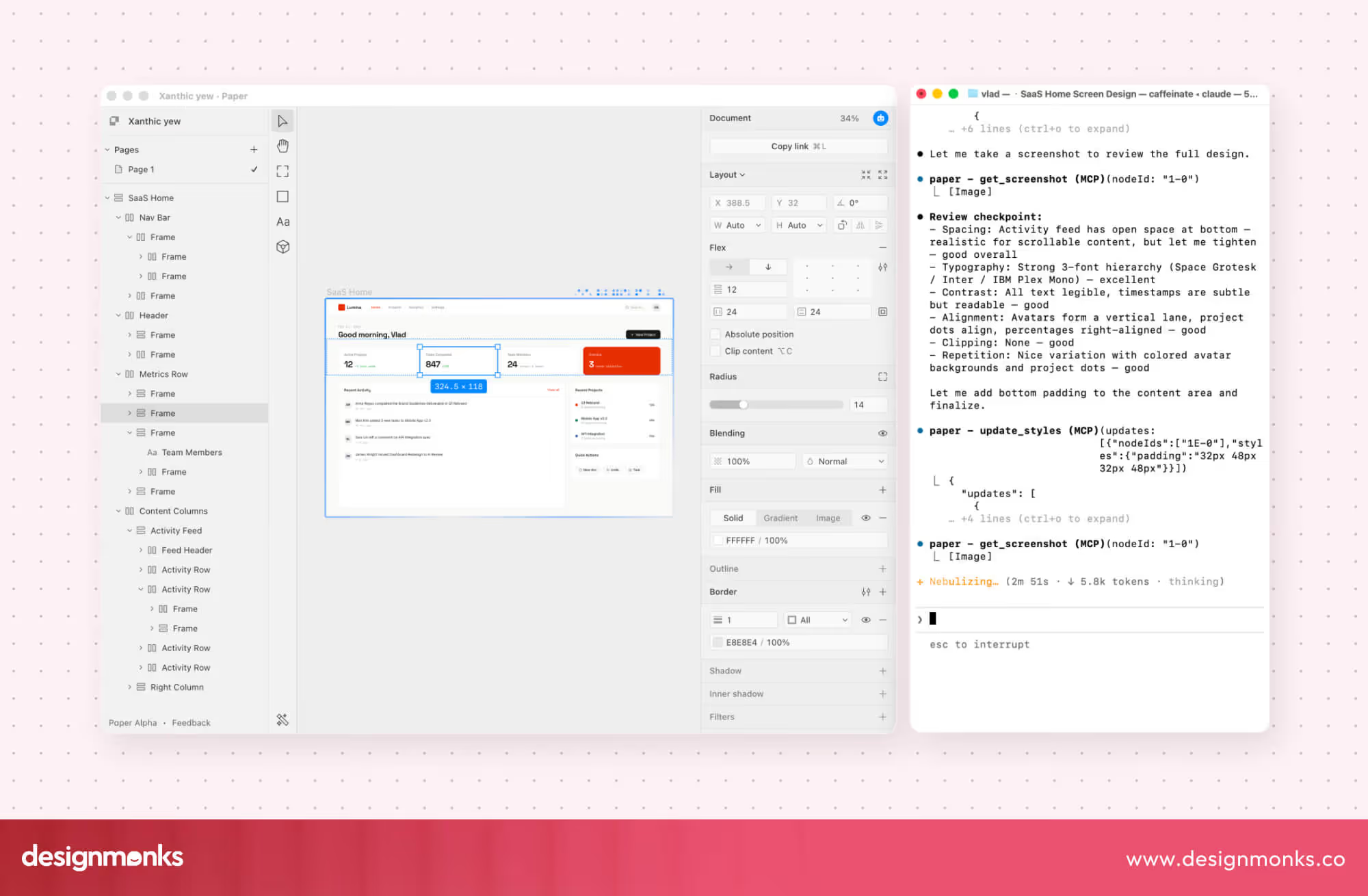
Instead of constantly switching between multiple tools, everything works together in one place. This not only speeds up the design process but also makes it smarter and easier, especially for beginners who may need guidance along the way.
To see how AI-driven workflows are applied to real product experiences, check out Lovable.dev, an AI app builder case study.
Continuous Design-to-Code Loop
In most workflows, design comes first, then code. But the Paper tool changes this into a loop.
With tools like GitHub integration, the Paper tool creates a system where design and code update each other. This is called design-code synchronization.
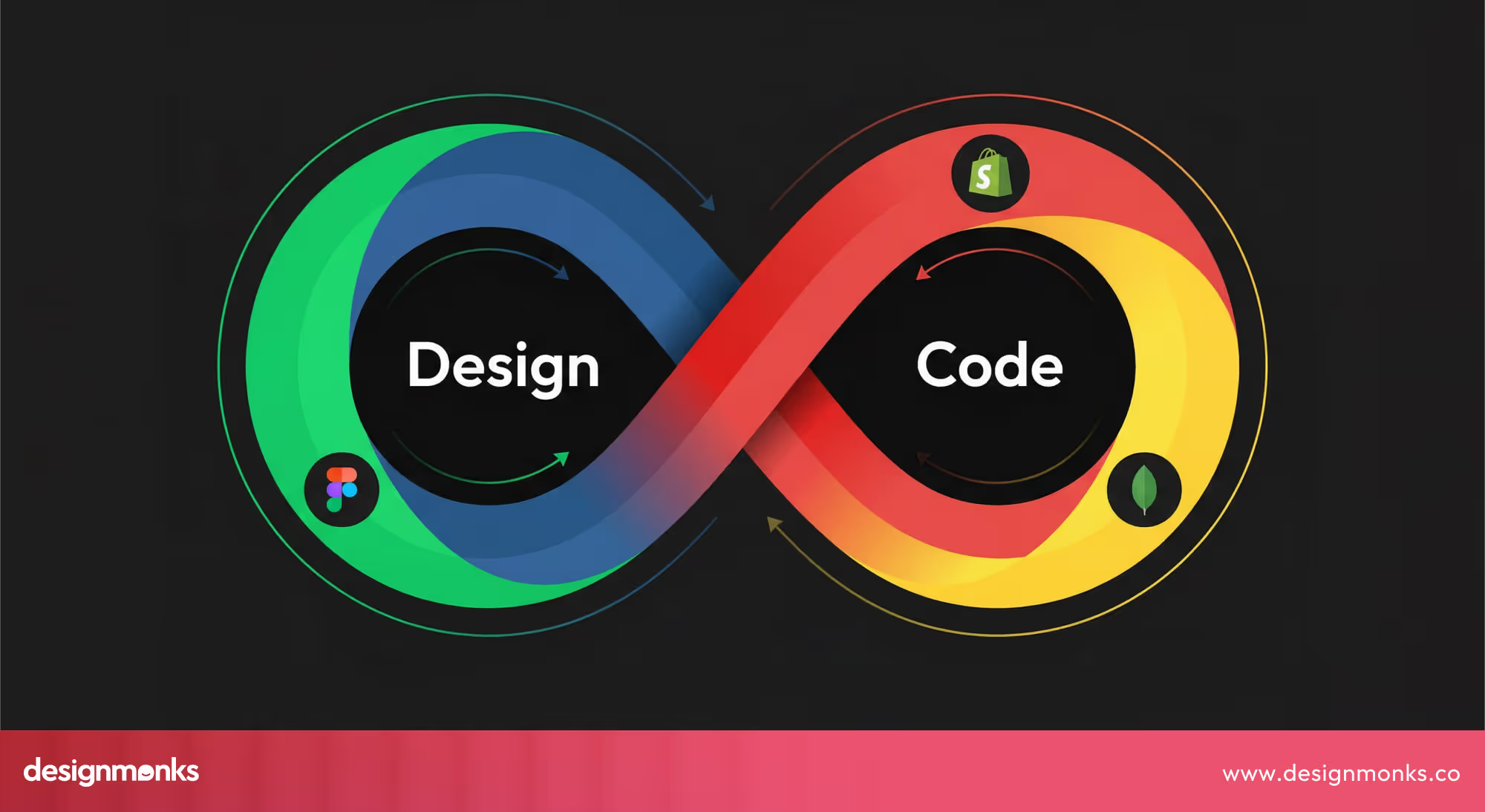
When a designer makes changes in the Paper tool, the corresponding code updates automatically. Likewise, when a developer modifies the code, those changes reflect immediately in the design.
This creates a continuous, two-way connection between design and development, and ensures that both sides are always working with the most up-to-date version. With everything staying in sync in real time, teams no longer need long meetings to explain changes, repeatedly clarify details, or spend extra hours fixing mismatches.
This seamless loop saves time, keeps projects moving smoothly, and reduces frustration for both designers and developers.
Design Tokens and Components
Paper tool supports modern design systems using design tokens and reusable components. Design tokens are simple values like:
- Colors
- Font sizes
- Spacing
Instead of repeating these everywhere, you define them once and reuse them.
Components, on the other hand, are reusable parts like buttons or cards. Together, they help maintain UI consistency across a project.
In the Paper tool, these are connected directly to code. So when something changes, it updates everywhere automatically. This makes large projects easier to manage.
Advanced Creative Tools (Shaders, Pixel Editing)
The Paper tool is not only about structure. It also supports creativity and gives designers tools to make their designs look unique and polished.
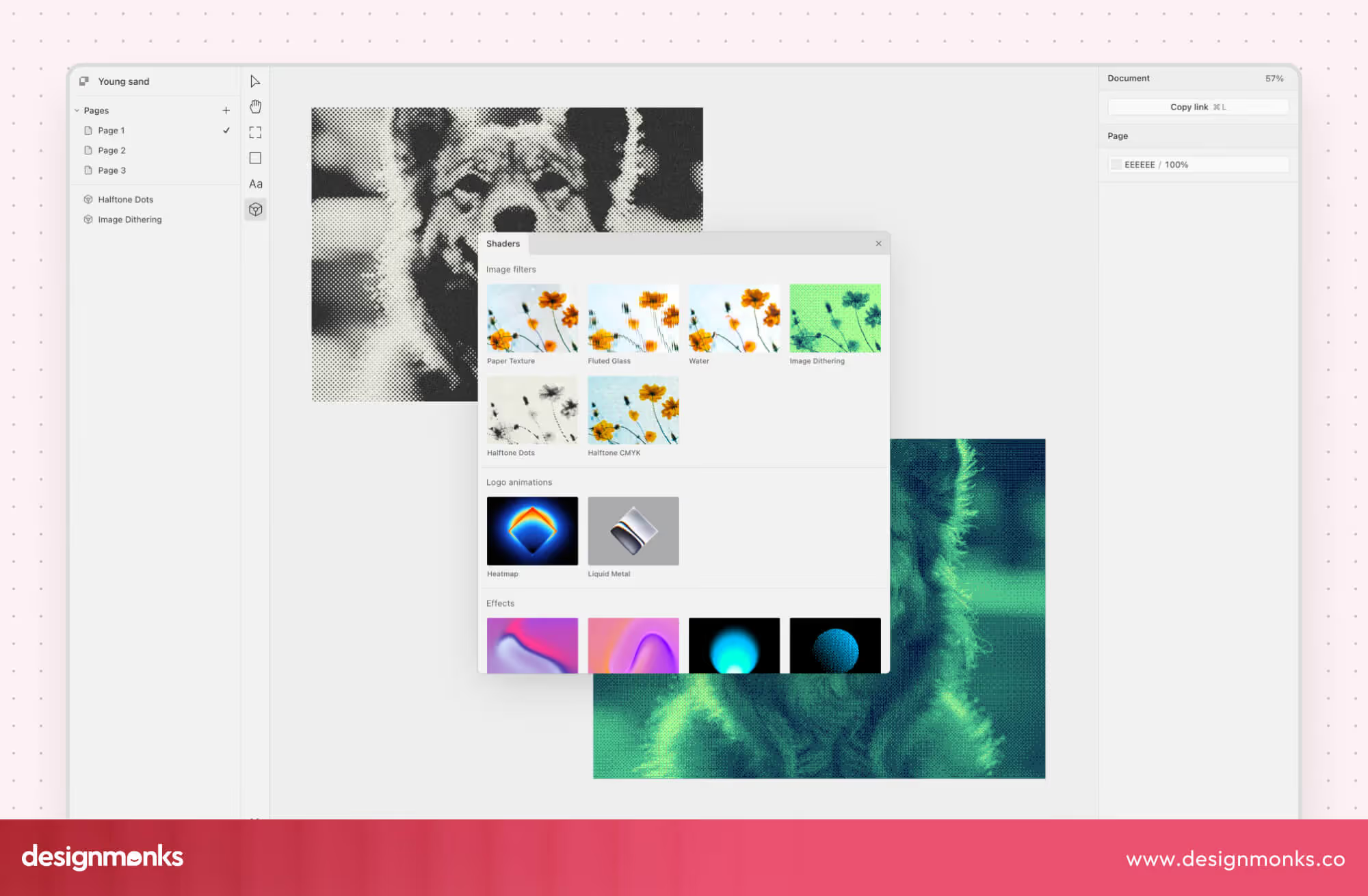
Some of the advanced features the Paper tool has are:
- GPU Shaders for Visual Effects: Shaders are small programs that run on the graphics card (GPU) to create visual effects such as shadows, gradients, and lighting. In Paper tool, designers can use shaders to make elements look more dynamic and realistic without slowing down the system. This helps create a more engaging and visually appealing design.
- Advanced Color Rendering: Paper tool allows precise control over colors, including how they blend, highlight, or react to light. Designers can preview exactly how colors will appear in real life, which helps them make better choices for mood, contrast, and accessibility.
- Filters and Pixel Editing: Filters let designers adjust the look of images or components with effects like blur, brightness, or saturation. Pixel editing allows fine-tuning individual parts of an element. Together, these tools give designers full creative freedom to enhance details and achieve the exact style they want.
These features allow designers to go beyond basic layouts and create expressive, professional-quality designs. Even though Paper tool is highly technical, it does not limit creativity, it empowers designers to experiment, refine, and bring their ideas to life.
Paper Design Tool Desktop and the New Design Workflow
Paper tool’s desktop app, called Paper Desktop, takes the connected design environment to the next level.
It’s inspired by an IDE (Integrated Development Environment) and gives designers a powerful workspace where visual tools, infinite canvases, mood boards, and prototypes all live in one place.
This keeps the workflow smooth, no more switching between multiple tabs or apps to gather feedback or share updates.
Teams can work faster with real-time collaboration, AI-assisted image generation, and organized asset management. Everything is designed to help designers be efficient without adding extra complexity.
Integrating With Developer Tools
Paper Desktop also bridges the gap between design and development by connecting with tools developers already use:
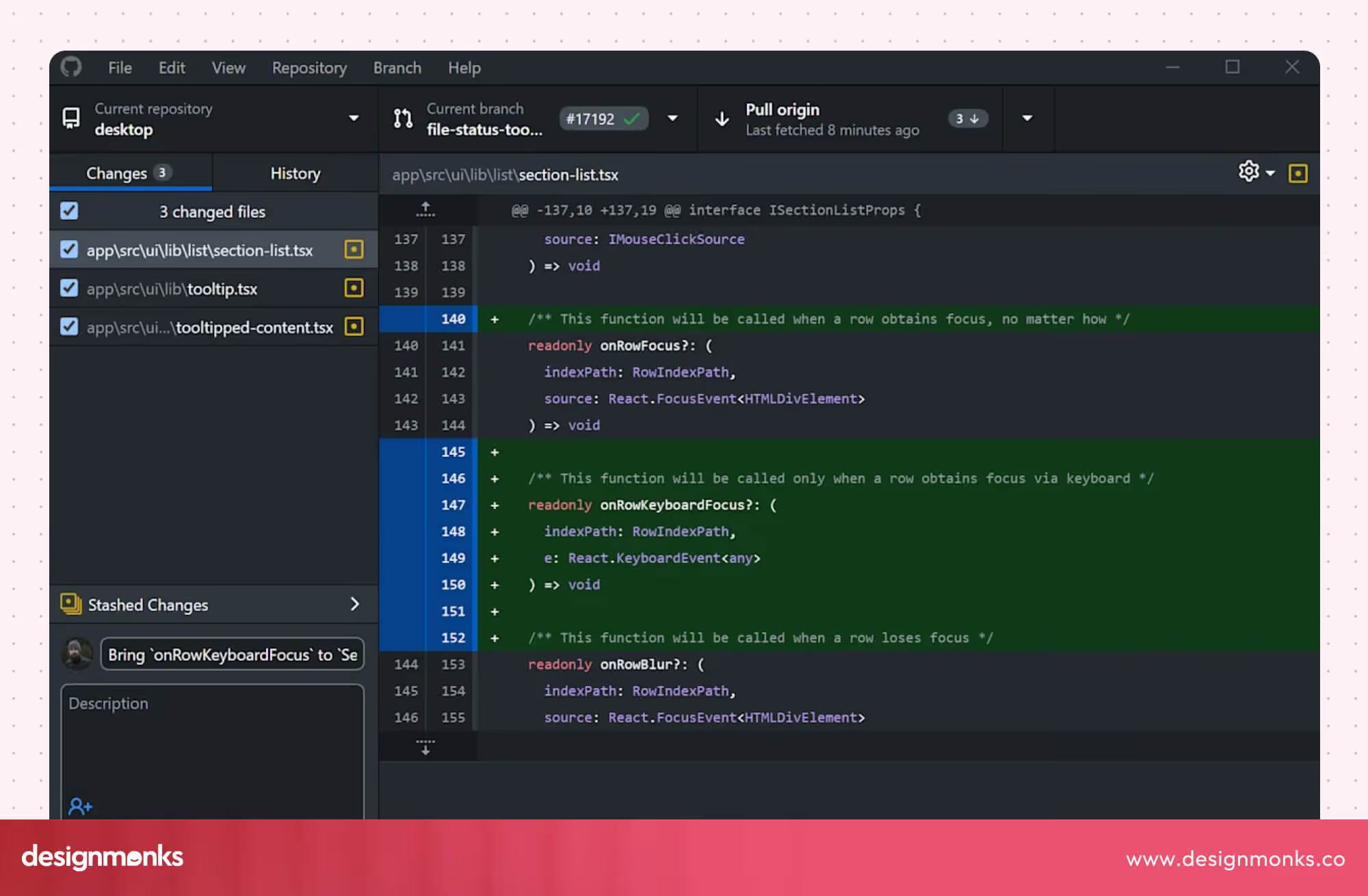
- VS Code: You can export SVGs, PNGs, or PDFs from any board, then open them in VS Code with Live Preview. You can convert to code using plugins like html.to.design, for instant HTML/CSS.
- Terminal: Using simple CLI commands, such as npm scripts, developers can pull Paper assets straight into their local development environments. This means there’s no need to manually download or adjust files. Everything updates automatically, keeping the project workflow smooth and efficient.
- GitHub: You can share live board links or export screenshots to embed in repos/PRs. You can reference full designs right next to code changes for easy reviews.
- CLI Agents: Automated scripts allow Paper assets to flow directly into build pipelines. Whenever a design element is updated, it can automatically sync into the project’s production setup, saving time and reducing errors.
This setup keeps designers focused on visuals while giving developers a seamless way to use assets, no workflow disruptions, no confusion, just smooth collaboration.
How Paper Enables a Continuous Design-to-Code Workflow
One of the biggest challenges in design and development is keeping everything in sync. Traditionally, designers create layouts and developers have to rebuild them in code. This back-and-forth can lead to mistakes, delays, and frustration.
Paper design tool solves this by connecting design and code in real time, creating a continuous workflow where updates in one place automatically reflect in the other.
So, how does Paper tool make this happen? Two key features make it possible: syncing design tokens with codebases and Real Content and Data Integration. Let’s break down each one and see how they help keep design and code in perfect harmony:
Syncing Design Tokens With Codebases
Design tokens are the building blocks of a design system. In most projects, changing one style means manually updating many places, which can be time-consuming and prone to errors.
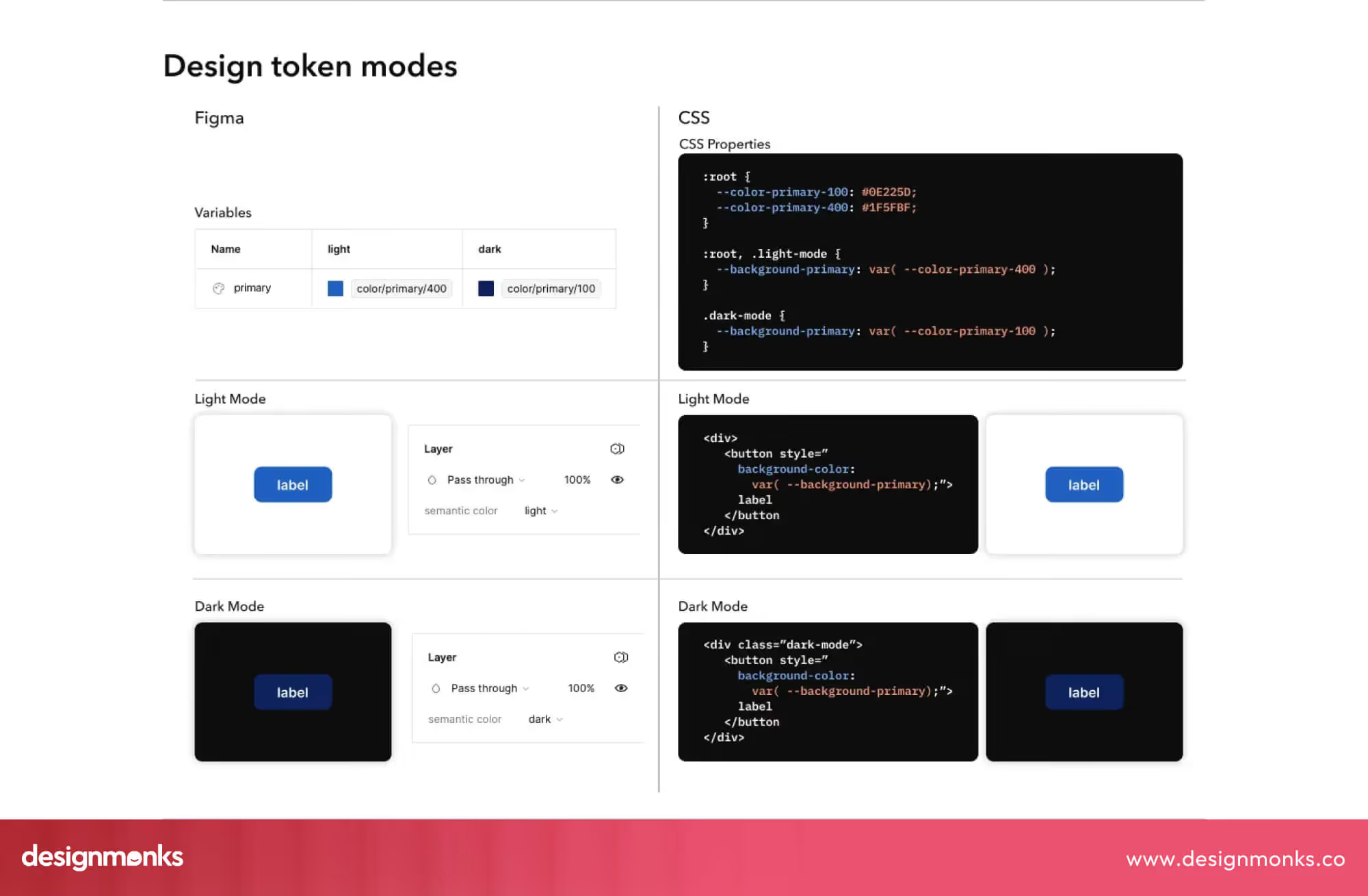
Paper solves this by connecting these tokens directly to the project’s codebase. That means:
- If a designer changes a color, it updates everywhere automatically.
- Adjusting spacing or font sizes instantly reflects across all components.
This keeps design and code consistent, reduces mistakes, and saves a lot of time. Teams no longer need to double-check or manually copy updates between design files and development projects. By syncing tokens, the Paper tool ensures the project stays unified, scalable, and easy to maintain.
Real Content and Data Integration
Another way Paper tool keeps design and code in sync is by allowing designers to work with real content and data, instead of placeholders like “Lorem ipsum.”
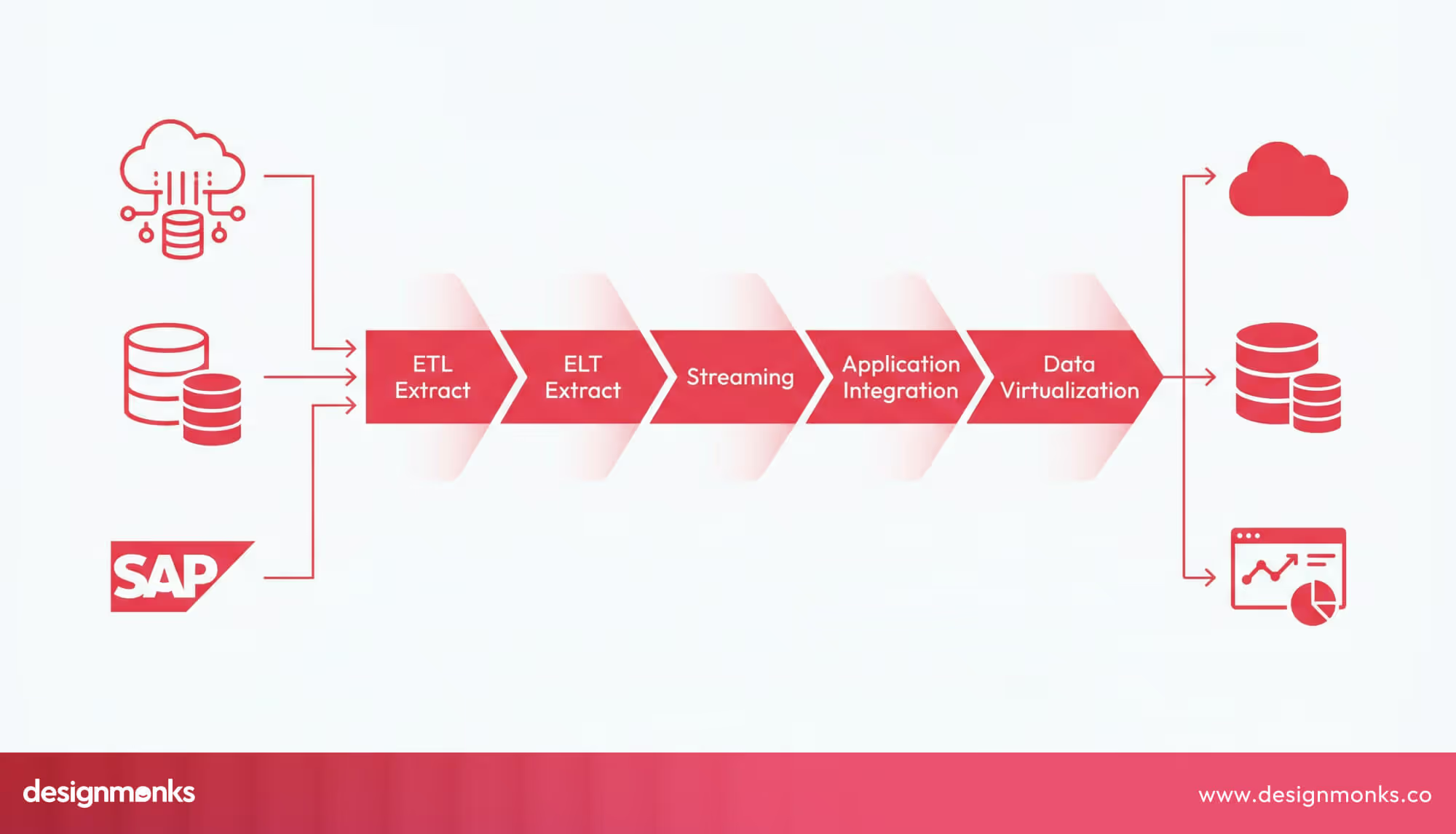
Working with actual content has big benefits:
- Designs feel more realistic: You see how text, images, and data will look in the real product.
- Easier testing: You can spot layout problems, overflow issues, or misaligned elements before development begins.
- Fewer surprises: Developers get designs that already reflect real-world conditions, so the final product matches the original vision.
By integrating real content, Paper tool helps designers and developers make more informed decisions, catch issues before they become problems, and deliver a smoother, more reliable workflow from design to production.
Paper vs Traditional Design Tools
When it comes to design tools, Paper stands out because it bridges the gap between design and code. Let’s see how it compares to some well-known platforms:
Paper vs Figma
Figma is one of the most popular design tools today, known for its collaboration features. However, Figma relies on a proprietary file format, which means developers cannot use it directly in code.
Teams often have to manually translate Figma layouts into HTML, CSS, or React components, leading to errors or delays.
Paper design tool solves this by working natively with HTML and CSS, allowing the design to stay in sync with code automatically. Any changes in the design instantly reflect in the code, and code updates reflect in the design, reducing back-and-forth and keeping projects on track.
Paper vs Webflow & Framer
Webflow and Framer are mainly website builders, focused on quickly publishing web pages without writing code. They are great for prototyping and small projects, but lack full flexibility for complex design systems.
Paper design tool, on the other hand, provides a true design canvas where designers can create layouts, components, and reusable design systems while keeping everything connected to production-ready code.
This combination gives teams the creative freedom of a design tool and the precision of a code platform. For modern design stacks, this is the ideal platform.
Who Should Use Paper?
The Paper design tool is built for anyone who works at the intersection of design and code. It’s especially useful for:
- UI/UX Designers: People who create the look and feel of apps and websites. Paper lets them design directly in real web formats (HTML/CSS), so their work is ready for developers without extra steps.
- Product Designers: Those who plan and design entire products can use Paper to create consistent, production-ready designs that match real user experiences.
- Front-End Developers: Developers who turn designs into code benefit from Paper because it provides layouts, components, and styles that are already coded and easy to implement.
- AI Product Builders: Teams using AI for design, coding, or product creation can integrate Paper’s AI tools and make workflows faster and smarter.
How Design Monks Can Help You Use the Paper Design Tool?
Adopting a new design tool like Paper is exciting, but it also comes with a learning curve. While the tool simplifies the design-to-code process, teams still need the right strategy, structure, and system to use it effectively.
This is where Design Monks can help.
With deep expertise in UI/UX design, front-end development, and design systems, the Design Monks team can help you transition smoothly into code-native design environments like Paper.
Instead of just creating visuals, they focus on building production-ready design systems that work seamlessly with development. From setting up design tokens to structuring reusable components, they will ensure your Paper design tool is efficient, scalable, and aligned with real-world development needs.
Whether you’re a startup exploring faster product development or an established team looking to remove design-to-code friction, Design Monks will help you unlock the full potential of Paper design tools.
Pros and Limitations of Paper.design
Like any tool, Paper has its strengths and some current limitations:
Pros:
- Native Web Layout: Designs are created with real HTML/CSS, so they are instantly usable in production.
- AI Workflow Integration: Paper works with AI assistants like Claude and GitHub Copilot, helping with layouts, code suggestions, and design decisions.
- Code-Design Sync: Changes in design automatically update the code and vice versa, keeping both sides in harmony.
Limitations:
- Early Stage (Open Alpha): Paper is still in early development. Some features may not be fully polished, and there may be occasional bugs or missing functionality compared to mature tools like Figma.
- Ecosystem Still Growing: While Paper is powerful, its libraries, templates, and community resources are smaller than those of older tools. Designers and developers may find fewer pre-made components or integrations than in well-established platforms.
FAQ
Is Paper suitable for beginners?
Yes! Paper’s interface is simple and intuitive, and AI tools guide beginners through layout and coding tasks. You don’t need to be an expert to start designing with real code.
Can I export designs to use in my projects?
Absolutely, Paper allows exporting HTML, CSS, and React components that are ready to use in real projects. This saves developers from manually recreating designs, reducing errors, and speeding up workflow.
Does Paper replace tools like Figma or Webflow?
Not completely. The Paper design tool is ideal for teams who want to design directly in code and maintain a continuous workflow. Some projects might still benefit from traditional design or website-building tools alongside Paper.









.avif)