
Key Takeaways
- Webflow offers greater design flexibility, custom layouts, and advanced content management capabilities.
- Shopify provides powerful ecommerce tools for managing products, inventory, payments, and orders.
- Webflow is better for content-heavy websites, while Shopify excels at online selling.
- Shopify offers beginner-friendly store management, while Webflow requires more design knowledge.
- Combine Webflow and Shopify for custom website experiences with advanced ecommerce functionality.
Choosing between Webflow vs Shopify depends on what you want your website to do. Both platforms help businesses build professional websites, but they serve different needs.
Webflow focuses on visual design freedom, custom layouts, and content management. Shopify focuses on online selling, product management, and e-commerce operations. So, which one should you choose?
If you want a highly customized website for your brand, Webflow may be the better option. But if your main goal is to sell products and manage orders, Shopify has more dedicated e-commerce tools. Let's compare their features, pricing, ease of use, and limitations to help you make the right decision.
Webflow vs Shopify at a Glance
Webflow is primarily a visual website builder, while Shopify is an e-commerce platform designed to help businesses sell products online. Both let you create professional websites, but their core features and everyday workflows are quite different.
Here's a quick comparison before we get into the details:
So the real question is simple. Do you need a great website, or a great store?
Webflow vs Shopify: Feature-by-Feature Comparison
Both platforms cover the essential requirements of a modern website. However, their approach to design, content, e-commerce, and daily management is different. Let's look at the features that matter most:
Design Flexibility and Customization
Webflow offers more design flexibility than Shopify. It gives users direct visual control over page layouts, spacing, typography, animations, and responsive behavior.
Shopify relies more heavily on themes and predefined store layouts.
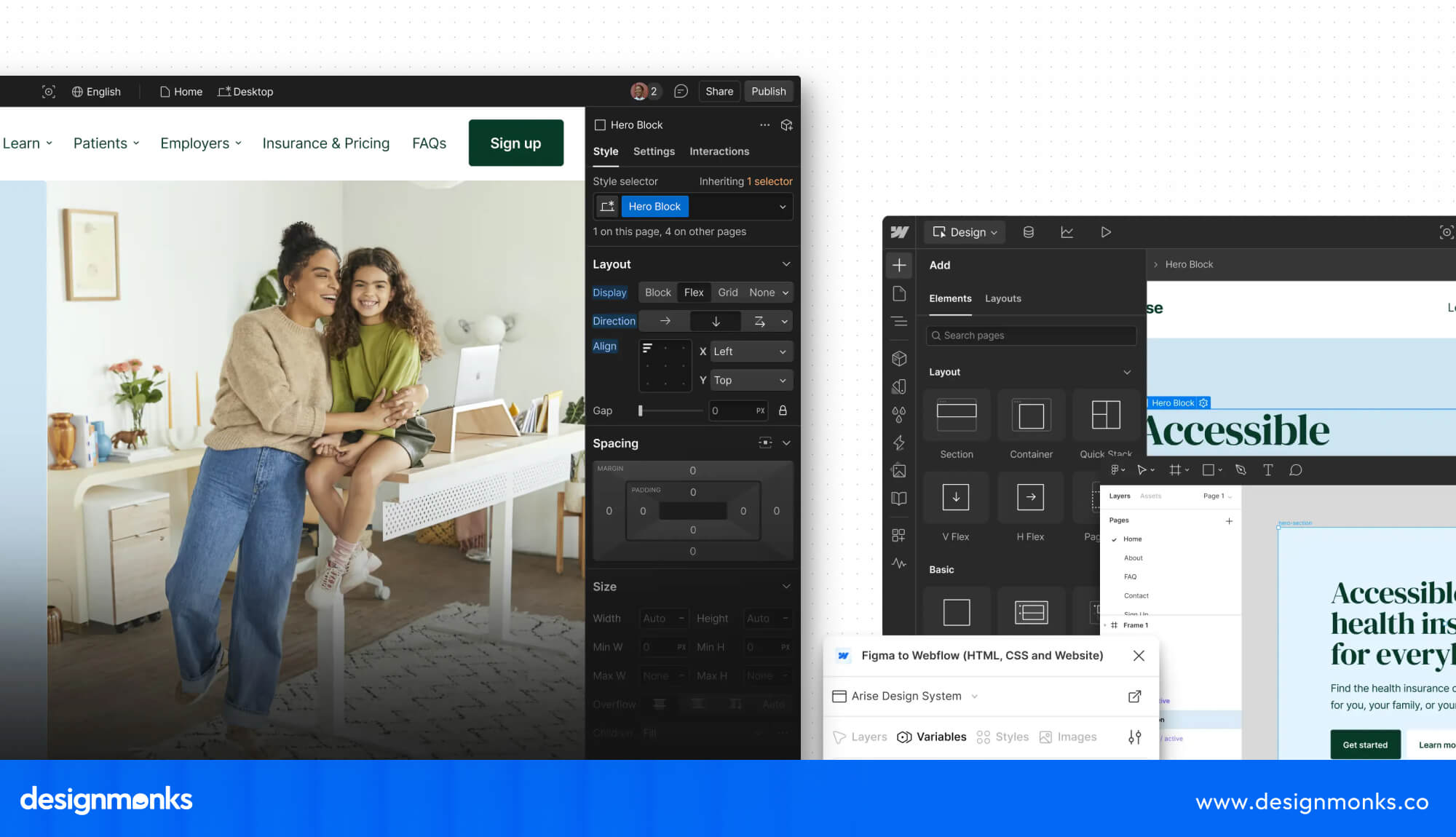
With the Webflow Designer, you can build layouts visually without writing every line of HTML and CSS. You can adjust individual elements, create custom interactions, control spacing, and design different page sections according to your brand requirements.
It also supports custom CSS, HTML embeds, and advanced animations. This makes Webflow useful for businesses that want something more distinctive than a standard website template.
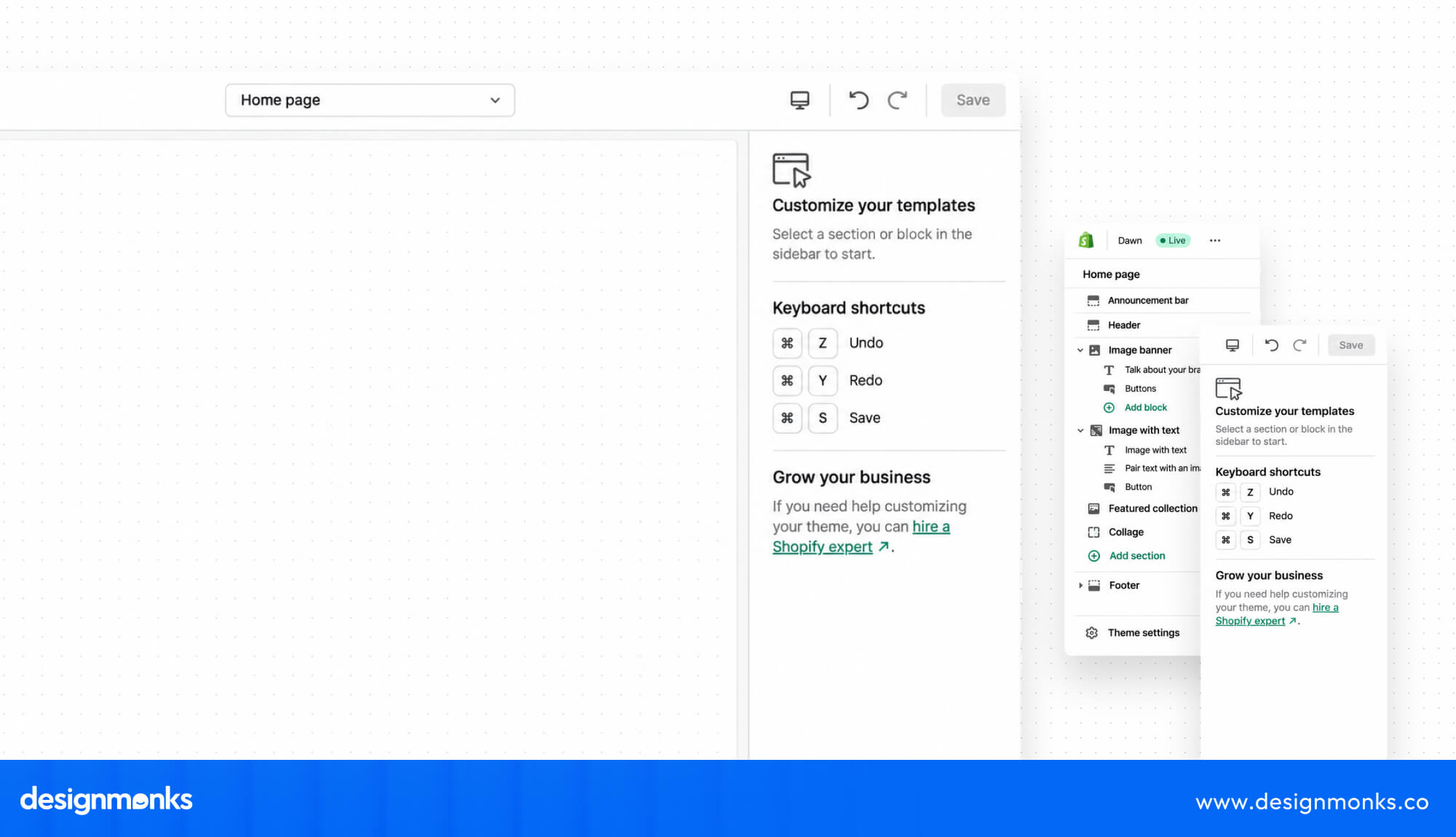
Shopify takes a more structured approach. Its Theme Editor lets you customize colors, fonts, images, sections, and other elements without rebuilding the entire store. You can also purchase premium themes or modify your theme's code for additional control.
However, extensive customization may require Liquid, Shopify's template language, along with HTML, CSS, and JavaScript knowledge.
Webflow is better for custom visual experiences and creative control. Shopify is more practical for businesses that want attractive storefronts without spending too much time on design customization.
Ecommerce Features and Product Management
Shopify is better for e-commerce because it offers more advanced tools for managing products, inventory, payments, and orders.
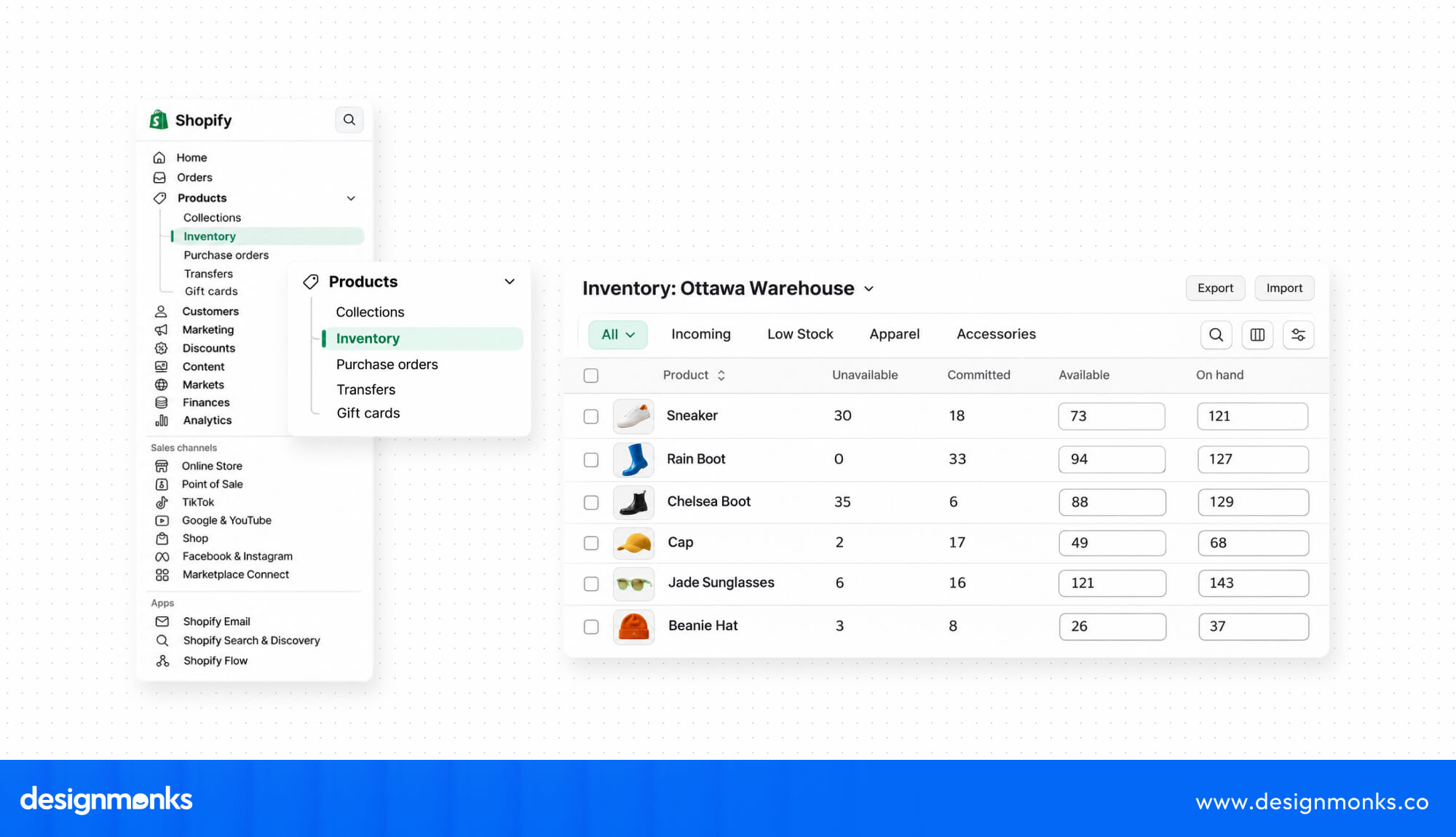
With Shopify Admin, you can manage product catalogs, variants, stock levels, discounts, and orders from one dashboard. It also supports multichannel selling through Shopify POS and social platforms.
Webflow Ecommerce supports product pages, variants, shopping carts, and payments through Stripe and PayPal. However, its inventory and store management features are more limited.
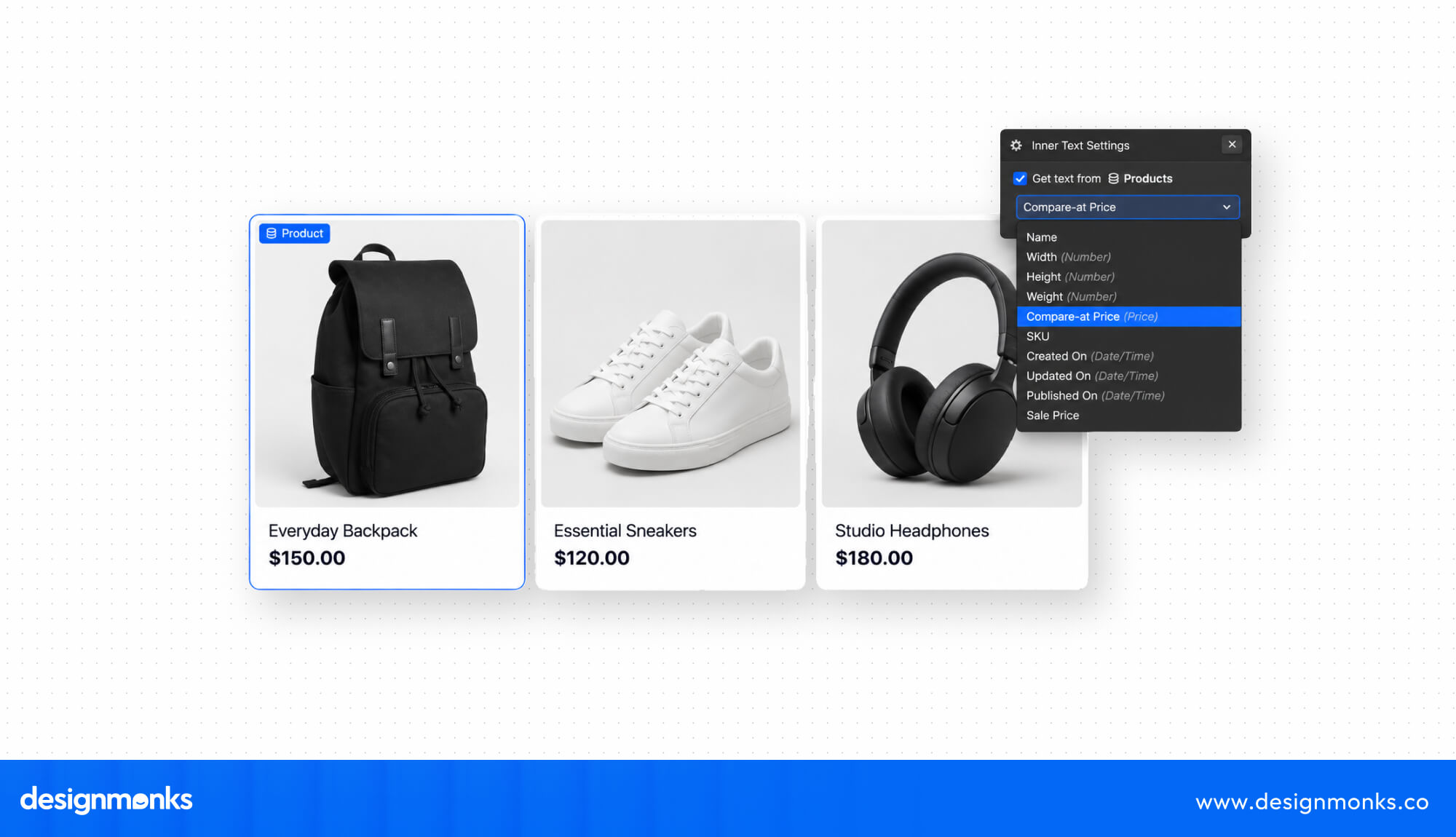
Choose Shopify for growing stores and complex operations. Webflow suits smaller stores that prioritize design.
Content Management and Blogging
Webflow is better for content-heavy websites because its CMS offers more flexible content structures and layouts.
Webflow CMS lets you create collections for blog posts, case studies, team members, and services. You can define custom fields and use templates to display content consistently. Shopify Blog supports articles, images, categories, and company updates. However, its content management features are more limited and primarily support e-commerce marketing.
Choose Webflow for publishing. Shopify works well for stores that need a simple blog.
SEO Capabilities
Both platforms offer essential SEO features, but Webflow provides more flexibility for technical customization and content management. Webflow lets you edit meta titles, descriptions, alt text, canonical tags, and URL slugs. You can also configure redirects and add structured data through custom code.
Shopify supports metadata editing, image alt text, redirects, and automatic XML sitemaps. However, some URL structures, such as /products/ and /collections/, cannot be fully customized.
Webflow suits websites needing greater SEO control, while Shopify covers the essential SEO needs of online stores.
Integrations and Third-Party Apps
Shopify offers a larger ecommerce app ecosystem, while Webflow focuses on website, marketing, and analytics integrations. The Shopify App Store includes tools for email marketing, inventory management, shipping, customer support, subscriptions, and product reviews.
You can also connect services like Klaviyo to improve marketing workflows.
Webflow supports Webflow Apps and integrations with tools like Zapier and Google Analytics. Some advanced features may require custom code or external services.
Shopify is better for extensive ecommerce integrations. Webflow works well for selected marketing and productivity tools.
Hosting, Security, and Website Performance
Both platforms provide managed hosting, SSL certificates, and infrastructure that supports reliable website performance.
Webflow Hosting uses a global content delivery network (CDN) to deliver website content efficiently. It also includes automatic backups and managed infrastructure. Shopify handles hosting, SSL security, and server maintenance. This allows merchants to focus on running their stores without managing technical infrastructure.
However, website speed on both platforms depends on image sizes, scripts, apps, and overall optimization.
Both offer reliable managed hosting, so performance depends largely on how well you build and optimize your website.
Analytics and Reporting
Shopify offers stronger built-in e-commerce reporting, while Webflow focuses more on website traffic and content performance.
Shopify Analytics helps merchants track sales, orders, conversion rates, average order values, and customer activity. These reports help identify popular products and understand store performance.
Webflow offers website insights through its Analyze add-on, including visitor activity and page engagement. You can also connect Google Analytics 4 and Google Search Console for additional reporting.
Shopify is better for sales and customer insights. Webflow suits businesses focused on website traffic and content engagement.
Webflow vs Shopify: Pricing and Transaction Fees
Webflow and Shopify have different pricing structures. Webflow separates standard website plans from e-commerce plans, while Shopify focuses its subscriptions on online selling. Here are the main costs based on annual billing:
Shopify Pricing
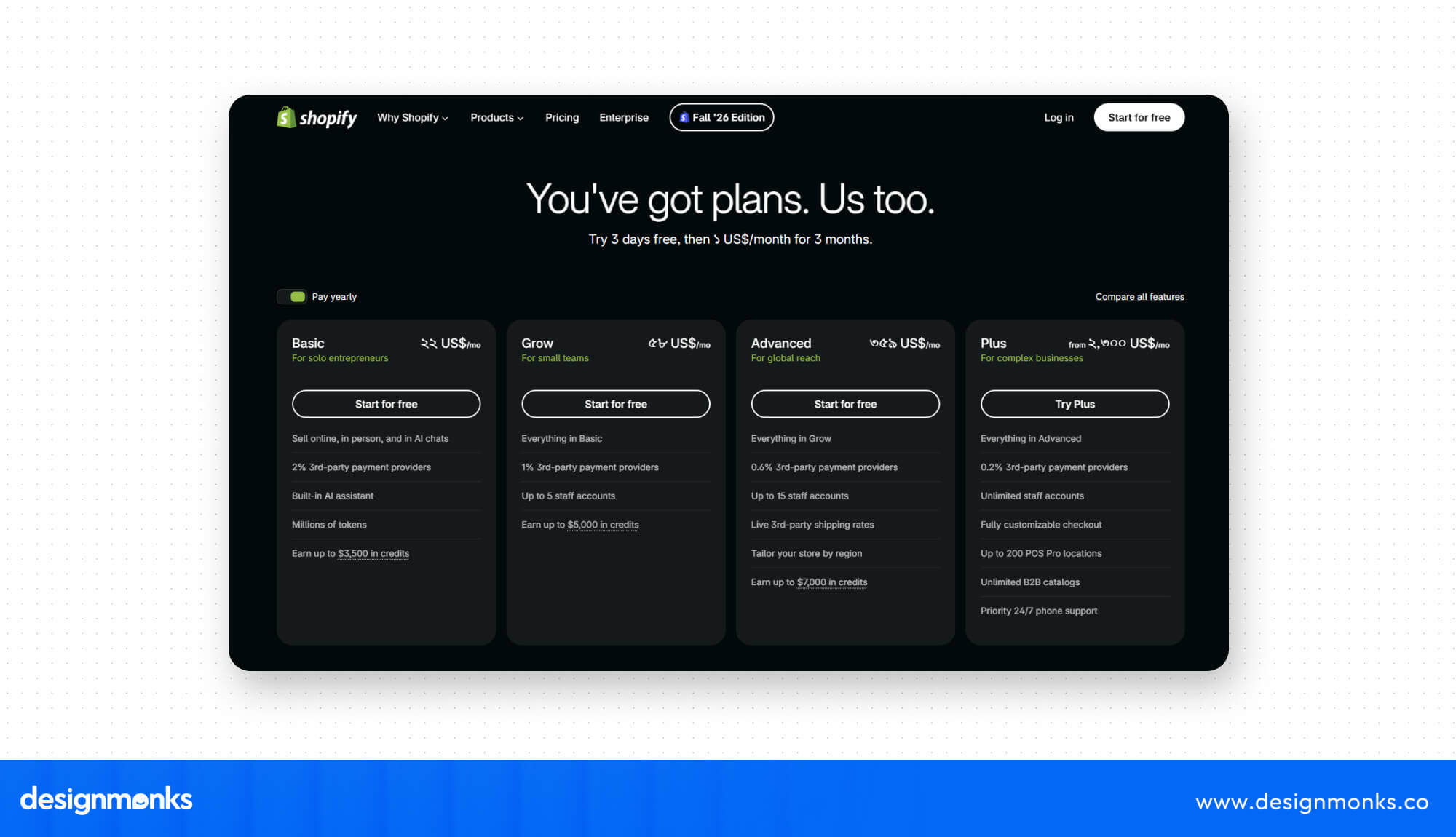
Shopify offers four main plans, all based on annual billing:
- Basic: $29/month.
- Grow: $79/month.
- Advanced: $299/month.
- Plus: From $2,300/month on a three-year term.
Webflow Pricing
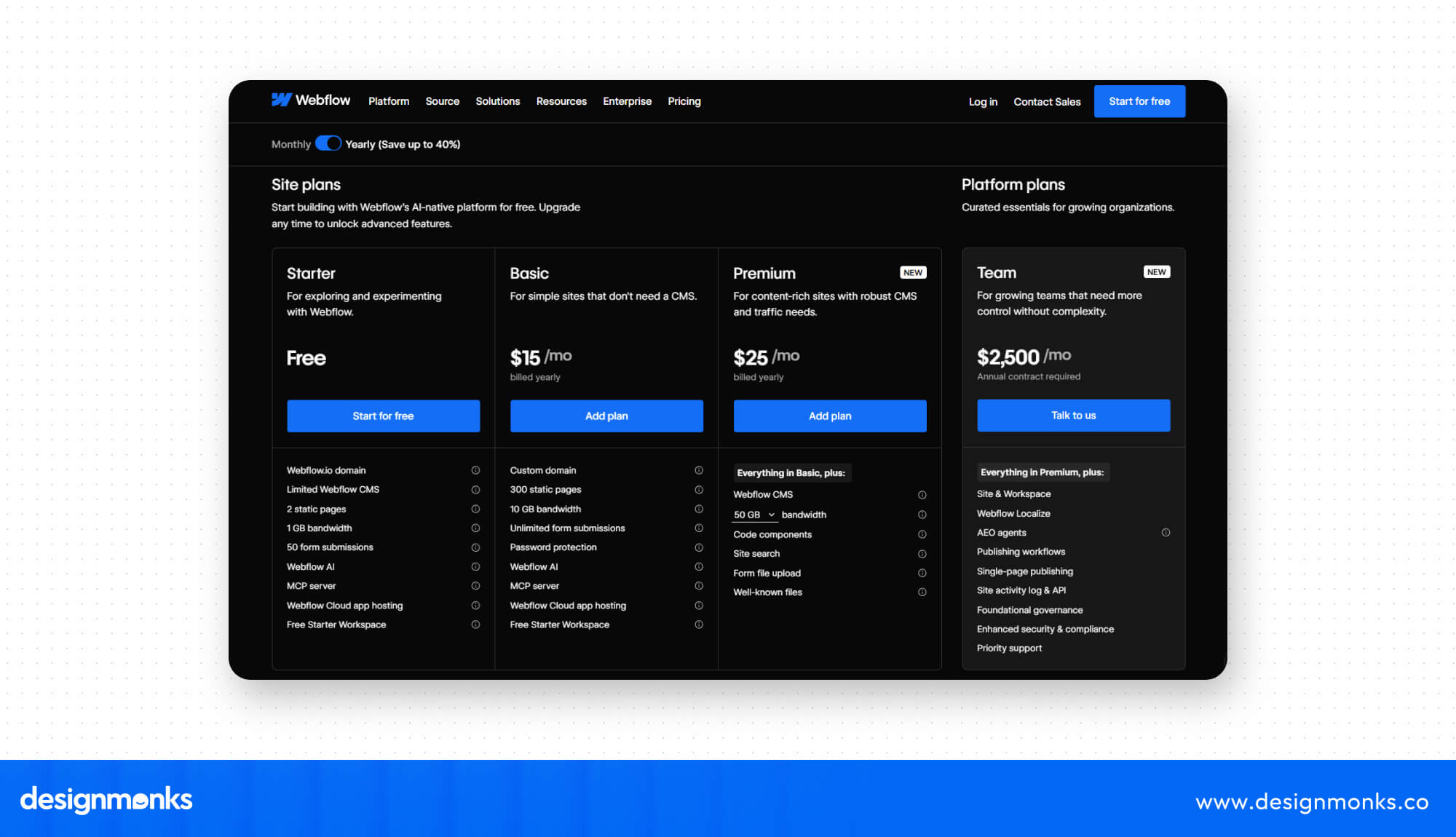
Webflow's Basic Site plan costs $15/month, while Premium costs $25/month billed yearly. For e-commerce, its plans include:
- Standard: $29/month, 500 items, and a 2% transaction fee.
- Plus: $74/month, 5,000 items, and 0% platform transaction fee.
- Advanced: $212/month, 15,000 items, and 0% platform transaction fee.
Payment processing fees still apply. There are also Workspace Plans and add-on options available.
Additional Costs
Both platforms may involve domain registration, paid apps, premium themes, and payment processing fees. Shopify can also charge additional fees for third-party payment providers.
Webflow suits design-focused websites, while Shopify offers more comprehensive ecommerce features. So, make sure to compare the total operating costs before choosing.
Webflow vs Shopify: Which Platform Is Easier to Use?
Shopify is generally easier for beginners who want to launch an online store, while Webflow requires more time to learn because of its advanced design controls.
Ease of Building a Website
Shopify simplifies website creation through its Theme Editor. You can select a theme, customize colors, upload images, and arrange page sections without coding.
Webflow's visual Designer offers greater control over layouts, typography, spacing, grids, and responsive behavior. However, understanding basic CSS concepts and layout systems makes it easier to use.
Ease of Managing an Online Store
Shopify makes everyday store management straightforward. Its dashboard brings product uploads, inventory updates, payments, shipping, and order tracking together. You can manage large product catalogs without switching between different tools.
Webflow Ecommerce supports product and order management, but its inventory and operational features are more limited.
Shopify is better for beginners who want to manage an online store without much technical knowledge. Webflow is worth learning if custom website design is your priority.
Webflow vs Shopify: Which Platform Is Better for Different Businesses?
The best platform depends on your business model and website requirements. Webflow works well for design and content-focused businesses, while Shopify is better suited to companies that depend on online sales.
For Design-Focused Websites
Webflow is suitable for SaaS companies, creative agencies, service businesses, and brands that need custom landing pages, case studies, and marketing websites. Its visual Designer gives teams greater control over page layouts and interactions.
For Ecommerce Businesses
Shopify is better for retailers, DTC brands, and businesses managing physical products. Its inventory tracking, payment processing, shipping, and multichannel selling tools support growing store operations.
For Content-Heavy Websites
Publishers, agencies, and educational platforms can use Webflow CMS to organize articles, resources, authors, and case studies through structured collections and reusable templates. Shopify supports blogging but offers fewer content customization options.
Choose Webflow for custom websites and content marketing. Choose Shopify for product-based businesses that need reliable ecommerce management.
Can You Use Webflow and Shopify Together?
Yes, you can combine Webflow and Shopify to use their strengths together. Webflow handles website design and content, while Shopify manages products, checkout, and store operations.
This approach works well for brands that need custom marketing experiences alongside dedicated ecommerce functionality.
How to Integrate Shopify With Webflow
You can connect Shopify with Webflow in several ways, depending on your store's needs. The simplest option is the Shopify Buy Button, which lets you add product details, prices, and purchasing options directly to Webflow pages.
You can also link your Webflow website to a separate Shopify store. This allows visitors to explore your content before completing their purchases. For more advanced setups, developers can use the Shopify Storefront API to connect product data and e-commerce features with a custom Webflow frontend.
If you need help connecting the two platforms, Design Monks can help integrate Shopify with Webflow, set up the storefront, and create a smooth shopping experience.
When Does a Combined Setup Make Sense?
Consider this setup if your brand needs custom campaign pages, editorial content, and product storytelling alongside advanced inventory and order management. For example, a fashion brand can use Webflow for campaign pages and Shopify for product variants, payments, and shipping.
Combining both platforms offers flexibility, but remember that separate subscriptions, integrations, and maintenance can increase costs.
Webflow vs Shopify: Which One Should You Choose?
Your choice between Webflow and Shopify should depend on what your website needs to accomplish. Both platforms offer professional website-building tools, but their strengths serve different business goals. Here's a simple decision framework:
- Choose Webflow if you need custom layouts, visual design freedom, animations, and flexible content publishing.
- Choose Shopify if your business depends on product management, inventory tracking, payments, shipping, and multichannel selling.
- Choose both if you want a customized marketing website with Shopify's ecommerce infrastructure.
Webflow gives SaaS companies, agencies, and service businesses greater creative control. Shopify provides retailers with the tools to manage products and handle growing sales operations.
Before deciding, consider your current requirements, expected growth, and ongoing costs. The right platform is the one that supports your business without making everyday website management unnecessarily complicated.
FAQs
Is Webflow better than Shopify for ecommerce?
Shopify is better for larger stores with complex inventory, shipping, and order management. Webflow suits smaller stores prioritizing design.
Is Webflow cheaper than Shopify?
Webflow Basic starts at $15/month, while Shopify Basic starts at $29/month with annual billing. Ecommerce costs differ.
Which platform is better for SEO?
Both support essential SEO features. Webflow offers greater customization, while Shopify provides useful ecommerce SEO tools.
Can you sell products on Webflow?
Yes,you can sell products on Webflow. Webflow Ecommerce supports product pages, variants, shopping carts, and payment processing.
Can Shopify match Webflow's design flexibility?
No, Shopify supports theme customization and custom code, but Webflow offers more direct visual design control.
Can you connect Shopify to Webflow?
Yes. You can use the Shopify Buy Button, embedded products, or the Storefront API to connect Shopify with Webflow.
Which platform is better for beginners?
Shopify is easier for beginners managing online stores. Webflow requires more design knowledge.
Conclusion
Choosing between Webflow and Shopify depends on what your business needs most. Webflow is a strong choice for design flexibility, content-focused websites, and creative control. Shopify suits businesses that need reliable e-commerce tools, product management, and room to grow their online stores.
If you want the strengths of both, integrating Shopify with Webflow is another option. Design Monks can help you connect the platforms and build a consistent website and shopping experience.