.svg)



Key Takeaways
- Open-source wireframe tools offer flexible, cost-effective options for UI/UX design.
- Penpot, Excalidraw, and Pencil Project are popular open-source wireframing choices.
- Features like collaboration, prototyping, and self-hosting vary across different tools.
- Open-source tools can help teams identify design issues before development.
- Choosing the right tool depends on your workflow, needs, and budget.
Big ideas often get delayed because professional design software can be expensive. But an open-source wireframe tool can change that. It helps you plan websites, apps, and digital products for free. It brings your ideas to life without stretching your budget.
Some of the best open-source wireframe tools are Penpot, Excalidraw, and Pencil Project. These let you create wireframes, collaborate with your team, and export designs at no cost. They also make it easier to spot usability issues early, avoid costly rework, and turn ideas into better products.
But with so many open-source wireframe tools available, which one is worth your time? Don't worry, we've compared the top options to help you find the best one!
What Is an Open Source Wireframe Tool?
A wireframe tool is software that helps you create a simple layout of a website, app, or digital product. Instead of focusing on colors, images, or fonts, it shows where buttons, menus, text, and other elements should go. They are often used as part of the wireframing and prototyping process to explore ideas and refine product structure.
An open-source wireframe tool works the same way, but its source code is publicly available. This means anyone can view, modify, and improve the software under an open-source license.
Unlike paid design tools, you are not locked into one company's features or pricing. Many open-source tools are also free to use and can even be hosted on your own server for more control over your data.
This makes open-source wireframe tools a great choice for developers, designers, startups, students, and businesses that want flexibility without paying high subscription fees. If you want more control over your design workflow, better privacy, and lower costs, an open-source tool is often the smarter option.
Why Choose an Open Source Wireframing Tool?
An open-source wireframing tool offers much more than free access. It gives you greater control over how you design, collaborate, and manage your projects. Whether you're a freelancer, startup, or large company, these tools can help you save money, protect your data, and create a workflow that fits your needs.
Here are the biggest reasons why more teams are switching to open-source wireframing tools:
Cost Savings for Individuals and Teams
One of the biggest advantages of an open-source wireframing tool is the cost. Most paid design software charges a monthly or annual fee per user, which can become expensive as your team grows.
Open-source tools are often free. This makes them ideal for freelancers, students, startups, and nonprofits. Instead of paying for software licenses, you can invest that money in product development, marketing, or growing your team.
Greater Customization Through Source Code
Open-source tools give you access to their source code and allow developers to customize the software to fit their workflow. You can build custom plugins, add new features, or connect the tool with your existing design system.
Many projects are hosted on GitHub. This makes it easy for developers to improve the software and share updates with the community.
Better Privacy with Self-Hosted Solutions
Many open-source wireframe tools support self-hosting and allow you to run the software on your own server instead of a third-party cloud service.
This gives you greater control over your files and helps protect sensitive product designs and client data. It's a valuable option for businesses that prioritize privacy and security.
Community Contributions and Active Development
Unlike closed-source software, open-source projects are improved by a global community of developers. They regularly fix bugs, add features, improve security, and update documentation.
Most projects are managed on GitHub using version control, while some are supported by organizations like the Linux Foundation. As a result, many open-source tools continue to improve through regular community contributions.
Best Open Source Wireframe Tools Compared
There are many open-source wireframe tools available today, but each one is built for different needs. Some focus on UI design, while others are better for brainstorming, user flows, or usability testing.
Let's look at the best options and see where each one stands out:
Penpot
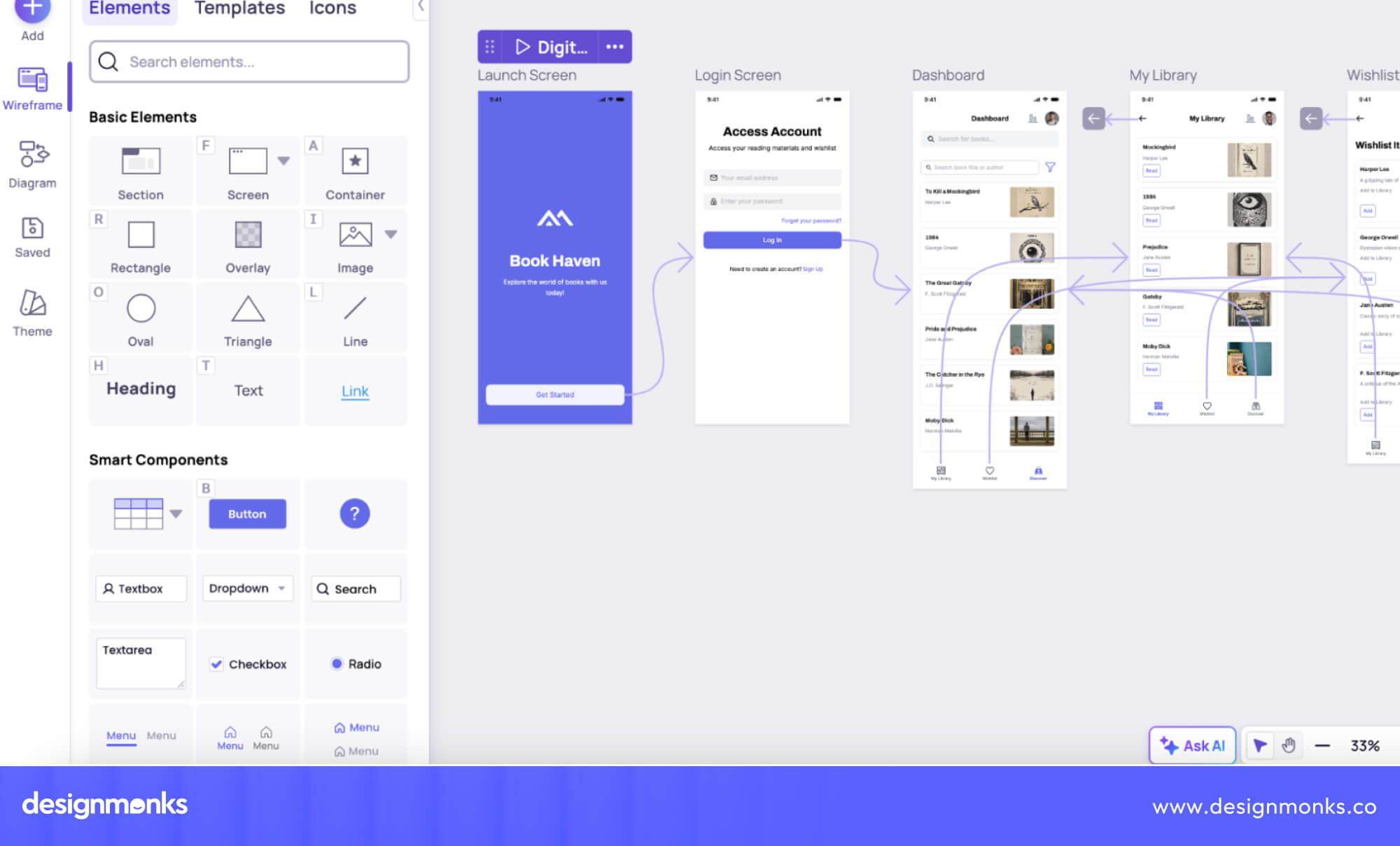
If you're looking for the closest Figma alternative, Penpot is one of the best choices. It is a browser-based design tool that lets teams create wireframes, UI designs, and interactive prototypes together in real time.
It also supports reusable components, developer handoff, and self-hosting for better privacy.
Best for
- UI/UX designers
- Product teams
- Startups
- Teams looking for a free Figma alternative

Penpot is free and open source, supports real-time collaboration, and offers self-hosting for teams that want greater control over their data. However, its plugin ecosystem is still smaller than Figma's, so some advanced integrations and extensions may not be available yet.
Excalidraw
Excalidraw is a simple sketch-style wireframing and diagram tool. Its hand-drawn look helps teams focus on ideas instead of visual details, making it perfect for brainstorming and early planning.
It also supports real-time collaboration, so multiple people can work together from anywhere.
Best for
- Brainstorming
- Early wireframes
- Whiteboarding
- Product discussions
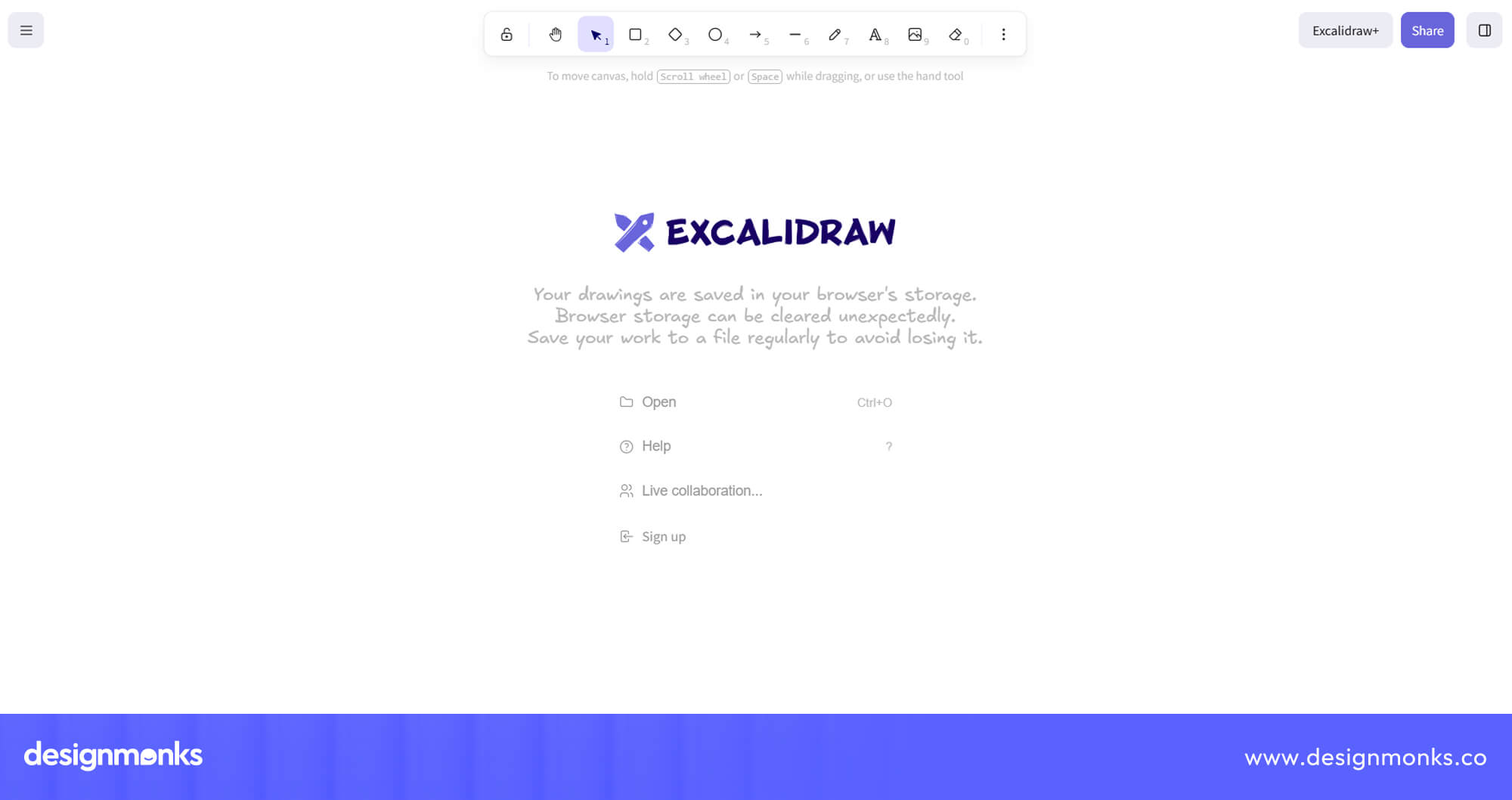
Excalidraw is free, easy to use, and perfect for brainstorming, whiteboarding, and creating quick hand-drawn wireframes with real-time collaboration.
However, it is designed for early ideas rather than detailed UI design, so it lacks advanced prototyping and design features.
diagrams.net
diagrams.net, also known as Draw.io, is mainly a diagram and flowchart tool, but many teams also use it for simple wireframes. It includes a large collection of shapes and UI components and works well with Google Drive and Confluence.
Best for
- Flowcharts
- Basic wireframes
- Technical teams
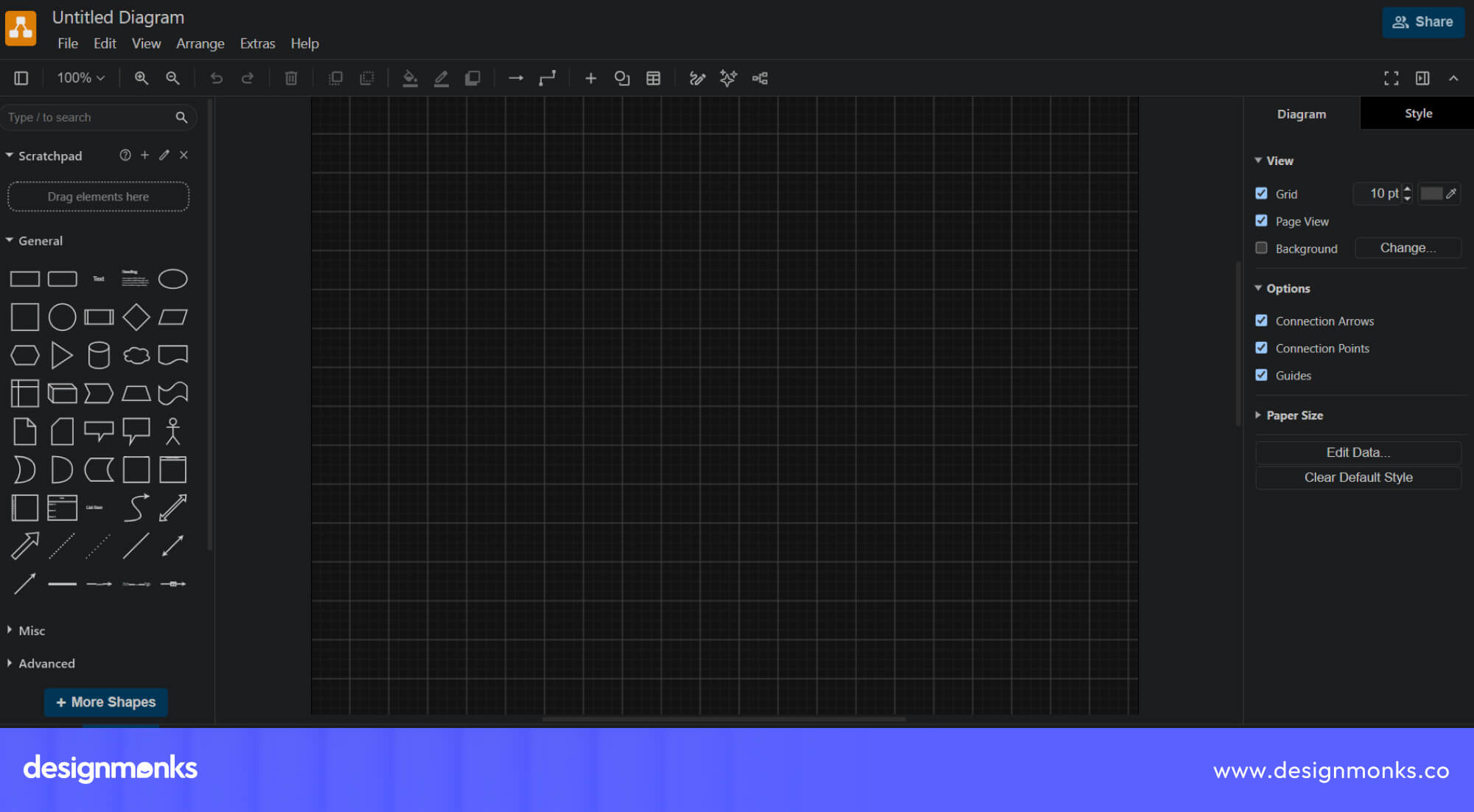
diagrams.net is also a free diagramming tool with a large library of shapes, browser and desktop support, and integrations with platforms like Google Drive and Confluence.
While it works well for simple wireframes, it isn't built specifically for UI design, so some design workflows may feel limited.
Pencil Project
Pencil Project is a desktop-based wireframing tool that works completely offline. It includes built-in UI stencils and is easy to learn. It’s a good choice for beginners or designers who prefer desktop software over browser-based tools.
Best for
- Offline design
- Beginners
- Desktop users
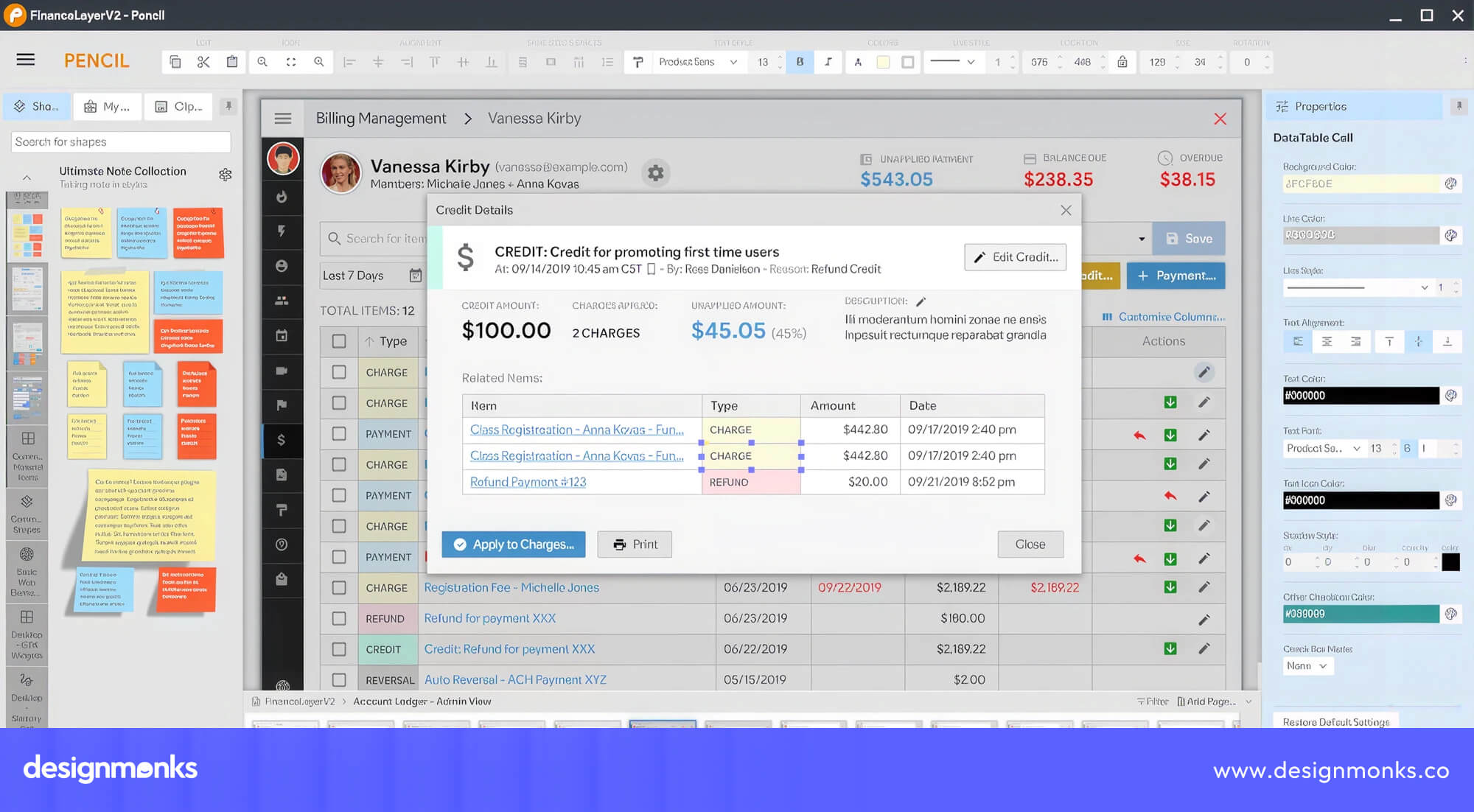
Pencil Project is free, works offline, and includes built-in UI components for creating simple wireframes and mockups. It is easy to learn, but its interface feels outdated and lacks many of the modern collaboration features found in newer tools.
Wireflow
Instead of designing screens, Wireflow helps you map how users move through your product. It lets you create user flows, navigation paths, and customer journeys before designing the interface.
Many UX designers use it alongside a traditional wireframing tool.
Best for
- UX planning
- User journeys
- Information architecture
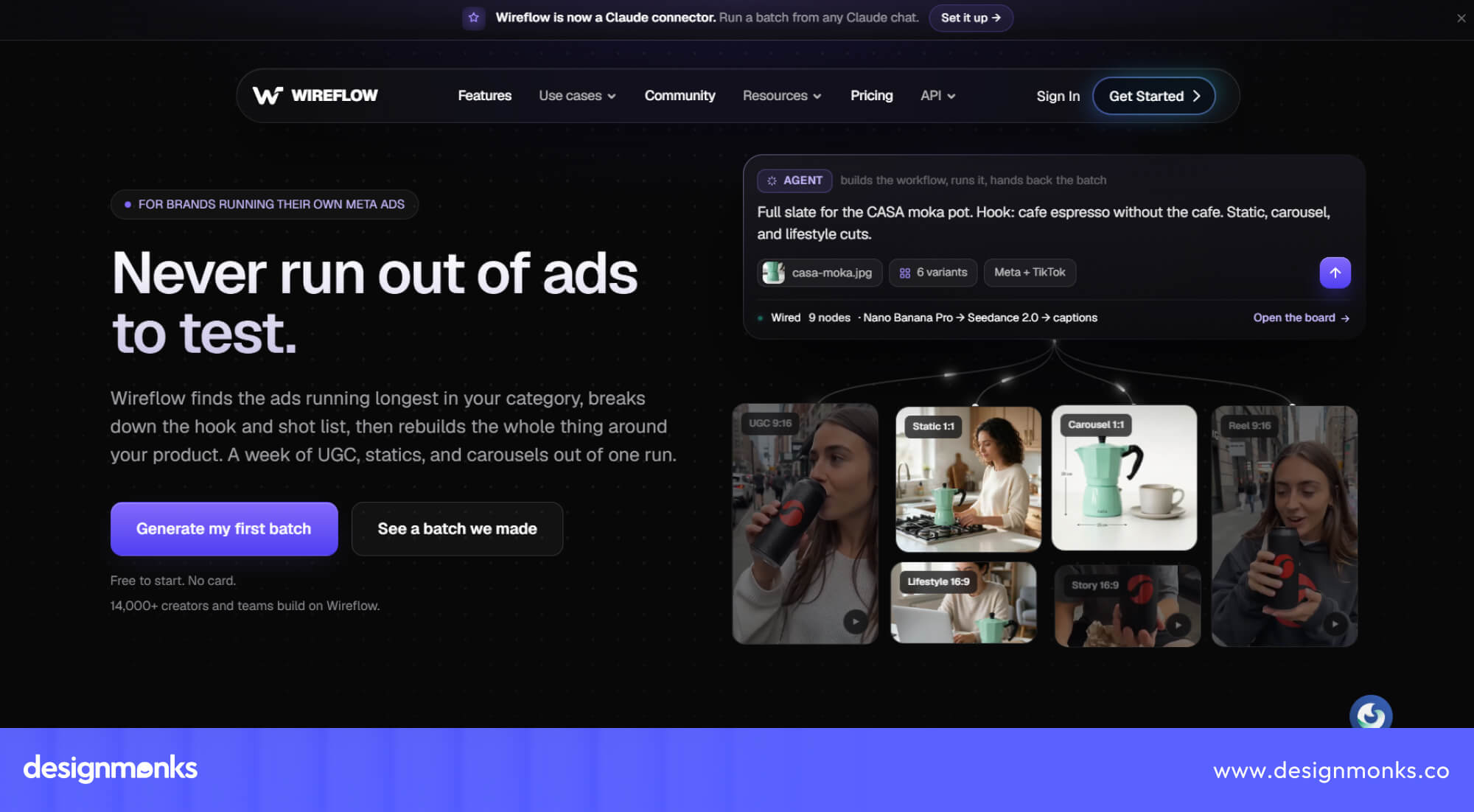
Wireflow makes it easy to create user flows and map navigation before designing screens. It’s a useful tool for UX planning. However, it focuses on user journeys rather than complete wireframes, so you'll likely need another tool for full UI design.
Quant-UX
Quant-UX combines wireframing, prototyping, and usability testing in one platform. You can build interactive prototypes and collect user feedback through click tracking and heatmaps.
This makes it a great option for UX researchers who want to test ideas before development.
Best for
- UX research
- Interactive prototypes
- Usability testing
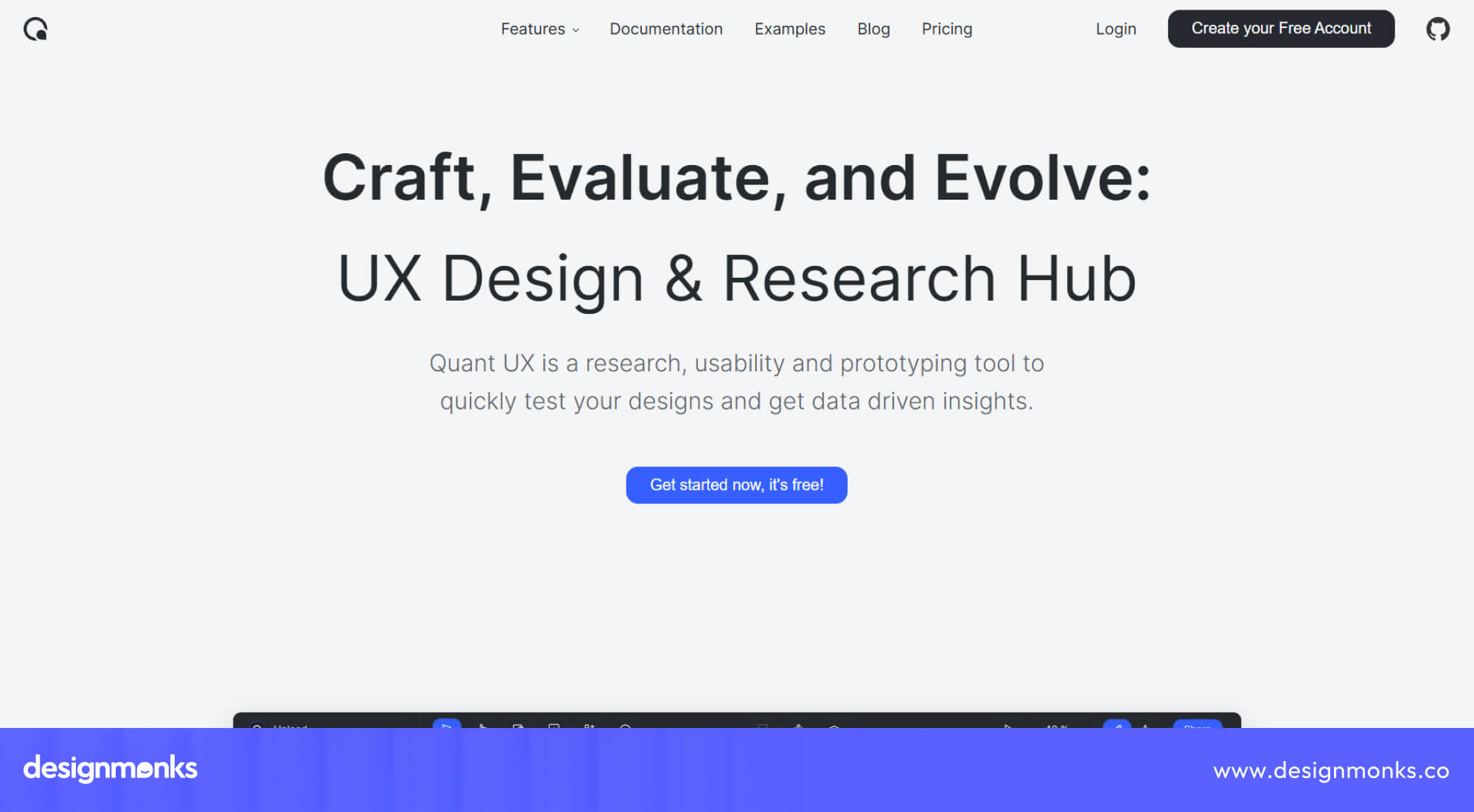
Quant-UX combines wireframing, interactive prototyping, and usability testing in one platform. This makes it a great choice for UX research. However, it has a steeper learning curve than basic wireframe tools and may offer more features than beginners need.
Akira (Linux)
Akira is an open-source design tool built specifically for Linux users. While it is still under development, it gives Linux designers a native application instead of relying on browser-based tools or workarounds.
Best for
- Linux users
- Native desktop design
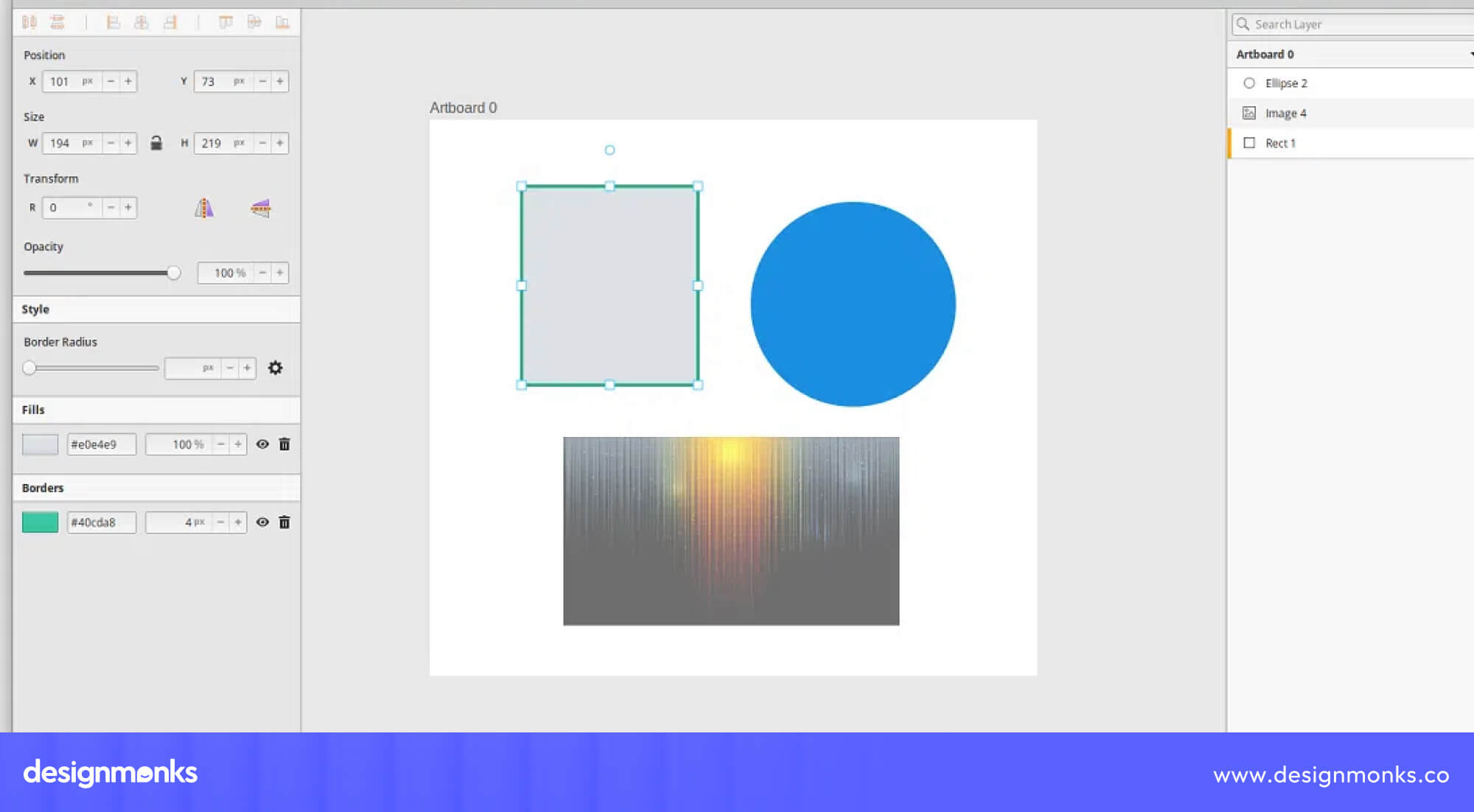
Akira is an open-source design tool built specifically for Linux users, giving them a native alternative to browser-based design software. While it shows great promise, it is still under active development and doesn't yet offer the same feature set as more established tools.
MockupTiger (Community Edition)
MockupTiger Community Edition is a simple wireframing tool for creating quick layouts and mockups. It doesn't have as many advanced features as Penpot or Quant-UX, but it's a good starting point for beginners who want a lightweight solution.
Best for
- Beginners
- Small projects
- Quick mockups
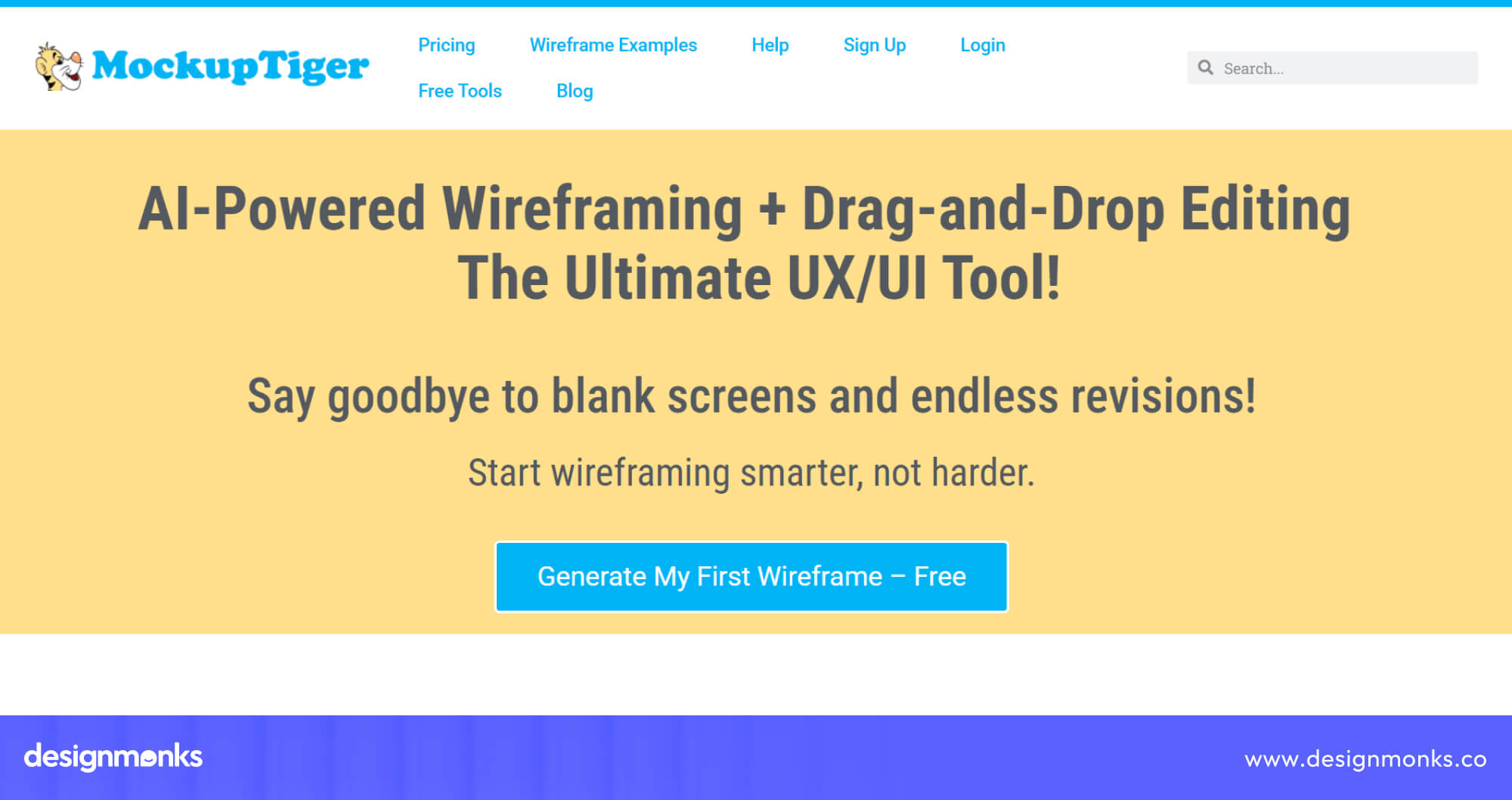
MockupTiger Community Edition is a simple and lightweight wireframing tool that's easy for beginners to get started with. However, its free version has fewer advanced features than tools like Penpot or Quant-UX, making it better suited for basic projects.
Feature Comparison of Popular Open Source Wireframe Tools
Different tools excel in different areas, so it helps to compare them side by side across the features that matter most for day-to-day design work:
If you need an all-in-one design tool, Penpot offers the most complete feature set. Excalidraw is better for quick sketches and brainstorming, while diagrams.net works well for flowcharts and simple wireframes.
Pencil Project is a solid choice for offline desktop users, and Wireflow and Quant-UX are better suited for user flows and UX research.
How to Choose the Right Open Source Wireframe Tool
The best open source wireframe tool depends on how you work and what you're building. Here are our recommendations based on different use cases:
Individual Designers
If you work alone or as a freelancer, Penpot is the best choice. It offers professional design features, collaboration, and prototyping without any subscription costs. Its clean interface makes it easy to manage personal projects, while self-hosting gives you more control over your work if you need it.
As your skills grow, Penpot can also handle more complex design projects without requiring you to switch tools.
Product Teams
Teams that need to collaborate in real time should consider Penpot or Excalidraw. Penpot is ideal for creating detailed UI designs, while Excalidraw works well for brainstorming and planning ideas together.
Both tools allow team members to share feedback quickly and help everyone stay aligned throughout the design process. This can reduce miscommunication and speed up product development.
Developers
Developers often need tools they can customize or self-host. Penpot and diagrams.net are excellent options because they are open source, actively maintained, and easy to extend.
You can integrate them into existing workflows, modify the source code, or deploy them on your own servers for greater flexibility and privacy. This makes them a practical choice for development-focused teams.
UX Researchers
If your goal is to test designs with real users, Quant-UX is the strongest option. It combines wireframing with interactive prototyping and usability testing in one platform.
Built-in features like click tracking and heatmaps help you understand how users interact with your designs. This allows you to improve the user experience before development begins.
Startups
Startups usually need powerful tools without high costs. Penpot is the best long-term solution, while Excalidraw is perfect for quickly turning ideas into simple wireframes during the early stages of product development.
Both tools are free to use, making it easier to experiment with new ideas without increasing your software budget. As your product grows, you can continue using them without worrying about expensive licensing fees.
Open Source Wireframe Tool vs Proprietary Design Software
Choosing between an open-source wireframe tool and paid design software depends on your budget, workflow, and feature requirements. Paid tools usually offer larger plugin libraries, more integrations, and premium support.
On the other hand, open-source tools give you greater flexibility, lower costs, and even self-hosting options for better privacy. Let's compare some of the most popular alternatives:
Penpot vs Figma
For years, Figma has been the go-to tool for UI and UX design. But if you're looking for a free alternative, Penpot comes surprisingly close. It offers real-time collaboration, reusable components, interactive prototypes, and even developer handoff, all without a paid subscription.
Figma still leads with its massive plugin marketplace and mature ecosystem. However, if your priority is reducing costs, self-hosting your projects, or using open-source software, Penpot delivers excellent value.
For many freelancers, startups, and growing teams, it provides everything needed to design modern digital products.
Pencil vs Balsamiq
If your goal is to create quick, low-fidelity wireframes, both Balsamiq and Pencil Project get the job done. Balsamiq offers a smoother interface, regular updates, and a polished experience, but it comes with a subscription.
Pencil Project takes a simpler approach. It's completely free, works offline, and includes enough UI components for most basic wireframing tasks. If you don't need advanced collaboration features, Pencil Project can save you money while still helping you build effective layouts.
Draw.io vs Lucidchart
Lucidchart is packed with collaboration tools, enterprise integrations, and advanced diagramming features. It's a popular choice for large organizations. But not every team needs that level of complexity.
diagrams.net (Draw.io) offers most of the core diagramming and wireframing features completely free. It supports browser and desktop use, integrates with popular cloud storage services, and is more than capable of handling everyday design and planning tasks.
Unless your business depends on enterprise-level features, Draw.io is often the best choice for the value.
Excalidraw vs Miro
Miro is built for large teams that need digital whiteboards, workshops, sticky notes, and project planning in one place. It's powerful, but many users only need a small part of what it offers. That's where Excalidraw stands out.
It focuses on quick sketches, simple wireframes, and brainstorming without unnecessary complexity. If you want to turn ideas into visuals within minutes, Excalidraw is faster to learn, easier to use, and completely free.
Common Features You Should Expect From an Open-Source Wireframe Tool
No matter which open-source wireframe tool you choose, there are a few important features that can make your design process faster and easier:
- Components and UI Kits: Reusable UI components like buttons, forms, and navigation bars help you build wireframes faster without creating every element from scratch. Many tools also include UI kits for web and mobile design.
- Icon Libraries: Built-in icons save time by giving you ready-to-use graphics for menus, settings, notifications, and other interface elements. This keeps your designs consistent and reduces the need for external icon packs.
- Responsive Layouts: A good wireframing tool should help you design for different screen sizes, including desktops, tablets, and mobile devices. This makes it easier to create layouts that work well across multiple devices.
- Auto Layout: Auto layout automatically adjusts spacing and alignment as your design changes. It helps keep your wireframes organized and reduces the time spent moving elements manually.
- Team Collaboration: If you work with others, look for real-time collaboration so designers, developers, and stakeholders can edit and review the same project together.
- Comments and Feedback: Commenting tools let team members leave feedback directly on the design. This keeps discussions organized and makes revisions much easier to manage.
- Version History: Version history allows you to view or restore previous versions of a design. It's especially useful when testing different ideas or recovering from unwanted changes.
- Export Options: Most tools should support exports in common formats like SVG, PNG, and PDF. This makes it easy to share wireframes with clients, developers, or other team members.
- Design Systems: Support for design systems lets you reuse colors, typography, and UI components across multiple projects. This helps keep your designs consistent and speeds up future work.
Limitations of Open Source Wireframing Software
Open-source wireframe tools offer excellent value, but they're not perfect. Before choosing one, it's important to understand a few common limitations:
- Smaller Communities: Compared to popular paid tools, many open-source projects have smaller user communities. This means you may find fewer tutorials, templates, and community resources when learning the software.
- Limited Plugins: Most open-source tools have fewer plugins and extensions than platforms like Figma. If your workflow depends on third-party apps or advanced integrations, this could be a limitation.
- Fewer Integrations: Many open-source wireframe tools don't connect with as many project management, communication, or developer tools as paid platforms. This can affect teams with complex workflows.
- Documentation Quality: Documentation varies from one project to another. Popular tools like Penpot offer detailed guides, while smaller projects may have limited or outdated documentation.
Despite these drawbacks, many open-source wireframe tools provide everything individuals and small teams need. If saving money, protecting your data, and having more control over your software are your priorities, they remain an excellent choice.
Best Open Source Wireframe Tool by Use Case
Not every tool is built for the same type of user. Here are our top recommendations based on different needs:
- Best for UX designers: Penpot is a strong choice because it supports wireframing, prototyping, design systems, and developer collaboration.
- Best for developers: diagrams.net is useful for creating technical diagrams, user flows, system maps, and wireframes.
- Best for teams: Penpot supports real-time collaboration, shared libraries, and reusable components for team-based design work.
- Best for Linux users: Akira is a native Linux design tool, although it is still in early development and may not be suitable for production work.
- Best for beginners: Excalidraw has a simple interface that makes it easy to create rough wireframes, sketches, and user flows.
- Best for self-hosting: Penpot is a strong option for organizations that want more control over their data, infrastructure, and privacy.
- Best for enterprise teams: Penpot supports advanced administration, permissions, SSO, and large-scale collaboration through its enterprise features.
- Best for education: Excalidraw is useful for students and teachers because it supports brainstorming, visual explanations, presentations, and real-time collaboration.
Need More Than Just a Wireframing Tool?
If you're building a serious digital product, choosing the right wireframing tool is only the first step. Turning those ideas into an intuitive user experience requires the right design strategy, research, and execution. That's where Design Monks can help.
Our team works with startups, SaaS companies, and enterprises to create user-centered wireframes, interactive prototypes, and scalable design systems that are ready for development.
Whether you use Penpot, Figma, or another design tool, we help transform ideas into products users love.
Frequently Asked Questions
Is Penpot better than Figma?
Penpot is a strong open-source alternative, but "better" depends on priorities. Figma has a larger plugin ecosystem and broader industry adoption, while Penpot offers self-hosting, no licensing costs, and full data control. Teams prioritizing privacy and budget often prefer Penpot, teams prioritizing ecosystem maturity tend to stick with Figma.
Which wireframe tool is completely free?
Excalidraw, diagrams.net, and Pencil Project are entirely free with no paid tiers. Penpot's core self-hosted version is also free, though it offers an optional hosted cloud plan for teams that don't want to manage their own servers.
Can open source tools replace Adobe XD?
Open source tools can replace Adobe XD for basic wireframing and prototyping. For advanced motion design or deep integration with other Adobe products, open source tools generally can't fully replace Adobe XD's specialized feature set. But Penpot comes closest for general UI/UX design work.
Are open source wireframe tools secure?
Security depends on hosting and implementation rather than the open source model itself. Self-hosted tools give organizations full control over their data and security posture, but that also means the responsibility for patching and maintaining the server falls on the team rather than a vendor.
Which tool works offline?
Pencil Project is a desktop application that works fully offline. Most browser-based tools like Penpot and Excalidraw require an internet connection for their hosted versions, though self-hosted or local deployments can reduce this dependency.


.avif)
.avif)
.avif)
.avif)


.avif)
.avif)
.avif)
.avif)







.avif)