.svg)



Key Takeaways
- Agentic UX uses AI agents to simplify tasks and personalize user journeys.
- Transparency, privacy, and user control are essential for building trust.
- Conversational search, adaptive interfaces, and smart forms reduce user effort.
- AI agents improve efficiency but introduce privacy, security, and accuracy risks.
- User testing and continuous improvement help create effective agentic web experiences.
Imagine telling a website what you need and watching it handle the complicated steps for you. That is the promise of an agentic user-friendly web experience, where AI understands intent, automates tasks, and personalizes customer journeys.
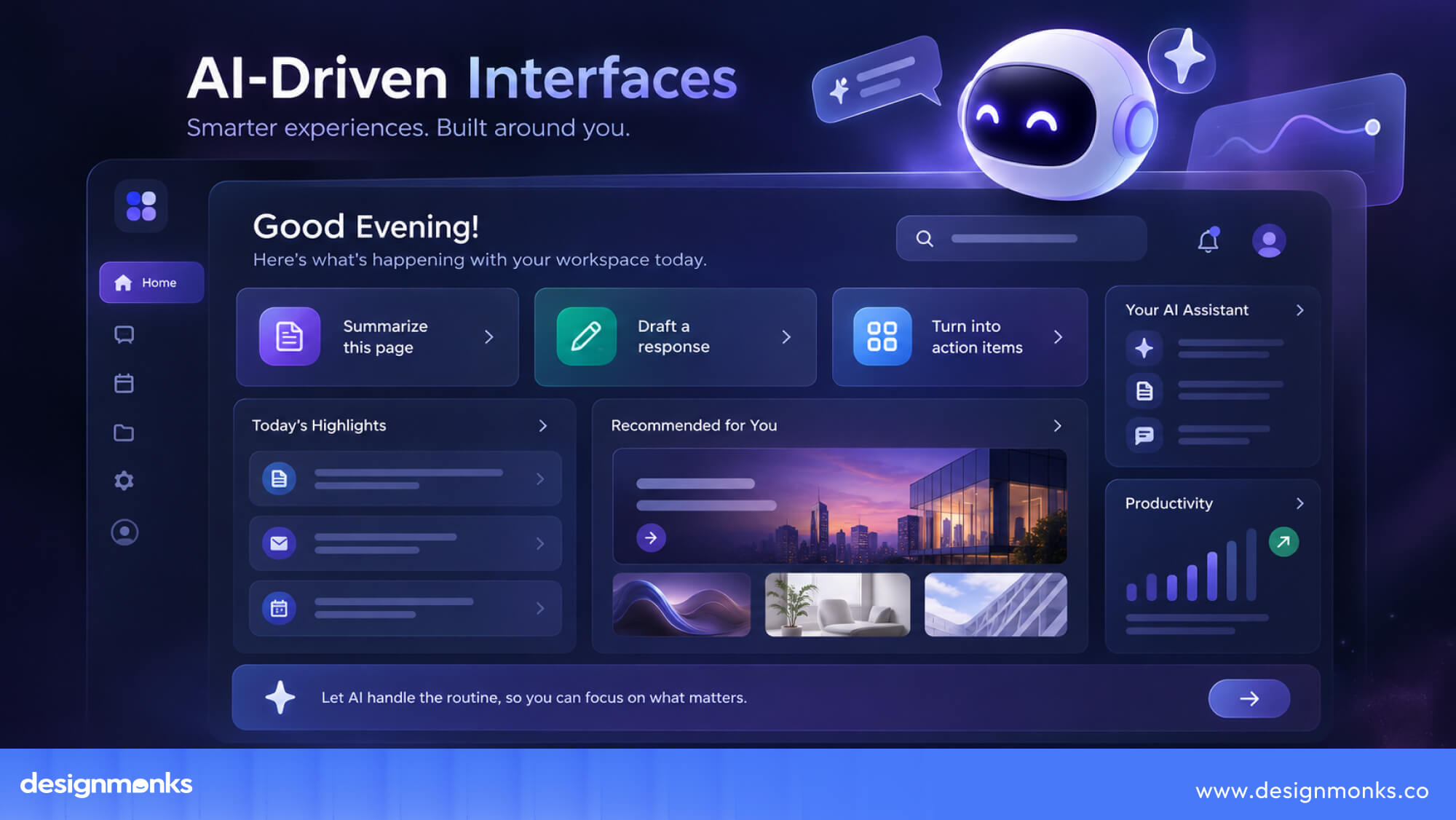
Instead of relying only on traditional navigation, users can interact through conversational search, natural language, voice, smart forms, and adaptive interfaces. AI can understand context and help users reach their goals with fewer clicks and less effort.
So, what does this mean for the future of web design? Let’s explore how agentic UX works, where it fits, and how to make it truly user-friendly.
What Is an Agentic User-Friendly Web Experience?
Traditional websites still put most of the task on the user. You have to search for the right page, choose filters, enter details, compare options, and complete each step yourself. An agentic, user-friendly web experience changes this by letting AI handle more of that work.
Users can simply state what they want, while an AI agent understands the request, decides what needs to happen, and completes tasks within set limits.

For example, a shopper could ask for a waterproof jacket under $150 that ships by Friday. The agent can search, compare suitable options, and show the best matches. For sensitive actions, such as making a payment, it can ask for approval first.
Why Traditional UX Is No Longer Enough
Traditional UX works well when a task is simple and predictable. But some digital product design now involve too many choices, steps, and possible paths.
A travel site, for example, may ask users to choose dates, locations, budgets, hotels, transport, and activities before they can get a useful result.
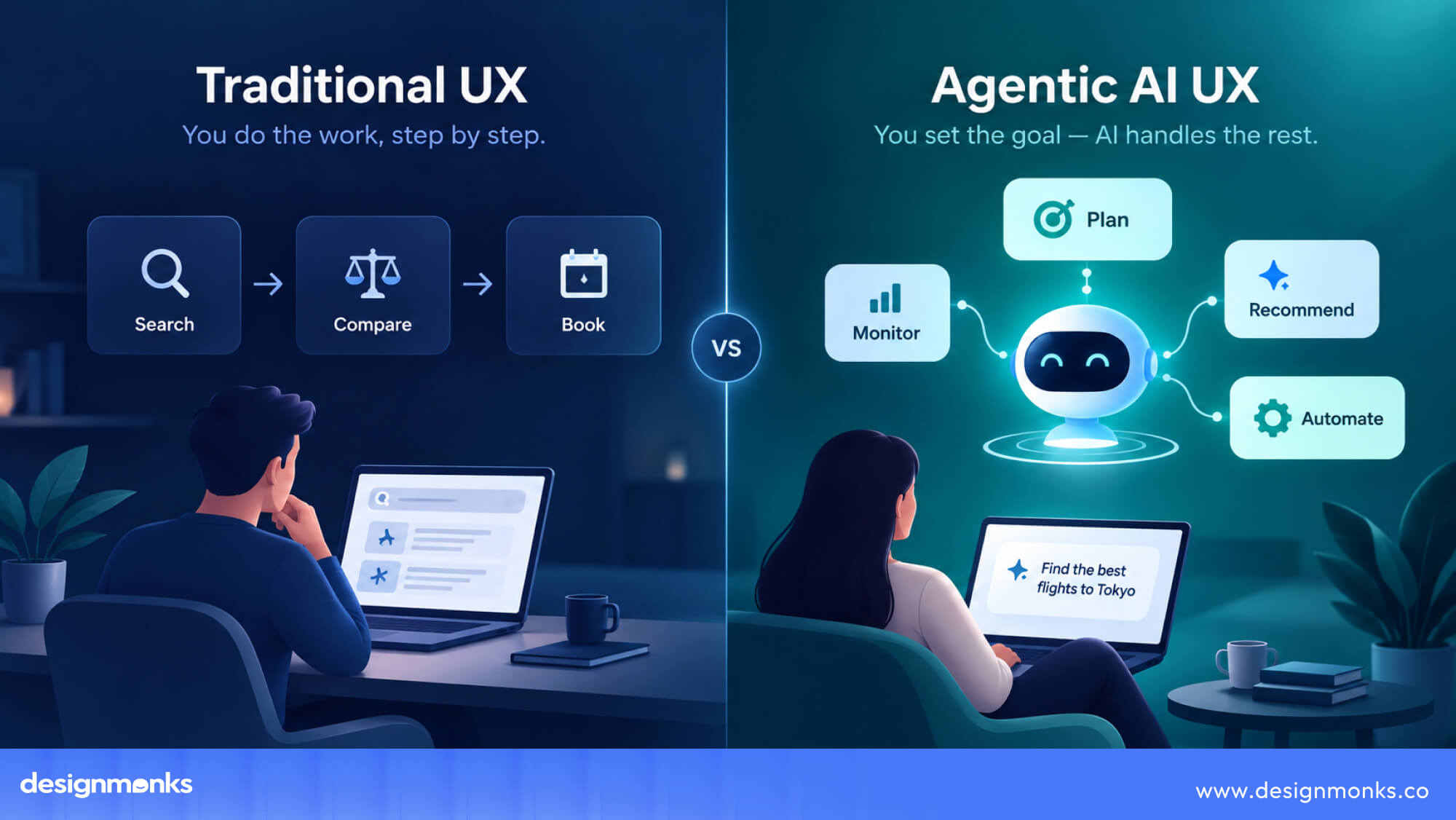
The challenge is not always poor design. Sometimes, a fixed interface simply has too many decisions to handle well.
Agentic web experiences offer another way to approach these complex tasks. Agentic websites allow the system to understand context and adapt the experience based on what the user is trying to achieve.
Human-Centered vs Agent-Centered Design
Human-centered and agent-centered design look at the same experience from different perspectives. Human-centered design focuses on understanding people's needs, behaviors, and goals, then creating interfaces that make interactions clear and intuitive.
Agent-centered design looks at what the system can understand, decide, and accomplish to support those same goals.
Neither approach replaces the other. People still need clear interfaces, meaningful choices, and control, while agents need the right context, tools, and boundaries to act effectively.
The goal is to decide which parts of an experience are better handled by the person and which can be delegated to the system. For simple, repeatable tasks, an agent may be able to act independently. For tasks that involve personal preferences, risk, or important decisions, the user may need to stay more involved. This makes control, transparency, and trust central to agentic UX.
A strong user experience does not mean automating more. It creates the right balance when users are given control where it matters while allowing the agent to handle work where it can add real value.
How AI Agents Change Website User Experience
The biggest change in agentic UX is that AI can perform tasks for users. Instead of only answering questions or showing search results, an AI agent can search, compare, recommend, and complete tasks based on the permissions it has.
This also changes how websites are designed and how users interact with them. Some key patterns include:
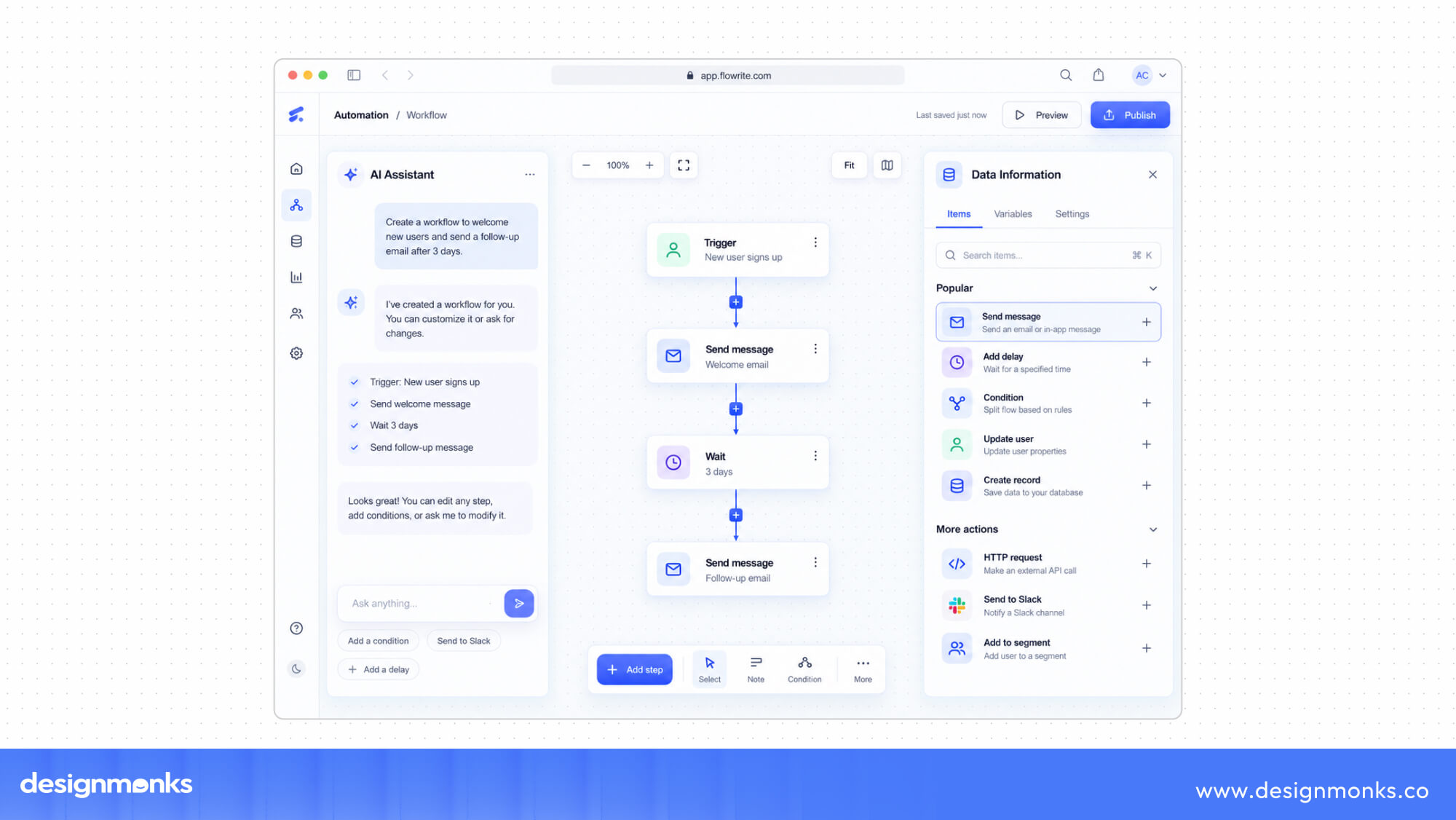
- AI Performs Tasks Instead of Users: An agent can do more than show information. It can find what the user needs, sort through options, and take action. For example, a support agent could process a return instead of simply showing the user a help page.
- Context-Aware Experiences: The agent can remember information shared earlier in the conversation and use it to provide better responses. If a user says they are traveling with children, the agent can consider that when suggesting hotels or activities.
- Personalized Journeys: Users do not always need to follow the same path through a website. An agent can adjust the experience based on their goals, preferences, and previous interactions.
- Predictive Interfaces: AI can also suggest useful actions before users ask. It might remind someone to reorder a product they regularly buy or alert them when an item they were watching drops in price.
Together, these changes make websites more responsive to individual needs. Users can focus on their goals while the system handles more of the work behind the scenes.
Core Principles of an Agentic User-Friendly Website
Autonomy alone doesn't make an experience good, it can just as easily make it confusing or untrustworthy if done carelessly. The experience needs to help people and AI agents work together. Here are the key principles to focus on in order to do that:
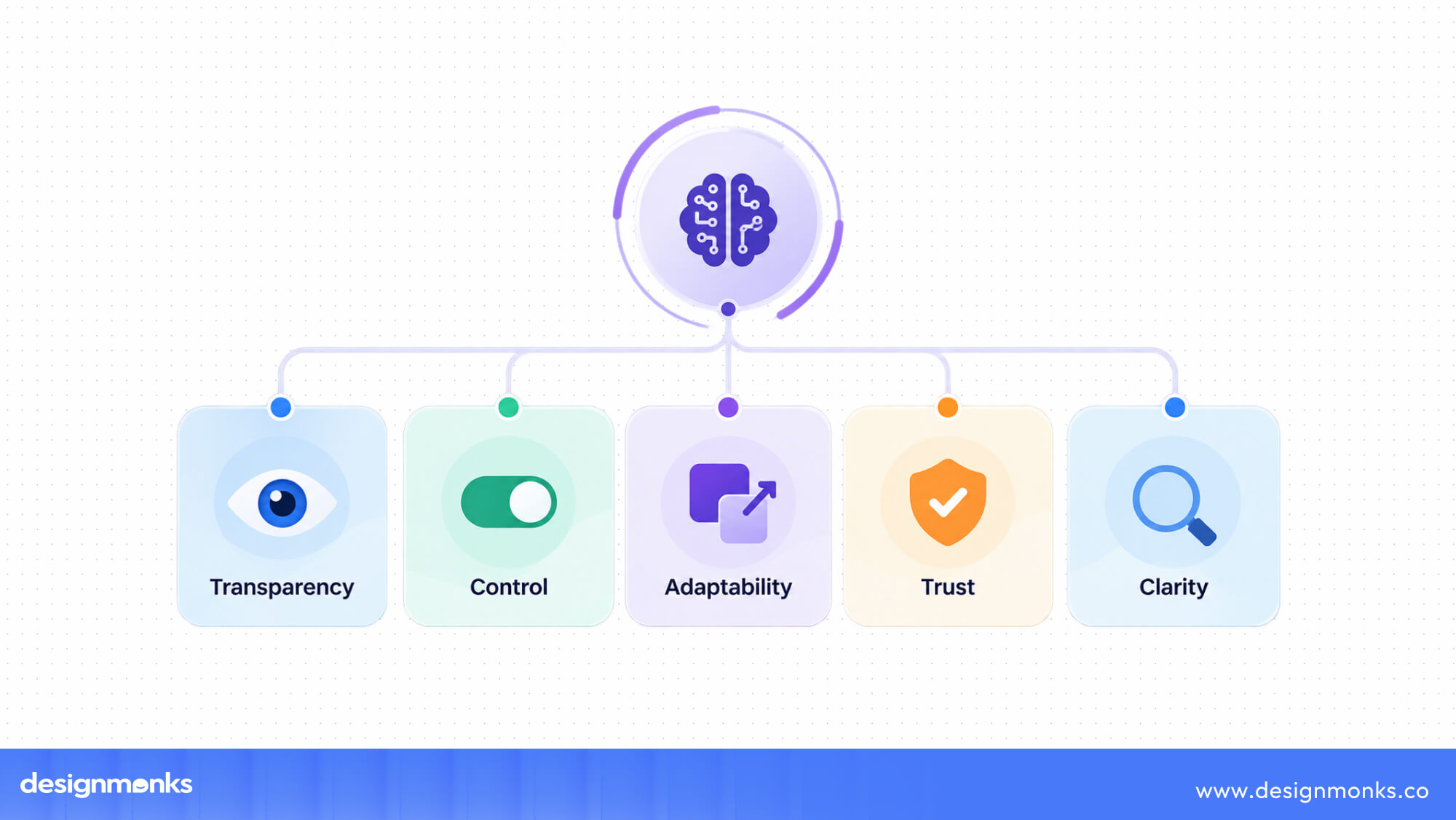
Context Awareness
AI agents should understand the context behind a user's request. This includes information from the current interaction, previous actions, and preferences the user has shared.
For example, if someone is looking for a family-friendly hotel, the agent should consider that preference throughout the search instead of asking the same question again. Good context awareness makes interactions feel more relevant and reduces unnecessary steps.
Transparency
Users should always be able to see what the agent is doing and why. If an agent is searching, comparing options, or preparing an action, the user should not be left guessing. Clear updates and simple explanations can help users understand what is happening and what the agent plans to do next.
User Control
Automation should never mean losing the ability to intervene. Users need clear ways to pause, correct, override, or reject what the agent proposes.
Agents can work independently on simple, low-risk actions, while they should ask for approval before actions involving money, personal data, account changes, or other serious consequences.
Explainable AI
AI agents can sometimes make recommendations or take actions based on information users cannot immediately see. When an important decision is involved, the system should provide a simple explanation of why it made a recommendation or chose a particular option.
Users do not need to understand every technical detail. They just need enough information to judge whether the agent's reasoning makes sense.
Accessibility
An agentic website should be easy for both people and AI agents to understand and use. This starts with a clear and well-structured website.
Use semantic HTML, descriptive buttons, clear form labels, and logical page structures. For example, a button labeled “Submit Payment” gives more information than a vague label like “Continue.”
Consistent navigation and well-organized content also make it easier for AI agents to find information and complete tasks. Structured data can further help systems understand details such as products, prices, availability, reviews, and events.
These practices also support accessibility for people. Clear labels, keyboard navigation, alt text, and accessible names can make the website easier to use while also making its structure clearer to automated systems.
Trust & Privacy
Agentic experiences often need access to personal information, preferences, or account details to complete tasks. Users should know what data the agent can access, how it is being used, and what permissions they have given.
Clear privacy settings and permission controls can help users decide what they are comfortable sharing. Building trust means giving users useful automation without asking them to give up unnecessary control over their data.
Essential Features of Agentic Web Experiences
Agentic websites bring together several features that help AI understand users and respond to their needs. These features can make websites easier to search, navigate, and use:
Conversational Search
Users can describe what they want in everyday language instead of searching with exact keywords. For example, someone could type “something casual for a beach wedding” and get relevant results without choosing a specific product category or several filters.
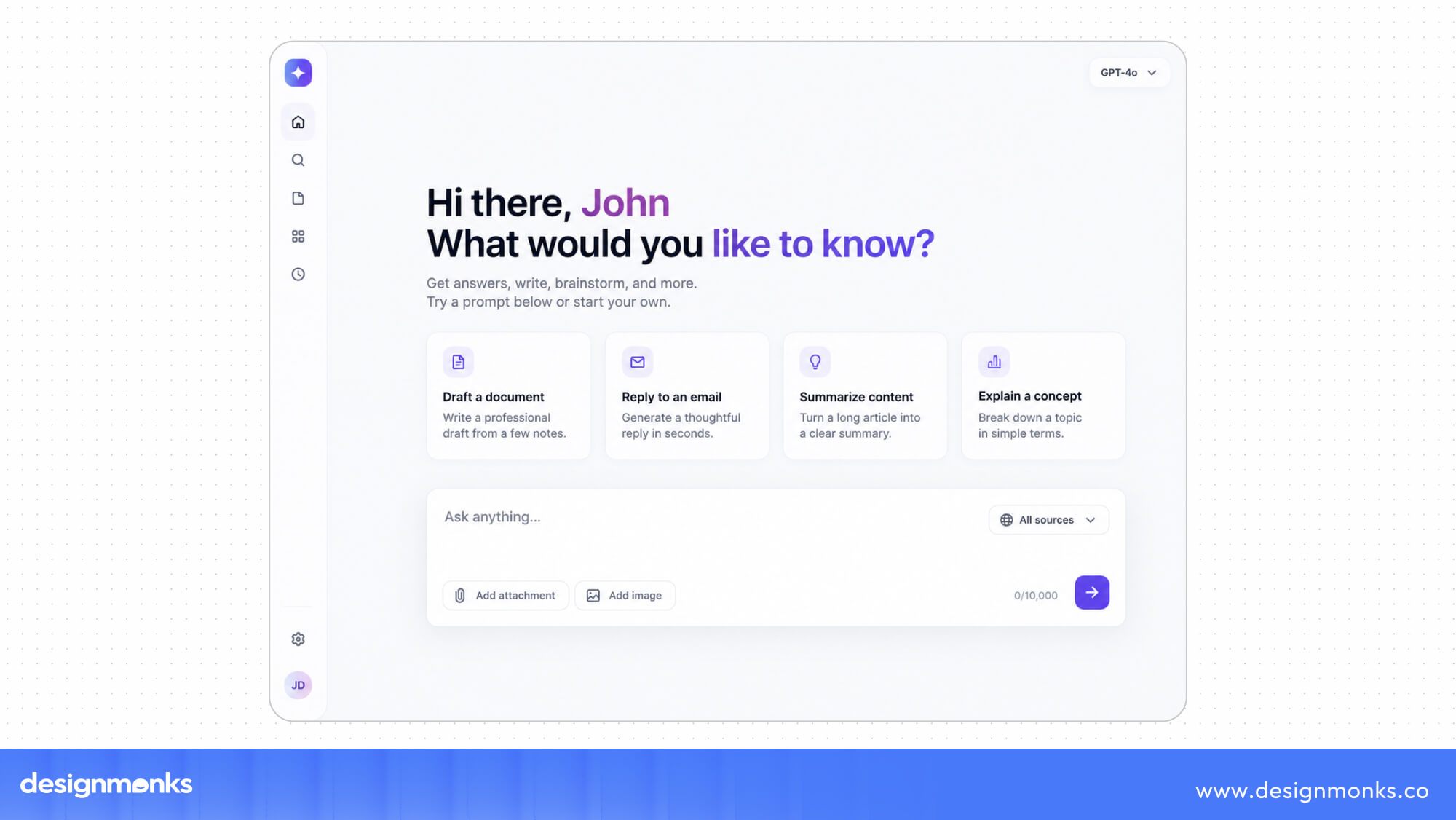
Natural Language Navigation
Natural language navigation lets users tell the website what they want in their own words. Rather than opening menus and searching through different pages, users can ask the agent to find a specific product, service, or piece of information.
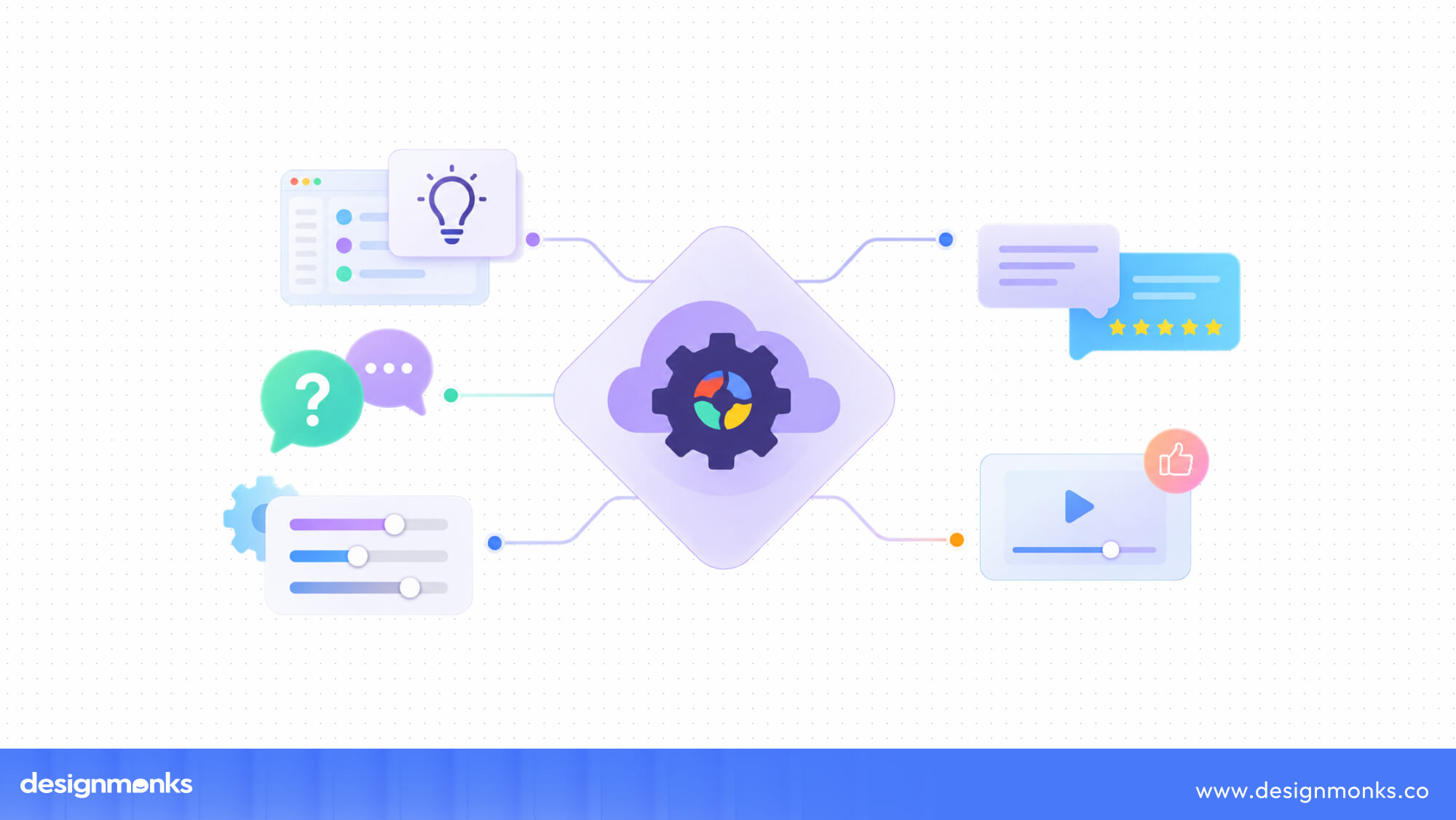
The agent then understands the request and takes the user to the right place or completes the next step. This is especially useful on websites with large amounts of content or many products.
AI Recommendations
AI recommendations help users make decisions by suggesting products, content, or actions that match their needs. The agent can use information from the current conversation, previous actions, and stated preferences to make these suggestions more relevant.
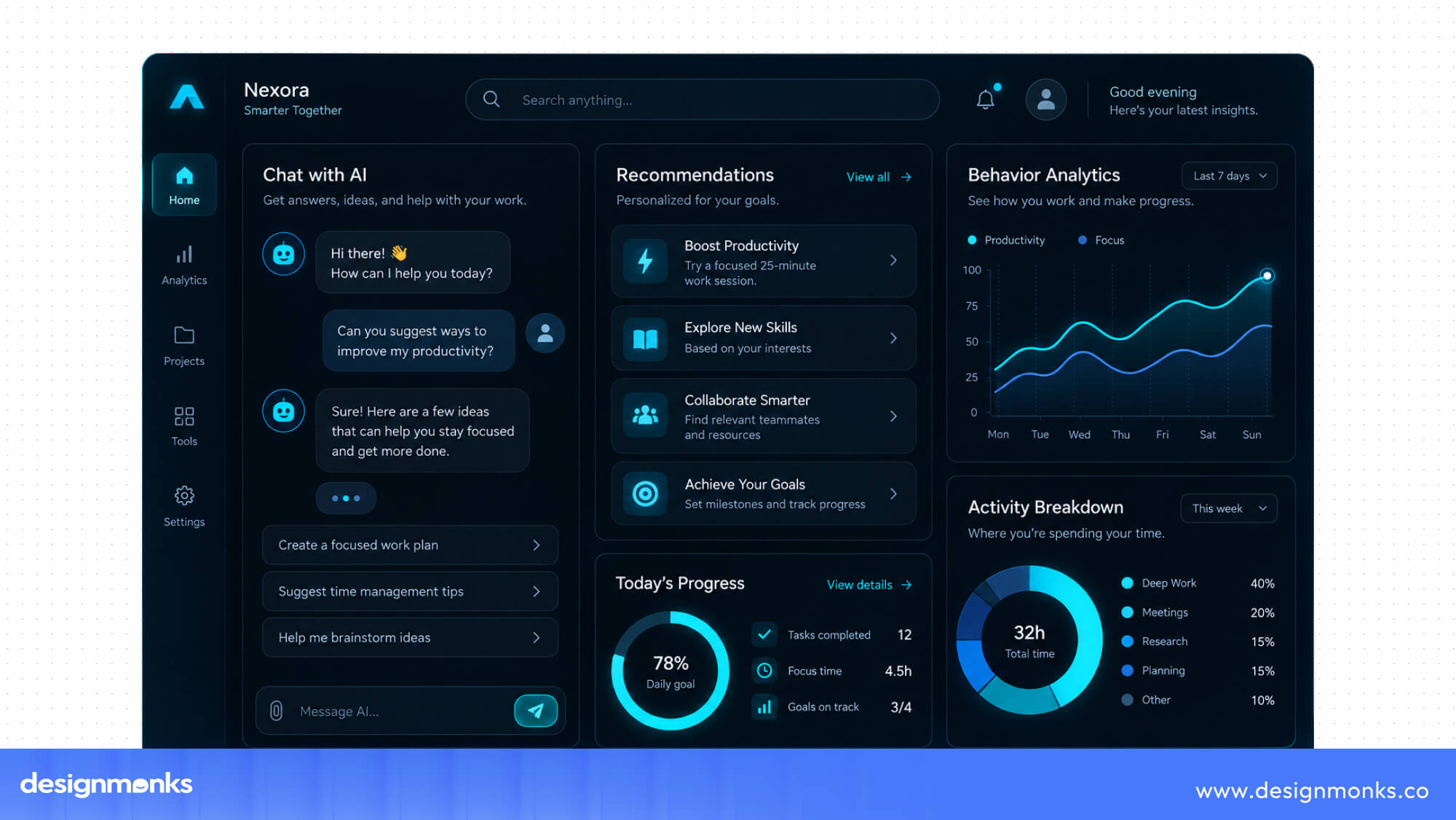
As the user's needs change, the recommendations can also change. This makes the experience more responsive than a fixed list of popular or related items.
Voice Interaction
Voice interaction allows users to communicate with an AI agent by speaking rather than typing or clicking through the interface. Users can ask questions, search for information, or give instructions using natural speech.
The agent can then respond or take an action based on the request. This can make certain tasks easier for users who are on the move, have limited mobility, or prefer voice-based interaction.
Adaptive UI
An adaptive UI changes based on what the user is trying to accomplish. The interface can show more information when a user needs to compare options or provide a simpler flow when the task is familiar and straightforward.
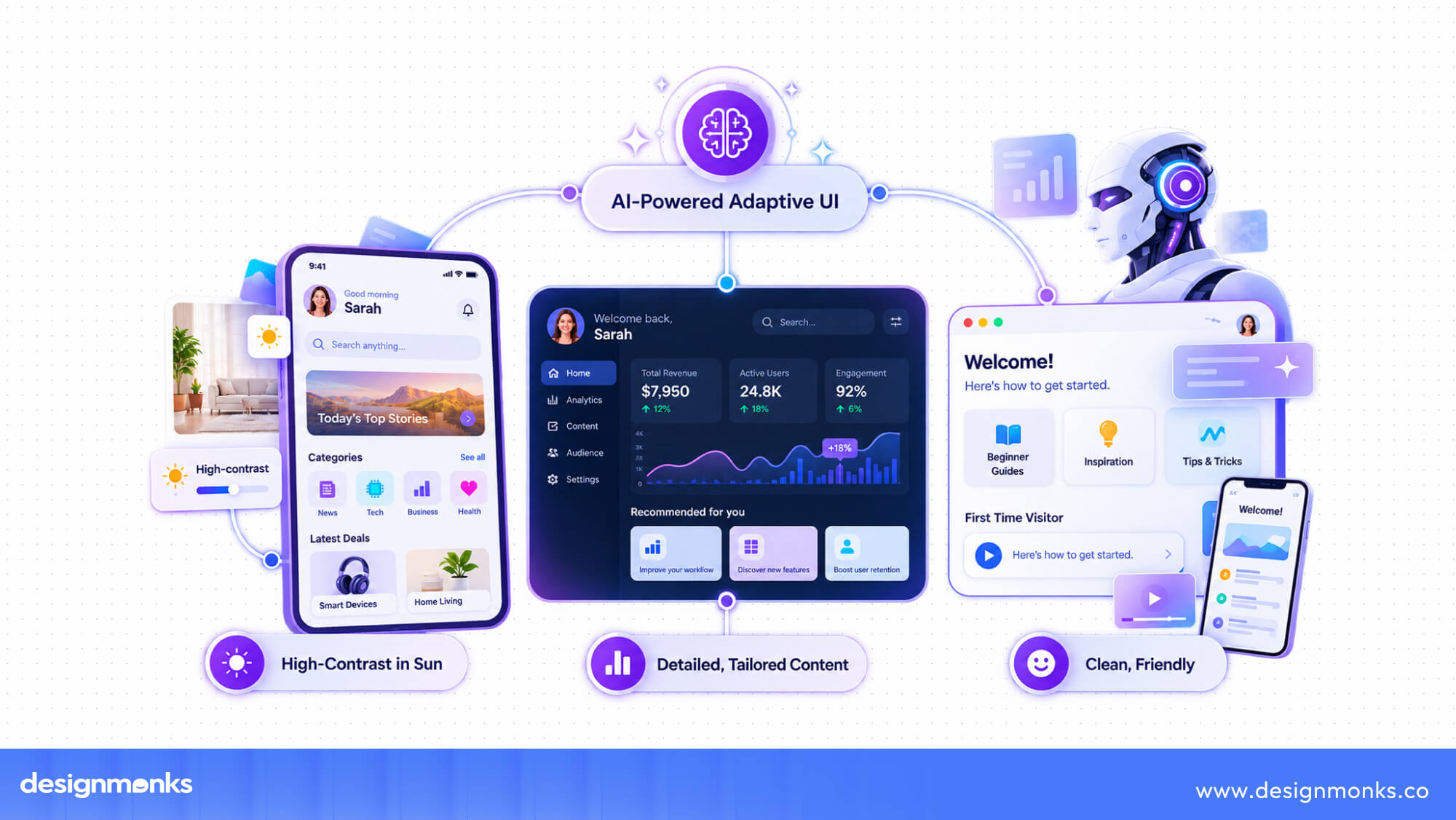
For example, a shopping site could show detailed product information during research but keep the checkout process focused on only the information needed to complete the purchase.
Smart Forms
Smart forms use AI to make form completion faster and easier. They can use information the system already has and remove questions that do not apply to the user. They can also identify possible errors before the form is submitted.
An agent can also guide users through complicated forms by explaining what information is needed or helping them complete certain fields. This reduces the amount of manual work, especially for long or complex forms.
These features work best when they work together. For example, a user might describe what they need through natural language, receive AI recommendations, and then let the agent complete part of the task.
The goal is to make each step easier while keeping the user informed and in control.
UX Design Best Practices for Agentic Websites
Agentic websites need to make AI useful without making the experience harder to understand. These UX practices can help keep the experience simple, helpful, and user-focused:
Reduce Cognitive Load
The agent should reduce the amount of work users need to do. Avoid adding unnecessary choices, confirmations, or explanations. If the agent can handle a simple task on its own, let it do so.
Design for AI Collaboration
An AI agent should work with the user, not completely take over the experience. Give users clear moments to review, change, or approve what the agent suggests. This is especially important when a task involves personal choices or important financial decisions.
Keep Users in Control
Users should always have a simple way to correct the agent. If the agent misunderstands a request, users should be able to edit their instructions, undo an action, or change the result without starting again.
Use Progressive Disclosure
Show users the most important information first. Additional details, options, or explanations can appear when users need them. This keeps the interface simple without hiding useful information.
Create Feedback Loops
The agent should respond to user feedback and show that it understood the correction. For example, if a user asks for a hotel closer to downtown, the next recommendations should reflect that request. This helps users feel that the system is actually listening.
Together, these practices help keep the focus on what users want to accomplish. The AI should make tasks easier while giving users enough visibility and control to feel confident using it.
Technologies Powering Agentic Web Experiences
Several technologies work together behind an agentic website. Each one helps the AI understand users, access information, or take actions based on what the user needs:
Large Language Models
Large Language Models help AI understand and respond to human language. They allow users to describe what they need in their own words rather than following a fixed set of commands or search terms.
LLMs can understand the request, identify the user's intent, and ask follow-up questions when more information is needed.
AI Agents
AI agents use language models to do more than generate a response. They can understand a goal, break it into smaller steps, use different tools, and complete tasks for the user.

For example, an agent could search for a product, compare options, and help the user complete a purchase based on the permissions it has.
Vector Databases
Vector databases help AI find information based on meaning rather than exact words. This is useful when users describe something differently from how it appears in a website's content.
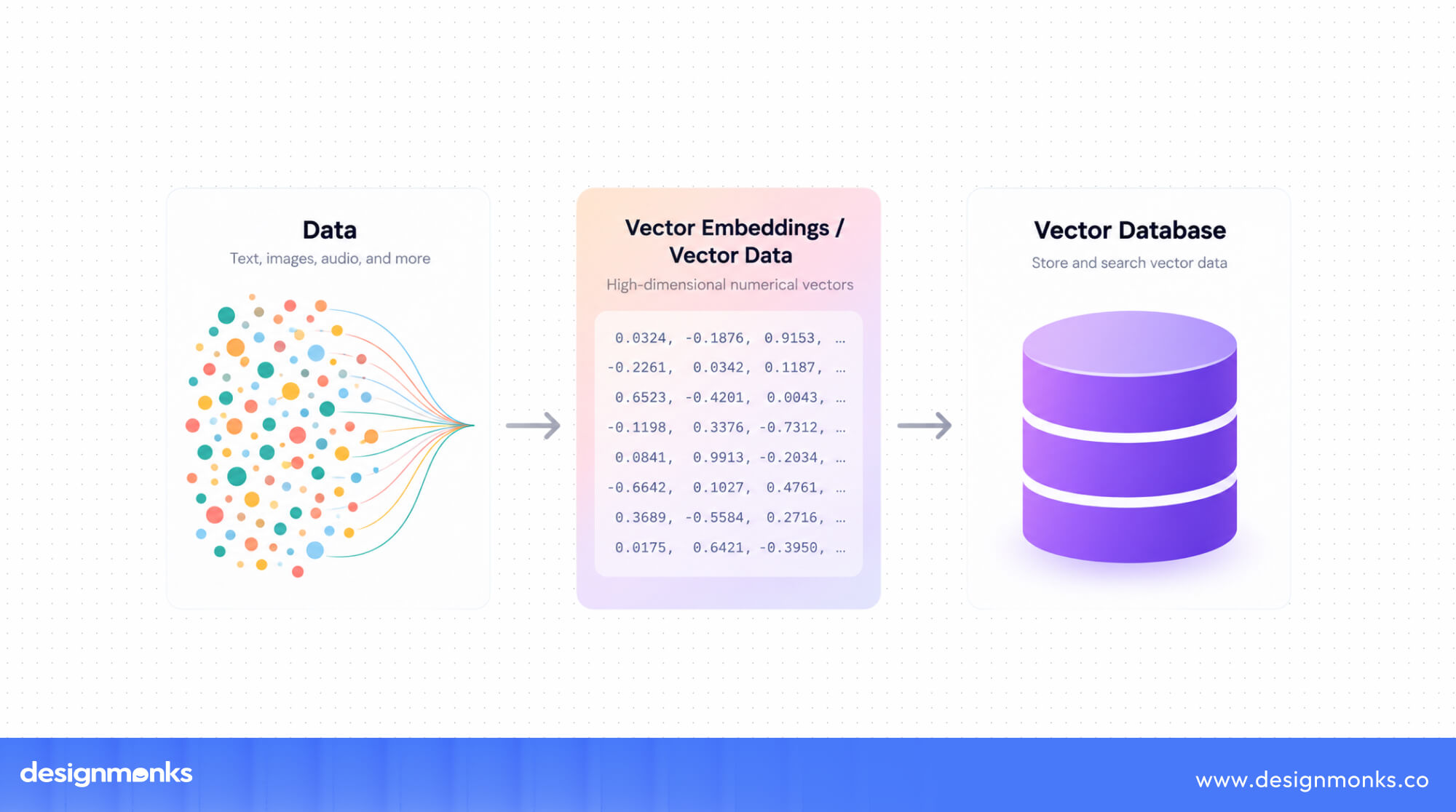
For example, someone searching for a "warm knit sweater" could still find products described as "cozy winter pullovers" because the system understands that the two phrases have a similar meaning.
Retrieval-Augmented Generation (RAG)
Retrieval-Augmented Generation, or RAG, allows an AI agent to use information from a company's own data when responding to users. It can retrieve relevant information from product catalogs, documentation, account records, or other trusted sources before generating an answer.
.jpg)
This helps the agent provide responses based on current and relevant information.
APIs and Machine Learning
APIs allow AI agents to connect with other systems and perform actions. These connections could include booking platforms, payment services, inventory systems, or customer accounts.
Machine learning can also help systems recognize patterns and improve how they respond to user behavior. Together, these technologies allow an agent to move beyond answering questions and actually complete tasks.
MCP and Agent Communication
The Model Context Protocol (MCP) is a standard that helps AI systems connect with external tools and data sources. It gives agents a more consistent way to work with different services and tools. This can make it easier for an agent to access the information or capabilities it needs without building a completely separate integration for every system.
Together, these technologies give agentic websites the ability to understand user requests, access relevant information, make decisions, and take actions. The result is a web experience where AI can actively support users throughout a task.
Benefits of Agentic User-Friendly Web Experiences
When designed well, agentic UX can reduce user effort while improving key business outcomes:
- Better Conversions: Fewer steps and faster task completion can reduce drop-offs and increase purchases, sign-ups, and other conversions.
- Higher Retention: Remembering user context and reducing repetitive tasks can create a smoother experience that encourages users to return.
- Faster Support: Agents can handle common tasks such as returns, account updates, and troubleshooting, reducing support response and resolution times.
- Lower Friction: Automating repetitive steps makes everyday tasks faster and requires less effort from users.
- Personalization at Scale: Agents can use individual user context to provide more relevant recommendations, content, and actions.
- Customer Satisfaction: Faster help, relevant results, and less effort can make complex or repetitive tasks easier and more satisfying.
Challenges and Risks
Agentic experiences also create new challenges. Because AI can access information and take actions, these risks need to be considered during the design process:
- Privacy: Agents may need access to personal information such as purchase history, account details, or location to provide useful experiences. Teams need to clearly define what data the agent can access, how it is used, and how it is protected.
- Hallucination: AI can sometimes provide information that sounds correct but is actually wrong. This becomes more serious when an agent uses incorrect information to make a recommendation or take an action.
- Bias: AI systems can reflect biases found in their training data or user data. This can lead to unfair recommendations or decisions that do not serve all users equally.
- Security: Agents that can access accounts, payments, or other sensitive systems create additional security risks. Strong permissions and safeguards are important to prevent an agent from taking an unsafe or unauthorized action.
- User Trust: Users need to understand what an agent can do and feel confident that it will act as expected. Clear explanations, visible actions, and easy ways to review or undo decisions can help build appropriate trust.
These risks should be considered from the beginning of the design process. Building trust and safety into the experience early is much more effective than trying to fix these problems after the product is launched.
Real-World Examples of Agentic Web Experiences
Agentic web experiences are moving beyond basic AI chatbots. These systems can understand what users want, make decisions, and complete tasks with user approval. Companies across ecommerce, travel, SaaS, finance, and healthcare are exploring ways to let AI handle more work while keeping users in control. Here are a few examples of that:
Ecommerce & Retail
Amazon shows an early example of agentic UX through personalized recommendations, “Buy Again” features, and shopping suggestions. Instead of making customers search for everything themselves, Amazon uses browsing and purchase history to suggest relevant products and items they may need again.
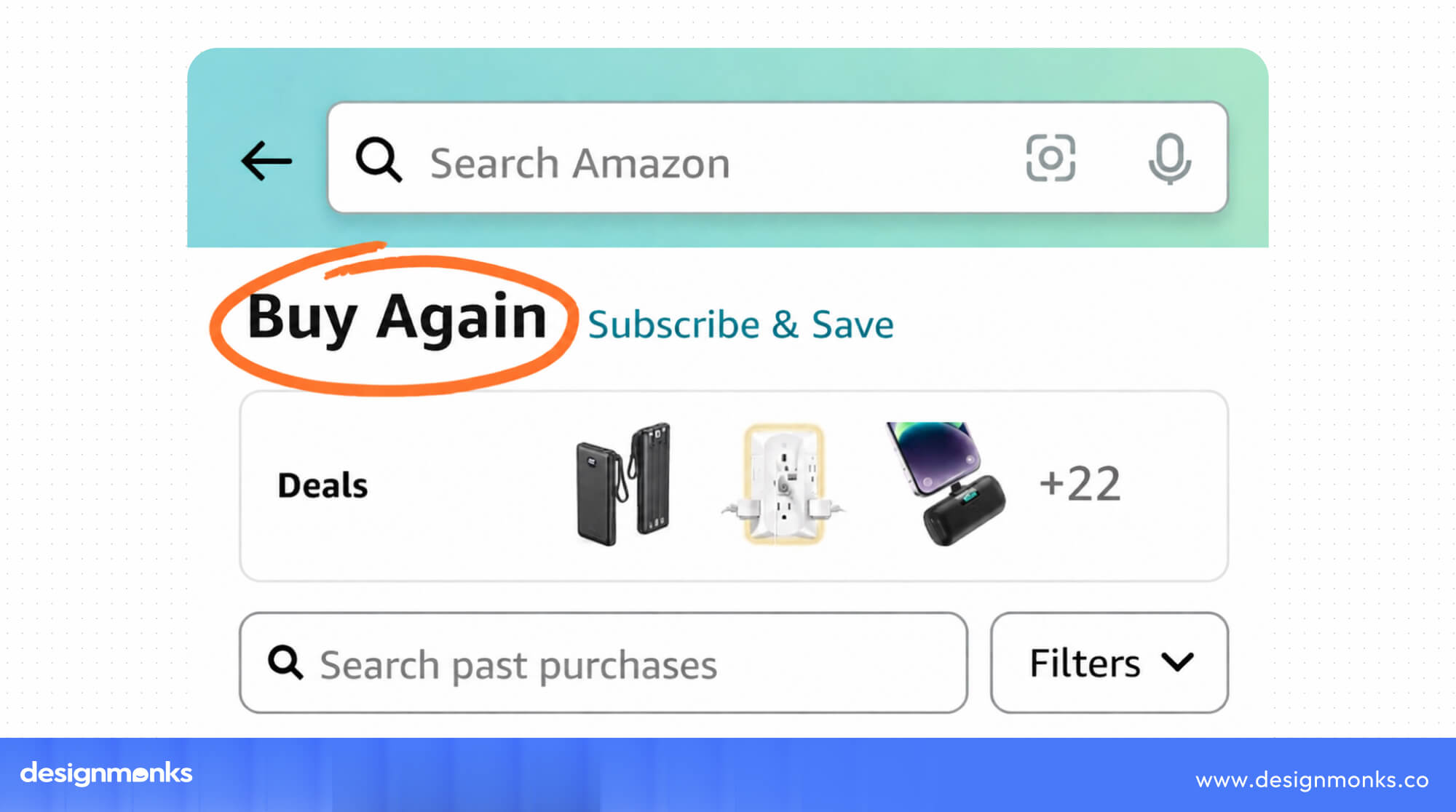
The next step is shopping agents that can compare products from different stores, check prices and availability, review return policies, and place orders after getting permission.
This makes shopping easier because users can tell the agent what they need and let it handle the search.
Travel
Travel is another strong area for agentic experiences. Platforms such as Booking.com are also moving toward more agentic experiences. AI can understand preferences such as price, location, breakfast, or refundable rooms and suggest options that match those needs. Users can then review the choices and confirm the booking.
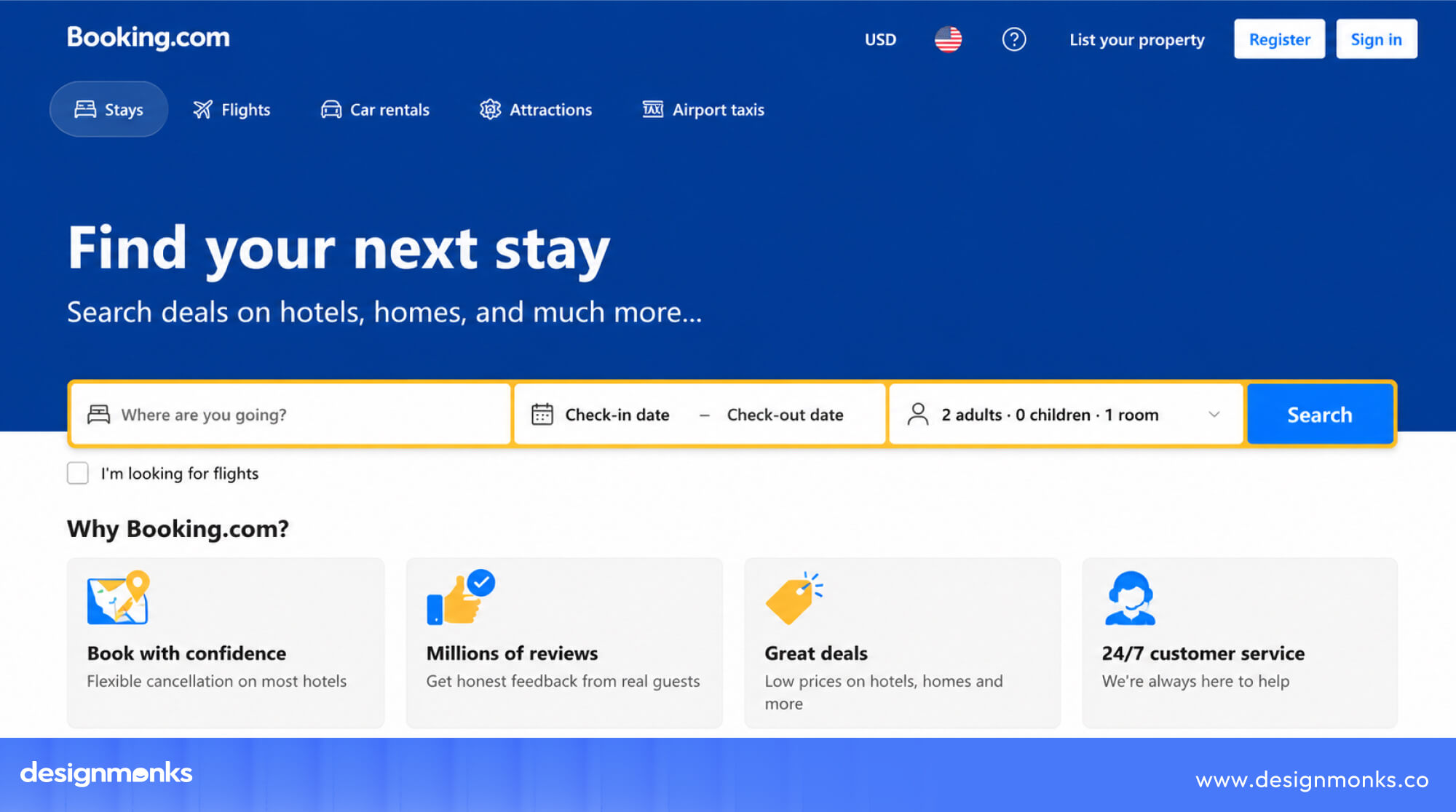
Travel companies can also connect their systems through APIs and allow AI agents to access information such as prices, availability, loyalty details, and payments. With the right permissions, an agent could help plan a trip, compare options, make bookings, and handle changes.
SaaS & Productivity
In SaaS, Notion AI Agent shows how AI can do more than answer questions. It can work with pages and databases, analyze information, update content, and complete multiple steps based on user instructions.
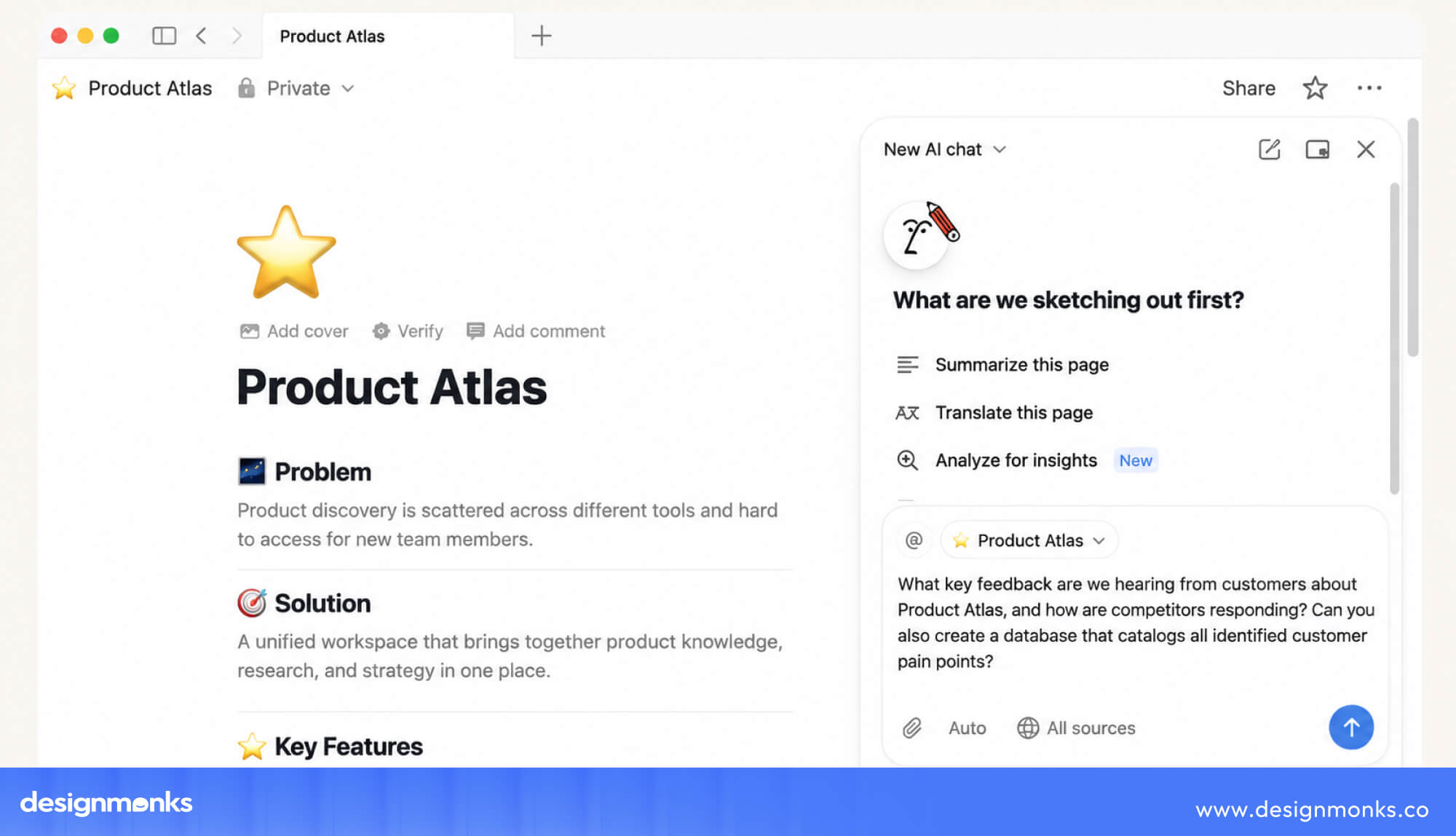
Similar features are appearing in CRM and customer support tools. For example, an AI agent could summarize a customer request, write a reply, send it to the right team, and update the relevant records.
Instead of moving through several screens, users can follow a simpler propose → review → act process.
Finance & Operations
Financial services can use AI agents to make tasks such as comparing accounts, rates, fees, and subscriptions easier. For example, an agent could compare different providers, check them against a customer's current plan, and create a shortlist of better options.
Subscription management is another useful example. An agent could track recurring payments, find unused services, compare plans, and suggest cancellations or cheaper options.
However, users should clearly approve any action that affects their money or accounts.
Healthcare & Customer Support
Healthcare needs a more careful approach because mistakes can have serious consequences. AI agents can help patients describe symptoms, find relevant services, understand basic healthcare information, and connect with a human professional when needed.
Customer support can also benefit from agentic UX. Instead of making customers search through help pages or phone menus, an AI agent can understand their request, check systems, and process tasks such as returns or refunds.
Human support can step in when a request is complex or sensitive.
How to Design an Agentic Website (Step-by-Step)
Building an agentic website is not about simply adding an AI chatbot. The goal is to find where AI can make the user’s journey easier, faster, and more useful without taking control away from the user. Here’s a simple process to follow:
1. Identify User Goals
Start by asking what users actually want to accomplish. For example, they may want to get a refund, find a hotel, compare products, or book an appointment. Focus on these goals rather than individual website pages. This helps you find where an AI agent can provide real value.
2. Find Where AI Can Help
Look at each step users take to complete their goal. Repetitive tasks, information searches, comparisons, and simple decisions are often good places for AI to help. However, some tasks need human judgment or involve higher risks. Keep users in control of these decisions and let the agent assist rather than act on its own.
3. Design the Agent’s Conversations
An agent needs to know how to respond when users leave out important details, change their minds, or ask unclear questions. Design how the agent will ask questions, explain its actions, show progress, and request approval. These interactions are just as important as the website’s visual design.
4. Create a Working Prototype
A static design cannot show how an AI agent actually behaves. Build a simple working prototype that allows the agent to perform real tasks. This makes it easier to spot problems early and see whether the experience actually feels useful.
5. Test It With Real Users
Let real users try the experience and watch how they interact with the agent. Look for moments when users feel confused, give the agent too much trust, or hesitate to hand over control. These reactions can reveal where the experience needs improvement.
6. Measure and Improve
Once the experience is live, track how well it performs. Look at task completion, time saved, errors, and how often users override the agent. Use these insights to decide where AI should do more and where users should have more control.
Build a Better Agentic Experience With Design Monks
A successful agentic website should feel helpful, clear, and easy to control, not like AI is taking over the entire experience. Design Monks can help you turn complex AI capabilities into a user-friendly website experience, from UX strategy and user flows to prototyping and interface design.
With a research-first approach, our team focuses on making every AI interaction feel natural and purposeful. Explore our UI/UX design services to create an agentic website that works seamlessly for your users.
The Future of Agentic User Experience
AI agents are quickly moving beyond answering questions. They can now complete tasks, use different tools, and work across services for users. As this technology grows, we can expect a few important changes:
- Autonomous shopping: AI agents could compare stores, track prices, and make purchases based on limits set by the user.
- Personal AI assistants: AI could remember user preferences and context across different apps and make experiences more personalized and connected.
- Multi-agent collaboration: One AI agent could communicate with another company’s agent to complete tasks, such as making a booking or solving a customer request.
- AI-native websites: Some websites may be designed around AI from the start and make their content, features, and permissions easy for both people and AI agents to understand.
Conclusion
An agentic user-friendly web experience makes websites smarter while keeping users in control. As AI handles more tasks, good UX becomes even more important.
The best agentic websites reduce effort, explain what AI is doing, and give users clear choices. AI may handle more of the work, but people should still make the final decisions. The future of web design is not about AI replacing users, it’s about AI doing more while users stay confidently in charge.


.avif)
.avif)
.avif)
.avif)


.avif)
.avif)
.avif)
.avif)







.avif)