Key Takeaways
- Webflow helps nonprofits build professional, responsive websites with flexible design and content management.
- Its CMS simplifies publishing program updates, impact stories, events, and organizational news.
- Nonprofits can accept donations through third-party platforms like Donorbox, Givebutter, and Stripe.
- Eligible nonprofit organizations receive 50% off an annual Premium Site plan for 12 months.
- Webflow suits design-focused nonprofits but lacks native fundraising and advanced donor management features.
A nonprofit's website can influence whether someone decides to support its mission or simply moves on. From potential donors to volunteers, people want to see what an organization stands for and how their contributions make a difference. That's where Webflow for nonprofits becomes worth exploring.
With custom design options, flexible content management, and responsive layouts, Webflow gives charities and NGOs the tools to build a professional online presence. But creating a good-looking website is only part of the job.
Organizations also need reliable ways to manage donations, connect with supporters, and share their impact. So, is Webflow the right choice? Let's explore its features, costs, limitations, and real-world examples.
How Nonprofits Can Use Webflow
Webflow is a visual website development platform that allows organizations to design, build, and manage websites without coding every element from scratch.
Its visual Designer, CMS, hosting, and publishing tools work together to help nonprofits maintain a professional online presence.
For example, a charity can use Webflow to create a homepage explaining its mission, dedicated pages for different programs, a blog sharing community stories, and a contact page for potential volunteers.
The CMS makes it easier to organize frequently updated content, while the Designer gives teams control over how everything looks.
However, Webflow is primarily a website-building platform, not a complete fundraising system.
It can present donation opportunities and connect with external fundraising tools, but organizations will need additional services to manage payments, donor information, and fundraising campaigns.
Why Should Nonprofits Choose Webflow?
A nonprofit website needs to do more than share basic information. It should help visitors understand the organization's work and make it easy for them to get involved. Webflow offers several features that support these goals:
Create a Professional Website That Reflects Your Mission
First impressions matter when someone visits your nonprofit website. Potential donors and volunteers often look for clear information about your mission before deciding whether to support your organization.
Webflow gives you control over layouts, typography, colors, images, and page sections. You can use these options to create a consistent visual identity that reflects your values and the communities you serve.
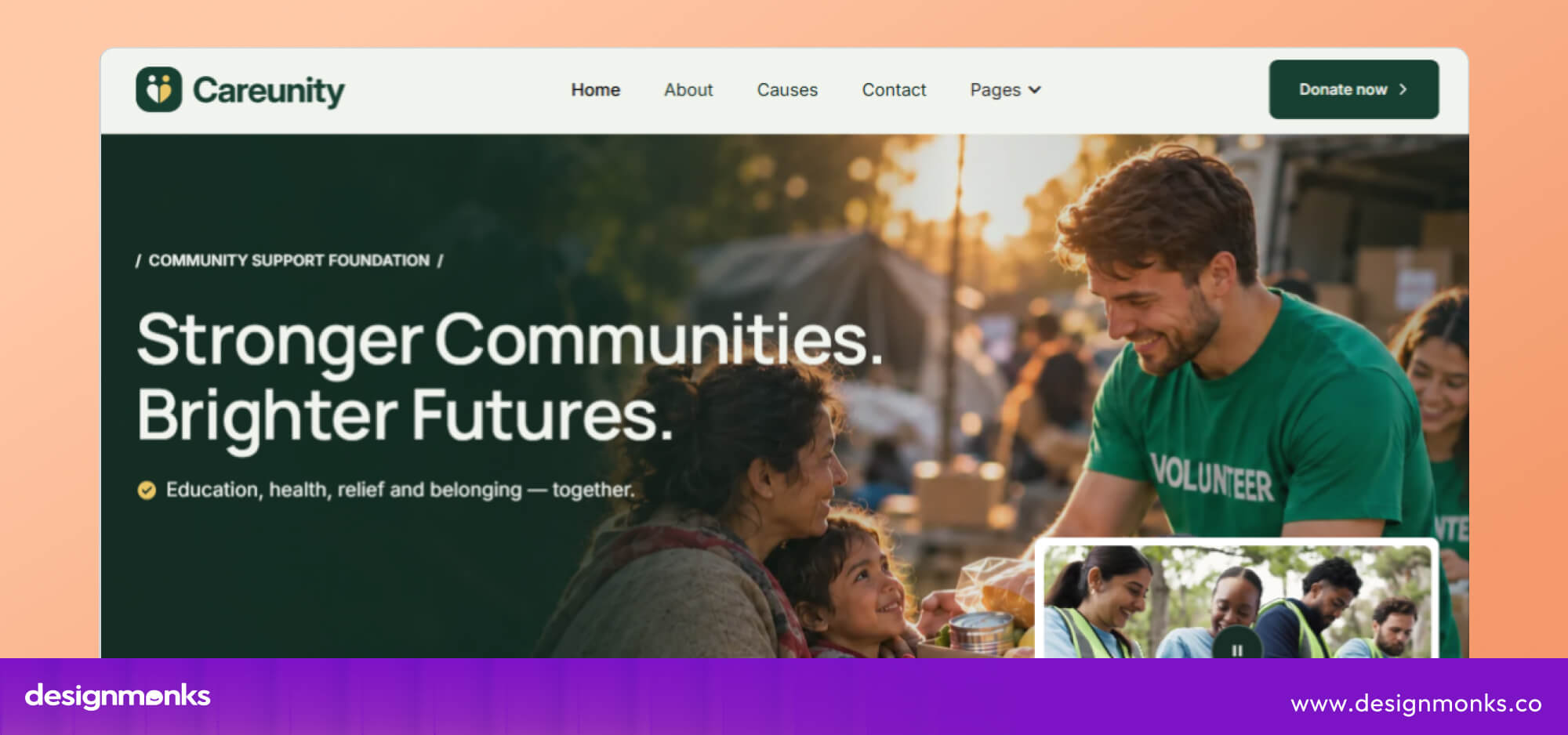
For example, an environmental nonprofit might use photographs of conservation projects, while an education charity could highlight student stories and learning initiatives. These visuals help visitors understand your work without reading every page. A professional design also supports donor trust.
Clear navigation, recognizable branding, transparent information, and visible contact details make your organization easier to understand and approach.
Manage Content Easily With Webflow CMS
Nonprofits regularly publish new information, including project updates, annual reports, event announcements, and impact stories. Managing all these updates manually can become difficult as the website grows.
Webflow CMS helps organize this information into reusable collections. You can create separate collections for blog posts, projects, programs, team members, or events.
Each collection follows a consistent structure, so new content can be published without designing every page again.
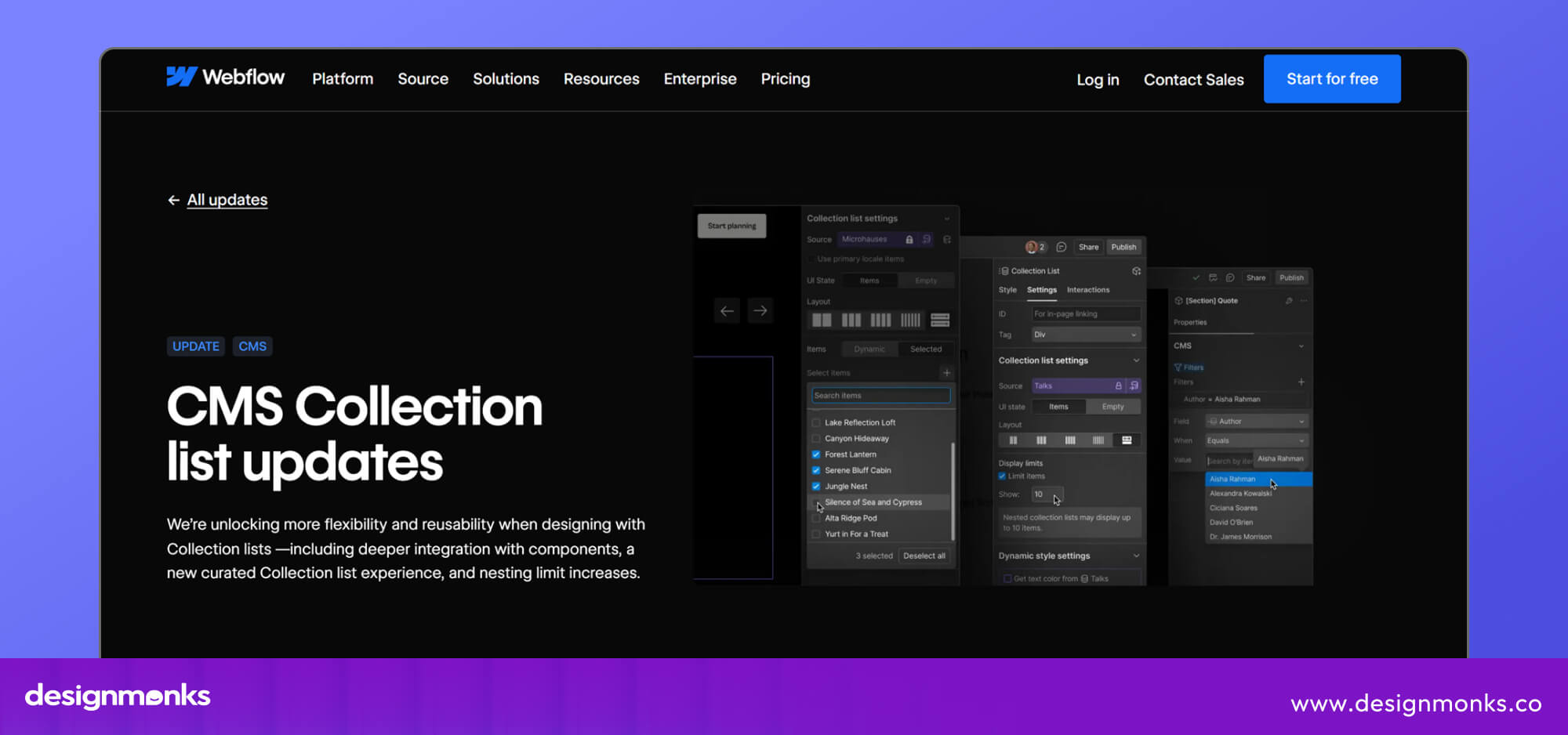
For example, when your organization completes a community project, staff can add its title, description, photographs, and results to a project collection. Webflow can then display that information using a predefined page layout.
This makes regular content updates easier, especially for organizations with several programs and ongoing activities.
Build Responsive Websites for Mobile Users
Many visitors will discover your organization through a smartphone. Some may want to check an upcoming event, find volunteer information, or make a donation while away from their computers.
Webflow allows designers to adjust website layouts for desktop, tablet, and mobile screens. You can change spacing, typography, navigation, and image placement to make sure important information remains accessible on smaller devices.
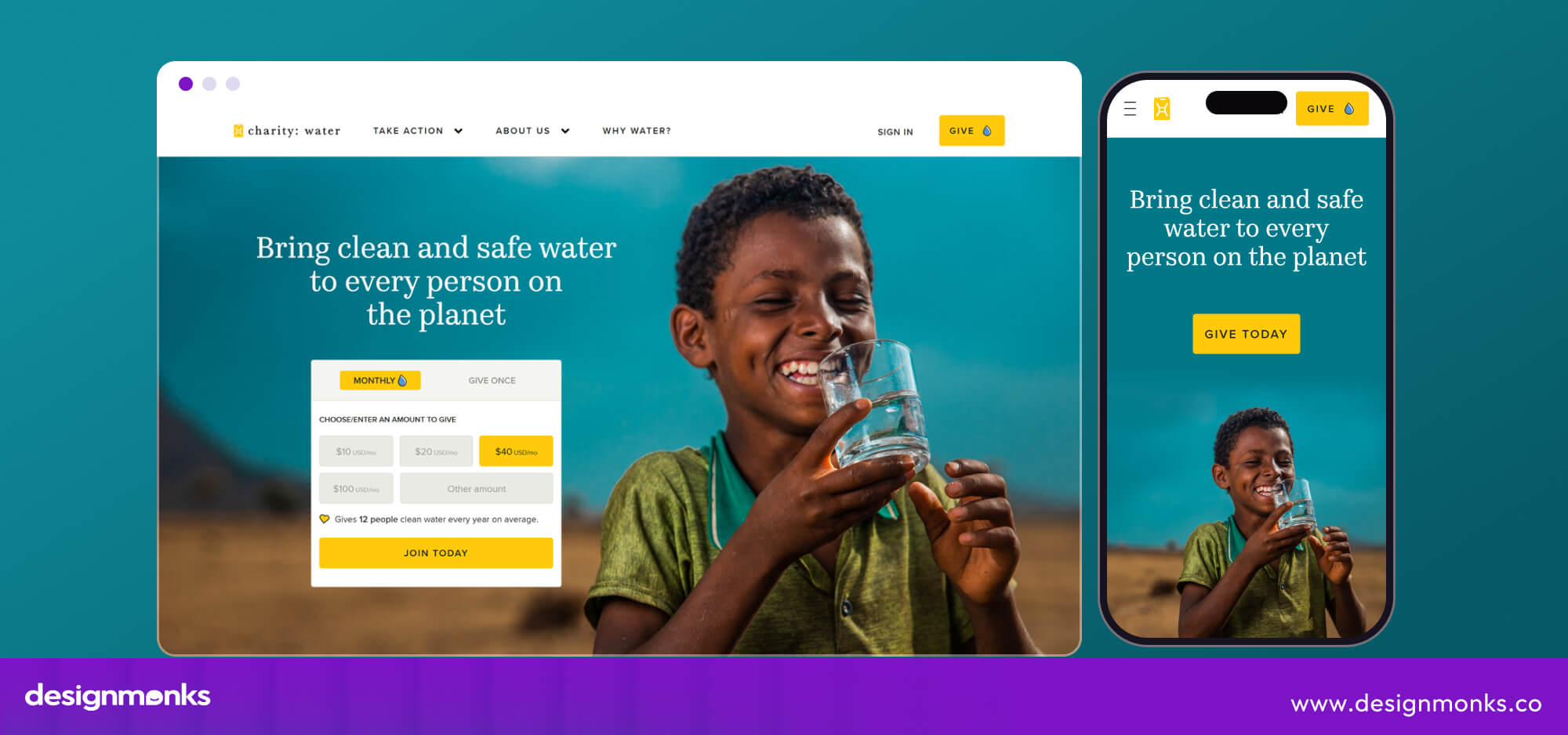
Mobile usability also matters during fundraising. If visitors struggle to read a donation page or complete a form on their phones, they may leave before finishing the process.
Therefore, test important pages and forms across different screen sizes before launching your website.
Improve Website SEO and Online Visibility
A nonprofit website needs to reach people who are already searching for its cause, services, or fundraising activities. SEO helps improve your chances of appearing in relevant search results.
Webflow provides several built-in SEO controls. You can edit page titles and meta descriptions, customize URLs, add image alt text, and manage redirects. It also generates XML sitemaps to help search engines discover your website pages.
However, having these features doesn't automatically guarantee better rankings. You still need useful content, relevant keywords, clear page structures, and internal links.
What Features Does Webflow Offer for Nonprofit Websites?
Beyond its general design capabilities, Webflow offers practical tools that can support different nonprofit website requirements:
Visual Website Designer and Customization
The Webflow Designer lets you build and customize website layouts through a visual interface. You can adjust navigation menus, buttons, typography, images, and page sections without writing CSS for every change.
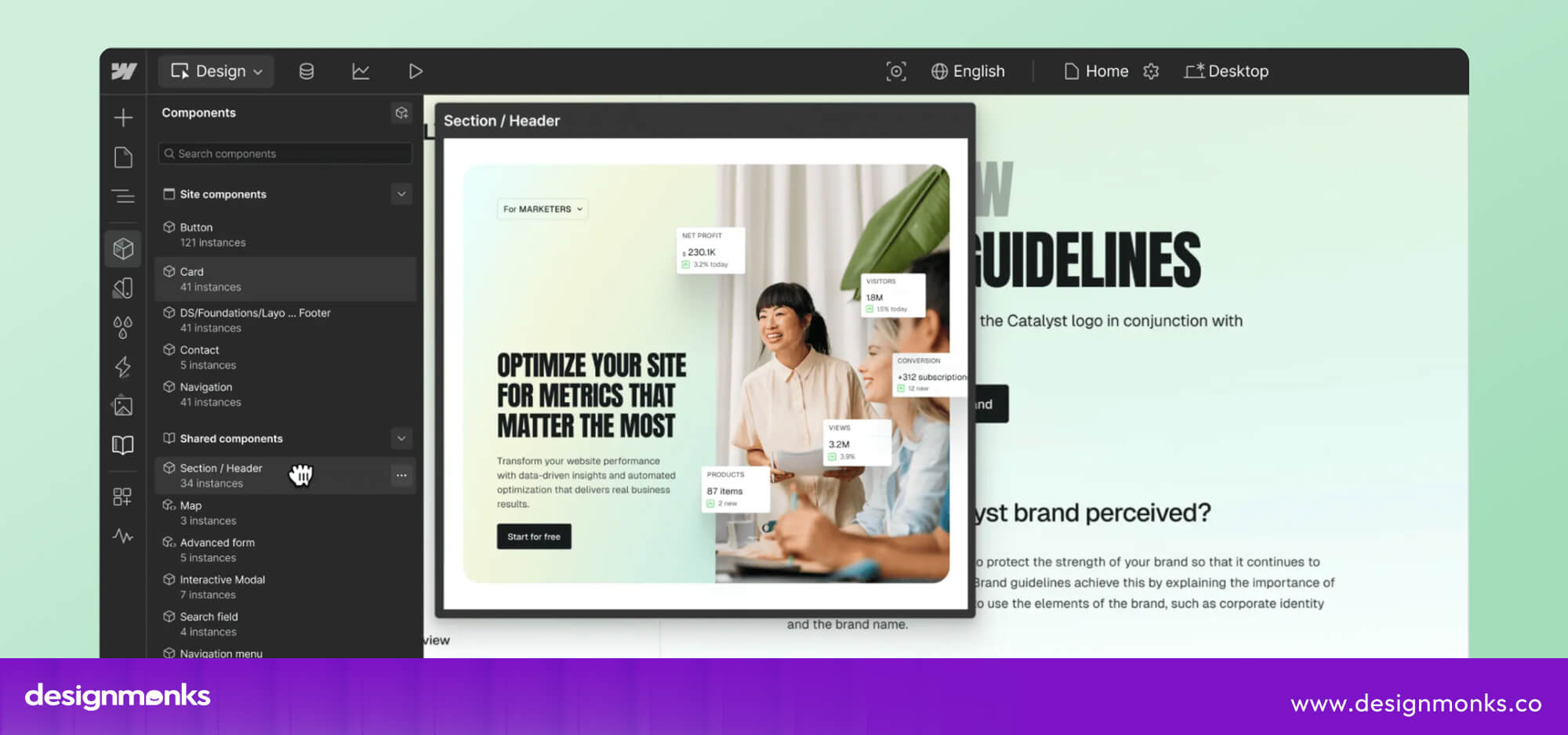
Reusable components also help maintain consistency across multiple pages. For example, you can create a shared header, footer, or donation call-to-action and reuse it throughout the website.
CMS for Programs, Projects, and Impact Stories
Webflow CMS is useful for nonprofits that publish different types of information regularly. You can create collections for programs, projects, success stories, news, and educational resources.
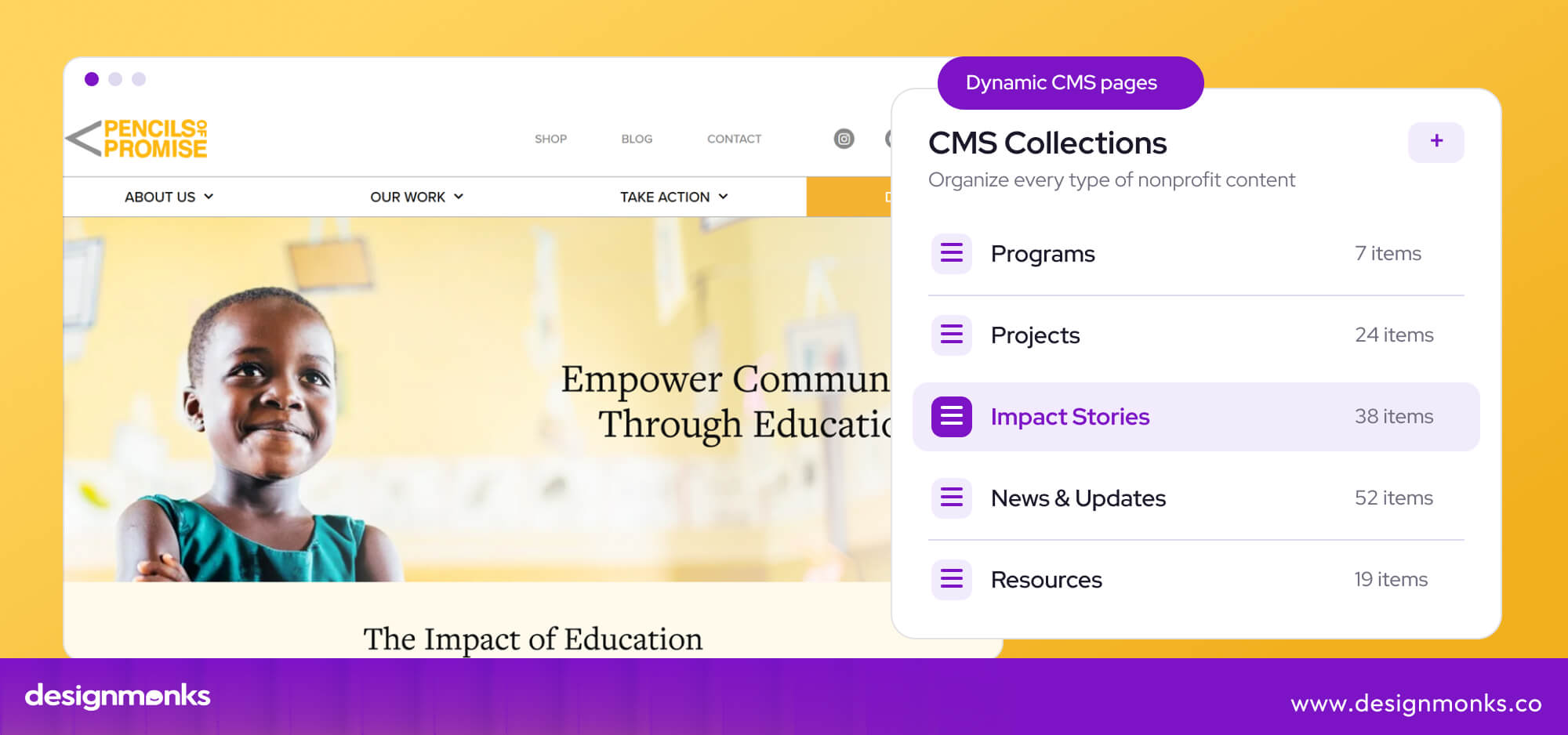
Each collection can have its own fields and page template. This keeps information organized and makes it easier for staff to publish new content without changing the overall design.
Forms for Volunteer Signups and Supporter Inquiries
Webflow Forms allow nonprofits to collect information from website visitors. You can create forms for volunteer applications, partnership inquiries, event registrations, and general questions.
You can customize the fields based on the information your organization needs. For example, a volunteer form might request a person's name, email address, preferred activity, and availability.
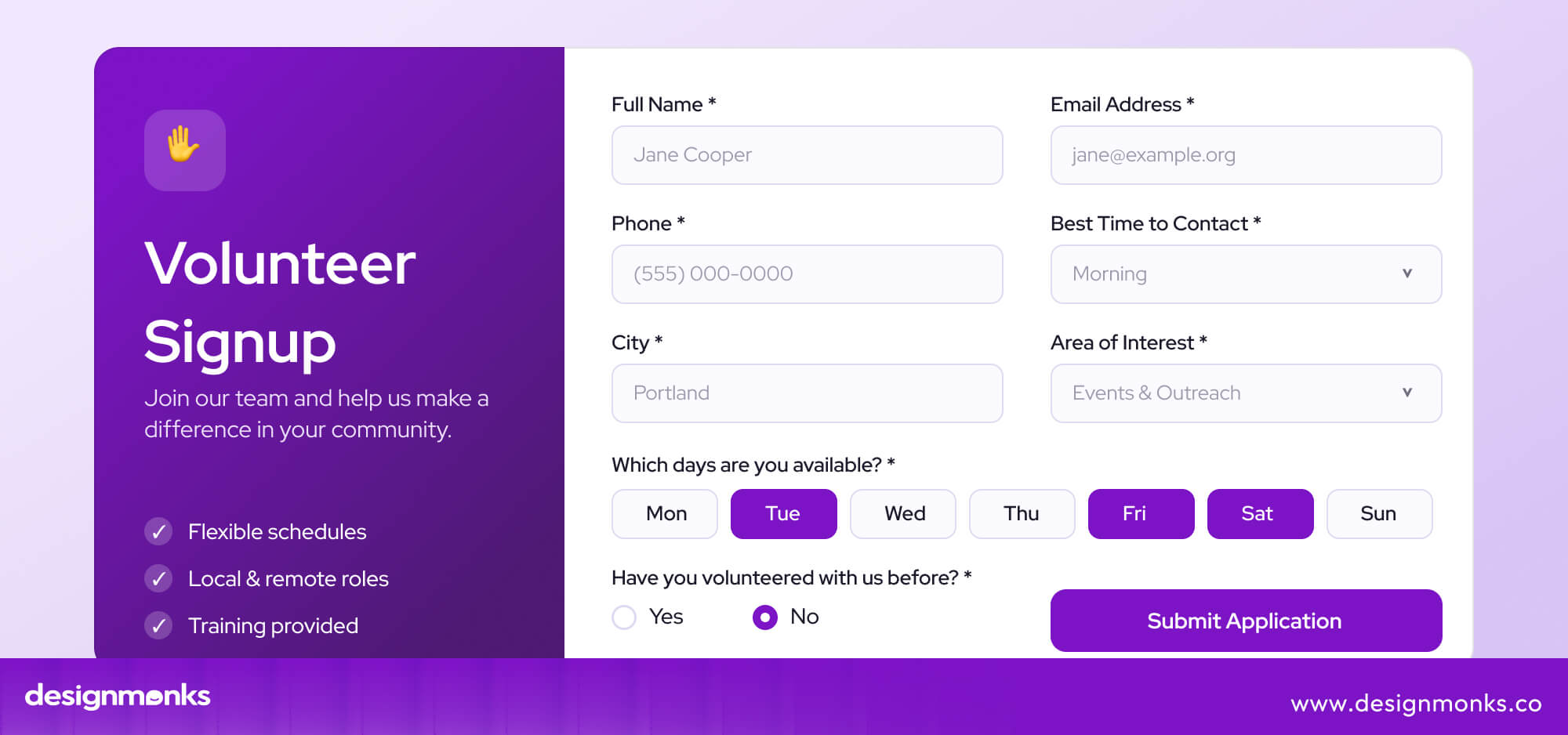
For more advanced workflows, you can connect submissions to external services such as HubSpot, Mailchimp, or other CRM and email marketing tools. This helps teams organize supporter information and follow up more efficiently.
Hosting, Security, and Website Management
Webflow includes managed hosting, SSL certificates, and content delivery network (CDN) support. This reduces the need for nonprofits to manage their own hosting servers, install routine infrastructure updates, or configure SSL separately.
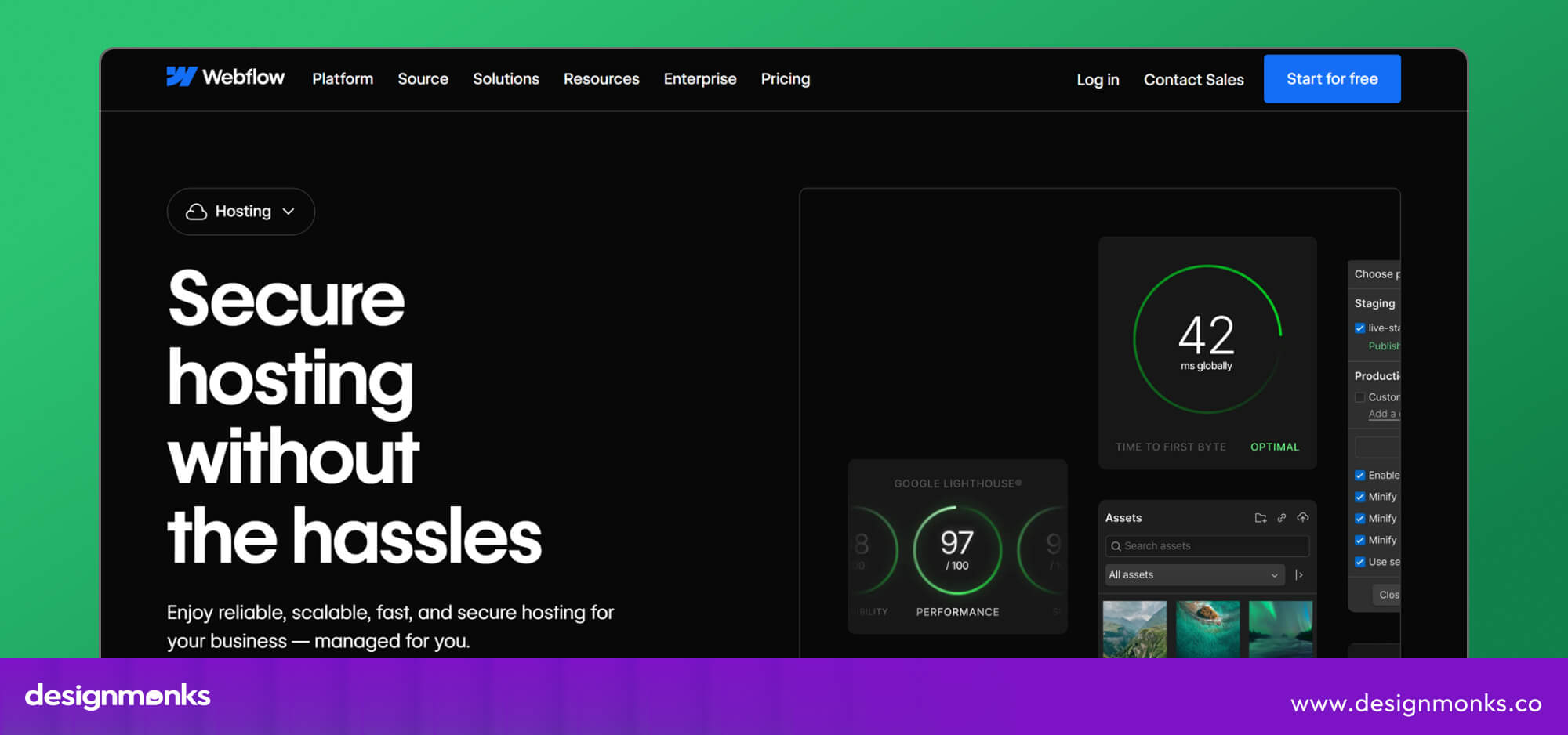
However, managed hosting doesn't remove every security responsibility. Organizations should still use strong account passwords, enable two-factor authentication, manage team permissions, and review third-party integrations.
Webflow Nonprofit Discount
One of the best benefits is Webflow's nonprofit discount program. Eligible nonprofit organizations can receive 50% off a new annual Premium Site plan for 12 months.
However, there are some conditions. The discount applies only to the eligible Premium Site plan, not Ecommerce plans, Workspace plans, or add-ons. Organizations must also provide official documentation confirming their nonprofit status.
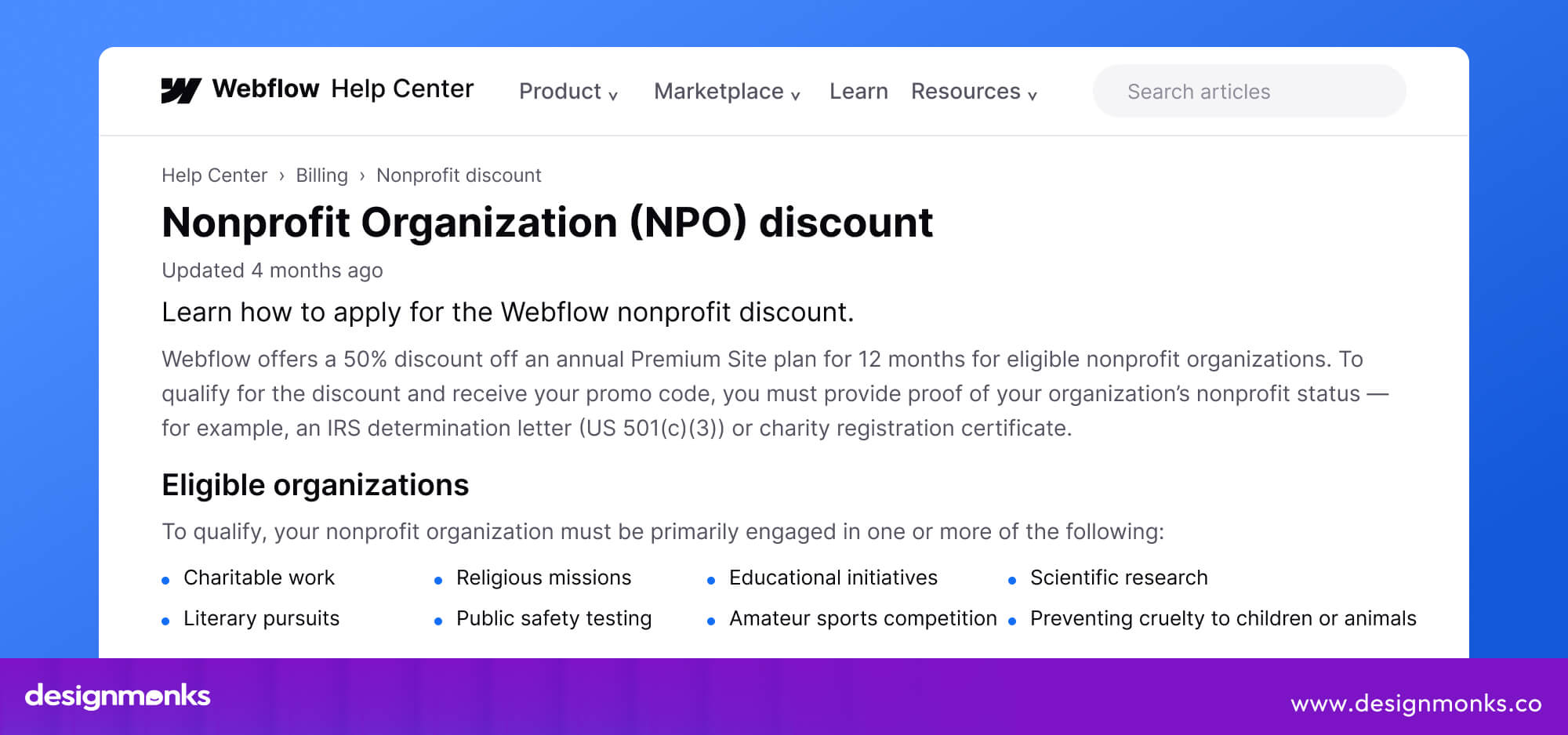
The discount is not permanent. After the first 12 months, the plan renews at its regular price unless the organization applies again and meets the eligibility requirements. Check Webflow's current nonprofit discount policy before purchasing to confirm that your organization qualifies.
Can You Accept Donations Through Webflow?
Yes, you can accept donations through a Webflow website, but you'll need an external donation platform or payment integration to do so.
Webflow doesn't provide a complete native fundraising and donor management system. Instead, organizations can connect services such as Donorbox, Givebutter, Fundraise Up, or Stripe to collect payments and support fundraising activities.
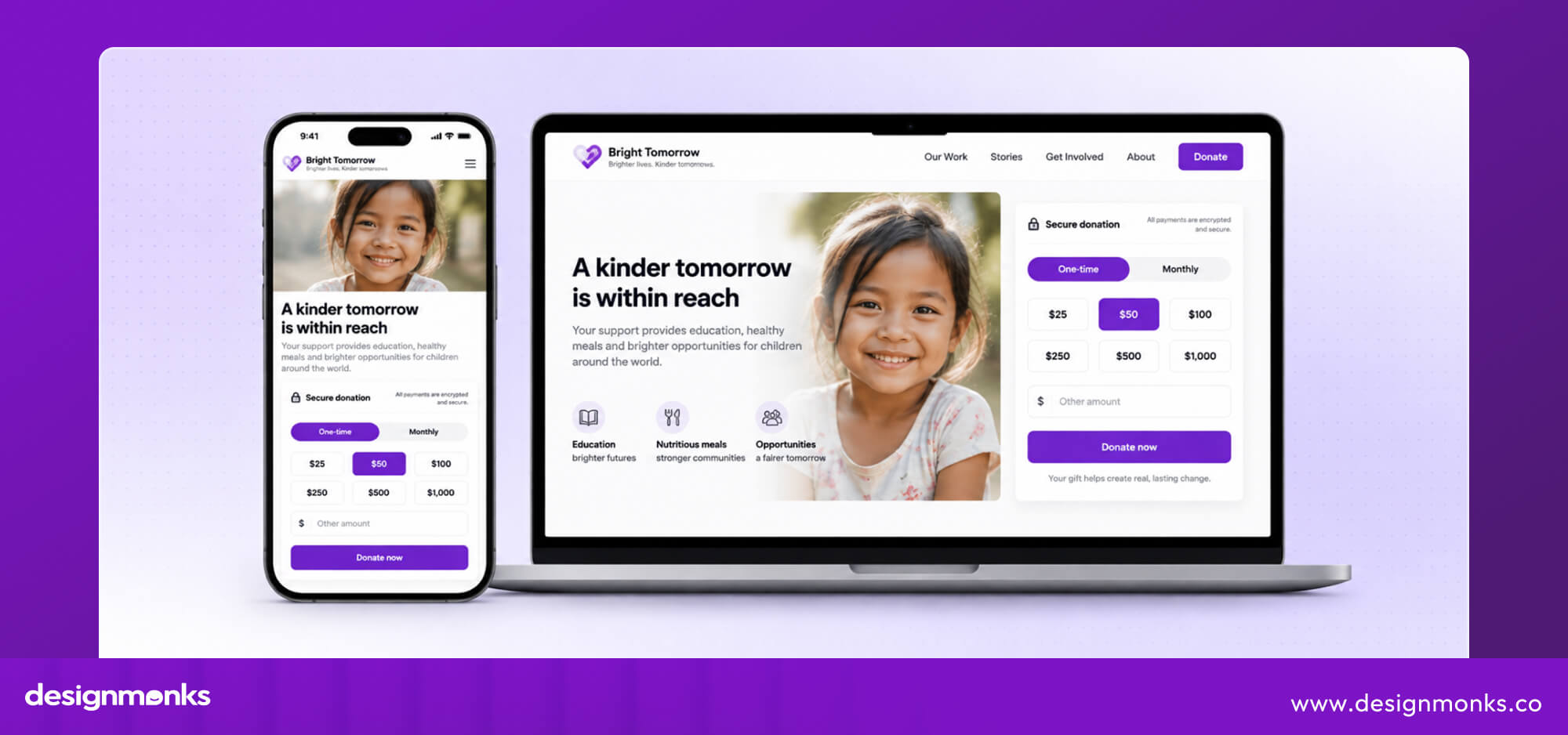
This approach allows you to keep your website design in Webflow while using specialized tools to handle donation-related tasks.
Best Donation Platforms That Integrate With Webflow
Different fundraising tools serve different needs. Here are four options that integrate with Webflow:
- Donorbox: Suitable for organizations that need customizable donation forms, recurring donations, and donor management features. It supports embedded donation forms and donate buttons on Webflow websites.
- Givebutter: Offers fundraising campaigns, donation forms, donate buttons, goal bars, and supporter-engagement tools. It is useful for organizations running community fundraising activities and can be embedded in Webflow using Code Embed.
- Fundraise Up: Focuses on optimizing the online donation experience and helping nonprofits improve fundraising conversions. It uses Stripe for payment processing and can be used with Webflow-based donation experiences.
- Stripe: Nonprofits can use Stripe Payment Links or a Buy Button on a paid Webflow Site plan. Alternatively, Webflow’s Form Payments app can add Stripe payments to forms, but it requires an Ecommerce plan
Before choosing one, compare transaction fees, subscription costs, supported countries, available payment methods, and integration requirements. Availability and features can vary depending on your organization’s location and nonprofit status.
If the integration process feels too complicated, you can always turn to Design Monks for expert help. Their team can help you set everything up and ensure the integrations work smoothly with your website.
What Are the Limitations of Webflow's Donation Features?
Although Webflow works well as the front end of a nonprofit website, it isn't designed to handle every fundraising requirement on its own.
You will have to depend on third-party platforms for donation forms, payment processing, recurring contributions, and donor records. This means managing another service alongside your Webflow website. Additional costs can also become a concern. Some donation platforms charge subscription fees or transaction fees, while payment processors may charge separately for each transaction.
Donor data management is another consideration. If your organization needs detailed donor histories, automated receipts, peer-to-peer campaigns, or advanced fundraising reports, you'll need a suitable external platform.
So, while Webflow can support your fundraising website, it shouldn't be treated as a standalone fundraising solution.
How to Add a Donation Form to a Webflow Website
Adding a donation form is relatively straightforward when your chosen provider supports embedding. Here's the basic process:
- Choose a donation platform: Compare available tools based on payment options, recurring donations, fees, and donor management features.
- Create a donation form: Set up your campaign, suggested donation amounts, payment methods, and any recurring donation options.
- Configure payment options: Connect the payment provider and check which currencies and payment methods are supported.
- Embed the form into Webflow: Copy the form's embed code and add it to your chosen page using Webflow's Embed element.
- Test the donation process: Check the form on desktop and mobile, complete a test transaction where supported, and confirm that payment notifications work correctly.
Make sure the form matches your website's design and clearly explains how donations will support your work.
How Much Does a Webflow Website Cost for a Nonprofit?
The cost of a Webflow nonprofit website depends on its design, hosting plan, and third-party integrations. Here’s what you can expect to pay:
Webflow Site Plans and Hosting Costs
Webflow’s Starter plan is free, but publishing on a custom domain requires a paid Site plan. The Basic plan costs $15/month with annual billing ($180/year), while the Premium plan costs $25/month with annual billing ($300/year) and includes CMS features.
You’ll also need to budget for a custom domain, which is typically purchased separately.
Additional Costs for Donation Tools and Maintenance
Donation platforms, payment processing, CRM tools, and email-marketing services can add to your expenses. Custom design, development, and ongoing maintenance may also require additional investment.
Does Webflow Offer Nonprofit Discounts?
Yes. Eligible nonprofits receive 50% off one Premium Annual Site plan for 12 months, reducing the price to $150/year (the equivalent of $12.50/month). The discount is limited to one per Webflow Workspace and does not apply to Ecommerce plans, Workspace plans, or add-ons.
How to Choose the Best Webflow Templates for Nonprofit Websites
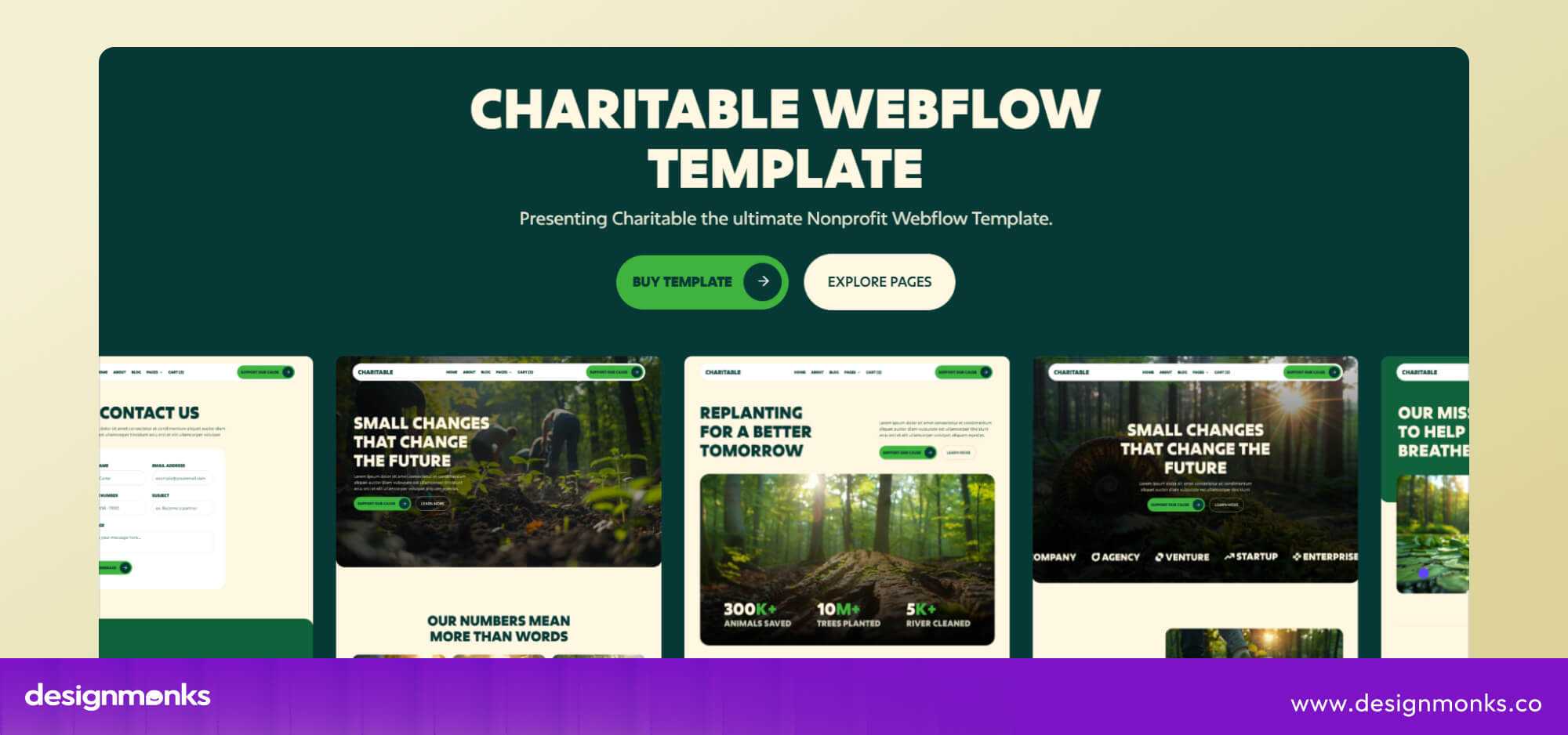
Nonprofits don't always need a fully custom website.Starting with a ready-made template can save nonprofits time and reduce the initial design workload. Webflow's Template Marketplace has ready-made designs that you can adapt to your branding and needs.
As you compare options, look for a template with a clear mission statement area, prominent donation buttons, dedicated program pages, volunteer sign-up forms, and a responsive layout that works on any device.
It's also worth checking that the template has sections for impact stories, events, and news. A well-organized CMS saves a lot of time once you begin publishing on a regular basis.
Finally, think about how easily your team can maintain the site. A beautiful template isn't much help if every routine update requires a developer.
Examples of Nonprofit Websites Built With Webflow
Looking at real nonprofit websites can help you understand how the platform works in practice. These examples demonstrate different ways organizations use Webflow for content management, storytelling, and community engagement:
APANO: Managing a Large Nonprofit Content Library
APANO worked with Greenflag Media to redesign and migrate its website to Webflow. The organization had more than 800 CMS posts that needed better organization and easier search and filtering options.
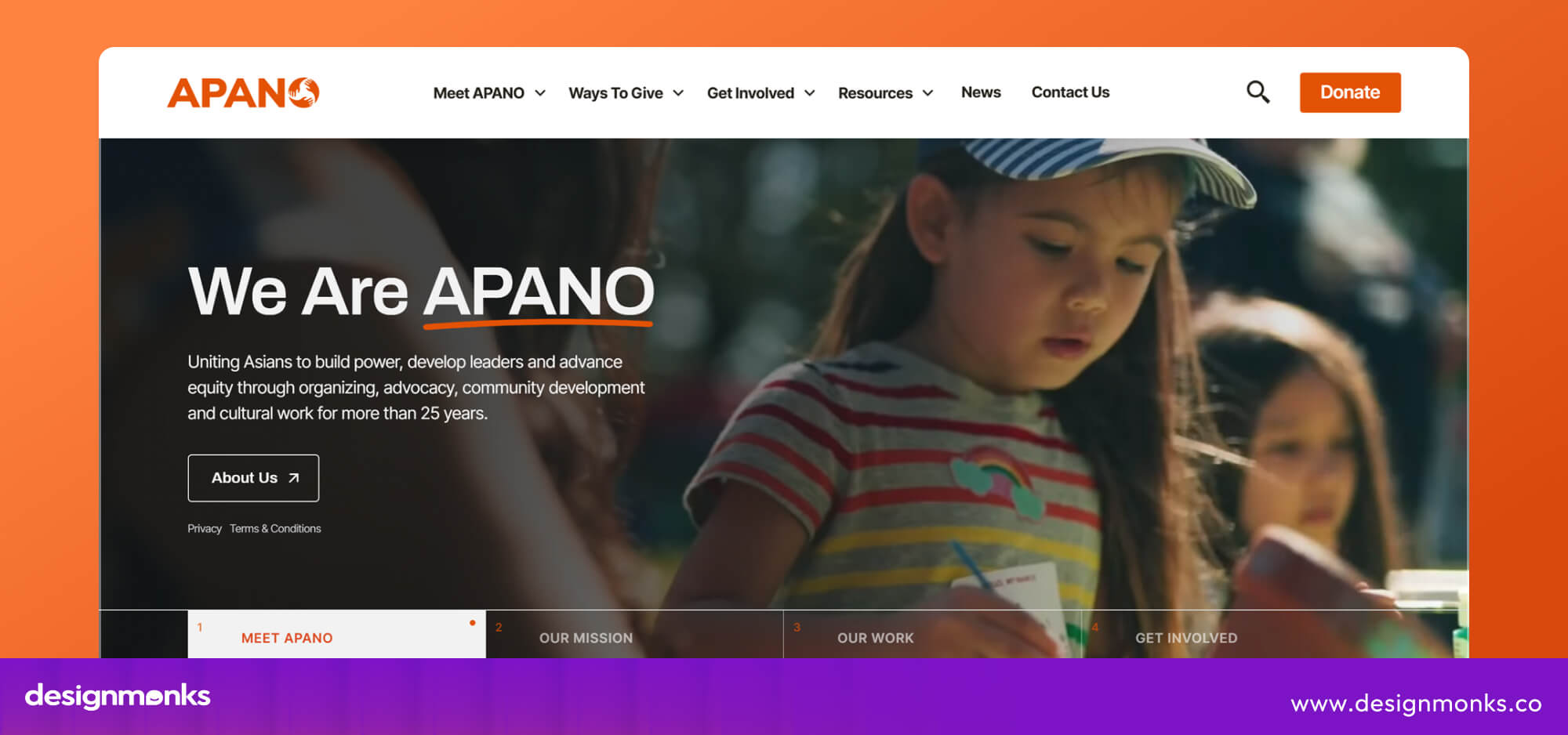
The new website introduced reusable page templates and a more organized content system. This made it easier for staff to manage existing information and create new pages independently.
Hungry For Life: Combining Storytelling and Donations
Hungry For Life redesigned its website to make its work and community impact easier to understand. The project included a new information architecture, Webflow development, and integration with Donorbox.
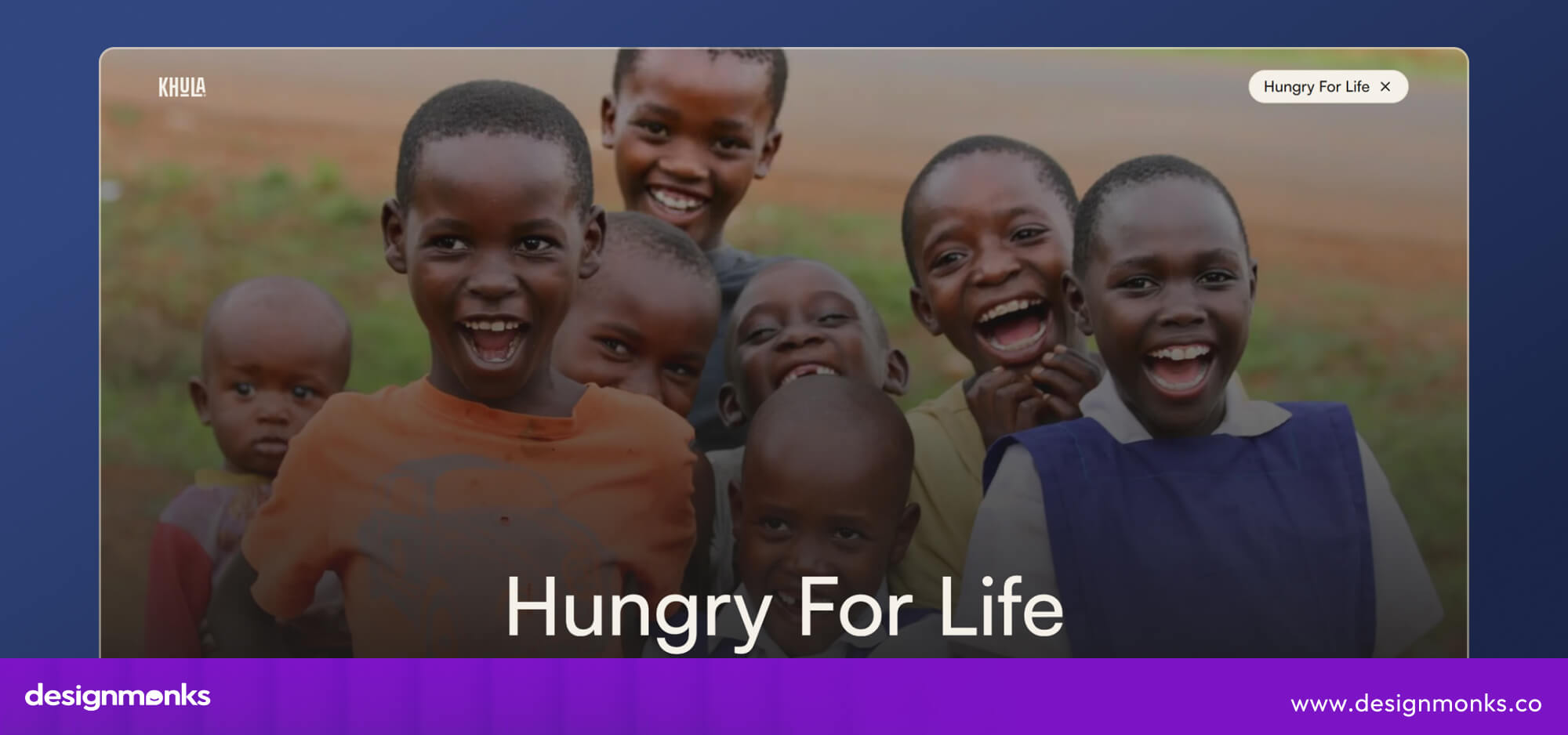
One interesting detail is that the team migrated 863 pieces of content during the project. This shows how Webflow CMS can support organizations moving large amounts of existing information to a new website.
Friends of Barnstable Harbor: Building a Content-Driven Website
Friends of Barnstable Harbor uses Webflow to share conservation resources, wildlife information, and stories about its local working waterfront.
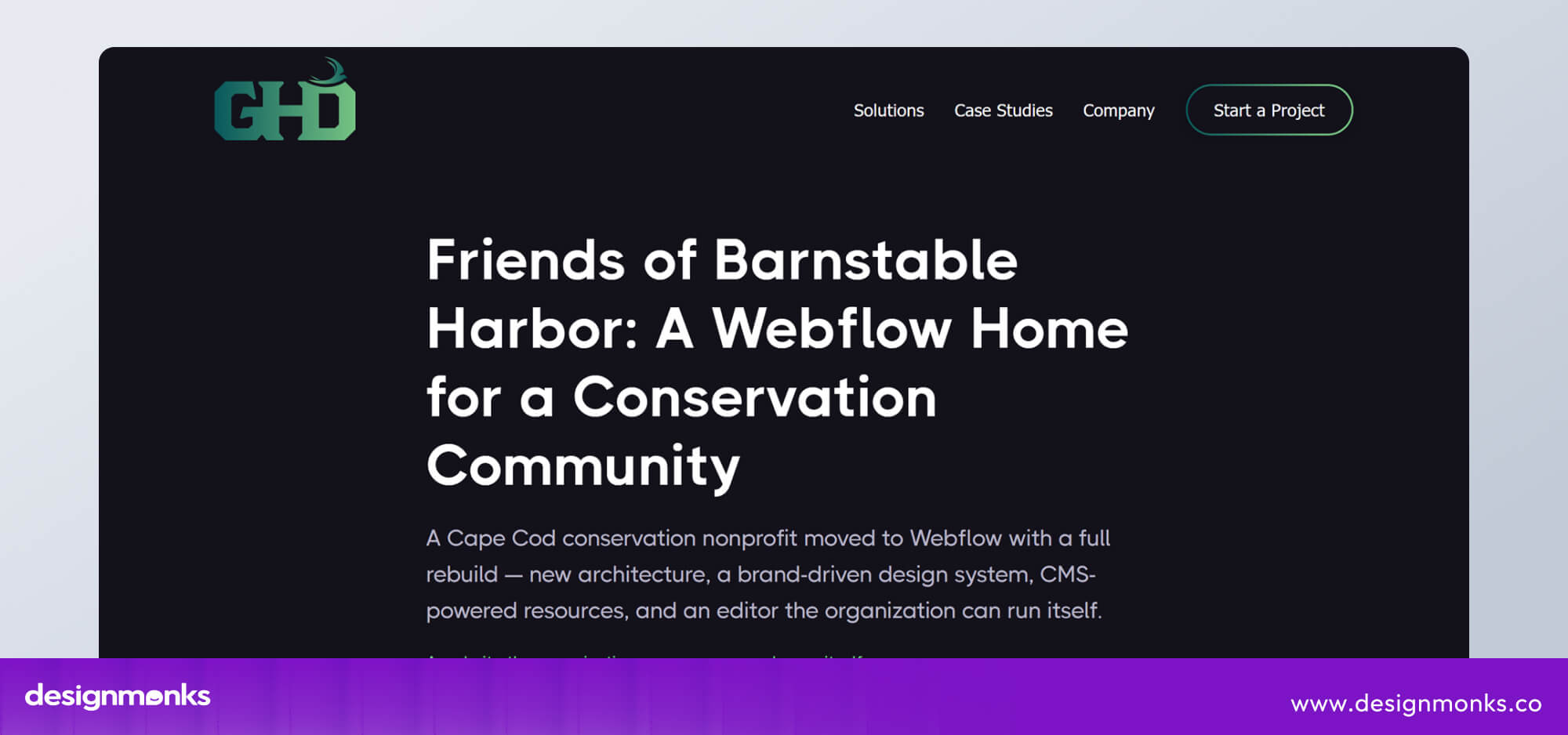
The redesign included a new site structure, CMS-powered resources, and donation functionality. Its editor also allows staff and volunteers to publish updates without depending on a developer for everyday changes.
United Resource Center: Organizing Multiple Programs
United Resource Center operates seven programs supporting families and students. Its Webflow website brings these services together through a 16-page structure.
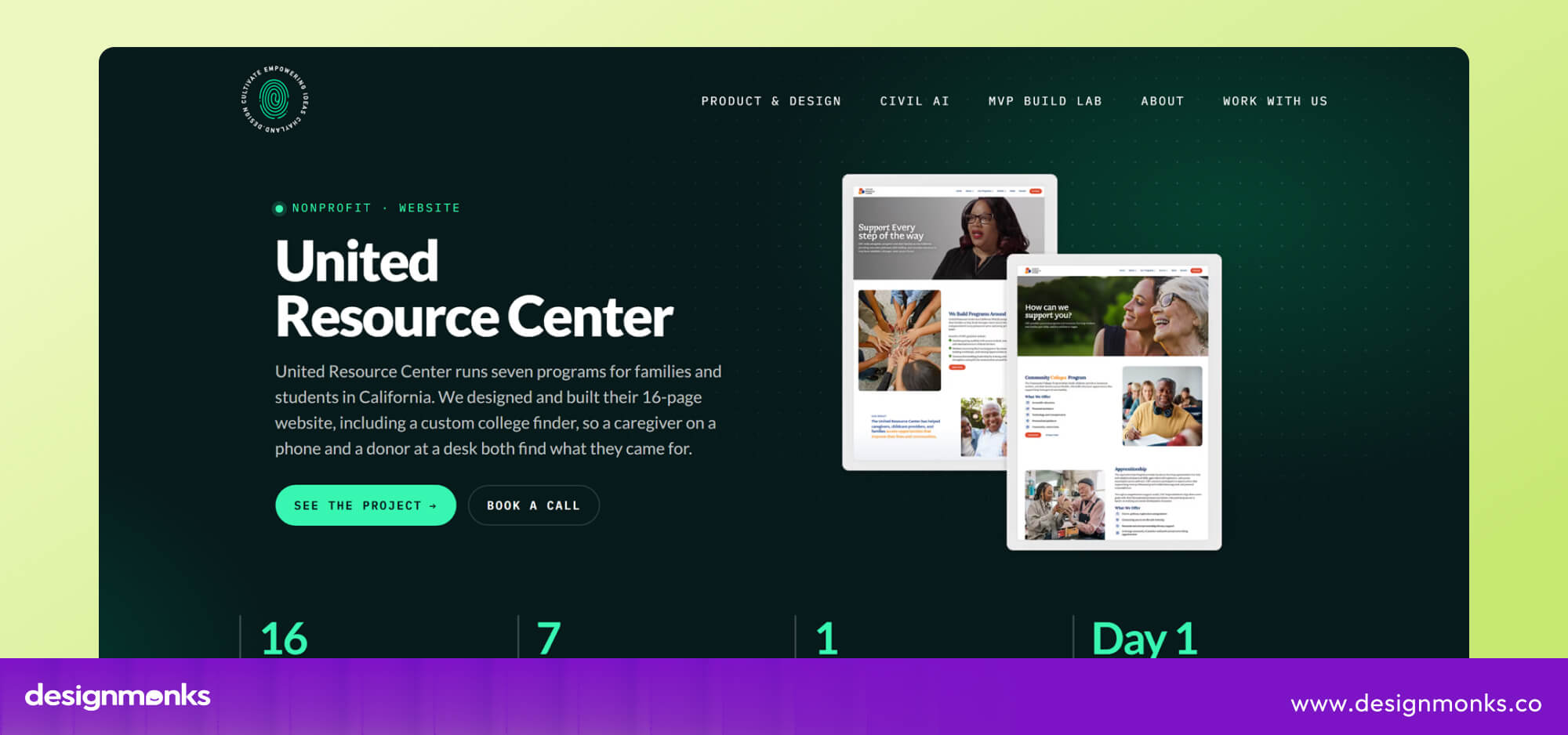
The project also includes a custom college finder that helps visitors explore educational options. It demonstrates how nonprofits can use custom functionality and organized program pages to make important resources easier to access.
Webflow vs. Other Website Builders for Nonprofits
Webflow isn't the only option available. WordPress, Wix, and Squarespace also offer tools for building nonprofit websites. The right choice depends on your budget, technical resources, fundraising requirements, and design expectations. Lets see how webflow compares to other options:
Webflow vs. WordPress for Nonprofits
Webflow offers more direct visual control over website layouts and includes managed hosting. WordPress, on the other hand, has a much larger plugin ecosystem, including dedicated fundraising plugins such as GiveWP and Charitable.
WordPress may be a better fit if your organization needs specialized functionality and extensive plugin options. Webflow is worth considering if custom design, structured content, and reduced hosting management are higher priorities.
Webflow vs. Wix for Nonprofits
Wix offers a beginner-friendly website-building experience with ready-made templates and built-in tools. This makes it appealing to smaller organizations that want to launch a website without much technical assistance. Webflow provides greater control over custom layouts and more detailed design adjustments. However, it can take longer to learn. Choose Wix for simplicity and Webflow when design flexibility is more important.
Webflow vs. Squarespace for Nonprofits
Squarespace provides a straightforward, template-driven website-building experience. Its layouts are relatively easy to customize.Its suitable for nonprofits that need a polished website without extensive design work.
Webflow offers more control over page structures, reusable components, and dynamic CMS content. Organizations with larger content libraries or more specific design requirements may prefer Webflow.
Is Webflow the Right Choice for Your Nonprofit?
Webflow can be an excellent choice for nonprofits that want a professional, flexible website with strong content management capabilities. However, it isn't the best solution for every organization.
When Webflow Is a Good Choice
Webflow is particularly suitable for organizations that prioritize custom design, visual storytelling, and regular content publishing. It works well for charities, foundations, and NGOs that need dedicated program pages, impact reports, and branded fundraising experiences.
It's also a practical option for teams already using external donation platforms and CRM tools.
When You Should Consider an Alternative
Consider another platform if your organization needs extensive native fundraising features, complex donor management, or a large collection of specialized plugins.
Smaller nonprofits with limited technical resources may also prefer a simpler website builder such as Wix or Squarespace. WordPress can be a better fit when extensive plugin functionality is essential.
Ultimately, your choice should depend on what your organization needs most, not simply which platform offers the most design features.
How to Build a Nonprofit Website With Webflow
Once you've decided that Webflow meets your requirements, the next step is planning and building your website. Here's a simple process to follow:
Step 1: Define Your Nonprofit Website Goals and Audience
Start by identifying what you want the website to achieve. Do you want to collect donations, recruit volunteers, share educational resources, or attract new partners? Understanding your main audience also helps you decide what information should receive the most attention.
Step 2: Plan Your Website Structure and Essential Pages
Organize your website around the information visitors need. Most nonprofits should consider including:
- Home
- About Us
- Our Mission
- Programs and Services
- Impact and Success Stories
- Donate
- Get Involved
- Volunteer
- Events and News
- Contact Us
Keep navigation clear so visitors can find important information without unnecessary clicks.
Step 3: Choose a Webflow Template or Create a Custom Design
You can start with a nonprofit template or create a custom design that reflects your organization's identity. A template can reduce initial design work, while a custom Webflow website offers greater control over branding, layouts, and functionality.
Step 4: Add Content and Configure the CMS
Create CMS collections for regularly updated information, such as projects, events, programs, and impact stories. Add clear descriptions, relevant images, and useful details to each page.
Step 5: Integrate Donations and Third-Party Tools
Connect your chosen donation platform and configure any CRM, email marketing, or volunteer management tools. Test each integration to ensure information reaches the correct service.
Step 6: Optimize Your Website for SEO, Accessibility, and Mobile
Add relevant page titles, descriptions, alt text, and internal links. Check mobile layouts, readable typography, keyboard navigation, and form accessibility.
Step 7: Test and Launch Your Nonprofit Website
Before publishing, check navigation, contact forms, donation payments, redirects, and mobile layouts. Also, test page loading and review the website for broken links or missing information.
If you need expert support with the design or development process, contact Design Monks. Their team can help you build a professional Webflow website customized to your nonprofit's goals and requirements.
FAQs
Is Webflow good for nonprofit organizations?
Yes. Webflow is a good option for nonprofits that need custom website design, content management, responsive layouts, and SEO controls. However, organizations requiring advanced fundraising features will need external tools.
Does Webflow offer nonprofit discounts?
Yes. Eligible nonprofits can receive 50% off a new annual Premium Site plan for 12 months. The offer has eligibility requirements and doesn't cover other plans or add-ons.
Can you accept donations through a Webflow website?
Yes. You can integrate external donation platforms such as Donorbox, Givebutter, or Fundraise Up to accept online donations. Webflow itself doesn't provide a complete fundraising management system.
Is Webflow better than WordPress for nonprofits?
It depends on your requirements. Webflow offers greater visual design control and managed hosting, while WordPress provides a larger plugin ecosystem and dedicated fundraising options.
Can I build a nonprofit website with Webflow for free?
You can build and test a website using Webflow's free Starter plan. However, publishing on a custom domain requires a paid Site plan, and additional integrations may also involve costs.
Do I need a developer to build a nonprofit website with Webflow?
Not necessarily. Beginners can use templates and visual editing tools to build basic websites. However, custom functionality, complex integrations, and advanced design work may require professional assistance.